
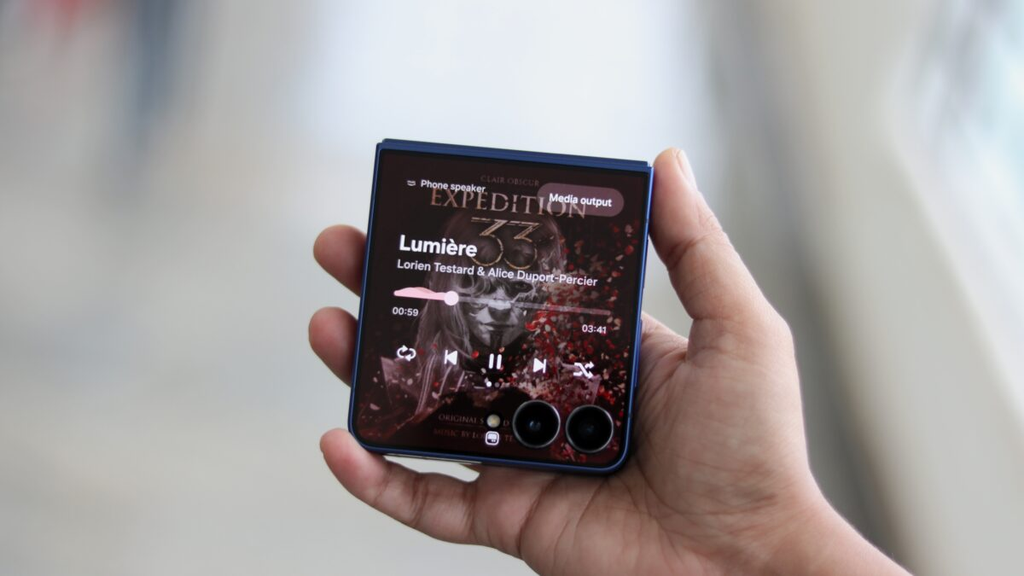
Samsung has just rolled out a major software partnership that will change how millions of people listen to songs on their mobile devices. The tech giant has officially launched the Amazon Music app on the Samsung Galaxy Store. Even bigger news is that Samsung has started preinstalling Amazon Music directly onto millions of select Galaxy smartphones and tablets worldwide.
To sweeten the deal, Samsung and Amazon have paired this rollout with a limited-time perk: a free three-month trial of Amazon Music Unlimited for new subscribers.
This move puts Amazon Music right in front of a massive global audience. It also brings fresh attention to Samsung’s own app marketplace, the Galaxy Store. If you recently bought a Galaxy phone, or if you plan to pick one up soon, there is a strong chance you will find the Amazon Music icon waiting on your home screen or inside your app drawer.
Here is a full breakdown of what this partnership means, how the special offer works, how you can claim your three free months, and how to remove the app if you simply do not want it on your device.
What the Samsung and Amazon Partnership Is All About
This new partnership brings Amazon Music into the core Samsung software experience. For years, Samsung has partnered with various tech services to give users quick access to media. Now, Amazon is stepping into the spotlight.
The $0 Secret To Launching Your Entire Online Empire
Why pay hundreds every month for separate software? Build funnels, send emails, and make sales with Systeme.io completely free.
Get Started For $0Free Forever • No Credit Card Needed • Beginner-Friendly
The agreement covers two main things. First, the Amazon Music app is now officially available for download directly inside the Galaxy Store. Before this, Galaxy owners who wanted Amazon Music had to download it through the Google Play Store. Having it in the Galaxy Store allows Samsung to update, promote, and manage the app within its own software ecosystem.
Second, Samsung is loading the app onto millions of new Galaxy devices before they even leave the factory. According to the official announcement on the Samsung Newsroom, select Galaxy phones and tablets across various price ranges will ship with Amazon Music already installed.
When you turn on a brand-new device, finish setting it up, and look at your apps, Amazon Music will already be sitting there, ready to open. You do not have to search for it, and you do not have to wait for it to download.
Unpacking the Special Offer: 3 Months of Free Amazon Music Unlimited
Preinstalling an app is one thing, but giving users a reason to open it is another. That is why Amazon and Samsung are offering an extended free trial to get people hooked.
If you are a new subscriber to Amazon Music Unlimited, you can get a three-month free trial through the Galaxy Store. Standard free trials for music streaming apps usually last only thirty days, so a full ninety days without paying a dime gives you plenty of time to test out the service.
You can check the full promotion details on the Samsung Galaxy Offers page. Here is a look at what this subscription actually includes.
Over 100 Million Songs on Demand
With Amazon Music Unlimited, you get access to a massive library of more than 100 million songs. Unlike free streaming tiers that force you to shuffle playlists or listen to ads, this paid tier lets you pick and play any song you want, skip as many tracks as you like, and listen without any commercial interruptions.
Studio-Quality Audio and Spatial Sound
Sound quality is one area where Amazon Music Unlimited stands out from many competitors. The service includes High Definition (HD) audio and Ultra HD tracks.
HD tracks stream at CD quality, while Ultra HD tracks stream at up to ten times the bitrate of standard compressed streaming files. If you listen with good wired headphones or high-quality wireless earbuds, you will notice clearer vocals, punchier bass, and far more detail in your favorite records.
The service also supports spatial audio formats like Dolby Atmos and 360 Reality Audio. These formats create a three-dimensional soundstage, making it feel like instruments and vocals are coming at you from all directions.
Popular Podcasts and a Monthly Audiobook
Music is not the only content packed into this app. Subscribers can listen to top podcasts without ad interruptions.
Additionally, the subscription includes one free audiobook every month through Audible. If you enjoy listening to bestselling books or memoirs during your daily commute or while doing chores around the house, that audiobook perk alone adds significant value to the trial.
What Does It Cost After the Trial?
Free trials always come with terms and conditions. Once your three months are up, the plan will automatically renew at the standard monthly rate unless you cancel it before the renewal date.
As of right now, Amazon Music Unlimited costs $12.99 per month for standard customers, or $11.99 per month if you already pay for an Amazon Prime membership. Taxes may apply depending on where you live.
You can cancel the subscription at any point during your free trial, and you will still keep access to the music until the ninety days run out.
Send, Spend & Hold Money Worldwide Without Hidden Fees
Transfer money internationally at the real exchange rate and hold 40+ currencies in one account.
Open a Wise AccountMid-market rate • Fast transfers • 40+ currencies
How to Claim the 3-Month Free Trial on Your Samsung Device
Claiming the offer is simple, and you do not need to buy a brand-new phone to get it. Current Galaxy users can also take advantage of this promotion through the Galaxy Store.
Here are the steps to follow to activate your trial:
- Open the Samsung Galaxy Store: Look for the Galaxy Store icon on your Samsung phone or tablet. It has a white shopping bag icon on a pinkish-red background.
- Search for Amazon Music: Tap the search bar at the top of the Galaxy Store and type in Amazon Music. You can also look under the “Deals” or “Promotions” tab, where Samsung frequently highlights the three-month offer banner.
- Install or Update the App: If your phone already came with the app preinstalled, tap update to make sure you have the newest version. If you do not have it, tap the download arrow to install it.
- Launch the App and Sign In: Open Amazon Music and sign in with your regular Amazon account. If you do not have an Amazon account, you will need to create a free one.
- Redeem Your 3-Month Offer: You should see a prompt highlighting the exclusive three-month free trial for Galaxy users. Tap to accept the offer.
- Confirm Your Payment Details: Amazon will ask you to confirm a payment method on file, such as a credit card or debit card. You will not be charged anything today.
- Set a Calendar Reminder: Right after signing up, open your phone’s calendar app and create a reminder for two or three days before your three months end. That way, you can decide whether you want to keep paying for the service or cancel before any money leaves your bank account.
The Big Debate: Helpful Perk or Unwanted Bloatware?
While a free three-month trial sounds great, the news has caused mixed reactions in the tech community. Tech publication Android Authority and other industry observers have pointed out that preinstalling third-party apps is a form of bloatware.
Bloatware refers to any software pre-loaded onto a phone that the user did not ask for. When people pay hundreds or even over a thousand dollars for a premium mobile device, many expect a clean slate. They want to choose every single app that lives on their phone.
There are two primary viewpoints on this move:
Why Some Users Like the Move
For people who already use Amazon services, having the app ready on day one is convenient. It saves a trip to an app store, and the ninety-day trial is three times longer than standard trials. Casual users who do not have a dedicated music subscription might find this an easy way to listen to ad-free music without spending money for the first quarter of the year.
Why Many Users Are Annoyed
On the flip side, many people already subscribe to Spotify, Apple Music, YouTube Music, or Tidal. If you already have your playlists, liked songs, and podcasts set up somewhere else, a preinstalled Amazon Music app is just digital clutter.
Preinstalled apps also take up storage space. Even though modern phones come with 128GB, 256GB, or more internal storage, users still prefer full control over their memory. There is also the annoyance of apps running background processes, showing notification badges, or pushing promotional alerts.
Can You Delete Amazon Music from Your Samsung Phone?
One of the biggest concerns with preloaded software is whether you can actually get rid of it. In the past, carrier deals and phone makers sometimes locked preinstalled apps into the system software, making them impossible to remove without advanced technical work.
Fortunately, modern Samsung devices running One UI are much more user-friendly when it comes to third-party app management.
The $0 Secret To Launching Your Entire Online Empire
Why pay hundreds every month for separate software? Build funnels, send emails, and make sales with Systeme.io completely free.
Get Started For $0Free Forever • No Credit Card Needed • Beginner-Friendly
If you do not plan to use Amazon Music, here is how you can handle it:
How to Completely Uninstall the App
- Open your app drawer by swiping up from your home screen.
- Locate the Amazon Music app icon.
- Press and hold down on the icon until a small pop-up menu appears.
- Tap Uninstall (the trash can icon).
- A confirmation message will ask if you want to uninstall the app. Tap OK.
Once you tap OK, the app and its stored data will be completely wiped from your phone.
What to Do If You Can Only “Disable” It
On some carrier-specific models or certain regional tablet variants, some preloaded apps cannot be fully uninstalled. Instead, you might only see a Disable option.
If your device only lets you disable Amazon Music:
- Tap Disable from the pop-up menu.
- The phone will shut down all background activities for the app.
- The app will be hidden from your app drawer and home screen.
- It will not receive updates or consume system memory.
While disabling an app does not remove the base installation file from your system storage, it prevents the app from running, sending notifications, or using battery life.
Why Did Samsung and Amazon Make This Deal?
Big tech deals like this never happen by accident. Both companies stand to gain significant business advantages from putting Amazon Music on millions of Galaxy devices.
What Samsung Gets Out of It
Samsung is always looking for ways to strengthen its own software ecosystem. Even though Android is built by Google, Samsung has spent years building its own ecosystem with the Galaxy Store, Samsung Health, Samsung Pay, and SmartThings.
By making the three-month offer exclusive to downloads through the Galaxy Store, Samsung encourages users to open its proprietary store rather than defaulting to the Google Play Store. Every time a user opens the Galaxy Store to claim an offer or update an app, they become more accustomed to using Samsung’s digital storefront.
Additionally, hardware margins on smartphones are tighter than ever. Partnerships with service providers like Amazon provide Samsung with steady commercial revenue that helps support its broader business.
What Amazon Gets Out of It
For Amazon, this partnership is all about market share. Spotify remains the undisputed global leader in streaming music subscribers, with Apple Music holding a strong second place, especially in North America. YouTube Music has also grown at a rapid pace thanks to its bundle with YouTube Premium.
Amazon Music has hundreds of millions of listeners, but many of them only use the basic, limited version tied to their Prime membership or Echo smart speakers. By preinstalling the app on the most popular Android smartphone brand in the world, Amazon puts its premium product directly into customers’ hands.
Even if only a small percentage of Galaxy owners activate the trial and keep their subscription active after the ninety days, that still translates into hundreds of thousands of new monthly paying subscribers.
Amazon Music vs. The Competition: Is It Worth Using on a Galaxy Device?
If you decide to claim the three-month free trial, you might wonder how Amazon Music stacks up against the music apps you normally use. Here is how it compares to the biggest names in the business:
Amazon Music vs. Spotify
Spotify is well known for its playlist curation, personalized discovery features like Discover Weekly, and seamless handoff between devices via Spotify Connect.
However, Spotify still lacks true lossless High-Fidelity audio. Amazon Music Unlimited includes full Lossless HD and Ultra HD audio at no extra charge. If audio fidelity matters to you, Amazon offers noticeably better sound quality than Spotify’s standard streaming settings.
Amazon Music vs. YouTube Music
YouTube Music is great because it lets you listen to rare live performances, remixes, and video tracks that exist only on YouTube.
Amazon Music counters this with a cleaner layout focused strictly on studio releases, along with integrated podcasts and monthly Audible audiobooks. Amazon also offers deeper integration with Alexa smart home devices, which is great if you have Echo speakers placed around your home.
Amazon Music vs. Apple Music
Apple Music is widely praised for its sound quality and clean design, and it does have an Android app.
However, Apple Music does not offer a free ad-supported tier, and its trial promotions are rarely as generous as three full months without paying. Amazon Music gives Galaxy users a comparable high-resolution audio catalog with simpler cross-platform options on Windows, smart TVs, and smart speakers.
Tips to Get the Best Sound Quality on Your Samsung Galaxy
If you jump into the three-month Amazon Music trial, you should set up your Galaxy device to deliver the best possible audio performance. Samsung builds great audio software right into One UI, but many users leave the best settings turned off.
Here are a few quick tweaks you should make:
1. Turn on Dolby Atmos
Samsung Galaxy phones have built-in support for Dolby Atmos, which enhances the width and depth of your audio.
- Go to Settings.
- Tap Sounds and vibration.
- Select Sound quality and effects.
- Toggle Dolby Atmos to On.
- You can also turn on Dolby Atmos for gaming if you want more immersive game audio.
2. Set Up Adapt Sound
Everyone hears frequencies differently. Samsung includes a personal hearing calibration tool called Adapt Sound.
- Under the same Sound quality and effects menu, tap Adapt Sound.
- Connect your favorite pair of wired or Bluetooth headphones.
- Find a quiet room and run the hearing test.
- The phone will play a series of soft beeps at different frequencies to find out what sounds you hear well and what sounds you miss. It will then adjust the sound profile so your music sounds rich and balanced.
3. Adjust Streaming Quality in the Amazon Music App
By default, music apps often set their streaming quality to “Auto” to save mobile data. If you have an unlimited data plan or you are connected to home Wi-Fi, you can set the app to stream in maximum quality.
- Open the Amazon Music app.
- Tap the Gear icon in the top right corner and open Settings.
- Scroll to Streaming Quality.
- Select HD / Ultra HD or Best Available.
- Keep in mind that high-resolution audio uses more data, so if you are on a capped data plan, make sure to set cellular streaming to standard quality and save Ultra HD for Wi-Fi.
Frequently Asked Questions
Do I have to pay anything when I start the three-month trial?
No. The three-month trial of Amazon Music Unlimited is completely free to start. Amazon requires you to enter a valid payment method, but you will not be billed until the ninety days end.
Can I cancel the trial early and still keep listening?
Yes. If you turn off auto-renewal in your Amazon account settings right after signing up, you will still get to enjoy the full three months of service. Once the trial period finishes, your account simply stops without any surprise charges.
Does this deal apply if I already have an active Amazon Music Unlimited account?
No. This specific promotion is strictly for new subscribers to Amazon Music Unlimited. If you have subscribed to the Unlimited tier in the past, or if you currently have an active plan, the system will not grant you the free three months.
Which Samsung devices will come with the app preinstalled?
Samsung announced that the app will come preloaded on select Galaxy smartphones and tablets globally. This includes many devices in the flagship Galaxy S series, the foldable Galaxy Z series, the mid-range Galaxy A series, and Galaxy Tab devices.
Do I have to buy my phone from Samsung directly to get the offer?
No. As long as you have an eligible Galaxy device and download or launch the app through the Samsung Galaxy Store, you can claim the offer. It does not matter whether you bought your phone from Samsung, your mobile carrier, or a third-party electronics store.
Does having Amazon Music preinstalled stop me from using Spotify or YouTube Music?
Not at all. Android allows you to set any music application as your default player. You can run Spotify, YouTube Music, Apple Music, and Amazon Music on the exact same phone without any issues.
Samsung adding Amazon Music to the Galaxy Store and placing it directly onto millions of devices shows just how valuable smartphone real estate has become. Preinstalled apps will always draw some criticism from people who love a spotless home screen, but getting a ninety-day free pass to a library of 100 million songs, high-resolution audio, and free audiobooks makes this one of the better software perks Samsung has introduced this year.
If you want to take advantage of the trial, hop into the Galaxy Store, claim your three months, and remember to turn off auto-renew so you stay in total control of your wallet.
