
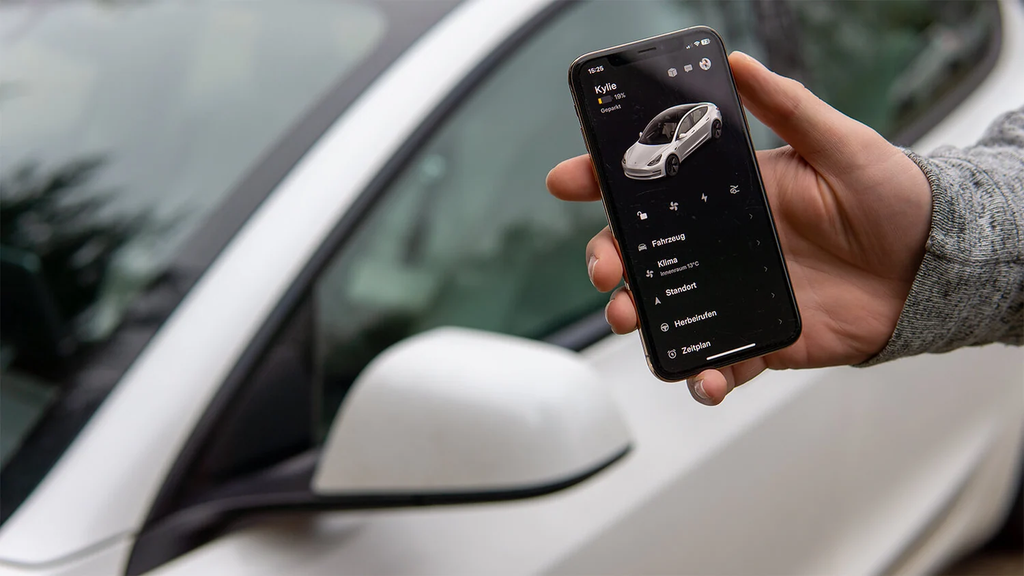
Tesla has officially started rolling out a native big-screen experience for its mobile app. The update, which arrives as version 4.62.0 on the Apple App Store, finally gives iPad users a customized layout designed specifically for larger displays. It also brings full day-one support for Apple’s brand-new foldable device, the iPhone Duo, as well as Android tablets and foldables.
For more than ten years, Tesla drivers who opened the app on a tablet had to deal with an awkward, blown-up phone interface. It looked like a giant smartphone app floating in the middle of a dark screen, surrounded by thick black borders or stretched out to awkward proportions.
That frustrating wait is now over. Alex Guichet, a human interface designer at Tesla who works on the company’s charging and energy software, confirmed the launch on social media. He shared the first look at the redesigned screens and noted that the software is finally optimized for the big screens people carry around every single day.
Here is a full breakdown of what has changed, why the new layout matters, how it performs on different devices, and how to get it running on your screen today.
The Long Wait for a Real Tablet Experience
If you have ever tried using an iPad to check your vehicle status, you know how disappointing the old setup was. The official app was built strictly for handheld phones. When you launched it on an iPad, iPadOS simply scaled up the standard phone resolution.
The $0 Secret To Launching Your Entire Online Empire
Why pay hundreds every month for separate software? Build funnels, send emails, and make sales with Systeme.io completely free.
Get Started For $0Free Forever • No Credit Card Needed • Beginner-Friendly
Buttons were massive, text was unnecessarily spread out, and half the display space was completely empty. You spent more time scrolling through vertical lists to find simple toggles like climate preconditioning or trunk releases than you would on a standard phone.
Drivers have asked for an iPad-friendly layout since the early days of the Model S. Over the years, third-party software developers tried to fill the void by building custom tablet dashboards. While some of those third-party solutions were clever, they always came with trade-offs. You had to share your account tokens, deal with delayed API sync times, or pay monthly subscriptions just to have a clean tablet dashboard mounted on your wall or desk.
With update 4.62.0, Tesla has taken full ownership of the larger form factor. The new native build eliminates letterboxing, stops the awkward stretching, and treats tablets like first-class devices rather than oversized phones.
Inside the New Two-Column Dashboard
The core change in this release is the switch to a two-column layout. Rather than stacking every control into a single narrow column, the app now splits your screen into two distinct functional zones that take advantage of widescreen displays.
The Left-Hand Control Panel
The left side acts as your primary navigation and control station. At the top, you get quick access to your vehicle name, battery percentage, estimated range, and connectivity status.
Below the main status bar, you will find your quick-action buttons. Locking the doors, popping the front trunk, unlocking the charge port, and triggering the lights or horn can now happen with a single tap.
You also get easy access to detailed menus:
- Climate and cabin temperature scheduling
- Sentry Mode camera feeds and security toggles
- Charging limits and scheduled departure times
- Service menus, including the newly added dedicated tire pressure (Show PSI) shortcut
- Full vehicle settings and driver profile controls
Because the menu stays docked on the left, you never lose your place. You can tap through different submenus without having the entire screen slide away.
The Right-Hand Visualizer
The right side of the screen is dedicated to visuals. On a tablet, Tesla displays a large, car-style 3D model of your actual vehicle, mirroring the graphics you see on the dashboard screen inside your car.
The model updates in real time. If a door, trunk, or window is cracked open, the on-screen graphic reflects it immediately. You can rotate and zoom around the vehicle to check its surroundings or inspect which specific tire is running low on pressure.
The visualizer also brings interactive shortcuts. Tapping the trunk on the visualizer pops the trunk, and tapping the charge port door opens the port door. Having this full 3D interactive graphic side-by-side with your menu items makes the tablet version feel like a desktop control deck.
Why Apple’s iPhone Duo Forced Tesla’s Hand
Many tech observers noticed the timing of this update matches Apple’s latest hardware release calendar. Apple announced the foldable iPhone Duo to hit retail shelves on Friday, October 23.
The arrival of the iPhone Duo created a real software problem for app makers. The device features a compact outer screen when closed, but opens up into a square, tablet-sized display on the inside.
If an app is not built using Apple’s modern dynamic layout APIs, the inner display forces the app into a narrow window with massive black pillars on both sides. For a brand known for sleek software like Tesla, having an unoptimized app on launch day would have looked outdated.
As detailed by coverage on MacRumors, Tesla adopted the required SDK to ensure smooth transitions.
Send, Spend & Hold Money Worldwide Without Hidden Fees
Transfer money internationally at the real exchange rate and hold 40+ currencies in one account.
Open a Wise AccountMid-market rate • Fast transfers • 40+ currencies
When you use the app on the iPhone Duo’s outer cover screen, it displays the familiar, compact single-column layout. The moment you unfold the phone to reveal the large inner screen, the interface expands into the full two-column tablet view. There is no jarring reload or visual hitch. It behaves like a true adaptive app.
Full Support for Android Tablets and Foldables
iPad and iPhone Duo owners are not the only ones getting this upgrade. Tesla confirmed that Android tablets and foldable smartphones are receiving the exact same interface improvements.
For years, Android foldable users with devices like the Samsung Galaxy Z Fold or the Google Pixel Fold ran into the same scaling glitches as iPad owners. The app would either look stretched sideways or cut off important buttons at the bottom of the screen.
The updated app recognizes wider aspect ratios across Android operating systems. When an Android tablet or foldable opens the app in horizontal or unfolded mode, it automatically triggers the two-column interface.
This update provides consistency across platforms. Whether you use an entry-level iPad, an iPad Pro, an Android tablet, or a premium foldable, the software presents the exact same buttons, layout, and visual fidelity.
A Major Win for Tesla Energy and Homeowners
While drivers will enjoy the improved vehicle controls, people who power their houses with Tesla Energy get an even bigger boost.
If you own a Tesla Solar Roof, traditional solar panels, or a Powerwall home battery backup, the tablet view gives you an expansive home energy dashboard:
- Real-Time Energy Flow: The home overview shows a graphic map of power moving between your solar panels, the Powerwall battery, your home appliances, and the public electric grid. On a phone, this flow diagram is compact. On an iPad, it becomes a readable home monitor that you can mount on a wall.
- Expanded Historical Charts: You no longer need to pinch or toggle through narrow screens to understand your power consumption. The tablet layout displays wider graphs that track your solar production, home usage spikes, and battery discharge history hour-by-hour.
- Off-Grid and Storm Watch Status: When severe weather strikes, the Powerwall backup status appears clearly without hiding behind additional menus.
Many homeowners have wanted to repurpose an old iPad as a permanent, wall-mounted smart home display. Up until this release, running the Tesla app on a wall iPad looked clunky. Now, mounting a tablet in your kitchen or garage gives you a clean energy dashboard that rivals dedicated home automation touchscreens.
Supercharger Maps Get Room to Breathe
Another standout feature of the new layout is how it handles charging navigation. In recent updates, Tesla added real-time stall availability maps to its mobile software. This feature shows you which exact charging stalls are open, out of order, or in use before you even pull into a station.
On a phone, looking at a busy 20-stall Supercharger map requires zooming in and panning across a tight screen. On a tablet, the entire station diagram fits comfortably alongside site amenities, pricing details, and nearby food stops.
The $0 Secret To Launching Your Entire Online Empire
Why pay hundreds every month for separate software? Build funnels, send emails, and make sales with Systeme.io completely free.
Get Started For $0Free Forever • No Credit Card Needed • Beginner-Friendly
If you are planning a road trip from your couch the night before you leave, the extra screen space makes finding charging stops easier. You can review current charging speeds, see peak fee hours, and plan your stops without juggling multiple tabs or feeling cramped.
How to Get the Update on Your Device
Getting the new tablet interface on your iPad, iPhone Duo, or tablet is straightforward.
- Check Your App Store: Open the App Store on your Apple device or the Google Play Store on your Android device.
- Search for Tesla: Navigate to the official Tesla app page.
- Verify the Version: Make sure you are downloading version 4.62.0 or later.
- Update the Operating System: On iPad, the new release requires iPadOS 17.0 or newer. On the iPhone Duo, make sure you are running the latest version of iOS.
- Launch the App: Once downloaded, sign in with your regular Tesla account credentials.
What If You Still See the Old Layout?
If you have updated to version 4.62.0 but your tablet still shows the old single-column layout, do not panic.
Alex Guichet noted that while the code is live in version 4.62.0, the backend rollout is gradual. Tesla frequently enables major interface changes on a staged schedule over one to two weeks to ensure servers handle the load and to squash unexpected layout bugs.
If your app does not immediately switch to two columns:
- Completely force-close the app from your multitasking menu.
- Check that your tablet is not locked in a forced portrait rotation mode.
- Restart your tablet to clear the temporary app cache.
- Wait a few days for the server-side switch to flip for your account region.
Frequently Asked Questions (FAQ)
Do I have to pay for a separate iPad or tablet app?
No. The new layout is included as a free update within the standard Tesla mobile app. You do not need to purchase a separate tablet license or pay any extra fees.
Does the new iPad layout work in both portrait and landscape modes?
Yes. The app is built to automatically adapt based on how you hold your device. In landscape orientation, you get the full side-by-side two-column view. In portrait orientation, it shifts elements naturally to keep the visualizer and your critical buttons clean and accessible without letterboxing.
Can I use an iPad as a Phone Key to unlock my car?
While you can send remote lock and unlock commands over the internet from your tablet, standard iPads do not support passive Bluetooth walk-up Phone Key functionality. That feature remains tied to smartphones and the Apple Watch. However, the iPhone Duo does support full walk-up Phone Key capabilities on both its outer and inner screens.
Does the update work on older Tesla vehicles?
Yes. The interface update applies to all Tesla models connected to your account, including Model 3, Model Y, Model S, Model X, and Cybertruck. Even if you drive an older Model S or Model X, the app will display your car’s visualizer and relevant controls in the new format.
Will this layout drain my tablet battery faster?
The app uses lightweight vector graphics and hardware acceleration for the 3D car model, meaning it consumes very little power during regular use. If you plan to leave the app open indefinitely on an iPad as a wall monitor for solar panels, keeping the tablet plugged into a power source is recommended.
Where Tesla Mobile Software Goes From Here
This big-screen redesign represents a noticeable shift in how Tesla approaches consumer hardware. For years, the company focused almost entirely on the center touchscreen inside the vehicle and the standard smartphone app. Tablets were left in software limbo.
Now that foldables and large-screen personal devices are everywhere, having software that dynamically scales across screens is a necessity. Between adding native Apple Watch support, integrating passkeys for faster sign-ins, and now offering a full two-column tablet layout, Tesla is making its entire ecosystem easier to manage from any screen you own.
If you have an iPad collecting dust on a nightstand or are preparing to pick up the iPhone Duo, this update provides a smoother, faster way to interact with your car and home energy setup.
