
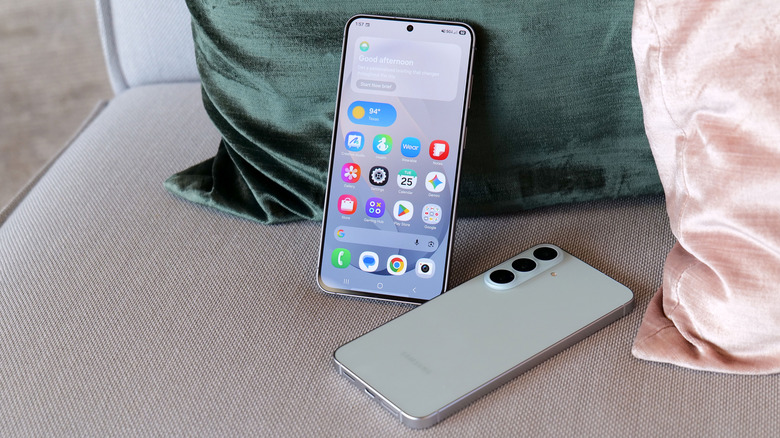
If you pick up your Samsung Galaxy phone, swipe all the way to the leftmost screen, or tap into the built-in Samsung News app for daily headlines, big changes are coming to your home screen. Samsung has officially announced that it is pulling the plug on the Samsung News app across Galaxy devices.
According to an official in-app notice posted directly to Galaxy users in South Korea and India, Samsung will discontinue the Samsung News service on December 21, 2026, at 00:00 UTC.
Once the clock runs out, Samsung News will stop updating, content streams will disappear, the dedicated media feed on your phone will no longer load stories, and your home screen widgets will go blank. Samsung is also wiping clean all user profiles, reading history, and personalization data once the shutdown completes.
Here is everything you need to know about why this is happening, what to expect on your Galaxy smartphone or tablet, and what you should do right now to prepare.
What Is Happening to Samsung News?
Samsung has started pushing an official termination notice inside the Samsung News app. The notice alerts users that the company is discontinuing the platform entirely at the end of the year.
The $0 Secret To Launching Your Entire Online Empire
Why pay hundreds every month for separate software? Build funnels, send emails, and make sales with Systeme.io completely free.
Get Started For $0Free Forever • No Credit Card Needed • Beginner-Friendly
Once December 21, 2026, passes:
- The standalone Samsung News app will no longer deliver breaking stories, sports scores, stock feeds, or lifestyle updates.
- The leftmost swipe panel on One UI home screens that hosts the news feed will stop functioning.
- The Samsung News home screen widgets will freeze and will no longer refresh with new headlines.
- Samsung will permanently erase all personal data, including reading preferences, saved topics, and profile settings, keeping only records required by local regulatory laws.
Samsung has formally advised users to manually remove any Samsung News widgets from their device displays ahead of the December deadline to prevent broken or frozen widgets from cluttering their screens.
While the in-app notice first showed up in South Korea and India, the service operates on global infrastructure. Tech observers expect the shutdown notice to roll out across all remaining regions where Samsung News currently operates.
Why Is Samsung Killing the News App?
Samsung has not given a lengthy public manifesto about the decision, but the move fits squarely into a broader pattern: the company is actively cutting bloat and eliminating duplicate services across its hardware ecosystem.
For years, Samsung has tried to build proprietary service portals to compete head-to-head with Google and third-party media outlets. However, the reality of Android usage is simple: most Galaxy owners either stick with Google’s native tools or download standalone news readers.
Maintaining a standalone content curation hub requires heavy licensing agreements with publishers, constant engineering maintenance, and strict regional content filtering. When compared against the dominant reach of Google Discover, Samsung’s custom news hub simply did not draw the engagement required to justify keeping the servers online.
We have seen this cleanup strategy play out across other areas of Samsung’s product line as well. Recently, the company announced the discontinuation of its Daily+ service on Samsung smart TVs and connected monitors. Trimming non-essential services allows the tech giant to redirect engineering resources and budget toward high-impact mobile hardware and operating system advancements, especially as it rolls out massive software platforms like One UI 9 on upcoming flagship and mid-range devices.
The Long, Messy History of Samsung’s Home Screen Feed
If you feel like Samsung changes its home screen content platform every few years, your memory is spot on. The death of Samsung News is just the latest chapter in a long, confusing game of musical chairs that began nearly a decade ago.
1. Bixby Home (Launched in April 2017)
Back with the launch of the Galaxy S8, Samsung introduced Bixby Home. It lived on the leftmost swipe of your display, mixing social media updates, weather cards, calendar appointments, and news blurbs into a busy, tile-based dashboard. It often felt slow and bloated, leading many users to turn it off completely.
2. Samsung Daily (Launched in October 2019)
Recognizing that Bixby Home was cluttered and sluggish, Samsung rebranded and overhauled the screen into Samsung Daily alongside Android 10. Samsung Daily attempted to streamline the cards, focusing on music playlists, news clips, and quick device shortcuts. Yet, user adoption remained lukewarm.
3. Samsung Free (Launched in Late 2020)
With the arrival of One UI 3.0, Samsung tried an entirely different angle with Samsung Free. Instead of just showing news headlines, Samsung Free split the screen into multi-media tabs: “Read” for journalism, “Play” for instant browser games, and “Watch” for free ad-supported streaming television. While Samsung Free gave users plenty of interactive media, the interface felt disjointed for people who simply wanted to read a quick headline before starting their morning commute.
4. Samsung News (Launched in April 2023)
In early 2023, Samsung gave up on the all-in-one entertainment hub, dropped the games and media extras, and rebranded the service as Samsung News. The app refocused entirely on journalism, offering a cleaner interface with customizable topic tabs, sports highlights, morning news briefs, and partner publisher links.
Now, just over three years later, Samsung News is reaching the end of the road. This marks the fourth time Samsung has built, rebranded, and ultimately walked away from a built-in content feed on Galaxy devices.
What Happens to Your Galaxy Home Screen Now?
For millions of smartphone users, swiping left from the first screen has become muscle memory. When Samsung News goes dark on December 21, what takes its place?
Google Discover Takes Full Ownership
On modern Samsung phones running One UI, users have had the option to switch between Samsung’s built-in feed and Google Discover. With Samsung News bowing out, Google Discover will become the standard, default left-hand pane across Galaxy phones and tablets.
Send, Spend & Hold Money Worldwide Without Hidden Fees
Transfer money internationally at the real exchange rate and hold 40+ currencies in one account.
Open a Wise AccountMid-market rate • Fast transfers • 40+ currencies
Google Discover is already the preferred feed for a large chunk of Android users anyway. It taps directly into your Google search interests, YouTube viewing habits, and browser preferences to build an intuitive, fast-updating news stream without requiring a separate Samsung login.
You Can Turn Off the Left Screen Entirely
If you never liked having a news feed sitting on the edge of your screen in the first place, you don’t have to keep one active. Disabling the left-hand screen takes just a few taps:
- Long-press on an empty space on your Galaxy home screen.
- Swipe over to the leftmost screen.
- Toggle the switch at the top right of the card to Off.
Once switched off, your phone will stop swiping past your first page of apps, giving you a cleaner, distraction-free desktop.
What Galaxy Users Need to Do Before December 21, 2026
If you actively use the Samsung News platform, you should take a couple of basic steps before the December cutoff:
- Remove Samsung News Widgets: If you have news cards or headlines sitting on your display, long-press the widget and tap the trash or remove icon. Leaving it active past the deadline will leave you with an unresponsive blank box on your home screen.
- Save Any Bookmarked Articles: Because Samsung plans to delete personalization profiles and user data after the shutdown, any articles or stories you have saved inside the app will be wiped. If there is a story or guide you want to keep, copy the web link and paste it into a browser or personal notes app.
- Review Your Home Screen Settings: Pinch your screen to open your One UI page manager and make sure your swipe panel is toggled to Google Discover or switched off entirely.
Best Free Alternatives for Samsung Galaxy Users
Losing Samsung News does not mean you have to lose out on timely mobile updates. Several top-tier reading apps offer better personalization, cleaner layouts, and reliable widget support on Android:
1. Google News
If you prefer a structured daily briefing over the algorithmic stream of Google Discover, Google News remains the gold standard on Android. It organizes top national and international stories, offers local weather and community reporting, and includes a handy “Full Coverage” button that lets you view how different publications cover the exact same event.
2. Feedly
For people who want total control over what shows up on their phone, Feedly is an exceptional RSS reader. Instead of letting an algorithm decide what you read, Feedly lets you curate an exact list of publications, blogs, and industry outlets. It delivers an ad-free, clean reading feed with zero algorithmic interference.
3. Microsoft Start
If you enjoy the broad mix of news, live sports trackers, financial tickers, and weather that Samsung News originally offered, the Microsoft Start app provides a very similar experience. It features customizable home screen widgets and a comprehensive daily summary card.
4. Pocket (by Mozilla)
If your favorite part of Samsung News was discovering deep-dive long reads rather than fast breaking alerts, Pocket is an ideal replacement. It surfaces thoughtful essays, long-form journalism, and magazine features, while allowing you to save articles offline to read whenever you have downtime.
How This Fits Into Samsung’s Bigger Hardware and Software Push
The departure of Samsung News reflects a larger, overdue shift in how phone manufacturers treat built-in software.
The $0 Secret To Launching Your Entire Online Empire
Why pay hundreds every month for separate software? Build funnels, send emails, and make sales with Systeme.io completely free.
Get Started For $0Free Forever • No Credit Card Needed • Beginner-Friendly
For years, Android phone makers loaded their devices with duplicate software—two browsers, two gallery apps, two message apps, and two digital assistants. Over time, that software clutter has given way to cleaner, leaner system updates. Samsung has increasingly partnered with Google to streamline the software experience on Android.
By eliminating low-engagement custom apps, Samsung frees up system space and reduces background battery consumption. Efficient background operation is crucial as phone shoppers look for reliable power and value across every price tier—from flagships like the Galaxy S series down to the best budget-friendly Samsung products on the market.
This streamlining also aligns with Samsung’s aggressive expansion into advanced on-device tools and system-level artificial intelligence. Galaxy users are spending far more time interacting with smart camera algorithms, photo editing enhancements, and productivity features than reading aggregated news feeds. Whether users are testing hidden Samsung background app controls or optimizing battery life, a lighter operating system is a welcome change for device performance.
Frequently Asked Questions (FAQs)
When will Samsung News officially stop working?
Samsung News will shut down on December 21, 2026, at 00:00 UTC. After this exact timestamp, content will no longer be refreshed, and the app will stop pulling stories.
Will Samsung replace Samsung News with a new app?
Samsung has announced no replacement service. Instead of rebranding the news feed as it did with Bixby Home, Samsung Daily, and Samsung Free, the company is stepping away from standalone news curation entirely. Users can switch directly to Google Discover on their home screen.
Do I have to delete the Samsung News app manually?
You do not have to uninstall the app manually, as core components are tied to the One UI system launcher. However, Samsung recommends manually deleting any Samsung News home screen widgets right away so they do not freeze on your screen after the shutdown date.
Will my saved articles and reading data be preserved?
No. Samsung has stated that all user data, profiles, and reading preferences stored within the Samsung News infrastructure will be completely deleted following the shutdown, except for records required by local compliance laws.
Which devices are affected by the shutdown?
All Samsung Galaxy smartphones and Galaxy tablets that feature the Samsung News app, the Samsung News widget, or the leftmost media swipe screen are affected by the discontinuation.
Samsung’s decision to sunset its native news service marks the conclusion of a nearly decade-long experiment with custom home screen media portals. While some loyal daily readers will miss the built-in briefings, Galaxy users are left with an uncluttered interface, faster home screens, and plenty of capable third-party alternatives.
