
Tracking what you eat is usually the hardest part of staying healthy. You sit down with a hot plate of food, and before you can take a single bite, you have to open an app, search through endless food lists, and guess how many grams of rice or chicken are sitting in front of you.
Samsung wants to end that daily chore. The tech giant is rolling out a new Galaxy AI feature inside Samsung Health called Scan Meal. Instead of typing out every ingredient by hand, you simply take a photo of your plate, and Galaxy AI estimates your calories and nutrients in seconds.
The feature first appeared in beta as part of Samsung’s major October 2026 health update and has since surfaced in deeper Galaxy AI builds linked to One UI 9.5. If you use a compatible Galaxy phone and want an easier way to watch your diet, this update changes how food logging works on Android.
What Is the Samsung Health Scan Meal Feature?
Scan Meal is an artificial intelligence tool built directly into the Samsung Health app that identifies food from photos and calculates estimated nutrition facts. You point your phone camera at breakfast, lunch, or dinner, snap a picture, and let Samsung’s software break down what is on your plate.
According to details shared in the official Samsung Newsroom announcement, the feature is designed to take the friction out of daily food logging. Most people quit calorie tracking after a few days because manual entry feels like homework. Taking one quick photo takes less than five seconds.
The $0 Secret To Launching Your Entire Online Empire
Why pay hundreds every month for separate software? Build funnels, send emails, and make sales with Systeme.io completely free.
Get Started For $0Free Forever • No Credit Card Needed • Beginner-Friendly
Further reporting by SamMobile on Samsung’s One UI 9.5 update shows that Galaxy AI does more than guess a single number. The tool tries to recognize specific food names, separate individual ingredients, estimate portion sizes, and calculate total calories along with key macronutrients like protein, carbohydrates, and fats.
How Galaxy AI Scans Your Food and Estimates Calories
Using Scan Meal does not require any special camera lens or extra hardware. Everything happens inside the Samsung Health app you already have on your phone.
When you open the nutrition section in Samsung Health and choose the Scan Meal option, your camera opens up. Once you take a picture of your meal, your phone sends that image to Samsung’s cloud servers for processing.
On those servers, Galaxy AI examines the shapes, colors, textures, and layout of the food on your plate. For example, if you take a photo of a plate with grilled chicken, white rice, and steamed vegetables, the AI separates each item instead of treating the entire dish as one mystery blob.
After analyzing the image, the app displays a breakdown on your screen. You can see what foods the AI spotted, the estimated portion size for each item, and the projected calorie count. If the AI mistakes turkey for chicken or thinks your portion is smaller than it actually is, you can adjust the details before saving the meal to your daily log.
Which Samsung Phones and Regions Support Scan Meal?
Before you rush to update your phone and test this at dinner tonight, you need to check two important rules: which device you own and where you live.
Samsung has restricted the Scan Meal beta to newer flagship Galaxy smartphones. Right now, the supported list includes:
- Samsung Galaxy S24, Galaxy S25, and Galaxy S26 series phones
- Samsung Galaxy Z Fold6, Z Fold7, and Z Fold8 series devices, including the Z Fold8 Ultra
- Samsung Galaxy Z Flip6, Z Flip7, and Z Flip8 foldable phones
If you are using an older Galaxy A-series phone or an older flagship like the Galaxy S22, Scan Meal will not show up in your app yet.
There is also a strict regional and age limit during this beta phase. Samsung currently limits Scan Meal and its new nutrition insights to users in the United States who are at least 19 years old. That means Galaxy owners in Nigeria, the UK, Europe, and other parts of the world will have to wait a little longer for an official local rollout.
Samsung often launches health and AI features in the United States first to gather real-world testing data and satisfy local health data rules before expanding globally. As One UI 9.5 rolls out more broadly, international users will be watching closely to see when Samsung unlocks the tool in other countries.
The Catch: Accuracy Limits, Privacy, and Possible Future Fees
AI food scanning sounds like magic on paper, and it is genuinely helpful for busy people. Still, Samsung itself includes several clear warnings in the app’s fine print that every user should understand.
Why Photo Lighting and Hidden Ingredients Matter
A smartphone camera can see the outside of your food, but it cannot see inside your cooking pot. That is the biggest weakness of every photo-based calorie scanner on the market.
Two plates of rice or pasta can look identical in a photo while having a massive difference in calories. One plate might be cooked with a light teaspoon of oil, while another might be drenched in butter, heavy cream, or palm oil. Because the camera cannot measure hidden fats, sugars, or sauces, the calorie count will always be an educated guess.
Samsung directly warns users that Scan Meal accuracy varies depending on photo conditions like camera angle, shadows, and room lighting. The company also notes that these numbers are for general wellness tracking only and should never replace real medical or dietary advice from a qualified healthcare professional.
Could Scan Meal Become a Paid Subscription Feature?
Here is the detail that caught many tech watchers off guard. In its official terms for the Scan Meal beta, Samsung states that the rules around the feature could change in the future. Specifically, Samsung notes that Scan Meal could eventually turn into a paid or subscription-based feature.
Send, Spend & Hold Money Worldwide Without Hidden Fees
Transfer money internationally at the real exchange rate and hold 40+ currencies in one account.
Open a Wise AccountMid-market rate • Fast transfers • 40+ currencies
The company also reserves the right to place daily rate limits on how many meals you can scan so that its servers stay fast and reliable. Running cloud AI models on millions of food photos every day costs money. While the feature is free to test during the beta period, Samsung is clearly keeping the door open for a premium tier later on.
What Happens to Your Food Photos?
Because your phone does not process Scan Meal images offline, every photo you take with the tool is sent to Samsung’s servers for analysis. For most people taking pictures of lunch, that is not a major worry. However, if you prefer keeping all your personal health habits strictly on your device, it is good to know that cloud processing is required for the AI to work.
How Scan Meal Connects With Diet Score and Other New Samsung Health Tools
Scan Meal is not launching in isolation. As 9to5Google highlighted in its coverage of the Samsung Health update, Samsung is connecting food tracking with several other wellness features so your daily habits make sense together.
The biggest companion feature is called Diet Score. Instead of obsessing only over raw calorie numbers, Diet Score looks at the overall quality of what you eat and drink. It evaluates your eating patterns across seven different areas, including food groups and beverages, and places your habits into one of four simple tiers: Needs Attention, Fair, Good, or Excellent.
Samsung Health also added guided nutrition programs lasting between eight and 14 weeks. These programs include practical guides, small daily challenges, and meal planning ideas to help you build steady habits rather than crash dieting.
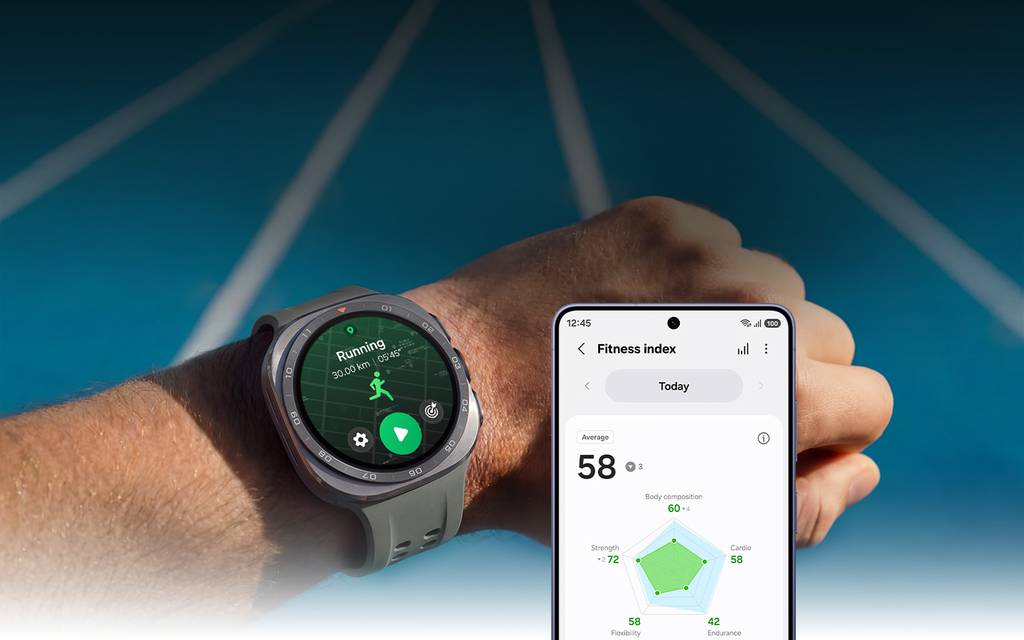
Outside of food, the same update improved Sleep Coaching—which now needs just three days of sleep data instead of a full week to get started—and upgraded Running Coach with tougher training levels and Strava route support. When you pair a Galaxy Watch or Galaxy Ring with Samsung Health, the app compares the calories you burn during workouts and daily movement against the meals you log with your camera.
How Samsung Health Compares to Other AI Calorie Trackers
Samsung is not the first company to let you photograph your dinner for calorie estimates. Third-party apps like MyFitnessPal, Lose It, Cal AI, and SnapCal have offered photo logging for a while, and competing wearable platforms like Google Health, Garmin, and Oura also explore nutrition tracking.
As BGR pointed out when reviewing Samsung’s nutrition push, the real advantage here is convenience and integration. Most third-party AI calorie apps charge monthly subscription fees right away or clutter your screen with ads. Having a native scanner built straight into Samsung Health means you do not have to download another app, create another account, or pay another subscription just to log lunch.
Your food data also sits right next to your step count, sleep score, heart rate, and Energy Score in one dashboard. Seeing how a heavy late-night meal affects your sleep quality the next morning is much easier when all your data lives under one roof.
Practical Tips to Get the Best Results From AI Meal Scanning
If you have access to Scan Meal—or plan to use it as soon as it lands on your phone—a few simple habits will make your calorie estimates much more accurate:
The $0 Secret To Launching Your Entire Online Empire
Why pay hundreds every month for separate software? Build funnels, send emails, and make sales with Systeme.io completely free.
Get Started For $0Free Forever • No Credit Card Needed • Beginner-Friendly
- Take photos in bright, clear light: Dim restaurant lighting makes foods blend together. Move your plate near a window or under a bright overhead light before snapping the picture.
- Shoot from a slight angle: Taking a photo straight down from above hides how tall a pile of rice or meat actually is. Holding your phone at roughly a 45-degree angle helps Galaxy AI judge portion depth much better.
- Keep foods slightly separated: When sauce covers everything on the plate, AI struggles to tell ingredients apart. Giving items a tiny bit of breathing room helps the scanner identify each part of your meal.
- Add cooking oils and dressings manually: If you know your salad has two tablespoons of creamy dressing or your plantains were deep-fried, add those extras by hand after the scan finishes.
- Use barcode scanning for packaged snacks: AI photo scanning is great for home-cooked plates and restaurant meals, while barcode scanning remains the fastest and most exact method for bottled drinks, protein bars, and boxed snacks.
Frequently Asked Questions About Samsung Health Scan Meal
Is the Samsung Health Scan Meal feature free to use?
Yes, Scan Meal is free to use while it is in its beta testing phase. However, Samsung states in its terms of service that the feature could become a paid or subscription-based option in the future, and usage limits may apply.
Which Samsung Galaxy phones support the Scan Meal feature?
Scan Meal works on the Galaxy S24, S25, and S26 series, the Galaxy Z Fold6, Z Fold7, and Z Fold8 series (including the Z Fold8 Ultra), and the Galaxy Z Flip6, Z Flip7, and Z Flip8 devices.
How accurate is Galaxy AI at counting calories from a photo?
Scan Meal provides helpful estimates rather than exact laboratory measurements. Accuracy depends on photo lighting, camera angle, and hidden ingredients like cooking oils or sauces that a camera cannot see.
Does Samsung Health Scan Meal work offline without internet?
No, Scan Meal requires an active internet connection. When you take a photo of your food, Samsung Health sends the image to Samsung’s servers so Galaxy AI can analyze the meal and return the calorie breakdown.
When will Scan Meal launch outside the United States?
Samsung has not announced an exact international release date yet. Right now, the beta is limited to U.S. users aged 19 and older, with wider availability expected as Samsung expands its One UI 9.5 and Samsung Health updates.
Do I need a Galaxy Watch or Galaxy Ring to use Scan Meal?
No, you do not need a smartwatch or smart ring to use Scan Meal. You only need a supported Galaxy smartphone running the updated Samsung Health app, though pairing a Galaxy Watch or Galaxy Ring gives you a fuller view of calories burned versus calories eaten.
What Comes Next for Galaxy AI and Everyday Nutrition Tracking
Samsung’s move to bring AI meal scanning into Samsung Health shows where everyday wellness tech is heading. People do not want complicated spreadsheets or tedious food diaries—they want fast, simple tools that fit naturally into a busy day. Even with the usual accuracy limits of camera-based calorie counting, snapping a quick photo is far better than giving up on tracking altogether.
As Samsung refines Scan Meal through One UI 9.5 and prepares for wider rollouts, Galaxy users have plenty to look forward to. Have a tech tip, story idea, or question you want us to cover next?
