
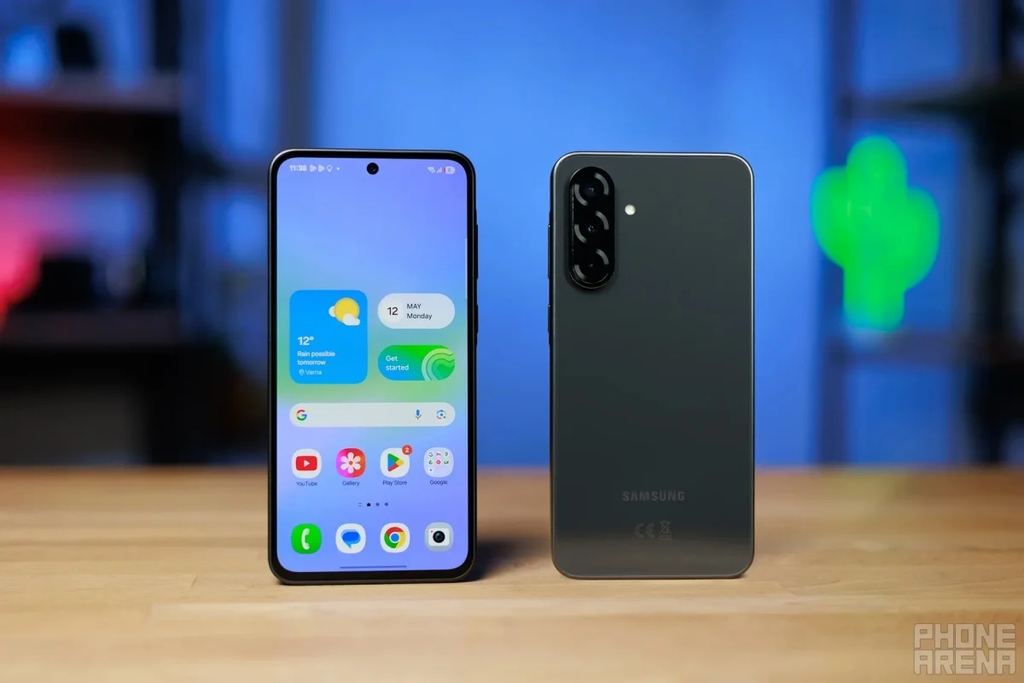
Samsung has started rolling out its official One UI 9 update to a wide collection of Galaxy A-series mid-range phones weeks ahead of schedule. For anyone who carries an A-series device instead of a four-figure flagship, this news comes as a massive, welcome shock.
For nearly a decade, buying a mid-range phone meant accepting a hard truth about software updates. Flagship buyers who dropped huge money on an Ultra or a Fold were treated like royalty, getting every major Android refresh before the holidays. Meanwhile, owners of popular daily drivers like the Galaxy A50, A53, or A54 spent months watching update trackers, waiting patiently while calendar dates slipped from January into March, and sometimes straight into late spring.
That old waiting game just collapsed. Samsung is pushing its latest Android 17-powered One UI 9 software directly to millions of Galaxy A devices across multiple continents. If you have an A-series handset sitting in your pocket, your daily software experience is about to get a major visual polish, faster performance, and smart new tricks.
Why This Early Mid-Range Rollout Is Such a Huge Deal
To appreciate why phone enthusiasts are stunned by this move, you have to look at how smartphone update schedules have historically worked. Software engineering is expensive and demanding. Companies have always poured their initial engineering budget into their top-shelf hardware. After making sure those expensive flagships work without catastrophic bugs, engineers slowly port that operating system down through cheaper processors, varied camera modules, and different display refresh rates.
In past cycles, if you wanted the newest mobile operating system before the new year, you had to pay premium prices. The gap in treatment between the flagship Galaxy S line and the Galaxy A line was one of the biggest reasons people hesitated when deciding how to choose between Samsung Galaxy S-series and A-series devices.
The $0 Secret To Launching Your Entire Online Empire
Why pay hundreds every month for separate software? Build funnels, send emails, and make sales with Systeme.io completely free.
Get Started For $0Free Forever • No Credit Card Needed • Beginner-Friendly
That dynamic began shifting when Samsung overhauled its software delivery pipeline. Rather than treating mid-range firmware as an afterthought, engineers built One UI 9 with modular architecture right from the start. That meant the core code could easily scale across different system-on-chip architectures without requiring months of ground-up rebuilding for mid-tier silicon.
The result is a rollout speed that rivals Apple’s uniform software releases. Right after completing initial deployment for devices like the Galaxy S26, as reported when Samsung just dropped the massive One UI 9 update for Galaxy S26, the brand turned its attention straight to the everyday phones owned by tens of millions of people worldwide.
Which Galaxy A-Series Phones Are Getting One UI 9 First?
Samsung sells dozens of different Galaxy A variants across North America, Europe, Asia, Africa, and Latin America. Because updates roll out in waves depending on model tier and region, not every device will receive the notification simultaneously. However, the first wave is far broader than anyone anticipated.
The First Wave: Premium Mid-Rangers
The front of the pack consists of Samsung’s top-performing A-tier handsets. These devices pack strong processors and ample memory, making them ideal candidates for the first global wave of the update.
- Samsung Galaxy A55 5G: Leading the charge across Europe, the Middle East, and parts of Asia. Early user reports confirm official OTA (over-the-air) build alerts appearing in system settings.
- Samsung Galaxy A54 5G: One of the best-selling smartphones on the planet is getting priority treatment, receiving the stable build far earlier than its predecessor ever did.
- Samsung Galaxy A35 5G: Matching the Galaxy A55 step-for-step in multiple regions, giving buyers of this accessible handset immediate access to Android 17.
- Samsung Galaxy A34 5G: Proving that two-year-old mid-range hardware can still receive first-tier software support without performance penalties.
- Samsung Galaxy A56 and A57 Series: For newer iterations that debuted close to the software transition, testing timelines accelerated significantly after Samsung Galaxy A57 is getting One UI 9 beta very soon.
The Second Wave: Popular Budget Champions
Right behind the headline mid-rangers, Samsung is already testing production firmware for its entry-level and sub-mid-range catalog. These models are slotted for release over the coming weeks:
- Samsung Galaxy A25 5G and A24: Slated to receive the core update package, including core privacy features and system interface improvements.
- Samsung Galaxy A16 5G and A15 5G: These ultra-popular budget champions are scheduled to see stable rollout alerts before the end of the current quarter.
- Samsung Galaxy A06 and A05s: Entry devices that will receive a streamlined version of the software tailored to modest processing packages.
If you own an older phone that came out four or five years ago, you will want to verify your phone’s status on the official support list. Several legacy devices have officially reached their planned end-of-life status, as detailed in our guide on Samsung devices that will not receive One UI 9.0 Android 17 update.
What Is New in One UI 9 for Galaxy A-Series Owners?
Flagship owners get all the marketing buzz, but mid-range users often appreciate software updates even more because practical improvements make budget hardware feel brand new. One UI 9 is not just a coat of fresh paint. It brings deep architectural changes that make everyday tasks faster and smoother.
A Smoother, Fluid Interface
The first change you will notice when unlocking your phone after the reboot is how fluid the animations feel. In previous versions, dropping the notification shade or swiping home while running several heavy apps could cause slight stuttering on mid-range chips like the Exynos 1380 or Dimensity 1080.
One UI 9 rebuilds the entire animation engine. Touch response curves are now separated from background rendering tasks. Even if an app in the background is downloading large files or syncing photos, your home screen gestures remain responsive and consistent.
The notification shade and quick settings layout have also received subtle spacing improvements. Icons are easier to reach with one hand, brightness sliders offer finer control, and notifications group together more cleanly to prevent clutter.
Practical AI Tools That Do Not Slow Down Your Device
Artificial intelligence features often sound intimidating or gimmicky, especially if you worry they will drain your battery or require expensive cloud subscriptions. Samsung tailored its software rollout so that Galaxy A-series models get the features people actually use daily, skipping heavy computing tricks that mid-range silicon cannot comfortably handle.
You get improved auto-transcription in Voice Recorder, cleaner text summaries inside Samsung Internet, and smart image clipping inside the Gallery app. You can cut objects out of photos with a single tap, turn them into custom stickers, or automatically clean background reflections out of pictures taken through glass windows.
Because these tools rely on optimized on-device processing and streamlined cloud calls, your phone does not run hot while using them.
Stronger Privacy and Notification Controls
Android 17 brings tighter privacy defenses to the Android ecosystem, and One UI 9 puts those controls directly in your hands. A redesigned Privacy Dashboard gives you an exact timeline of which apps accessed your clipboard, camera, microphone, or precise location over the past week.
You also get advanced call screening features. If an unknown number rings your phone, you can prompt the built-in assistant to screen the caller in real time. The caller is asked to state their name and the reason for calling, and their words are transcribed live on your screen so you can decide whether to pick up or send them straight to voicemail.
Send, Spend & Hold Money Worldwide Without Hidden Fees
Transfer money internationally at the real exchange rate and hold 40+ currencies in one account.
Open a Wise AccountMid-market rate • Fast transfers • 40+ currencies
For a deeper technical dive into the foundational changes bundled into this system release, you can read our breakdown of how Samsung just dropped the Android 17 One UI 9 update.
Camera and Battery Improvements: What Mid-Range Users Can Expect
When you pay $350 to $450 for a smartphone, camera processing and battery longevity are the two things that matter most. Fortunately, One UI 9 delivers noticeable refinements to both areas on mid-tier hardware.
Snappier Camera App Performance
On budget and mid-tier phones, the stock camera app can sometimes hesitate for a fraction of a second when switching between the main sensor, ultra-wide lens, and macro lens. One UI 9 reorganizes memory allocation inside the camera software.
- Lower Shutter Lag: Tap the shutter button, and the frame is captured immediately. This makes catching moving kids or pets significantly easier.
- Better Night Photography: Multi-frame noise reduction has been tuned to handle grain better in low-light environments without turning faces into blurry watercolor paintings.
- Cleaner Document Scanning: Point your camera at a receipt or document, and the camera now straightens edges and wipes out thumb shadows automatically.
Smarter Battery Management
Mid-range Samsung phones are famous for packing massive 5,000 mAh battery cells. However, unoptimized software can chew through capacity fast. One UI 9 introduces smarter background sleep management that learns which apps you leave open but never actually use throughout your workday.
Instead of letting rogue shopping apps or social media platforms run silent background processes, the operating system aggressively restricts background wake-locks. For users who plan to keep their Galaxy A-series phone for three or four years, learning how to enable Samsung battery protection to extend battery lifespan works hand in hand with these new software optimizations to prevent battery degradation over time.
Step-by-Step: How to Check for and Install One UI 9
If you want to see if your phone has access to the update right now, checking takes less than sixty seconds. Follow these simple steps:
- Connect your smartphone to a stable Wi-Fi network to avoid burning through your monthly cellular data allowance.
- Open the Settings app on your phone.
- Scroll down toward the bottom of the list and tap Software update.
- Tap Download and install.
- Your device will query Samsung’s update servers. If the update is ready for your specific carrier and country, you will see a detailed changelog screen. Tap Download, and once the file finishes, select Install now.
Your phone will reboot into recovery mode, verify the file packages, and run through the upgrade process. This usually takes between 10 and 20 minutes depending on your phone model. During this time, the phone will restart once or twice. Do not hold down the power button or try to force restart the device while the progress bar is moving.
What to Do Before and After Updating Your Phone
Major operating system updates rewrite thousands of system files. While modern updates are safe, spending five minutes preparing your device guarantees a painless experience.
Pre-Update Checklist
- Make a Quick Backup: Use Samsung Cloud or Google Drive to back up your contacts, text messages, and photos. You will almost certainly not lose any data, but having a current backup gives you total peace of mind.
- Charge Your Battery: Make sure your phone has at least 50 percent battery before starting the installation, or simply keep your phone plugged into a wall charger while the update runs.
- Clear Some Storage: Major Android upgrades require between 8 GB and 14 GB of free storage space to download, unpack, and swap operating system files. If your internal storage is full, take a minute to delete old video clips or review 8 Samsung background apps you can safely uninstall to free up valuable room.
Post-Update Best Practices
When your phone boots back up into One UI 9, it may feel warm to the touch for the first thirty minutes. That is completely normal. The Android operating system is rebuilding app caches, indexing files, and reorganizing background directories.
Give your phone a chance to settle by following these three tips:
The $0 Secret To Launching Your Entire Online Empire
Why pay hundreds every month for separate software? Build funnels, send emails, and make sales with Systeme.io completely free.
Get Started For $0Free Forever • No Credit Card Needed • Beginner-Friendly
- Update Your Apps: Open both the Google Play Store and the Galaxy Store, go to your updates tab, and tap Update all. App developers push patches specifically designed for Android 17, and updating your apps prevents unexpected crashes.
- Restart Once More: After all your apps have finished updating, give your phone one fresh restart. This clears temporary installation logs from system memory.
- Allow 48 Hours for Battery Calibration: Do not judge battery performance on day one. Because the system runs indexing scripts in the background, power consumption will be higher for the first 24 to 48 hours. By day three, battery consumption will stabilize back to normal, often outlasting previous software versions.
Frequently Asked Questions
Will installing One UI 9 delete any of my personal photos or apps?
No. Standard over-the-air software updates do not erase your personal storage. All your photos, messages, contacts, apps, and account logins will remain intact right where you left them.
Why is my friend with the same phone seeing the update while I cannot?
Samsung rolls out updates in staged regional waves. Updates also depend on whether your phone is an unlocked retail unit or tied to a specific wireless carrier. Carrier-branded phones often require an extra round of network compliance testing before the carrier gives permission to push the software live.
Can I downgrade back to One UI 8 if I do not like the update?
In almost all cases, no. Modern Samsung firmware updates update the device bootloader version for security reasons. Once the bootloader is updated, security protocols prevent the phone from flashing older, less secure operating system builds.
Will One UI 9 make my mid-range phone feel slower?
No. Unlike software updates from a decade ago that occasionally weighed down budget processors, One UI 9 was designed with optimized resource usage. The animation adjustments and memory scheduling actually make daily navigation feel snappier on processors like the Exynos 1380 and MediaTek Dimensity chips.
Does my Galaxy A-series phone get every single feature found on the Galaxy S-series?
Not quite every single one. Premium camera tricks that require dedicated telephoto periscope hardware, high-end optical zoom sensors, or massive neural processing units remain exclusive to top-tier flagships. However, all core interface upgrades, privacy locks, visual designs, and everyday productivity tools are present on the mid-range builds.
Samsung’s decision to accelerate its One UI 9 rollout to the Galaxy A-series proves that mid-range smartphone owners no longer need to feel like second-class citizens. Getting major operating system upgrades rapidly, reliably, and without painful delays raises the standard for the entire smartphone industry.
If your phone has not flashed the update prompt yet, keep an eye on your settings menu over the coming days. The rollout is actively expanding across carriers and regions every single week.
