
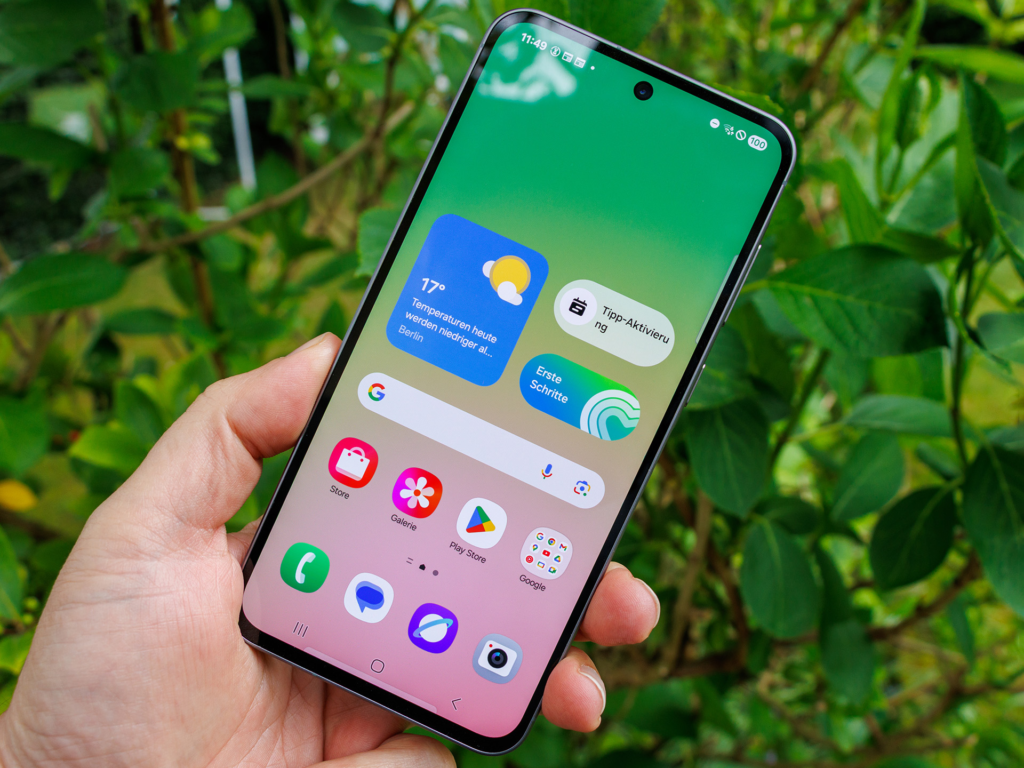
Samsung has finally started pushing out the official stable One UI 9 update to Galaxy S26, S26 Plus, and S26 Ultra users worldwide. After months of waiting and testing out beta builds, the finished software based on Android 17 is landing on devices right now.
If you own a Galaxy S26 device, your phone is about to get a massive makeover. This update brings a long list of brand new artificial intelligence tools, a fresh visual design, better privacy controls, and smoother animations.
The download is quite large, weighing in at around 4 gigabytes for anyone upgrading directly from the previous version. That means you will want to get on a reliable connection before hitting that download button.
Here is everything you need to know about what is included in this update, how it changes your phone experience, and the exact steps you should take to install it on your device today.
What Is One UI 9 and Why Should You Care?
Every year, Google releases a new version of the main Android operating system. Shortly after that, Samsung takes that raw Android code and builds its own custom software interface on top. That software layer is called One UI.
The $0 Secret To Launching Your Entire Online Empire
Why pay hundreds every month for separate software? Build funnels, send emails, and make sales with Systeme.io completely free.
Get Started For $0Free Forever • No Credit Card Needed • Beginner-Friendly
One UI 9 is built directly on top of Android 17. It acts as the brain and face of your Galaxy phone. It decides how your home screen looks, how your notifications pop up, how your camera process images, and how fast your battery drains throughout the day.
Samsung designed One UI 9 to fix many small annoyances that users reported over the past year. They focused on making the phone feel lighter, faster, and more responsive under your thumb.
When you install this update, you are not just getting a security patch. You are getting new ways to customize your device, enhanced privacy warnings, and upgraded built-in apps that make daily tasks much simpler.
The Biggest New Features Coming to Your Galaxy S26
Samsung packed dozens of tweaks and brand new tools into this release. You do not have to dig through complex menus to notice the changes, because many of them are right on your home screen and control panel.
Smarter Galaxy AI and Now Nudge Improvements
Artificial intelligence remains a huge focus for Samsung. With One UI 9, the built-in Galaxy AI becomes much better at predicting what you need before you even ask for it.
The new Now Nudge feature gives you useful suggestions depending on what you are doing on your phone. For instance, if someone texts you asking for an address or a photo from last weekend, a smart suggestion pop-up appears near the bottom of your screen. You can tap it once to attach the file or share the location without having to leave your messaging app.
AI search has also received a massive boost. Searching through your gallery or system settings is much faster because the phone understands natural conversational phrases instead of requiring exact file names.
My FanCam Feature for Video Framing
If you love recording video clips at family gatherings, concerts, or sporting events, you will enjoy the new My FanCam camera mode.
When you shoot a video with multiple people in the frame, My FanCam lets you tap on one specific person. The camera software will automatically track that person and keep them centered in the shot while cropping out unnecessary background noise and extra clutter.
This allows you to create professional-looking videos where your subject stays in clear focus, even if they are moving around on a crowded field or stage.
Redesigned Quick Panel and Custom Sliders
Swiping down from the top of your screen brings up the Quick Panel, where you toggle Wi-Fi, Bluetooth, and flashlight settings. In One UI 9, this section gets its biggest design overhaul in years.
You can now resize individual buttons and sliders to fit your liking. If you adjust your screen brightness constantly, you can make the brightness slider larger and move it to the very bottom of the panel so your thumb can reach it easily with one hand.
You can also separate the sound mode controls from the main volume slider. This prevents you from accidentally turning off your ringer when all you wanted to do was lower the media playback volume.
Revamped Samsung Health and Trend Charts
The built-in Samsung Health app has received a fresh visual clean-up that makes your fitness data far easier to read at a glance.
The home screen inside the app now uses customizable cards. You can rearrange cards for step counting, sleep quality, daily calories, and stress levels based on what matters most to your routine.
Send, Spend & Hold Money Worldwide Without Hidden Fees
Transfer money internationally at the real exchange rate and hold 40+ currencies in one account.
Open a Wise AccountMid-market rate • Fast transfers • 40+ currencies
Logging your food or daily mood is also much faster now. You can use your phone camera to scan meals directly, and the app will generate quick estimates. The trend charts show clear weekly and monthly comparisons so you can easily spot improvements in your sleep patterns or workout habits.
Hands-Free Bixby Upgrades
Samsung has overhauled Bixby to make voice commands feel far more natural. You no longer need to say a wake-up phrase out loud every single time you want to ask a question.
With the new raise-to-speak gesture, you simply lift your Galaxy S26 up toward your mouth and start speaking. The phone detects the movement and immediately listens for your request.
You can also add dedicated Bixby widgets to your home screen. These widgets allow you to type out questions or quickly scroll through your past conversation history without opening a full application window.
Enhanced Privacy and Location Indicator Controls
Privacy is another area where One UI 9 makes major strides. Whenever an app on your phone accesses your real-time location in the background, a bright blue indicator light now appears at the top of your screen.
Tapping that blue indicator opens a quick details pop-up showing you exactly which app is tracking you. You can revoke location access instantly right from that screen if you notice an app behaving suspiciously.
Samsung has also added automated AI privacy alerts. The phone monitors app permission requests and alerts you if an unused app suddenly tries to read your contacts or photos without a good reason.
How the Rollout Is Happening Around the World
Samsung originally kicked off the stable rollout of One UI 9 in South Korea. After initial testing, the update rapidly expanded to unlocked and major carrier versions across North America, Europe, and Asia.
For users on carrier-locked models like T-Mobile or Verizon, updates usually go live in waves over a few days as network providers clear the final files. Unlocked device owners generally receive notification alerts faster since no carrier approval step is required.
Interestingly, right after pushing out the massive 4GB One UI 9 update, Samsung began pushing a small follow-up security patch in several regions. This minor update comes in around 550MB and includes the latest October security fixes along with additional stability tweaks.
The $0 Secret To Launching Your Entire Online Empire
Why pay hundreds every month for separate software? Build funnels, send emails, and make sales with Systeme.io completely free.
Get Started For $0Free Forever • No Credit Card Needed • Beginner-Friendly
If you want to track official Samsung tech release notes or read coverage on phone hardware updates, you can check detailed breakdowns over on tech outlets like Android Authority and Sammy Fans.
Step-by-Step Guide: How to Download and Install One UI 9 Right Now
Installing a major software update is very straightforward, but following a few simple prep steps will prevent any unexpected headaches or data loss.
Step 1: Charge Your Battery Above 50 Percent
Major system installations use a lot of processing power, which drains battery life quickly. If your phone shuts off unexpectedly midway through an update, it can cause severe system errors. Connect your device to a charger before starting.
Step 2: Connect to a Fast Wi-Fi Network
Because the One UI 9 download file size is around 4 gigabytes, downloading it over mobile cellular data can consume a huge chunk of your monthly data plan. Connect to a stable home or office Wi-Fi connection to ensure a smooth download process.
Step 3: Back Up Your Important Files
While software updates rarely delete personal files, it is always smart to back up your irreplaceable photos, documents, and chat messages. You can use Samsung Cloud, Google Drive, or transfer important files to a computer or flash drive.
Step 4: Check for Free Storage Space
Make sure your device has at least 8 to 10 gigabytes of free internal storage space available before starting. The download package needs extra temporary space while it unzips and replaces old system files.
Step 5: Run the Update Check
Open the Settings app on your Galaxy S26. Scroll down to the bottom of the list and tap on Software Update. Select Download and Install. If the update is ready for your specific phone build and region, a detailed description screen will appear with a Download button at the bottom.
Once the download finishes, tap Install Now. Your phone will restart automatically and show a progress screen. Do not press any buttons or force restart your device while the installation bar is moving.
What to Do Immediately After Updating Your Phone
Once your Galaxy S26 reboots back to the lock screen, your update process is not completely finished yet. Doing a few quick follow-up actions will make sure your phone runs as fast and smoothly as possible.
Let the System Index in the Background
During the first hour or two after a major Android update, your phone works hard in the background. It reorganizes system files, rebuilds app caches, and re-indexes your gallery.
Because of this background activity, your phone might feel slightly warm to the touch or show temporary battery drain during the first afternoon. This is completely normal and will settle down after a system restart or overnight charge.
Update All Installed Apps
App developers release updates to make sure their software works properly with Android 17. Open the Google Play Store, tap your profile icon at the top right, and choose Manage Apps and Device to update everything. Then open the Galaxy Store app and run updates for all pre-installed Samsung applications.
Review Your Permissions and Display Settings
Take a few minutes to explore the new Quick Panel layout and adjust your brightness sliders. Head over to your Privacy Settings menu to check out the new location permission indicators and security alerts.
FAQs
Will my battery drain faster right after updating to One UI 9?
You might notice slightly faster battery drain during the first 24 to 48 hours after installing the update. This happens because the system is optimizing background files and rebuilding caches. Once the phone finishes indexing all data, battery life should stabilize back to normal or even improve slightly.
How much free storage space do I need for the download?
The installer file itself is approximately 4 gigabytes for users upgrading from One UI 8. However, you should clear at least 8 to 10 gigabytes of free space so the system has enough room to extract temporary files during installation.
What should I do if the update is not showing up on my Galaxy S26 yet?
Software rollouts happen in stages based on country, region, and wireless carrier. If you do not see the update under Software Update in your system settings, wait a couple of days and check back again. You can also try restarting your phone or connecting to Wi-Fi to refresh update checks.
Will One UI 9 come to older Galaxy models like the Galaxy S25 or S24?
Yes, Samsung has already confirmed that older flagship devices will receive stable One UI 9. The rollout has already begun for the Galaxy S25 family and recent foldable phones in select regions and will expand globally over the coming weeks.
Is it safe to install the stable One UI 9 update right away?
Yes, this is the official finished release tested through multiple beta versions, making it safe for daily use. As long as you back up your personal files and keep your battery charged during installation, updating is safe and highly recommended.
Upgrading your phone software is one of the easiest ways to make an existing phone feel brand new without spending a single dime. With One UI 9 rolling out broadly across the Galaxy S26 series, now is the perfect time to tap that download button and check out all the fresh features.
To discover more interesting breakdowns, trending tech updates, and pop culture stories, visit our About Page to learn more about what we share every day. If you have questions, feedback, or a news tip you want us to cover next, reach out directly through our Contact Page.
Do not forget to join our growing community on social media for fast updates and daily news alerts! You can follow us on Instagram, like our page on Facebook, and join the conversation on X (formerly Twitter).
