
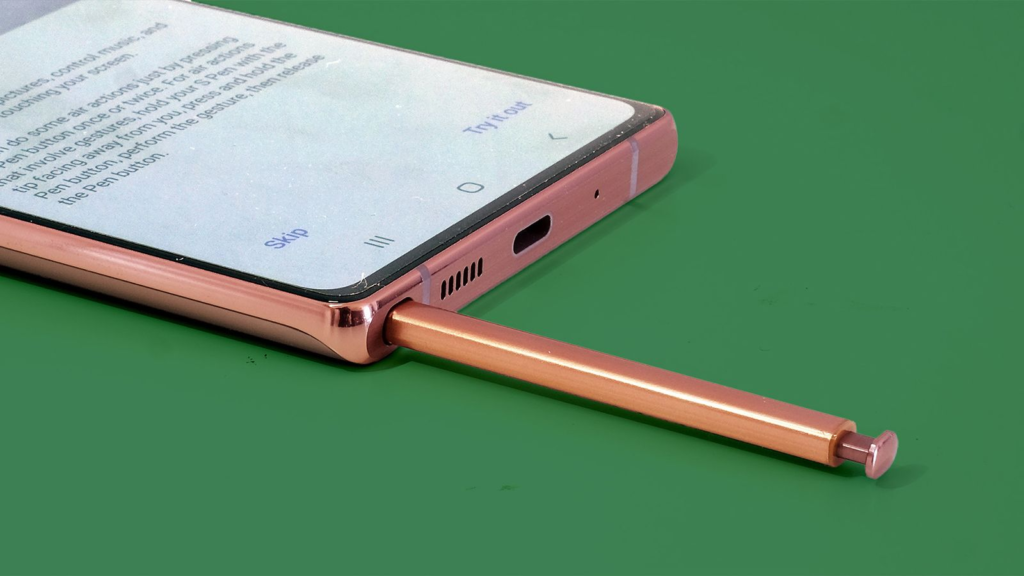
You have probably seen Samsung ads showing someone pulling a sleek pen out of their phone or tablet. That is the S Pen. It started as a signature feature for the Galaxy Note series, but it has since expanded to a whole family of Samsung devices.
In short, the S Pen is a stylus that lets you interact with your screen in ways your finger cannot. It is not just for artists, though it is great for them. It is a powerful tool for taking notes, editing documents, navigating your phone, and so much more.
Because there are now several different types of S Pens, knowing which one works with your phone or tablet can be confusing. This guide clears that up, giving you a complete list of compatible Samsung phones and explaining exactly what each S Pen can do.
What is an S Pen?
Think of the S Pen as a magic wand for your screen. It is a digital pen built with advanced technology that makes writing and drawing feel incredibly natural.
You can jot down a to-do list without even turning your phone screen on (a feature called Screen Off Memo). You can navigate a presentation remotely or control your camera shutter with the click of a button if your S Pen supports Bluetooth.
Build Funnels, Email Lists & Sell Online With One Free Tool
Create funnels, send emails, and sell online using Systeme.io without paying for multiple tools.
Create Free AccountFree forever • No credit card • Beginner-friendly
You can also use its precise tip to circle anything on your screen to search for it using Google, a task that can be clumsy with a finger. In short, it transforms your phone or tablet from a content consumption device into a true creativity and productivity tool.
Which Samsung Phones Support the S Pen?
Not every Samsung phone works with the S Pen. Most require a specific, compatible screen. Here is the breakdown by phone series.
1. The Galaxy Note Series (The Originals)
This is where the S Pen story began. Every single phone in the Galaxy Note line, all the way back to the original Note and up to the Note 20 Ultra, is compatible. If you have an old Note 9 or a Note 20 Ultra collecting dust, the S Pen experience is still ready to go.
2. The Galaxy S Ultra Series
When Samsung retired the Note brand, it moved the S Pen to its top-tier “Ultra” phones. If you have one of these, you are in luck:
- Galaxy S26 Ultra: The latest flagship includes a built-in S Pen silo. It supports all the basic writing features but has removed the Bluetooth remote functions (Air actions) found in some earlier models.
- Galaxy S25 Ultra: This phone also has a built-in, siloed S Pen. It is important to note that this model also does not support Bluetooth features like the S Pen Pro, meaning you cannot use it as a remote shutter or to control presentations.
- Galaxy S24 Ultra: This is a great choice for S Pen fans. It has a built-in slot, supports the S Pen, and includes Bluetooth capabilities for Air actions.
- Galaxy S23 Ultra, S22 Ultra, and S21 Ultra: All three of these models are fully compatible with the S Pen. They have a built-in slot and support a wide range of features, including Bluetooth-based remote controls.
3. The Galaxy Z Fold Series
The large, tablet-like inner screen of a foldable phone is a perfect canvas for a stylus. However, this series works a little differently.
- Galaxy Z Fold 3, 4, 5, and 6: These are all compatible with a special S Pen Fold Edition. This pen does not have Bluetooth and is designed with a softer, retractable tip to protect the more fragile foldable screen. You must buy this pen separately, as there is no built-in slot. Important: The S Pen only works on the large inner screen, not the smaller cover screen.
- Galaxy Z Fold 7: This is a major exception. To achieve a thinner design, Samsung removed S Pen compatibility entirely from the Galaxy Z Fold 7. This is a significant change for long-time Fold fans.
4. The Galaxy Z Flip Series
If you own any Galaxy Z Flip phone (like the Z Flip 6 or 5), the answer is simple: none of them support the S Pen. The screen technology and design are not compatible.
5. Galaxy Tablets
The S Pen is a standard feature on many of Samsung’s high-end tablets. Almost all recent Galaxy Tab models work with the S Pen, including:
- Tab S11 Series: The latest tablets, like the Tab S11 Ultra, come with an S Pen in the box.
- Tab S10 Series: This includes the S10 Ultra, S10+, and the more affordable S10 FE models. However, the FE models do not support Bluetooth features.
- Tab S9, S8, and S7 Series: All of these are fully compatible.
A general rule of thumb: if you have a Galaxy Tab S series, it almost certainly works with an S Pen.
The Three Main S Pen Types You Can Buy
If your phone or tablet is compatible but you do not have a pen, you need to buy the right one. Do not just grab any old stylus.
- The S Pen Pro: This is the most versatile option. It is large, comfortable to hold, and has a button for Air commands. It works with the widest range of devices, including the Galaxy S Ultra series, the Z Fold series, and the Tab series. It is the best choice if you have multiple devices.
- The S Pen (Creator Edition): This pen is designed for artists and creators. It has a wider, more comfortable grip and supports tilt for realistic shading. It works with the Tab S series and S Ultra phones but is not compatible with the Z Fold series.
- The S Pen (Fold Edition): This is the one you need for your Galaxy Z Fold phone. It has a soft, auto-retractable tip to prevent screen damage and works only with the Fold 3 through Fold 6.
A Note on Lost Features: The Bluetooth Situation
This is an area of change you should know about. Older S Pens (like the one for the Note 20 or S24 Ultra) used Bluetooth to enable “Air actions,” letting you wave the pen to control your phone from a distance.
However, starting with the Galaxy S25 Ultra and S26 Ultra, Samsung removed the Bluetooth hardware from the built-in S Pen. This was reportedly done to make room for a larger battery or better cooling. So, on these newest Ultra phones, you can still write, draw, and navigate, but you cannot use the pen as a wireless remote.
Why the S Pen Still Matters
Given the rise of giant screens and advanced AI, is a stylus still relevant? More than ever. The precision of the S Pen is unmatched for detailed work, like editing a spreadsheet, cutting out a precise subject in a photo, or signing a PDF. It is the ultimate tool for turning your phone into a mobile office, and with Galaxy AI integration, its capabilities are only growing.
Frequently Asked Questions (FAQs)
Do I have to buy an S Pen separately?
It depends on the phone. The Galaxy S Ultra series (S21 Ultra through S26 Ultra) includes the S Pen in the box and has a built-in slot. For the Z Fold series and many tablets, the S Pen is sold as an optional accessory.
Will any S Pen work with my phone?
No. A standard S Pen from a Galaxy Note could damage the more fragile screen of a Z Fold. Always use the correct version for your device. The S Pen Pro is the safest “universal” option.
My S Pen has a button. What does it do?
The button acts as a shortcut. By default, pressing it once opens the Air command menu, a round menu of useful tools like Smart Select, Screen Write, and Translate. The button’s function can be customized in your device’s settings.
How do I charge my S Pen?
If your S Pen supports Bluetooth, it charges automatically and wirelessly when it is stored inside your phone. If your S Pen model does not support Bluetooth (like the S25 Ultra’s pen or the Fold Edition), it does not need to be charged at all.
Can I use an S Pen with a standard screen protector?
Yes, usually. Most standard screen protectors work fine. However, very thick, rugged glass protectors can sometimes interfere with the S Pen’s sensitivity.
Will my S Pen work on other Samsung devices like a laptop?
Some S Pen models, like the S Pen Pro or Creator Edition, are compatible with certain Samsung Galaxy Book laptops and some older Note phones, but you should check the specific compatibility list for the model you are interested in.
Conclusion
The S Pen is the best argument for upgrading to an Ultra phone. It is one of the few features that truly sets a phone apart from the sea of glass slabs.
While recent changes like the removal of Bluetooth on the newest models are a bit disappointing, the core experience of precise writing and drawing is as good as ever.
Are you a die-hard S Pen user, or do you find it’s a feature you rarely use? Let me know in the comments!
