
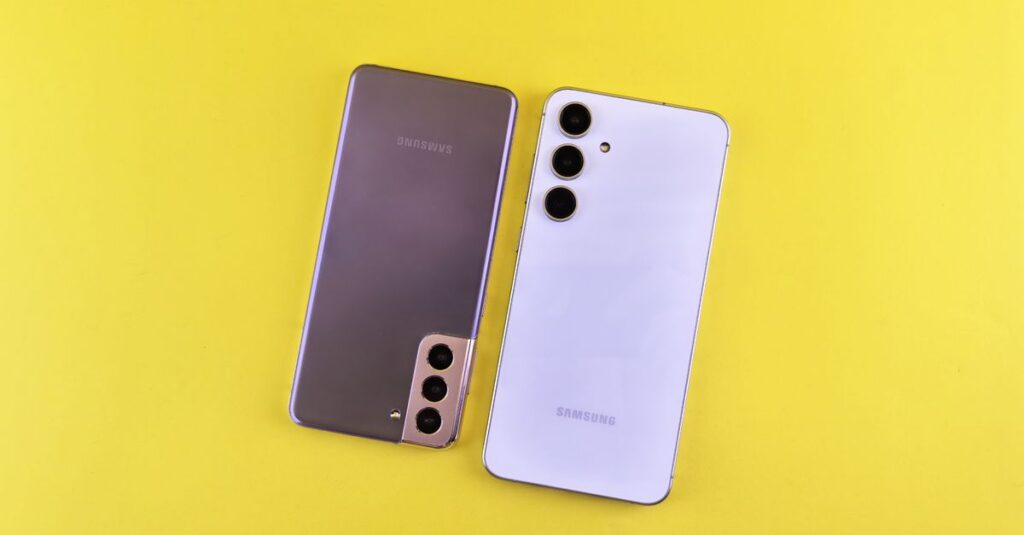
Mobile security has become a real concern for anyone who uses a smartphone for work or personal use. If you own a Samsung device, you likely have two security systems running on your phone: Samsung Knox and Google Play Protect.
Both claim to keep you safe, but they work very differently. Understanding the difference can help you decide how much protection you actually have and whether you need more.
What Is Google Play Protect?
Think of Google Play Protect as the security guard at the entrance of your phone. It is Google’s built-in security service that comes with every Android phone, not just Samsung devices.
It automatically scans apps both before you download them and after they are installed on your phone. According to Google, Play Protect scans over 200 billion apps every single day.
The system runs in the background and looks for what Google calls “Potentially Harmful Applications” or PHAs. If it finds something suspicious, it sends you a notification or, in some cases, automatically removes the harmful app.
Build Funnels, Email Lists & Sell Online With One Free Tool
Create funnels, send emails, and sell online using Systeme.io without paying for multiple tools.
Create Free AccountFree forever • No credit card • Beginner-friendly
Play Protect also works offline, so even if you lose internet connection while installing an app, the system can still block known threats.
It also offers real-time protection for apps you install from sources outside the Google Play Store, checking them against a catalog of known malware samples before installation finishes.
What Makes Samsung Knox Different?
Samsung Knox is not just software sitting on top of your operating system. It is physically built into the hardware of every Galaxy device starting from the chip level. Samsung embeds what they call a Hardware Root of Trust directly into the processor.
This means Knox starts working the moment you press the power button. It checks the integrity of every single component during the boot process. If anything has been tampered with or modified without authorization, the device detects it immediately and restricts access to sensitive functions.
One of Knox’s most impressive features is Knox Vault. It acts like a locked room inside your phone with its own processor and memory completely separate from the main operating system.
Your most sensitive information, like biometric data, PIN codes, and cryptographic keys lives inside this isolated vault. Even if someone completely compromises your Android system, they still cannot touch what is inside the Vault.
Samsung has received Common Criteria certification for Knox for 10 consecutive years, which is a globally recognized security standard used by governments and military organizations.
A Direct Comparison: How They Stack Up
Layer of Protection
Google Play Protect works primarily at the application level, scanning apps for malware and suspicious behavior.
Samsung Knox operates at multiple layers, including hardware, kernel, operating system, and application levels. This layered approach means Knox can block threats that might slip past Play Protect.
What They Protect Against
Play Protect is excellent at catching malicious apps, adware, and known malware signatures. Knox protects against those threats but also defends against phishing attacks, unauthorized kernel modifications, privilege escalation attempts, and even physical tampering attempts where someone tries to extract data by manipulating voltage or temperature.
Proactive vs Reactive Protection
Play Protect is mostly reactive, identifying threats based on known patterns and Google’s machine learning models. Knox includes more proactive features like Real-time Kernel Protection, which runs a security monitor in an isolated environment that constantly checks the integrity of your operating system’s core.
Real-world Effectiveness
Both systems provide meaningful protection, but they serve different purposes. Play Protect offers good baseline security for the average user who primarily downloads apps from the Google Play Store. Knox provides defense-grade protection suitable for handling sensitive business data, financial transactions, and personal information worth protecting.
Which One Is More Secure?
If you have to pick one, Samsung Knox is objectively more secure. The key difference comes down to where the protection lives. Play Protect is software, and software can be bypassed or disabled. Knox starts at the hardware level, which is much harder to compromise.
However, here is the important thing most people miss. You do not have to choose between them. On a Samsung Galaxy device, both systems work together simultaneously.
Play Protect handles the app scanning and malware detection while Knox secures the hardware, kernel, and sensitive data storage. They complement each other rather than compete.
The real question is whether you need the extra protection that Knox provides. For someone who just uses their phone for social media, messaging, and casual browsing, Play Protect is probably sufficient.
But if you handle client information, process payments, access business accounts, or store sensitive personal data on your phone, the hardware-level protection that Knox offers becomes significantly more valuable.
A Practical Takeaway
Keep both systems enabled. Do not disable Play Protect thinking Knox makes it redundant, and do not ignore Knox because Play Protect is already running. They serve different roles in keeping your phone secure.
Also understand that neither system is perfect. Security updates matter just as much as the built-in protections. Always install system updates when Samsung pushes them out. Those updates often patch vulnerabilities that neither Play Protect nor Knox can defend against.
If you frequently install apps from outside the Google Play Store, you should pay extra attention to both systems. Sideloading apps significantly increases your risk, and while Knox provides better protection against this behavior, it is never completely risk-free.
Are These Enough On Their Own?
For most users, the combination of Play Protect and Knox provides sufficient security without needing any third-party antivirus apps. However, your own behavior matters more than any security feature. Avoid clicking suspicious links, stick to trusted app stores, and always question requests for unnecessary permissions.
What security practices do you follow on your phone that go beyond what these built-in tools provide? Share your experience in the comments below.
