
Let me save you some frustration right now.
You’re staring at your Samsung phone, warranty card long gone, and that little crack on the screen is getting worse by the day. Or maybe the battery dies at 40%. Whatever the issue, Samsung won’t even talk to you without one thing: the IMEI number.
No IMEI, no warranty service. Simple as that.
But here’s the good news. Finding that number takes about 30 seconds once you know where to look. And I’ll show you every single way to get it – even if your screen is completely dead or the phone won’t turn on.
What Actually Is An IMEI Number?
Think of it like your phone’s fingerprint. No two devices share the same one.
Build Funnels, Email Lists & Sell Online With One Free Tool
Create funnels, send emails, and sell online using Systeme.io without paying for multiple tools.
Create Free AccountFree forever • No credit card • Beginner-friendly
IMEI stands for International Mobile Equipment Identity. It’s a 15-digit code that tells Samsung exactly which phone you have – the model, where it was made, and most importantly for you, whether it’s still under warranty.
Every Samsung phone has at least one. If you have a dual SIM model, you’ll actually have two.
1. The Dialer Trick (Fastest Way)
This works if your screen still functions.
Open your phone’s keypad like you’re about to make a call. Type this exactly:
*#06#
That’s star, hash, zero, six, hash.
The IMEI pops up instantly on your screen. No need to press call. No need to install anything. It just appears.
Why this works – That code triggers a hidden system menu built into every Samsung phone. It’s been there for years and works on basically every model.
2. Settings Menu (No Typing Required)
Can’t remember that code? No problem.
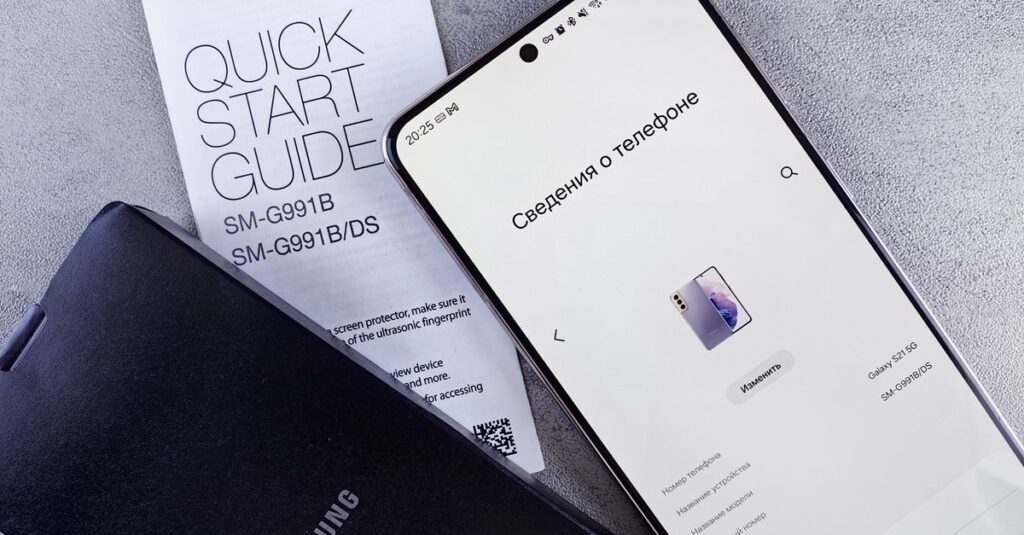
Go to Settings → About Phone → Status Information
Your IMEI will be right there. On newer Samsung phones running One UI, you might need to tap “Status” first. On older models, it shows directly under About Phone.
Pro tip – While you’re there, write down the model number too. Samsung’s warranty team asks for both sometimes.
3. Physical Locations On The Phone Itself
This is your backup plan when the phone won’t turn on.
On older Samsung models (Galaxy S7 and earlier):
Pop off the back cover and remove the battery. The IMEI is printed on a sticker inside.
On newer models (everything with a sealed battery):
Look at the SIM card tray. Many recent Samsung phones print the IMEI directly on that tiny plastic tray. Pull it out with a paperclip or SIM ejector tool and examine both sides.
4. The Original Box (Don’t Throw These Away)
This is why I tell everyone to keep phone boxes in a drawer somewhere.
That white sticker on the side of your Samsung box shows:
- IMEI number (two of them for dual SIM)
- Serial number
- Model code
If you still have the box, this is often faster than digging through phone menus.
5. Google Find My Device (Works Remotely)
Lost your phone or left it at home? You can still get the IMEI.
Go to google.com/android/find and sign into the Google account linked to that Samsung phone. Click the “i” icon or info button next to the device name. The IMEI shows up in the device details.
Real talk – This only works if the phone has internet access and location turned on. No signal? No IMEI through this method.
6. Smart Switch On Your Computer
Download Samsung Smart Switch on a Windows PC or Mac. Connect your phone via USB. Once the software recognizes your device, click “More” or the device info tab. The IMEI appears there.
Smart Switch is free and actually useful for backing up your phone anyway. Worth having installed.
What About A Broken Screen?
I get asked this constantly.
If your screen is dead but the phone still powers on internally, connect it to a computer using Smart Switch (method 6 above). The software reads the IMEI without you needing to touch the screen at all.
If the phone is completely dead and you have no box and no sticker visible on the SIM tray? Pull out your purchase receipt. Samsung sometimes accepts that plus the serial number from your Google account. It’s a long shot, but it’s worked for readers before.
How To Actually Check Your Warranty
Once you have that 15-digit number, here’s what to do with it:
Build Funnels, Email Lists & Sell Online With One Free Tool
Create funnels, send emails, and sell online using Systeme.io without paying for multiple tools.
Create Free AccountFree forever • No credit card • Beginner-friendly
Go to Samsung’s official warranty check page. Type in your IMEI and country. It shows you:
- Whether the warranty is active or expired
- The exact expiration date
- What type of coverage you have
Important – Samsung’s standard warranty is 12 months in most countries. Some regions get 24 months. Credit cards sometimes add extra coverage. Don’t assume anything until you check the official page.
What If The Warranty Check Says “Invalid”?
Two possibilities here.
First, you typed something wrong. Those 15 digits are easy to mix up. Double check every single number.
Second, you might have a phone meant for a different country. Samsung’s warranty is regional. A phone bought in India won’t have warranty coverage in the US, even if it’s within the 12 month window. This catches people off guard all the time.
A Word About Refurbished Phones
If you bought your Samsung from a third party seller on eBay, Amazon, or a random shop, check the IMEI before you assume anything about warranty.
Many refurbished phones have no manufacturer warranty at all. The seller might offer their own 30 or 90 day coverage, but Samsung won’t touch it for free. This isn’t a scam necessarily – it’s just how refurbished electronics work. Always confirm before buying.
Frequently Asked Questions
Can someone steal my identity with my IMEI number?
Not really. It’s not like your social security number. But you shouldn’t post it publicly online. Scammers can use it to report your phone as stolen and block it from networks.
What if my phone shows two IMEI numbers?
That means you have a dual SIM model. Use the first one for warranty checks. Samsung ties the warranty to the primary IMEI.
Do I need the IMEI for battery replacement warranty?
Yes. Any warranty claim at all requires the IMEI. Samsung doesn’t separate “battery warranty” from “phone warranty.” It’s all tied to that number.
My IMEI sticker wore off. What now?
Use the dialer code or Settings menu. The sticker is just a convenience – the number is stored permanently inside the phone’s software.
Quick Recap
Fastest method: Type *#06# in your dialer
Easiest with working screen: Settings → About Phone
No power at all: Check the SIM card tray or original box
Remote access: Google Find My Device
Computer method: Samsung Smart Switch
Once you have that 15-digit number, head straight to Samsung’s warranty portal. Find out exactly where you stand before paying for repairs that might be covered.
Question for you – Did you find your IMEI using one of these methods, or did Samsung’s warranty check surprise you with an expired date when you thought you had time left? Drop your experience below. It helps others know what to expect.
