
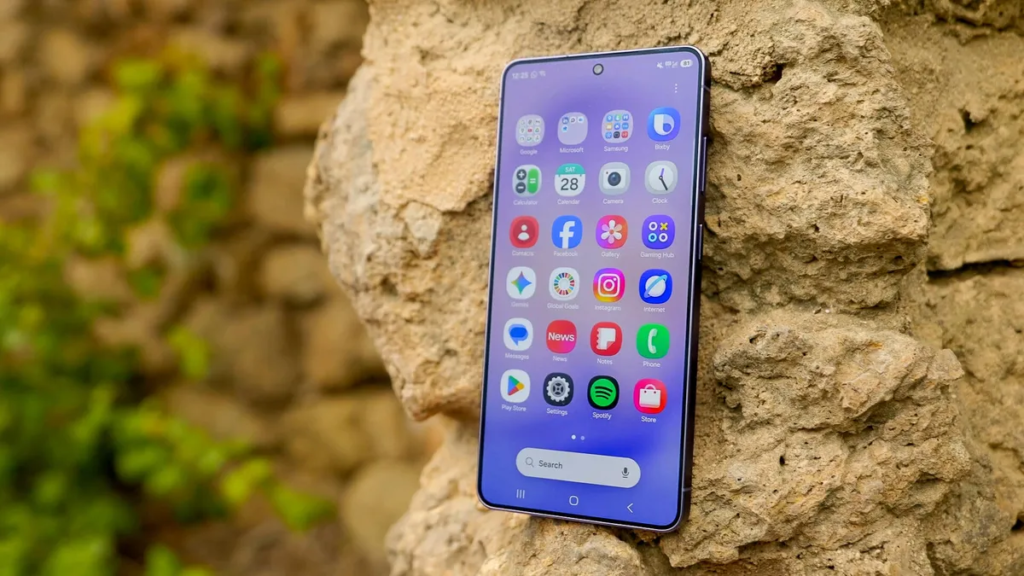
You have a Samsung phone. You open the messaging app and see two options sitting there: Samsung Messages and Google Messages.
Both can send texts, and both now support RCS, the modern replacement for old SMS. But which one actually works better for RCS messaging?
The short answer is Google Messages, for reasons I will explain. But the full answer depends on what you actually need from your messaging app. Let me break down the differences so you can pick the right one for your phone.
What Is RCS and Why Should You Care?
RCS stands for Rich Communication Services. Think of it as SMS but upgraded for the modern world. With RCS, you can send high quality photos and videos, see typing indicators, get read receipts, and message over WiFi. It works like iMessage or WhatsApp but directly inside your default texting app.
The catch is that both you and the person you are messaging need RCS enabled and you both need to use compatible apps. This is where the Samsung vs Google debate actually matters.
Build Funnels, Email Lists & Sell Online With One Free Tool
Create funnels, send emails, and sell online using Systeme.io without paying for multiple tools.
Create Free AccountFree forever • No credit card • Beginner-friendly
Samsung Messages and RCS: The Current Situation
Samsung Messages has supported RCS for several years. It works fine when both people use Samsung phones on the same carrier. But here is where problems start.
Samsung does not run its own RCS backend. Instead, Samsung relies on your mobile carrier to provide the RCS service. This means if you are on Verizon, you use Verizon’s RCS servers. On T-Mobile, you use T-Mobile’s servers. The problem is that carriers have implemented RCS differently and not all of them interconnect properly.
In practical terms, you might find that RCS works perfectly when messaging another Samsung user on the same carrier. But when you message someone on a different carrier or someone using Google Messages, the advanced features simply stop working. Your message falls back to old SMS without any warning.
Samsung has also started moving away from its own Messages app. On newer Galaxy devices like the S24 series, Samsung Messages is no longer preinstalled in some regions. Google Messages comes as the default instead. This is a clear signal from Samsung about where things are heading.
Google Messages and RCS: The Better Option
Google took a different approach. Instead of waiting for carriers to get their act together, Google runs its own RCS servers through what they call Jibe. This means Google Messages does not depend on your carrier at all for RCS functionality.
When you use Google Messages, RCS works the same way regardless of whether you are on Verizon, T-Mobile, AT&T, or any smaller carrier. The features are consistent. More importantly, Google’s RCS interoperates with most carrier RCS systems, so you can usually get advanced features even when messaging someone on a different network.
Google has also added features that Samsung Messages simply does not have. End-to-end encryption for one-to-one and group RCS chats is available in Google Messages. Your carrier-dependent Samsung Messages may or may not offer encryption depending on your carrier’s implementation. Most do not.
Google Messages also gives you reaction support for any message type, message organization with categories, scheduled send, and integration with Google’s web app so you can text from your computer without touching your phone.
Direct Comparison: Key Differences
Carrier Dependence
Samsung Messages ties RCS to your mobile carrier. If your carrier has not implemented RCS properly or does not interconnect with other carriers, your experience suffers. Google Messages bypasses carriers entirely using Google’s own servers.
Encryption
Google Messages offers end-to-end encryption for RCS chats between two Google Messages users. Your messages are scrambled so only the intended recipient can read them. Samsung Messages does not offer this level of encryption because carriers control the RCS infrastructure.
Cross-Platform Messaging
With Google Messages, you can send and receive RCS messages from any computer or tablet by scanning a QR code. Samsung Messages has no equivalent feature. You are tied to your phone.
Group Chats
Google Messages handles RCS group chats reliably across different carriers and devices. Samsung Messages works within carrier networks but often breaks when group members use different carriers or different messaging apps.
Fallback Behavior
When RCS is unavailable, Google Messages automatically falls back to SMS without interrupting your conversation. Samsung Messages also does this, but the detection of when to fall back is less reliable according to user reports.
Which One Should You Actually Use?
Here is my direct recommendation based on actual use.
If you have a Samsung phone running One UI 6 or newer, just use Google Messages. Set it as your default. Samsung has already started making this switch themselves on new devices. The features are better, encryption is real, and you do not have to worry about which carrier you or your contacts are on.
If you are on an older Samsung phone and Samsung Messages is already set up, the switch is still worth the few minutes it takes. Download Google Messages from the Play Store, open it once, and it will ask if you want to set it as your default messaging app. Say yes. Your existing conversations will transfer over automatically.
The only reason to keep Samsung Messages is if you absolutely need some Samsung-specific feature that Google Messages lacks. But honestly, those features are minor. Things like category tabs or a slightly different design. Nothing that affects actual messaging reliability.
How to Enable RCS in Google Messages
Once you install Google Messages, open it. Tap your profile picture in the top right. Go to Messages settings. Tap RCS chats. Turn on “Turn on RCS chats.” It will verify your phone number automatically. That is it. No carrier involvement needed.
If you see “Status: Connected” on that screen, you are good to go. You can now send high quality photos, see when someone is typing, and get read receipts with anyone else using Google Messages or a compatible carrier RCS system.
Common RCS Problems and Fixes
RCS sometimes stops working after a software update or when switching phones. The fix is simple. Go into the RCS settings in Google Messages and turn the feature off. Wait ten seconds. Turn it back on. The app will reconnect. If that does not work, clear the app data for Google Messages. You will not lose your conversations, but you may need to re-verify your number.
Another issue is messaging iPhone users. Apple only added RCS support in iOS 18. If your iPhone contacts have not updated to the latest iOS, RCS will not work between you and them. That is on Apple, not on your choice of messaging app.
FAQ
Does Samsung Messages still work for basic texting?
Yes, perfectly fine. If you only send occasional SMS messages and do not care about read receipts or high quality media, Samsung Messages is totally usable.
Will I lose my old texts if I switch to Google Messages?
No. Your SMS and MMS messages are stored in a system database that both apps can read. They will appear automatically when you open Google Messages.
Can I use both apps at the same time?
Only one can be your default messaging app for sending and receiving texts. But you can keep both installed and open either one to look at old messages. Just do not expect notifications from the non-default app.
Is RCS actually secure?
Google Messages with RCS and end-to-end encryption is secure against anyone intercepting your messages while they travel. Your carrier cannot read them. Samsung Messages without encryption is not secure in the same way.
What happens if the person I am messaging does not have RCS?
Your message sends as a regular SMS or MMS. No advanced features. Both apps handle this seamlessly.
Final Verdict
Google Messages wins for RCS. It is not even close. Samsung Messages relies too heavily on carriers who have dragged their feet on proper RCS implementation for years. Google built its own system that just works, added encryption, and made it available on any Android phone.
Build Funnels, Email Lists & Sell Online With One Free Tool
Create funnels, send emails, and sell online using Systeme.io without paying for multiple tools.
Create Free AccountFree forever • No credit card • Beginner-friendly
Samsung seems to agree. They are quietly replacing their own Messages app with Google Messages on new devices. That tells you everything you need to know.
Make the switch today. It takes two minutes and your future text conversations will be better for it.
What has been your experience with RCS on Samsung phones? Have you run into issues messaging people on different carriers? Drop a comment below.
