
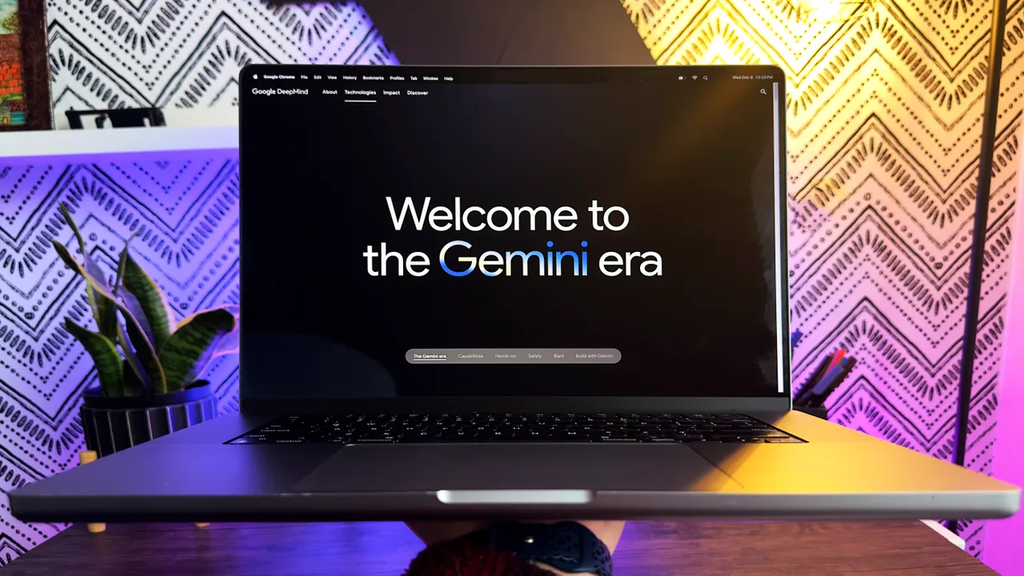
Google has officially pulled the plug on Google Assistant across Android mobile devices, replacing it entirely with Gemini. The massive change is now complete across phones and tablets worldwide, and Google has officially removed the option to switch back to the old assistant.
When you say “Hey Google” or press down on your phone’s power button today, Gemini answers. For millions of phone owners, this sudden, forced update is causing major frustration. Social media feeds and community message boards are filled with complaints from people who miss the simple, reliable tool they used every day.
While Google spent months building up Gemini as the future of artificial intelligence, everyday users are finding out that replacing a reliable tool with a complex chatbot brings unexpected headaches. Here is everything you need to know about what changed, why people are so angry, and what this massive update means for your phone.
What Actually Happened? The Big Switch Explained
Google announced its intention to move Android over to Gemini early on, but the final phase of the transition hit devices fast. A series of system updates quietly disabled the original Google Assistant app on mobile phones, smartwatches running Wear OS, and connected devices.
In the past, you could go into your settings and choose whether you wanted the simple Google Assistant or the new Gemini app. That toggle switch is gone. The rollback option has been completely removed, leaving Gemini as the default helper on supported devices.
The $0 Secret To Launching Your Entire Online Empire
Why pay hundreds every month for separate software? Build funnels, send emails, and make sales with Systeme.io completely free.
Get Started For $0Free Forever • No Credit Card Needed • Beginner-Friendly
Google says this move was necessary to give users a smarter experience. Gemini is built on large language models that can understand context, read items on your phone screen, analyze pictures, and hold natural conversations. Instead of just answering basic questions, it can write long emails, summarize huge documents, and help you brainstorm ideas on the fly.
However, the tech giant made this shift before fixing many simple tasks. Reports from major outlets like Softonic and Android Police highlight that while Gemini can write a poem or draft a strategy memo, it frequently struggles with basic tasks like setting alarms or controlling smart home devices.
As detailed in our coverage on how Google Gemini hits 950 million monthly users, Google has pushed this AI everywhere. But as users are learning, high user numbers do not automatically mean everyone is happy with the switch.
Why Android Users Are So Angry Right Now
The main reason people are upset comes down to reliability. The old Google Assistant was not perfect, but it was predictable. If you asked it to set a timer for five minutes while cooking, it set the timer instantly. If you asked it to turn off the living room lights, it flipped the switch without talking back.
Gemini handles requests differently. Because it relies on a full language model, it tries to process every spoken word like a conversation. This leads to several common problems that drive everyday users crazy.
1. Simple Tasks Take Way Too Long
Asking Gemini to set a timer or create an alarm often leads to a short pause while the system “thinks.” Sometimes it replies with a full sentence like “I have set your alarm for seven in the morning” instead of just giving a quick confirmation beep. When you are rushing to bed or trying to set a timer while handling hot cookware, those extra seconds feel like forever.
2. Broken Smart Home Commands
Smart home integration is one of the biggest complaint areas. Users report that telling Gemini to turn down the thermostat or play music on a group of speakers often fails. Instead of taking action, Gemini might tell you that it cannot perform the command yet, or it might try to explain how smart plugs work instead of turning them off.
3. Missing Connections to Basic Apps
Many people rely on quick voice commands to manage their daily schedules. Reminders, shopping lists, and quick voice notes are daily essentials. Under Gemini, connecting to apps like Google Keep or standard clock applications can be hit or miss. If your voice command fails, you end up having to tap the screen manually anyway.
4. Frustration in the Car with Android Auto
Drivers are having a particularly hard time with this change. Using voice controls in the car is a matter of safety. Drivers want to make hands-free calls, send quick text messages, or check navigation instructions without looking at screens.
Reports from drivers switching to Gemini on Android Auto show growing frustration. Users complain that Gemini gives long-winded spoken answers while driving, which distracts from the road. In some cases, it fails to send simple text messages or misunderstands spoken street names that the old system handled easily. If you want to keep your phone and car setup running smoothly, check out our guide on how Android Auto is getting a live speedometer in Google Maps.
Many phone owners are asking why Google killed off a functional tool before making sure its replacement was fully ready. People bought flagship devices expecting seamless performance, whether they own top devices or are exploring the 5 Android phones considered better than iPhone 17. Losing core software functions hurts the overall user experience.
Where Gemini Actually Wins: The Good Stuff
It is not all bad news. While basic commands are currently rocky, Gemini offers advanced features that the original assistant could never dream of doing. If you learn how to use its strongest capabilities, it can be a genuine productivity tool.
Screen Awareness
One of Gemini’s best features is its ability to see what is on your screen. If you are reading a long article, looking at a PDF, or browsing a recipe, you can pull up Gemini and say, “Summarize this page for me.” It analyzes the content on your screen in seconds and gives you bullet points of the key facts.
Deep Reasoning and Planning
If you ask Gemini to help you plan a trip, it does far more than list hotel links. You can ask it to create a three-day travel schedule, budget your meals, suggest local activities, and format the output as a clean checklist. You can then ask follow-up questions to adjust the plan without starting over.
Creative Writing and Brainstorming
Need to write a difficult email to your landlord or draft a polite message to a colleague? Gemini excels at text creation. You can give it a quick summary of what you want to say, choose a tone, and get a polished draft back immediately.
Send, Spend & Hold Money Worldwide Without Hidden Fees
Transfer money internationally at the real exchange rate and hold 40+ currencies in one account.
Open a Wise AccountMid-market rate • Fast transfers • 40+ currencies
To get the absolute most out of these tools without driving yourself crazy, read our guide on 7 hidden Google Gemini features that will save you hours every single week.
Google is also expanding these features across other displays and tools. For example, Gemini can now adjust your picture settings on Google TV, showing how deeply the company wants this technology embedded in your home. Furthermore, updates are moving quickly as seen when Google launched Gemini Omni for free video creation.
How to Fix Common Gemini Problems on Your Phone
Since there is no way to reinstall the old Google Assistant, the best approach is to fix settings that cause friction. Here are practical steps you can take today to make Gemini perform better on your phone.
Enable Extension Settings
Gemini needs explicit permission to talk to your other Google apps. If it refuses to create alarms, check your calendar, or add items to your lists, your extensions might be turned off.
- Open the Gemini app on your phone.
- Tap your profile picture in the top right corner.
- Select Extensions.
- Turn on the switches for Google Workspace (Drive, Gmail, Docs), Google Keep, Google Maps, and Clock.
Turning these on allows Gemini to access your personal data safely and execute real commands instead of giving generic answers.
Keep Commands Short and Direct
When speaking to Gemini, treat it less like a search box and more like a direct instruction. Instead of saying, “Could you please turn off the living room light because I am going to bed,” say, “Turn off living room light.” Clear, short commands give the AI less room to overthink.
Check Phone Security and System Updates
Ensure your system updates are current. Google is releasing daily background fixes to patch bugs related to voice recognition and smart home responsiveness. Keeping your system updated ensures you get the latest performance patches.
While updating your phone settings, it is also a great time to audit your phone safety. Read our breakdown on how to turn on Android theft protection before your phone gets taken to keep your device secure.
If you own an older phone, keep an eye on software support cycles. Some devices may not receive newer system builds, as seen in the list of Samsung devices that will not receive the One UI update.
The Big Picture: Why Tech Companies Are Forcing AI On Us
This shift is part of a massive race taking place across the tech industry. Tech companies are betting their financial futures on generative AI. They are spending billions of dollars building data centers and training powerful new AI models, and they need consumers using these tools every day to justify the investment.
The $0 Secret To Launching Your Entire Online Empire
Why pay hundreds every month for separate software? Build funnels, send emails, and make sales with Systeme.io completely free.
Get Started For $0Free Forever • No Credit Card Needed • Beginner-Friendly
In this rush to lead the market, simple utility software is being replaced by complex systems. Companies believe that users will eventually get used to AI helpers, even if the transition causes short-term friction.
We have seen similar aggressive moves across the industry. For example, Google recently shifted strategy around custom tools, as explained in our report on how Google killed off custom bots to launch something more powerful.
At the same time, this aggressive push is making some users rethink their choice of phone operating system altogether. If you are weighing your options between ecosystems, check out our guide on how Google is making it easier to switch from iPhone to Android.
Understanding the broader market shifts also helps explain regulatory pressure on tech platforms, including the ongoing discussions around how Google must open up its Android app store.
Frequently Asked Questions (FAQs)
Can I uninstall Gemini and get Google Assistant back?
No. Google has officially retired the option to switch back to Google Assistant on Android phones. Updates to the Google app permanently replace the old assistant with Gemini.
Are smart home speakers like Google Nest also losing Google Assistant?
For now, standalone Google Nest speakers and Google Home smart displays still run on the classic Google Assistant software. However, Google plans to gradually migrate all home hardware to Gemini over time.
Is Gemini completely free to use on Android?
Yes, the basic version of Gemini that replaces Google Assistant on your phone is completely free. Google does offer a paid premium subscription (Gemini Advanced) for users who want access to larger storage and advanced reasoning models, but you do not need to pay anything for everyday phone commands.
Why does Gemini tell me it cannot set an alarm or timer?
This usually happens if the Clock extension is turned off inside the Gemini app settings, or if the app lacks permissions. Open Gemini, tap your profile icon, go to Extensions, and make sure the Google Clock extension is enabled.
The sudden death of Google Assistant marks a major turning point for Android. While Gemini brings powerful conversational tools to our pockets, Google still has plenty of work left to do before it wins back the trust of users who just want their daily alarms and smart lights to work without a hitch.
What has your experience been like since the big update hit your device? Has Gemini made your life easier, or are you counting down the days until Google fixes basic voice commands?
Stay connected with us for the latest tech updates, guides, and breaking news. You can learn more about our team on our About Us page or reach out directly through our Contact Page.
Join the conversation with our community on social media! Follow us on Instagram, like our page on Facebook, and drop your thoughts on X (formerly Twitter). We want to hear how your phone is handling the switch!
