
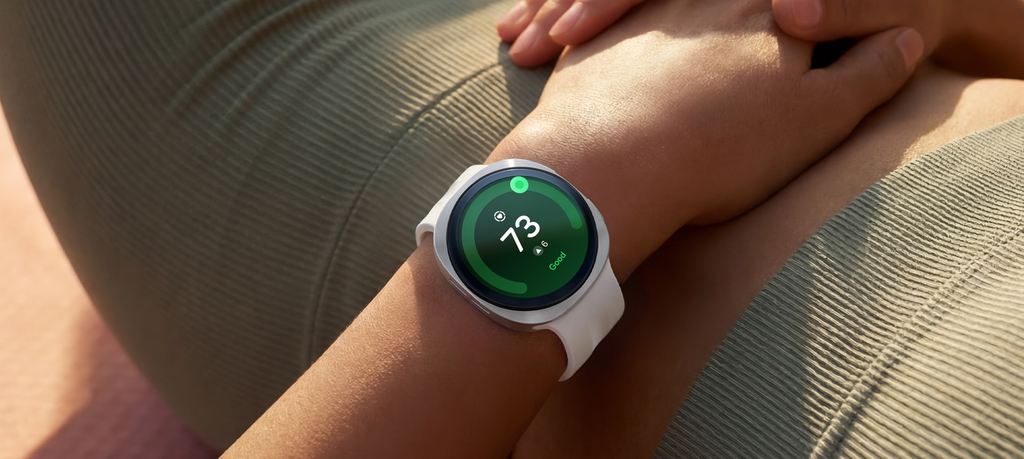
Plugging your smartwatch into the wall right before climbing into bed feels natural. Your phone sits on the nightstand, so dropping your watch on its magnetic puck right next to it seems like common sense.
Doing that completely ruins one of the greatest features built into the device.
Samsung packed modern Galaxy Watches with advanced biometric sensors. They track your sleep cycles, measure blood oxygen, monitor skin temperature, and check for signs of sleep apnea. When the watch spends all night sitting on a plastic charging pad, you wake up with a 100% battery, but your health profile shows a massive blank slate.
Finding the right time to charge your Samsung Galaxy Watch comes down to understanding your daily routine. You want your watch powered up without sacrificing step counts, workout tracking, or nighttime recovery data.
Here is the exact blueprint for timing your Galaxy Watch charging sessions, protecting your long-term battery health, and keeping your stats running without interruption.
The $0 Secret To Launching Your Entire Online Empire
Why pay hundreds every month for separate software? Build funnels, send emails, and make sales with Systeme.io completely free.
Get Started For $0Free Forever • No Credit Card Needed • Beginner-Friendly
Why Overnight Charging Is a Mistake for Most Watch Owners
The main reason people buy a Samsung Galaxy Watch is health tracking. Samsung has turned its wearable line into a personal wellness monitor that watches over your body around the clock.
When you sleep, your watch works hard. It logs light sleep, deep sleep, and REM stages. It monitors your heart rate dips and flags breathing irregularities. If you wear a newer model like the Galaxy Watch 6, Galaxy Watch 7, or Galaxy Watch Ultra, it even measures your body temperature changes through the night to help predict illness or track hormonal cycles.
None of that works if the watch sits on your dresser. Leaving it plugged in overnight gives you a fully charged battery at the cost of eight hours of vital health metrics.
Overnight charging also keeps the battery pinned at 100% for several hours under constant electrical current. While modern lithium-ion batteries have built-in safeguards to avoid overcharging, prolonged exposure to heat on a wireless charging dock can cause subtle, permanent battery wear over time.
If you want your watch battery to stay healthy for two or three years, keeping it off the charger once it is full makes a noticeable difference.
The Golden Rule: Always Charge During Sedentary Downtime
The easiest rule to follow is simple: charge your watch when your body is resting, but your eyes are open.
Smartwatches exist to record movement, stress, and activity. If you pull the watch off your wrist while walking your dog, running errands, or cleaning your house, you lose valuable step counts and active calorie burn.
If you take the watch off while sitting still on the sofa, you lose almost zero meaningful data. During quiet hours, your heart rate remains steady and your step counter rests at zero. This sedentary window is the perfect charging slot.
Look at your normal day and pinpoint when you sit in one spot for forty-five minutes to an hour. That quiet pocket of time is your ideal charging window.
The Three Best Daily Charging Windows
Everyone runs on a different schedule, so a single charging time will not fit every person. Depending on how your day looks, one of these three routines will keep your device charged while capturing every bit of health data.
1. The Morning Routine: The Shower and Breakfast Window
The morning charging routine works best for anyone who relies heavily on sleep tracking.
When your alarm goes off, check your sleep score on the screen, take off the watch, and place it on the charger right away. Go take a shower, brush your teeth, brew your morning coffee, and eat breakfast.
Most people spend between thirty and sixty minutes getting ready for the day. Because modern Galaxy Watches support fast wireless charging, thirty to forty-five minutes on the puck is enough to jump from 30% or 40% battery all the way past 80%.
By the time you put your shoes on and grab your keys, the watch has plenty of power to run all day and track every single step on your commute.
2. The Evening Wind-Down: The Dinner and Relax Window
If your mornings feel hectic and you often forget your watch on the counter, move your charging session to the evening.
Send, Spend & Hold Money Worldwide Without Hidden Fees
Transfer money internationally at the real exchange rate and hold 40+ currencies in one account.
Open a Wise AccountMid-market rate • Fast transfers • 40+ currencies
The evening window sits between 7:30 PM and 9:30 PM. At this point, your daily workout is finished, dinner is either cooking or done, and you are sitting on the couch reading a book, watching a movie, or chatting with family.
Take off the watch, set it on the charger, and let it reach 100% while you relax. Once you finish your show and get ready to crawl into bed, strap the watch back onto your wrist.
This guarantees a full battery before your head hits the pillow, giving you uninterrupted sleep tracking with zero anxiety about the battery dying at 3:00 AM.
3. The Desk Worker Routine: The First Hour at the Office
For office workers and remote freelancers, the desk charging window is often the most convenient method of all.
Keep a spare charging puck plugged into your computer setup or wall outlet at your workstation. When you sit down to clear through your morning emails, attend an audio call, or write reports, drop the watch on the charger.
During your first hour at a desk, your wrist is doing little more than resting beside a keyboard. You are not walking or working out, so you miss nothing in terms of fitness tracking.
Once the notification dings that your battery is full, put it back on. Your watch is now set to monitor your stress, remind you to stand up when you have been seated too long, and track your afternoon workouts.
The “Two-Touch” Micro-Charging Habit
You do not have to charge your Galaxy Watch from 0% to 100% in a single sitting. Modern fast-charging batteries handle short, frequent top-ups exceptionally well.
Many longtime smartwatch users prefer the micro-charging approach:
- First touch: Drop the watch on the charger for 15 to 20 minutes while taking your morning shower.
- Second touch: Drop the watch back on the charger for 15 to 20 minutes while washing dishes or washing your face before bed.
These two tiny charging breaks add roughly 25% to 35% each time. When combined, they supply enough energy to replace what the watch used during the day and night without requiring you to leave the device sitting idle on a nightstand for hours.
The $0 Secret To Launching Your Entire Online Empire
Why pay hundreds every month for separate software? Build funnels, send emails, and make sales with Systeme.io completely free.
Get Started For $0Free Forever • No Credit Card Needed • Beginner-Friendly
The 30% Bedtime Rule for Sleep Tracking
If you plan to wear your watch to bed, you need to know your safe battery threshold.
A Samsung Galaxy Watch tracking sleep stages, blood oxygen, and skin temperature typically burns between 12% and 22% battery over an eight-hour night, depending on your model and sensor settings.
A good rule of thumb is the 30% Bedtime Rule:
- Above 30%: Your watch will comfortably make it through the night, record all your sleep data, and still have enough juice left to sound your morning alarm.
- Below 30%: Put the watch on the charger for just ten to fifteen minutes before climbing into bed. That quick boost pushes the battery past the danger zone and protects your sleep log.
If your battery drops below 15% during the night, the watch may shut down its optical sensors to conserve power, leaving you with partial or missing sleep statistics.
Does the 20% to 80% Rule Actually Matter?
If you spend time reading battery forums, you have probably heard of the 20-80 charging rule.
Chemical engineers note that lithium-ion batteries experience the least amount of physical stress when their charge level stays between 20% and 80%. Letting a battery drain to 0% forces high internal resistance, while packing it to 100% and keeping it warm on a charger causes slight electrolyte degradation over hundreds of cycles.
Does this mean you must baby your smartwatch and pull it off the charger the second it hits 80%?
Not necessarily. Real-world usefulness always comes before theoretical battery health. Smartwatches have small batteries, and you want enough runtime to get through full days without panic.
The practical takeaway is straightforward:
- Do not leave the watch sitting on the charger for hours after it hits 100%.
- Do not let the watch die completely down to 0% on a regular basis.
- If you catch the watch around 85% or 90% while getting dressed, feel free to pull it off and wear it. You do not need to wait for 100% every single time.
Following those basic habits prevents rapid battery aging without turning your daily charging routine into a chore.
Charging Times Across Galaxy Watch Models
Charging speeds vary depending on which generation and size of Galaxy Watch you own. Newer models charge faster thanks to upgraded charging pucks and higher wattage inputs.
- Galaxy Watch 4 and Watch 4 Classic: These models use standard 5W wireless charging. A full charge from zero to full takes roughly 90 to 110 minutes.
- Galaxy Watch 5, Watch 6, and Watch 7: These generations feature 10W fast wireless charging. They can jump from dead to about 45% in thirty minutes, with a full recharge taking roughly 75 to 85 minutes.
- Galaxy Watch 5 Pro and Galaxy Watch Ultra: These watches have massive 590 mAh batteries designed to last up to two or three days. Because the physical battery is much larger, charging from empty to full can take close to 100 to 115 minutes. Because their battery life is so long, you only need to charge them every second or third day.
For detailed manufacturer specifications on power inputs and official accessories, review the official Samsung charging guide to verify your exact device setup.
How to Use Wireless PowerShare in an Emergency
If you travel or find yourself far away from your charging cable, Samsung includes a built-in backup plan on many flagship Galaxy smartphones called Wireless PowerShare.
Wireless PowerShare turns the back of your Samsung phone into a wireless charging pad.
To use it:
- Swipe down from the top of your Galaxy phone screen using two fingers to open the Quick Panel.
- Tap the Wireless Power Sharing icon.
- Place your phone face down on a flat surface like a desk or nightstand.
- Center the back of your Galaxy Watch onto the middle of your phone’s back glass.
- The phone will vibrate briefly, and the watch screen will illuminate to show the charging circle.
Keep in mind that reverse wireless charging is slower and produces slightly more heat than a direct wall charger. It works wonders in hotel rooms or airports when you forget your magnetic cable, but you should stick to your official wall puck for everyday top-ups.
Simple Settings Adjustments to Cut Battery Drain
Charging at the best time is half the battle; the other half is making sure your battery does not drain unnecessarily during the day. A few quick adjustments inside your settings can add hours to your runtime.
Turn Off Always On Display (AOD)
The Always On Display keeps the clock face illuminated every second of the day. While convenient, it accounts for a large chunk of daily power consumption.
Switching your display setting to Raise Wrist to Wake or Touch to Wake keeps the screen dark until you actually glance at your wrist, immediately reclaiming 20% or more of your battery life.
Adjust Health Sensor Frequency
By default, your watch may monitor your heart rate and stress continuously.
Opening the Samsung Health settings on your watch and switching heart rate tracking from “Continuous” to “Every 10 minutes while still” saves significant battery power while still providing accurate daily health trends.
Trim App Notifications
Every time an app on your phone pushes a notification, your watch buzzes its vibration motor and wakes its processor.
Open the Galaxy Wearable app on your phone, go into Notifications, and toggle off alerts for apps that do not require immediate attention, such as shopping apps, casual games, and group chats. For further advice on fine-tuning internal features, check out Samsung’s official breakdown of tips to extend Galaxy Watch battery life.
Five Common Charging Mistakes to Avoid
Avoiding these simple charging missteps will protect your watch hardware and keep your battery operating smoothly:
- Charging on a soft bed or couch: Wireless charging creates warmth. Setting the puck on a mattress, blanket, or pillow traps heat, causing the watch to pause charging to prevent thermal damage. Always charge on a hard, flat surface like a wooden desk or nightstand.
- Charging right after an intense workout: If you just finished a heavy workout and your wrist is sweaty, do not slap the watch directly onto the charger. Sweat and moisture can create residue on the sensor glass and degrade charging efficiency. Wipe the back of the watch dry with a soft cloth first.
- Using cheap, uncertified third-party charging docks: Inexpensive knock-off magnetic chargers often lack proper heat regulation chips. They can overheat the watch, lead to erratic charging disconnects, and shorten battery lifespan. Stick to original Samsung chargers or verified accessories.
- Running the battery to 0% repeatedly: Letting your watch shut down completely due to a drained battery causes unnecessary strain on the chemical cells. Try to put it on the charger before it dips below 15%.
- Ignoring software updates: Samsung frequently rolls out firmware updates that optimize background battery management and fix charging bugs. Always keep your Galaxy Wearable app and watch software up to date.
Frequently Asked Questions
Can I leave my Samsung Galaxy Watch charging overnight if I do not track sleep?
Yes. If you find wearing a watch to bed uncomfortable and have no interest in sleep tracking, overnight charging is safe. The watch stops active drawing of current once it reaches 100%. Just make sure the charger rests on a cool, hard surface to prevent excess heat buildup.
How long does a Samsung Galaxy Watch take to charge fully?
Most modern models take between 70 and 90 minutes to charge from near zero to 100% using an official fast-charging USB-C puck. Older models like the Galaxy Watch 4 take closer to two hours, while high-capacity models like the Galaxy Watch Ultra can take up to 110 minutes.
Why does my Galaxy Watch get warm while charging?
Wireless induction charging naturally generates a small amount of heat as energy transfers across coils. A mild warmth is normal. If the watch becomes noticeably hot, it will display an overheating warning and pause charging automatically until the temperature drops.
Can I charge my Galaxy Watch with a regular Qi phone charging pad?
Most flat Qi phone pads do not work reliably with the Galaxy Watch. The curved sensor bump on the back of the watch prevents the coils from sitting close enough to establish a consistent connection. It is best to use the magnetic puck designed specifically for the Galaxy Watch line.
What is the minimum battery level needed to track sleep all night?
Aim for at least 30% battery before heading to sleep. This provides plenty of cushion for continuous heart rate logging, oxygen checks, and morning alarms without risking an unexpected shutdown in the early hours.
Building a reliable charging habit makes using your Samsung Galaxy Watch effortless. Instead of defaulting to an overnight charge that leaves your health app empty, plug your watch in during natural lulls in your day. Whether that means thirty minutes while you get ready in the morning, an hour while watching TV after dinner, or a quick desk charge during your first work meeting, pick the slot that fits your lifestyle.
When you match your charging habits to your personal schedule, you protect your battery, skip the low-power panic, and get the complete health data you paid for.
