
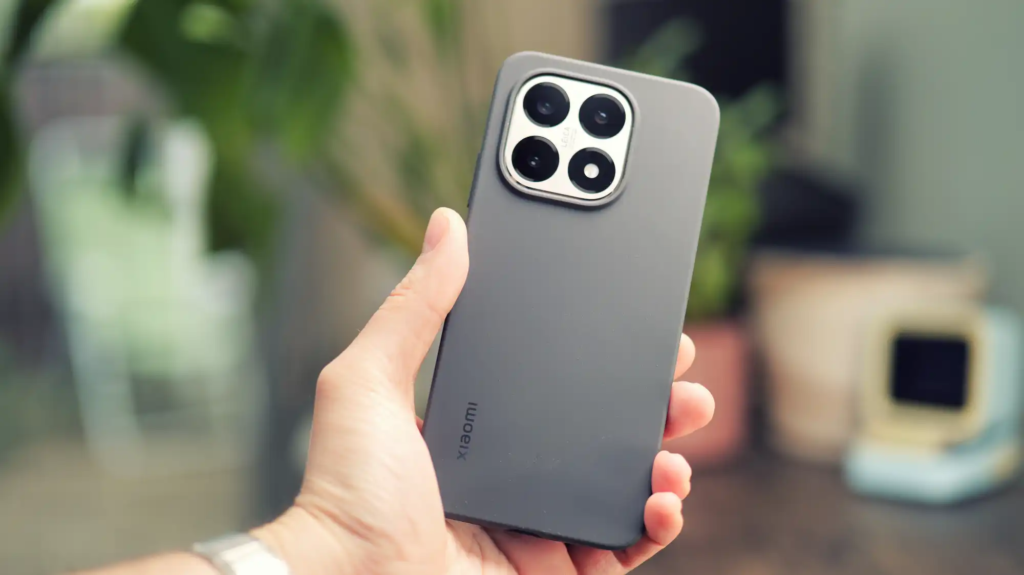
Stepping outside on a bright sunny afternoon to check a map, answer a message, or take a quick photo can be surprisingly frustrating. Screen glare turns your phone display into a dark mirror. Even if you turn the brightness bar all the way to 100 percent, text remains hard to read, and dark parts of pictures disappear completely.
Xiaomi designed Sunlight Display technology to fix this everyday nuisance. Built into Xiaomi, Redmi, and Poco devices running MIUI and HyperOS, this feature automatically optimizes screen visibility when direct sun hits your phone. Rather than simply blasting extra light, it actively changes display contrast and color tone so you can see your screen clearly anywhere outdoors.
Understanding how Xiaomi Sunlight Display works, how it differs from regular auto-brightness, and how to enable it on your smartphone helps you get the best performance out of your device screen without straining your eyes.
What Is Xiaomi Sunlight Display?
Xiaomi Sunlight Display is an intelligent screen feature that alters contrast, brightness, and color rendition in direct outdoor sunlight. When the phone detects strong ambient light around you, it boosts the visibility of everything shown on screen.
Most standard smartphone screens lose clarity outdoors because sunlight washes out colors and creates heavy reflections on the front glass. Sunlight Display counteracts this by continuously analyzing your surroundings through ambient light sensors.
The $0 Secret To Launching Your Entire Online Empire
Why pay hundreds every month for separate software? Build funnels, send emails, and make sales with Systeme.io completely free.
Get Started For $0Free Forever • No Credit Card Needed • Beginner-Friendly
When harsh sunlight hits your phone, the technology kicks in within seconds. It brightens shadows, sharpens text outlines, and dynamically boosts screen contrast. This ensures that you can read articles, check social media feeds, or view camera previews without needing to find a shade tree or cup your hand over the screen.
If you enjoy staying updated on phone features, smart devices, and software updates, explore our latest guides on technology and AI to see how mobile hardware is evolving.
The Problem with Traditional Smartphone Displays Outdoors
To understand why Xiaomi Sunlight Display is special, it helps to look at how regular smartphone screens operate outside under direct sun.
Standard displays rely almost entirely on backlight brightness measured in nits. When light levels increase, standard auto-brightness raises the panel’s backlight level. However, simple brightness increases hit two main roadblocks:
- Peak brightness limits set by phone hardware to protect the battery and prevent overheating.
- Screen glare that overwhelms panel contrast, making dark shadows completely invisible even at maximum brightness.
When sunlight hits a normal screen, shadows turn jet black, colors lose saturation, and fine text blends into dark backgrounds. Simply turning up panel brightness helps a little bit, but dark UI elements remain washed out. Xiaomi recognized that light output alone cannot defeat sunlight glare. You also need software-level contrast adjustments.
How Xiaomi Sunlight Display Works Under the Hood
Xiaomi Sunlight Display uses a smart combination of hardware sensors, display driver chips, and custom software algorithms. Instead of treating every pixel on your screen the exact same way, it actively changes pixel output based on ambient light levels.
Real-Time Light Sensor Monitoring
Your phone continuously measures environmental light using its built-in light sensors. Light intensity is measured in a unit called lux. Indoor room lighting usually ranges from 100 to 500 lux, while bright direct outdoor sunlight can easily jump past 10,000 to 12,000 lux.
According to technical teardowns on sites like XDA Developers, Xiaomi Sunlight Display triggers automatically when ambient light sensors detect levels surpassing roughly 12,000 lux for a continuous 5 seconds. Once light levels drop back down below that threshold for a few seconds, the screen smoothly returns to your chosen baseline settings.
Dynamic Contrast and Local Shadow Boosting
The standout part of Xiaomi Sunlight Display technology is local tone mapping. Rather than increasing brightness across the entire screen evenly, the display engine analyzes individual frames on screen.
It selectively brightens dark areas while leaving bright areas mostly untouched. This shadow-boosting technique reveals hidden detail in dark images, dark app themes, and black text. As a result, text stays readable without blowing out white highlights or making images look unrealistically bright.
Color Preservation and Gamma Adjustments
Direct outdoor sunlight washes out colors, making vibrant reds, blues, and greens look gray and dull. Xiaomi Sunlight Display compensates by adjusting color saturation curves and gamma levels on the fly.
By increasing color saturation dynamically under bright light, colors maintain their rich, natural appearance even under midday sun. Once you walk back indoors, gamma curves immediately settle back down to normal color standards to conserve battery power and protect color accuracy.
Expanded Peak Brightness Limits
Smartphones typically restrict manual brightness settings to protect internal components. If you slide your brightness bar manually to 100 percent inside a room, the phone output sits at a safe standard brightness level.
However, when Sunlight Mode triggers in bright sun, the phone unlocks temporary hardware boost states. This lets the display reach higher peak brightness levels than you could ever select manually using the slider.
Sunlight Display vs Standard Auto-Brightness: Key Differences
Many phone users assume that Sunlight Display is just another name for regular auto-brightness. While both features use ambient light sensors, they function quite differently.
Send, Spend & Hold Money Worldwide Without Hidden Fees
Transfer money internationally at the real exchange rate and hold 40+ currencies in one account.
Open a Wise AccountMid-market rate • Fast transfers • 40+ currencies
- Regular Auto-Brightness: This feature adjusts the overall backlight slider up or down based on ambient room light. It increases brightness when you enter a lit room and lowers it in a dark room. It does not alter color saturation, gamma curves, or pixel contrast.
- Xiaomi Sunlight Display: This specialized mode activates under extreme outdoor light conditions. It boosts local shadow contrast, alters gamma profiles, increases saturation, and expands the maximum output ceiling beyond normal limits.
- Manual Brightness Compatibility: On many Xiaomi devices, Sunlight Display can work even if you turn standard auto-brightness off. If you prefer keeping your screen brightness at a fixed level indoors, Sunlight Mode can still step in automatically when you walk outside under direct sunlight.
This distinction is especially useful for users who hate standard auto-brightness shifting around indoors but still need clear visibility when stepping outside.
Benefits of Xiaomi Sunlight Display Technology
Xiaomi Sunlight Display provides several practical advantages for daily smartphone use:
- Clear Visibility Outdoors: You can read messages, navigate on maps, write emails, and check bank apps under bright sun without struggling to see the screen.
- Better Viewfinder Accuracy for Photos: Taking pictures outside can be tricky if you cannot clearly see what is on your screen. Sunlight Display ensures your camera viewfinder displays bright, clear preview images.
- Eye Strain Reduction: Constant squinting at dark screen reflections causes eye fatigue and headaches. Clearer text contrast makes outdoor reading effortless.
- Less Need to Seek Shade: You no longer have to look for shadows or cover your display with your hand just to read a text message or check notification icons.
- Seamless Automatic Transition: The software turns on when you step outside and turns off when you walk back indoors, requiring zero manual adjustment.
How to Turn On Sunlight Display on Xiaomi, Redmi, and Poco Phones
Activating Xiaomi Sunlight Display on your smartphone running MIUI or HyperOS is quick and straightforward according to official Xiaomi Support guidelines.
Here is how you can enable Sunlight Mode on most Xiaomi devices:
- Open the Settings app on your device.
- Scroll down and tap on Display & Brightness.
- Turn off Auto Brightness if it is enabled.
- Switch the Sunlight Mode toggle to On.
Once enabled, your phone will automatically detect when you walk outdoors into intense sunlight and apply dynamic screen adjustments instantly.
Note that on certain HyperOS versions and newer flagship devices, Sunlight Display operates as part of the overall Smart Outdoor Display engine. Keeping auto-brightness enabled on these newer models lets the system automatically handle peak brightness boosts and contrast changes without extra setup.
Battery Life and Thermal Impact: What You Should Know
While Xiaomi Sunlight Display provides great outdoor visibility, it requires real hardware energy to run. It helps to understand how it impacts your battery life and hardware temperatures.
Higher Battery Power Consumption
Pushing screen pixels to maximum brightness and running continuous dynamic frame processing requires extra power. If you spend hours outside with Sunlight Mode active, your phone battery will drain faster than it normally does indoors.
Temporary Device Warmth
When a smartphone screen operates at peak nit capacity alongside the processor processing light sensor data, the device generates additional internal heat. You might notice your phone feeling slightly warm to the touch after extended exposure to sunlight.
Xiaomi builds built-in thermal safeguards into its operating system. If your phone becomes too hot due to direct solar heat and high display output, HyperOS will gradually reduce screen brightness slightly to protect internal hardware components.
The $0 Secret To Launching Your Entire Online Empire
Why pay hundreds every month for separate software? Build funnels, send emails, and make sales with Systeme.io completely free.
Get Started For $0Free Forever • No Credit Card Needed • Beginner-Friendly
Tips to Manage Battery and Heat Outside
- Turn off Sunlight Mode if you plan on being outdoors in bright sun for long stretches without needing to look at your screen continuously.
- Avoid leaving your phone screen turned on sitting face-up directly under midday sunlight on hot surfaces like outdoor tables or car dashboards.
- Set a short screen timeout interval (such as 30 seconds) so your display turns off automatically when you are not actively reading.
Which Xiaomi Phones Feature Sunlight Display?
Xiaomi introduced early versions of Sunlight Display technology years ago and has continually upgraded it across multiple software releases. Today, almost all modern smartphones produced by Xiaomi feature this technology in one form or another.
Xiaomi Flagship Series
Flagship models such as the Xiaomi 15, Xiaomi 15 Ultra, Xiaomi 14, and Xiaomi 13 Pro feature ultra-high nit AMOLED panels paired with advanced hardware-level Sunlight Display engines. These devices reach extreme peak brightness levels easily readable under harsh sunlight.
Redmi Note and Budget Series
Popular mid-range devices like the Redmi Note 14 5G, Redmi Note 14 Pro, and Redmi Note 13 series also feature full Sunlight Display support. Xiaomi brings this high-end display management technology to affordable phones, making outdoor visibility accessible on budget devices.
Poco Series
Performance-focused phones under the Poco lineup, including the Poco F6, Poco X6 Pro, and Poco M series, come with Sunlight Mode built directly into their software settings.
Whether you own an entry-level smartphone or a top-tier flagship device, Xiaomi ensures outdoor readability is supported across its product line.
How Xiaomi Sunlight Display Compares to Competitors
Xiaomi is not the only smartphone manufacturer addressing outdoor screen visibility, but its approach stands out in key ways.
Samsung Vision Booster
Samsung uses a feature called Vision Booster on Galaxy devices. Like Xiaomi Sunlight Display, Vision Booster analyzes ambient light and modifies screen tone curves and gamma settings. However, Samsung ties this feature exclusively to full auto-brightness mode. Xiaomi allows users to keep auto-brightness turned off while keeping Sunlight Mode active when needed.
Apple Outdoor Peak Brightness
Apple iPhones automatically boost panel output up to 2,000 nits or more under direct sunlight. iPhone displays focus heavily on peak nit brightness output. Xiaomi combines high brightness with aggressive software contrast re-mapping, which helps lower-cost panels achieve clearer visibility without needing extremely expensive display panels.
This software-driven approach allows Xiaomi to offer great outdoor screen performance on low-cost devices where screen panels might have lower physical nit limits.
Useful Display Features to Pair with Sunlight Mode
Xiaomi smartphones offer a broad suite of display customization tools that work alongside Sunlight Mode to improve your viewing experience.
Reading Mode and Paper Texture
If you spend time reading e-books or long articles outside, combining clear screen contrast with Xiaomi Reading Mode helps prevent eye strain. Reading Mode filters out harsh blue light and adds a subtle paper-like texture to white backgrounds.
Color Scheme Customization
Under settings, Xiaomi provides options like Vivid, Saturated, and Original Color modes. Sunlight Display dynamically adjusts whichever color scheme you choose, ensuring colors stay vibrant outdoors without permanently altering your custom indoor settings.
AI Display Enhancements
On selected Xiaomi models, AI image engines work alongside display drivers to enhance video contrast and sharpness. If you create or review mobile video content outdoors—such as reviewing video edits for YouTube—these features keep visual details crisp. If you publish online videos or manage automated digital content channels, check out our guide on YouTube automation for useful creator tips and strategies.
Frequently Asked Questions (FAQs)
Does Xiaomi Sunlight Mode drain battery quickly?
Yes, Sunlight Mode consumes more battery power because it pushes your screen to maximum brightness levels and runs real-time frame processing. However, it only activates when you are in direct bright light, so battery impact remains minimal during normal indoor use.
Why does my phone screen get dark again after a few minutes in direct sun?
Smartphones have internal thermal protection systems. If direct sunlight and peak brightness cause the internal battery or processor temperature to rise too high, your phone automatically lowers display brightness slightly to cool down and protect internal hardware.
Can I use Sunlight Mode if auto-brightness is turned off?
Yes. On most Xiaomi devices running MIUI or HyperOS, Sunlight Mode can be turned on even when auto-brightness is turned off. This allows you to maintain manual control over your screen brightness indoors while still getting automatic outdoor brightness boosts under direct sunlight.
Is Sunlight Display available on all Xiaomi phones?
Sunlight Display or Sunlight Mode is supported on almost all Xiaomi, Redmi, and Poco devices running MIUI 11 or newer, as well as HyperOS. Older budget models may rely primarily on brightness increases, while newer AMOLED models feature full dynamic contrast adjustments.
How do I disable Sunlight Display if I do not like it?
You can easily turn off Sunlight Mode by going to Settings > Display & Brightness > Auto-Brightness, and turning off the Sunlight Mode toggle.
Does Sunlight Mode damage the AMOLED screen?
No, Sunlight Mode does not damage your screen. It uses manufacturer-tested hardware states designed for short-term outdoor exposure. Built-in thermal throttles ensure the display stays within safe operating parameters.
Having a phone display that stays clear and readable in direct sun makes daily smartphone use much smoother. Xiaomi Sunlight Display solves outdoor screen glare using smart contrast adjustments, color tone mapping, and temporary brightness boosts instead of relying purely on battery-draining maximum backlights.
Whether you are navigating busy streets, checking messages outdoors, or shooting videos on sunny days, turning on Sunlight Mode ensures you never have to strain your eyes or search for shade just to read your screen.
To learn more about smartphone technology, device guides, and software updates, visit our About Us page or check out our full range of technology guides. Have questions or feedback about your phone? Feel free to reach out directly through our Contact Us page.
You can also follow our community for daily tech updates, tips, and trending news across our official social media channels:
- Connect with us on Instagram
- Follow our official page on Facebook
- Join the conversation on Twitter / X
