
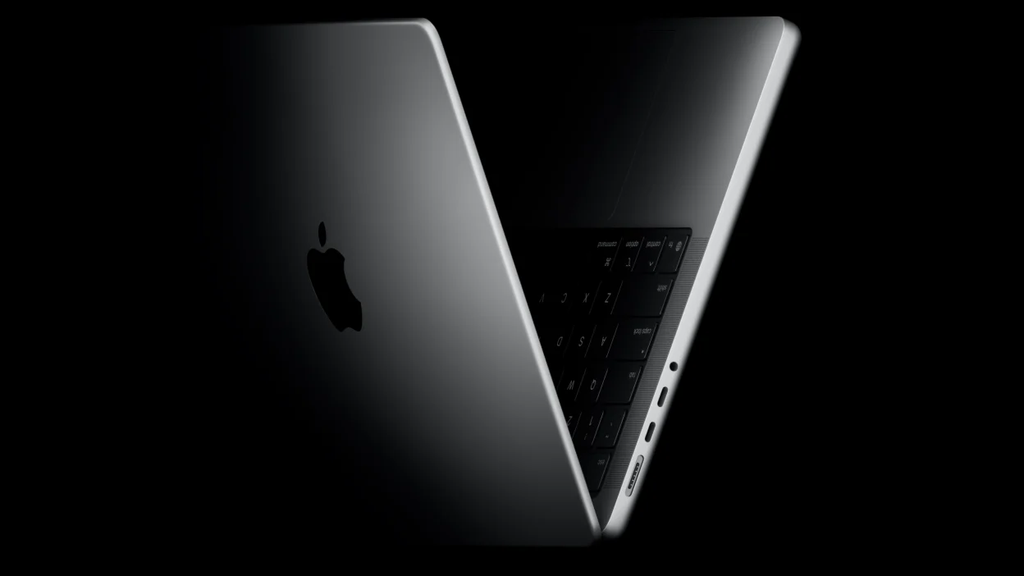
Apple is finally preparing to break a rule it defended fiercely for more than fifteen years. Reports indicate that the tech giant plans to unveil its first-ever touchscreen MacBook Pro during a major launch event set for late October 2026.
Industry insiders and supply chain leaks point to an official announcement on or around Tuesday, October 27. The reveal will feature a streamed online presentation alongside hands-on media sessions, marking one of the biggest physical design shifts in the history of the Mac product line.
For years, laptop buyers who wanted to tap, swipe, and pinch directly on their displays had to choose Windows devices. Apple kept laptops and tablets strictly separated, claiming touchscreens belonged on iPads while trackpads belonged on laptops. That era is officially ending as Apple prepares a massive hardware overhaul built around touch-enabled OLED screens, upgraded processors, and redesigned software.
The October 27 Apple Event: What Is Coming to the Stage?
Apple is gearing up for a packed autumn product schedule. The late October showcase serves as the second major product wave of the month, coming right after the company’s October 13 smart home presentation. That earlier event focuses on connected home devices, including new displays and updated audio gear, as detailed in our breakdown of Apple’s leaked home hub plans.
The October 27 presentation will pivot entirely toward high-performance computing, pro-grade creative tools, and portable workstation hardware.
The $0 Secret To Launching Your Entire Online Empire
Why pay hundreds every month for separate software? Build funnels, send emails, and make sales with Systeme.io completely free.
Get Started For $0Free Forever • No Credit Card Needed • Beginner-Friendly
The Stars of the Show: 14-Inch and 16-Inch Touchscreen MacBook Pros
The spotlight of the event rests firmly on new 14-inch and 16-inch MacBook Pro models. These machines are built from the ground up to support direct finger input while keeping the familiar keyboard and trackpad layout intact.
Key features expected during the announcement include:
- On-Cell OLED Touch Displays: Stunning contrast ratios, true blacks, vibrant color output, and zero gap between the touch layer and the screen pixels.
- Dynamic Island Integration: Bringing the interactive notification cutout from top-tier iPhones over to the Mac menu bar area.
- Lightweight Body Design: Internal components have been re-engineered and miniaturized to keep the overall weight low without cutting battery capacity.
- Next-Gen M6 Silicon: Fresh system-on-chip hardware designed to handle heavy creative workloads and instant multi-touch response.
Supporting Hardware: OLED iPad Mini and Refreshed Macs
The touchscreen laptop will not arrive alone. Reports indicate that Apple will also introduce a redesigned iPad mini equipped with an OLED display panel, upgraded speakers, and a landscape-oriented front camera meant for video calls.
On the desktop side, updated iMac models powered by the standard M6 chip are scheduled to share the stage, offering boosted speeds for everyday desk setups.
Why Steve Jobs Said “No” and Why Apple Said “Yes” Now
To understand why this news is shaking up the tech world, you have to look back at Apple’s history with touch screens.
When Steve Jobs introduced the iPad in 2010, he made a famous argument against touchscreen laptops. He explained that vertical touch surfaces do not work ergonomically. After extended periods of reaching forward to touch a standing screen, your arm gets tired and wants to fall down. Engineers dubbed this issue the “gorilla arm effect.”
For years, Apple held onto that philosophy. Instead of adding a touch display, Apple gave users the Touch Bar in 2016. That narrow OLED strip above the keyboard replaced traditional function keys with contextual digital buttons. While clever in theory, many users found it distracting, and developers rarely built deep support for it. Apple eventually phased out the Touch Bar completely, returning physical function keys to modern MacBooks.
What Changed Behind the Scenes?
Several factors forced Apple to rethink its long-held stance:
- Evolution of Digital Workflows: Modern creatives grew up tapping phone screens and iPad displays. Expecting them to stop touching screens when opening a laptop became an artificial boundary.
- Aggressive PC Competition: Competitors have spent years refining touchscreen laptops. Windows laptops and 2-in-1 devices proved that users appreciate quick screen taps for zooming into photos or scrubbing through video timelines.
- Leadership and Vision Shift: Fresh direction under senior executives like CEO John Ternus has opened the door to reimagining core hardware products. You can read more about Apple’s executive leadership in our report on John Ternus leading Apple hardware.
- Better Display and Glass Tech: Modern anti-reflective coatings and smudge-resistant glass make touching a glossy laptop screen far less messy than it was a decade ago.
Hardware Under the Hood: OLED, Dynamic Island, and the M6 Chip
Adding touch features to a laptop screen sounds simple on paper, but doing it on a professional machine requires major engineering adjustments.
OLED Displays Come to the MacBook Pro
Current MacBook Pro models use Liquid Retina XDR displays backed by Mini-LED lighting. While these screens offer great brightness, switching to OLED panels brings significant advantages.
OLED screens light up each pixel individually. This setup delivers pitch-black dark areas, eliminates light blooming around bright objects, and uses less power when displaying darker backgrounds. Combining OLED technology with thin, integrated touch sensors gives the new laptops sharp visuals alongside snappy responsiveness.
Bringing Dynamic Island to macOS
Dynamic Island transformed how iPhone users view active timers, media playback, incoming calls, and live activities. Bringing this interface feature to the top of the MacBook screen opens up new possibilities for multitasking.
Instead of hiding active background tasks inside the top menu bar, the Dynamic Island can display quick playback controls, live file transfer progress bars, or active rendering status updates without taking up usable workspace.
Lightening the Workstation Load
One common complaint about modern power laptops is weight. By redesigning internal cooling pipes, re-arranging internal logic boards, and using thinner screen stacks, Apple aims to make these machines significantly easier to carry around in a backpack.
Powering all these components is the new M6 processor series. The M6 platform delivers fast graphics rendering, efficient machine-learning computation, and instant touch recognition so taps feel as fast as clicking a mouse button.
Send, Spend & Hold Money Worldwide Without Hidden Fees
Transfer money internationally at the real exchange rate and hold 40+ currencies in one account.
Open a Wise AccountMid-market rate • Fast transfers • 40+ currencies
How macOS Is Evolving for Finger Control
A touchscreen is only as good as the software driving it. Anyone who has used a poorly optimized desktop touch interface knows how frustrating tiny buttons can be.
Apple is not replacing macOS with iPadOS. Instead, the company is refining macOS to welcome casual touch inputs alongside precise mouse navigation.
Natural Gestures for Speed and Comfort
You will not need to tap every tiny button with your fingers. The trackpad remains the main tool for precise cursor work like editing text or selecting spreadsheet cells. Touch support acts as an extra fast track for natural gestures:
- Pinch-to-Zoom: Zoom straight into photos, design canvases, or timeline tracks with two fingers directly on the display.
- Swipe Navigation: Flip through document pages, open project files, or scroll through web pages naturally.
- Tap to Play: Pause video previews, tap slider controls, or select menu options instantly without dragging a cursor across dual screens.
Software Optimizations and Developer Tools
Apple is providing updated app development frameworks so soft-button targets become slightly larger when a finger approaches the screen. System menus adjust spacing dynamically, preventing accidental taps.
Furthermore, desktop applications integrate smoothly with platform-wide intelligent features. You can explore how software tools connect across devices in our guide on maximizing Apple Intelligence features.
How the Touchscreen MacBook Pro Fits Into the Market
Apple’s decision to enter the touchscreen laptop space reshapes the competitive landscape across the entire computer industry.
Challenging High-End Windows Laptops
PC makers have offered touchscreen laptops for well over a decade. Systems like Microsoft’s high-end portables have courted power users who want convertible form factors. You can compare Apple’s competitive landscape in our story on Microsoft’s premium MacBook competitors.
Similarly, Android ecosystem giants continue pushing powerful laptops designed for everyday consumers and office workers. Learn how rival hardware compares in our coverage of Samsung’s Galaxy Book series.
By bringing touch control to macOS without sacrificing raw computing power, Apple gives long-time Mac users fewer reasons to switch over to Windows hardware.
Bridging the Gap Between iPad and Mac
For years, users debated whether to purchase an iPad Pro with a keyboard or a MacBook Air. The iPad offered a great touchscreen and stylus support, while the MacBook offered a full desktop operating system with superior file management.
The $0 Secret To Launching Your Entire Online Empire
Why pay hundreds every month for separate software? Build funnels, send emails, and make sales with Systeme.io completely free.
Get Started For $0Free Forever • No Credit Card Needed • Beginner-Friendly
Adding a touchscreen to the MacBook Pro narrows that gap significantly. While the MacBook Pro remains a traditional laptop form factor without a detachable keyboard, it gives pro creators the touch convenience they loved on tablets right inside their primary operating system.
At the same time, Apple continues experimenting with alternative form factors across its mobile line. Check out our deep dive into Apple’s foldable phone rumors to see how flexible display tech is reshaping mobile products.
Who Is the Touchscreen MacBook Pro Really Built For?
Not every laptop user needs a touch-enabled screen, but specific groups of professionals stand to gain tremendous workflow speed.
Creative Professionals
Video editors, photo retouchers, music creators, and graphic designers spend long hours navigating complex software timelines and color palettes.
Being able to reach up and scrub through a video timeline, pinch a color wheel, or select audio clips directly with your fingers speeds up creative work. It reduces physical strain caused by repetitive wrist movement on a mouse or trackpad.
On-the-Go Presenters and Executives
If you frequently run client meetings, display digital pitch decks, or walk team members through project dashboards, a touchscreen laptop makes sharing information far more interactive.
You can highlight items directly on the glass during live presentations without hunting for a tiny mouse pointer.
Power Students and Multitaskers
Students who bounce between research articles, digital note-taking, video calls, and group editing sessions will appreciate fast pinch-and-swipe gestures while managing multiple open windows across desktop workspaces.
Frequently Asked Questions (FAQs)
Will the touchscreen MacBook Pro replace the keyboard or trackpad?
No. The new MacBook Pro keeps its traditional physical keyboard and large glass Magic Trackpad intact. The touch display acts as an additional input method rather than a total replacement for traditional mouse and key controls.
When is the touchscreen MacBook Pro expected to launch?
According to reports from Bloomberg, Apple plans to announce the touchscreen MacBook Pro around Tuesday, October 27, 2026. Retail availability typically follows within one to two weeks after the event.
Will old Mac apps work with the new touchscreen?
Yes. Existing macOS apps will continue working normally. Basic touch taps will function like left mouse clicks. However, updated apps designed with Apple’s new developer tools will offer smoother touch targets and custom gesture controls.
Does the new touchscreen MacBook Pro support Apple Pencil?
Current reports focus strictly on finger touch controls and multi-touch gestures. Apple has not confirmed Apple Pencil support for MacBook displays, as stylus input remains primarily optimized for the iPad product lineup.
Will the touchscreen cause bad glare or finger smudges?
Apple is reportedly using anti-reflective coatings and advanced oil-resistant glass treatments to minimize fingerprint smudges and maintain high screen clarity under bright room lighting.
Final Thoughts and Community Reaction
The arrival of a touchscreen MacBook Pro marks a major milestone for Apple and its global user base. By combining OLED display tech, slim design engineering, and intuitive touch support with macOS, Apple is redefining what users can expect from a top-tier laptop.
Whether you are a creative professional eager to streamline your timeline editing or a tech enthusiast waiting to see how macOS adapts to touch control, October is shaping up to be an exciting month for tech news.
What do you think about Apple finally bringing touch screens to the Mac line? Would a touchscreen MacBook Pro fit into your daily workflow, or do you prefer sticking strictly to the trackpad?
We love hearing from our reader community. Reach out to us directly through our Contact Page to share your thoughts, questions, or news tips.
Stay connected with our latest updates, tech breakdowns, and community discussions by following us across our official social channels:
- Follow us on Instagram
- Join our community on Facebook
- Get real-time updates on X (formerly Twitter)
