
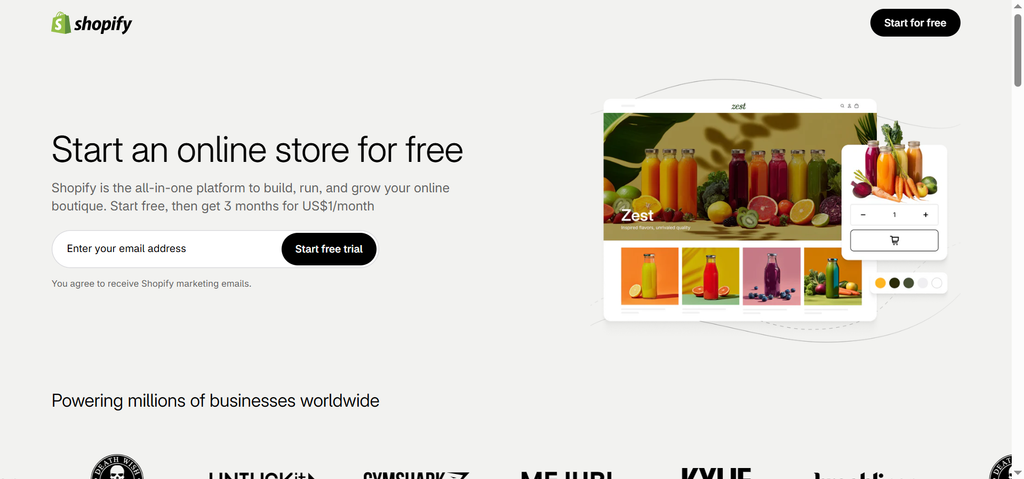
Starting an online business used to be expensive, complicated, and full of technical headaches. Years ago, if you wanted to sell products on the internet, you had to hire expensive web developers, set up secure servers, buy database software, and write hundreds of lines of computer code. If something broke, your entire website went down, and you had to pay someone to fix it.
Shopify changed all of that. Today, selling products online is accessible to anyone with an internet connection and a good idea. You do not need to know how to write code, use design software, or manage a web server.
If you are looking to launch a brand, sell handmade crafts, launch a dropshipping store, or transition a physical shop to the digital world, understanding how Shopify works is the best place to start. This guide breaks down what Shopify is, how it works, what features it offers, and how you can use it to build your online business step by step.
What Is Shopify and How Does It Actually Work?
Shopify is a cloud-based commerce platform that allows anyone to set up an online store and sell products. The term “cloud-based” simply means that the software lives on the internet rather than on your computer hard drive. You can log into your account from a laptop, tablet, or smartphone from anywhere in the world.
Shopify operates on a subscription model known as Software as a Service (SaaS). Instead of buying a piece of software once and installing it yourself, you pay a predictable monthly fee to use Shopify. In return, Shopify provides the website hosting, server security, payment gateways, and software updates automatically.
The $0 Secret To Launching Your Entire Online Empire
Why pay hundreds every month for separate software? Build funnels, send emails, and make sales with Systeme.io completely free.
Get Started For $0Free Forever • No Credit Card Needed • Beginner-Friendly
When you open a shop, Shopify gives you two main spaces to work with:
- The Front Storefront: This is the public website your customers see when they visit your store. They can browse through your collections, read product details, place items in a digital cart, and safely pay for their orders.
- The Back Administrative Dashboard: This is your private control center. Only you and your team can log in here. From this dashboard, you add new inventory, adjust pricing, process customer orders, set up discounts, and look at your daily sales statistics.
By separating the complex technical management from your day-to-day operations, the platform takes away the stress of running a website so you can focus entirely on marketing and serving your customers.
Why Millions of Small Businesses Choose Shopify
Building a web store from scratch requires coordinating dozens of moving pieces. You need a domain name, a hosting account, a content management system, payment security certificates, and a custom shopping cart. Shopify combines every single one of those elements into one package.
One major reason business owners choose this platform is reliability. If thousands of people visit your website at the exact same time during a sale, standard basic servers can crash. Shopify handles massive amounts of web traffic on its own servers, ensuring that your website stays fast and open for business around the clock.
Security is another critical factor. Handling customer payment information like credit card numbers requires strict adherence to industry security guidelines, known as Payment Card Industry (PCI) compliance. Shopify handles all PCI compliance for you automatically. That protection keeps customer payment details safe from cybersecurity threats without requiring you to hire a security team.
Additionally, the platform is designed to scale with you. You can start small by selling two or three items to local buyers. As your business grows, the exact same system can support thousands of orders every single day sent to international customers without requiring you to switch platforms.
Key Features That Help You Build Your Online Store
To build a sustainable online business, you need reliable tools that save you time and help you capture sales. Here are the core features built directly into the platform.
Customizable Themes and Visual Web Design
You do not need to be a designer to create a beautiful store. Shopify offers a store library containing free and paid templates called themes. Each theme gives your website a distinct look and layout tailored for different industries, such as fashion, electronics, food, or beauty.
Once you choose a theme, you can customize it using a simple drag-and-drop editor. You can upload your brand logo, adjust page colors, change font styles, and rearrange sections like image banners or featured product grids. You can see your changes in real time before publishing them live to the world.
Built-in Payment Processing
Accepting money online used to require setting up complex merchant bank accounts and third-party payment gateways. With Shopify Payments, accepting money is simple. It comes built into the system, allowing you to accept major credit cards, debit cards, and digital wallet payments like Apple Pay and Google Pay straight out of the box.
If you prefer to use alternative processors, you can also connect external options like PayPal, Stripe, or local bank transfer systems. To learn more about how foreign transactions and merchant processing operate globally, you can check payment resource guides on Wise.
Inventory and Order Management
Keeping track of physical goods can quickly turn chaotic. Shopify includes a full inventory management tool directly inside your dashboard. Every time a customer purchases an item, the system automatically subtracts that item from your available stock count.
If an item sells out, the website automatically displays an “Out of Stock” message on the product page so you never accidentally sell items you cannot fulfill. You can also track shipments, print shipping labels straight from your computer, and email tracking numbers to your buyers with a single click.
Smart AI Tools for Business Owners
Creating content for a brand takes a lot of time. Writing product descriptions, answering customer emails, and planning promotional messages can take up hours of your week.
Shopify includes built-in artificial intelligence features called Shopify Magic. This tool can automatically generate draft descriptions for your products based on keywords you enter. It can also help you compose customer service email replies and write blog posts to attract web search traffic.
Send, Spend & Hold Money Worldwide Without Hidden Fees
Transfer money internationally at the real exchange rate and hold 40+ currencies in one account.
Open a Wise AccountMid-market rate • Fast transfers • 40+ currencies
Automation tools like this allow solo entrepreneurs to run a professional storefront that looks like it is managed by a full team. If you want to learn more about how modern intelligent software is transforming modern business operations, explore our articles on technology and AI.
The Shopify App Store
No two online businesses are completely identical. A clothing brand might need an interactive size chart, while a subscription box company needs a recurring billing tool.
To solve this, Shopify operates an App Store filled with thousands of free and paid add-ons created by software developers. You can search for apps that handle customer reviews, pop-up email subscription forms, live chat widgets, loyalty point rewards, and accounting connections. Installing an app takes just a few clicks, similar to adding an application on your smartphone.
Different Ways You Can Sell Products
One of the strongest advantages of using this platform is that you are not limited to just one business model or sales channel.
Direct Physical Retail
If you craft products by hand or purchase wholesale inventory from manufacturers, you can store your items at home or in a warehouse. You list those physical products on your storefront, manage your stock levels, package items when orders come through, and post them to your customers.
Dropshipping
Dropshipping is an ecommerce strategy where you do not purchase or store inventory yourself. Instead, you display items on your store provided by a third-party supplier.
When a buyer places an order on your site, the order information is automatically sent to the supplier. The supplier then packages the item and posts it directly to your customer. You earn a profit on the difference between the retail price you charged and the wholesale price the supplier billed you.
Digital Products and Services
You do not have to sell physical objects to build a successful online business. Creators use Shopify to sell downloadable digital files like digital art, PDF workbooks, design templates, and audio files. Once a customer pays, the system delivers a download link automatically.
Service providers, coaches, and consultants also use the system to sell appointments, event access passes, or course memberships without ever having to manage shipping logistics.
Social Media and Multi-Channel Sales
Your shoppers do not only hang out on your standalone website. They spend a huge amount of time browsing social networks. Shopify connects directly with platforms like Instagram, Facebook, TikTok, and Pinterest.
The $0 Secret To Launching Your Entire Online Empire
Why pay hundreds every month for separate software? Build funnels, send emails, and make sales with Systeme.io completely free.
Get Started For $0Free Forever • No Credit Card Needed • Beginner-Friendly
You can tag your products directly in social media posts or videos. When users click on a product tag in an Instagram post, they can buy the item without ever leaving their social feed. All of those sales sync directly back into your main administrative dashboard so your inventory counts remain totally accurate.
If you are interested in using video platforms to build audience trust and drive customers to your store, check out our guide on YouTube automation.
In-Person Point of Sale (POS)
If you own a physical shop, run a temporary market stall, or host pop-up events, you can use Shopify Point of Sale (POS). You can run the POS application on an iPad or smartphone, connect a card reader, and accept payments from walk-up customers in real life.
The best part is that your physical sales and online sales use the exact same inventory pool. If someone buys your last pair of shoes at a physical market, your online store updates instantly to show the product as sold out, preventing double-selling mistakes.
How to Build Your Online Business on Shopify Step by Step
Starting a store might feel overwhelming if you try to do everything at once. Breaking the project down into simple, sequential steps keeps the process stress-free and organized.
Step 1: Sign Up and Name Your Store
To get started, visit the official Shopify website and sign up for an account. You usually get a free trial period, allowing you to test out the tools and customize your store setup before spending any money.
During signup, you will enter your store name. If you do not have a permanent business name selected yet, do not panic. You can easily change your display name and add a custom website domain address later in your settings.
Step 2: Choose and Customize Your Store Design
Head over to the design section in your dashboard and choose a theme. If you are launching on a budget, choose one of the official free themes provided by the platform. These free templates are fast, clean, and look great on mobile phones.
Add your business logo, choose two or three main brand colors, and set up clear menu navigation. Make sure your main menu includes pages like “Shop”, “About Us”, and “Contact Us” so visitors can navigate your site easily.
Step 3: Add Your Products
Click on the products section and start adding items to your store catalog. For every product you list, include:
- A clear, descriptive title that explains what the item is.
- High-quality photographs showing the item from multiple angles in bright lighting.
- A helpful description explaining the product’s benefits, materials, sizing, or usage details.
- Clear pricing and available stock numbers.
Organize your items into collections, such as “Summer Collection”, “Best Sellers”, or “Gift Cards”, so buyers can filter through your catalog without getting lost.
Step 4: Configure Your Payment and Shipping Options
Set up your payment options in your settings menu so you can receive money into your personal or business bank account. Fill out your tax information so the system automatically calculates necessary sales taxes for shoppers based on their geographic location.
Next, set up your shipping rules. You can offer simple flat-rate shipping fees, free shipping for orders over a specific value threshold, or calculate real-time carrier delivery rates.
Step 5: Purchase a Custom Web Address
By default, your new site address will look like yourbrandname.myshopify.com. While this works fine for initial testing, having a custom web domain like yourbrandname.com builds immediate trust with real buyers. You can register a new domain name directly through Shopify or connect a domain name you already bought from a third-party domain registrar.
Step 6: Test Your Order Flow and Launch
Before opening your digital doors to the public, perform a test transaction. Place a fake order on your store to see exactly what your customers will experience. Check if the checkout pages look clean, ensure confirmation emails send properly, and verify that payment settings work as intended.
Once everything looks great, remove your store password to make your website live to the public world.
Understanding the Costs: Shopify Pricing Plans
Shopify is a subscription service, so you will want to understand what each tier costs before selecting a plan.
Shopify Starter
This is the cheapest plan available, costing roughly $5 per month. It does not give you a full standalone website store. Instead, it lets you create product buy links that you can share in direct messages, WhatsApp chats, or on social media profile pages. It is great for testing a simple product idea.
Basic Shopify
Costing roughly $39 per month when billed monthly, this plan is the standard starting point for most new business owners. It provides a full online website store, unlimited product listings, customer service chat integrations, basic reporting, and access to payment processing.
Main Shopify Plan
Costing around $105 per month, this tier is built for growing businesses that generate steady monthly sales. It includes lower credit card processing fees, extra staff user accounts, and deeper performance reporting tools.
Advanced Shopify
Priced around $399 per month, this tier targets established, high-volume businesses. It offers custom report builders, extremely low payment fees, and calculated international shipping rates at checkout.
Shopify Plus
This is the enterprise solution designed for major global corporations and brands turning over high sales volumes every month. Starting around $2,300 per month, it offers custom checkout customization, dedicated account managers, and advanced automated workflows.
Practical Tips for Running a Successful Online Store
Setting up a store is only half the battle. To turn your storefront into a profitable, long-term business, you need to focus on building trust and making buying simple.
Focus on High-Quality Product Media
When people shop online, they cannot physically touch, feel, or try on your products. Your images, videos, and descriptions have to do all the talking. Use clear, bright lighting for photos and show items being used in real life. If you sell apparel, include height and sizing details for models to help buyers make informed decisions.
Make Your Checkout Fast and Simple
Avoid asking customers for unnecessary information during checkout. Keep forms short and offer fast payment choices like Shop Pay, Apple Pay, or PayPal. The fewer steps a buyer has to complete, the less likely they are to leave their cart behind without buying.
Build Trust Through Clear Policies
Online buyers are naturally cautious when visiting a new website for the first time. Place clear return policies, shipping timeline expectations, and privacy notices clearly in your footer menu.
Providing accurate, honest contact information builds instant credibility. To see an example of clear communication structure and simple layout options, review our dedicated about page and contact page.
Stay Connected on Social Media
A website without visitors cannot make sales. You must build channels that direct people to your store regularly. Share behind-the-scenes content, answer customer questions, and post updates across active social channels. You can see how we share fresh content with our community by checking out our official pages on Facebook, Instagram, and X (formerly Twitter).
Frequently Asked Questions (FAQs)
Do I need to know computer coding to build a store on Shopify?
No, you do not need any coding or design skills. Everything is managed using intuitive visual drag-and-drop editors, clear menus, and pre-designed templates. If you want custom features in the future, you can hire a developer, but starting out requires zero technical coding knowledge.
Can I sell services instead of physical products?
Yes, Shopify supports services, digital downloads, consultations, software, event tickets, and online course access. You can adjust your product settings so the system knows not to require physical shipping details at checkout for service items.
How long does it take to open a working store?
If you have your product photos, descriptions, and pricing ready, you can set up a simple working store in a single weekend. The administrative dashboard walks you through basic settings step by step so you can launch quickly.
Can I move my existing store to Shopify from another platform?
Yes, you can import your existing product details, customer lists, and order history using CSV spreadsheet files or migration applications available in the app ecosystem. Many business owners switch over from platform options like WooCommerce or Wix to lower technical maintenance tasks.
What happens when a customer places an order on my store?
When an order comes through, you receive a notification via email and inside your mobile dashboard app. The customer automatically receives an order confirmation email. You then package the product, mark the order as fulfilled in your dashboard, and print a shipping label to send the package off.
Building an online business is a journey that requires learning, testing, and continuous effort. Shopify removes the technical hurdles that used to prevent everyday entrepreneurs from launching their ideas. By taking advantage of accessible templates, integrated payment systems, and smart automation tools, you can build a clean, secure, and professional online store that serves customers anywhere in the world. Start small, focus on solving your customers’ problems, and build your digital store step by step.
