
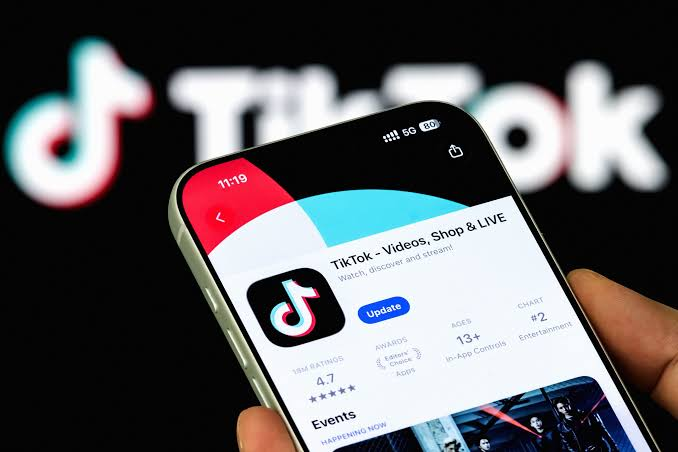
TikTok has officially released a massive update that changes how people talk underneath videos. The social media giant is rolling out four major features to its comment section: 60-second voice comments, interactive creator polls, photo carousel dumps, and live photo replies.
With more than 1.7 billion comments posted across the app every single day according to TikTok’s official newsroom, the space under a video is no longer just a place to leave quick text messages. It has become an active community center where jokes continue, debates start, and creators connect directly with their followers.
This new update turns the comment section into a mini content hub. Instead of simply typing out a response, users can now speak directly to the community, share full picture albums, or vote on decisions made by their favorite content creators.
Here is a complete look at what these new features are, how they work, why they matter, and how you can start using them on your account right away.
The Breakdown: What Are TikTok’s New Comment Features?
TikTok has spent years building a platform centered around video and audio expression. Now, the platform is taking those exact principles and placing them directly into the comment box. The four new tools give creators and viewers entirely new ways to express themselves without leaving the main feed.
The $0 Secret To Launching Your Entire Online Empire
Why pay hundreds every month for separate software? Build funnels, send emails, and make sales with Systeme.io completely free.
Get Started For $0Free Forever • No Credit Card Needed • Beginner-Friendly
Voice Comments: Say What You Mean Out Loud
The biggest headline of this update is the arrival of voice comments. Users can now record and post spoken audio clips up to 60 seconds long directly underneath any video.
Instead of typing out a long paragraph or trying to express laughter with capital letters, you can record your real reaction. Anyone scrolling through the comments can tap the play button to listen to your voice note.
To protect younger users, TikTok is restricting voice comments to accounts registered to users who are 18 years of age or older. The feature is rolling out globally across all regions.
Comment Polls: Let Your Viewers Cast Their Votes
Creators no longer need to send their followers to external sites or ask people to type specific numbers in the replies to gather opinions. With Comment Polls, video creators can post a voting box right at the top of their comment section.
Creators can add up to 5 custom options for viewers to choose from. They can also set a specific timer for how long the voting stays active, ranging from one day to indefinitely. Results update in real time as viewers cast their votes. Comment Polls are available globally to all account holders immediately.
Photo Carousel Comments: Share an Entire Photo Dump
Photo replies have been popular on TikTok for a while, but users were previously limited to sharing a single picture per comment. The new Photo Carousel feature changes that by allowing users to attach up to 9 photos in a single comment box.
This turns photo replies into full slide shows. If a creator asks viewers to show their pets, outfit choices, or weekend trips, users can drop a complete photo collection in a single response rather than spamming the section with multiple separate replies.
Live Photo Comments: Bringing Still Images to Life
Alongside photo carousels, TikTok is adding support for Live Photos. When you upload a Live Photo from an iPhone or supported device into the comment box, viewers will see a brief burst of movement before the image settles. This adds a subtle, animated feel to standard photo reactions without requiring a full video upload. Live Photo Comments are live worldwide right now.
How Voice Comments Work and Why They Are a Big Deal
Sound has always been the heartbeat of TikTok. Viral songs, trending voiceovers, and famous audio clips regularly drive the platform’s culture. Bringing voice recording into the comment section feels like a natural evolution for an app built on sound.
Text comments are great for quick notes, but text often hides emotion. Tone, sarcasm, excitement, and genuine laughter do not always translate well through typed words. A simple comment can easily be misunderstood.
Voice messages fix this problem completely. When you hear someone’s actual voice, you catch their tone, pitch, and emotion immediately. If someone is laughing hysterically at a funny video, hearing their real laughter in the comments adds another layer of entertainment for everyone else reading along.
Voice notes also lower the effort needed to share detailed thoughts. Typing out a 200-word story on a tiny phone screen takes time and effort. Speaking that same story takes less than thirty seconds. This makes it much easier for people to share personal stories, detailed advice, or thoughtful reactions without breaking their typing flow.
From an accessibility standpoint, voice comments offer a huge advantage. People who find typing difficult due to screen size, visual impairments, or physical limitations can now join conversations effortlessly by tapping a button and speaking into their phone microphone.
How Creators Can Use Comment Polls to Drive Engagement
For content creators, engagement is the ultimate goal. The TikTok algorithm favors videos that get people talking, clicking, and interacting. Comment Polls give creators a powerful tool to turn passive viewers into active participants.
Interactive voting keeps people on a video longer. When someone stops scrolling to read a poll question, evaluate the choices, and tap an option, their watch time increases. That extra time signals to TikTok that the content is interesting, helping push the video to more For You pages.
Send, Spend & Hold Money Worldwide Without Hidden Fees
Transfer money internationally at the real exchange rate and hold 40+ currencies in one account.
Open a Wise AccountMid-market rate • Fast transfers • 40+ currencies
Creators can use polls in dozens of creative ways:
- Choosing future video topics: Ask your audience what video they want to see next, whether it is a tutorial, a review, or a vlog.
- Settling debate topics: If a video presents two sides of an argument, let the comment section vote on who is right.
- Making real-time choices: Fashion creators can let viewers pick their outfit for an event, while food creators can let fans vote on what ingredient to use next.
- Product research: Small business owners can ask their followers which product color or design they prefer before launching a new item.
This level of audience participation builds a stronger connection between creators and followers. People love knowing that their opinion matters and that their vote might shape a creator’s next upload.
Creators who work with broader digital media channels often rely on structured audience polling to plan their production calendars. Similar audience feedback loops are widely used by digital strategists building content hubs on platforms like YouTube, where direct feedback shapes video production as outlined in guides on YouTube automation strategy.
Photo Carousels and Live Photos: Upgrading the Reaction Game
A single reaction image can say a lot, but a single photo often misses the bigger picture. The introduction of 9-photo carousels turns comment sections into shared photo albums.
Consider how this changes common TikTok trends. When a travel creator posts a video asking people to show their favorite vacation spots, viewers can now post a full collection of photos from their trips. When a fitness creator asks for transformation updates, followers can upload a chronological timeline of their progress in a single reply.
Live Photos add an extra dimension of realism. Because Live Photos capture a second of motion and background audio before and after the picture is taken, they feel more authentic than standard polished photos. Viewers get a candid glimpse into the exact moment the photo was taken.
This move directly addresses how younger users communicate online. Static images are increasingly giving way to rich media, short clips, and multi-photo posts. TikTok is ensuring its users do not need to leave the platform to share those rich moments.
Moderation and Safety: How TikTok Plans to Keep Voice Memos Safe
Introducing audio recordings to a comment section that reaches hundreds of millions of people brings real safety challenges. Text comments are relatively easy to filter using keyword blocks, but moderation becomes far more complex when users can upload 60 seconds of spoken audio.
Without proper safeguards, voice notes could potentially become tools for verbal abuse, hate speech, or targeted harassment. TikTok has put several safety layers in place to address these concerns before rolling the feature out to everyone.
First, age limits act as an initial barrier. Voice comments are strictly limited to users aged 18 and older. Account holders under 18 will not see the microphone option in their comment toolbar.
The $0 Secret To Launching Your Entire Online Empire
Why pay hundreds every month for separate software? Build funnels, send emails, and make sales with Systeme.io completely free.
Get Started For $0Free Forever • No Credit Card Needed • Beginner-Friendly
Second, TikTok is deploying automated speech-to-text models that transcribe audio in real time. These systems convert spoken words into text data, allowing automated moderation systems to scan the audio for banned words, hate speech, threats, and policy violations instantly.
Third, standard reporting tools remain active. Viewers can flag any abusive voice comment just as they would a text comment. Flagged audio files are sent to human moderation teams for review.
These moderation advances reflect broader trends in machine learning and natural language processing. Real-time audio processing models are rapidly transforming how online platforms manage user safety, as regularly highlighted in coverage of technology and artificial intelligence developments.
What This Means for the Future of Social Media
Social media platforms have spent years competing for user attention by copying each other’s core features. Instagram introduced Reels to compete with TikTok videos, while TikTok expanded direct messaging tools to compete with messaging apps.
This new update signals a shift in how platforms view the comment section. Comments are no longer just feedback areas where users say great video or leave an emoji. Comments are now viewed as primary content.
In many ways, TikTok’s comment section has always acted as a second feed. Users often spend just as much time scrolling through top replies as they do watching the actual video. By giving users voice tools, polls, photo carousels, and live images, TikTok is making the comment section an interactive platform within a platform.
This move puts pressure on competing platforms like Instagram, YouTube Shorts, and X to upgrade their own comment systems. Passive text replies are starting to feel outdated compared to rich, multi-media discussion threads.
Step-by-Step: How to Use the New Comment Features
If you want to test out these new features on your account, follow these simple steps.
How to Post a Voice Comment
- Open TikTok and find the video you want to reply to.
- Tap the comment icon to open the comment tray.
- Look for the microphone icon located near the text input box.
- Press and hold the microphone icon to begin recording your audio.
- Speak clearly into your device microphone for up to 60 seconds.
- Release the icon to finish recording, preview your audio, and tap send to post.
Note: If you do not see the microphone icon, make sure your app is updated to the latest version and that your account birthdate confirms you are 18 or older.
How to Create a Comment Poll
- Go to your own TikTok profile and select a video you have posted.
- Open the comment section of your video.
- Tap the poll icon located in the comment tools menu.
- Type your question and enter up to 5 choice options.
- Select how long you want the poll to stay active.
- Tap post. Your poll will pin right to the top of the comment section for your viewers to vote on.
How to Share Photo Carousels and Live Photos
- Open any comment section and tap the photo icon in the reply bar.
- Select up to 9 photos from your device gallery to build a photo carousel.
- To share a Live Photo, select a supported Live Photo from your camera roll.
- Add an optional text caption if you wish, then tap send.
Frequently Asked Questions
Can anyone leave a voice comment on TikTok?
Voice comments are available to account holders who are 18 years of age or older. Users under 18 can still leave text, photo, and video sticker comments, but they will not have access to voice recording.
How long can a TikTok voice comment be?
A voice comment can be up to 60 seconds long. You can make your message as short as a few seconds or use the full minute if you need extra time to explain your thought.
Are comment polls free for all creators?
Yes, Comment Polls are completely free and available to all creators globally. Creators can add a poll to any video they upload directly from the comment box.
How many photos can you put in a TikTok comment?
With the new Photo Carousel feature, you can attach up to 9 photos in a single comment. Previously, users were limited to posting only one photo per reply.
What safety rules apply to audio and photo comments?
All voice comments, photo carousels, and live photos must follow TikTok’s Community Guidelines. TikTok uses automated speech-to-text transcription and image recognition tools, alongside human moderators, to detect and remove harmful content.
Why can I not see the voice comment button on my app yet?
TikTok rolls out major features in stages across different regions. If you do not see the feature yet, check the App Store or Google Play Store to ensure your app is fully updated. If your app is up to date, the feature should appear on your account as the global rollout completes over the coming weeks.
Social media thrives when people find new ways to connect naturally. By adding voice notes, real-time polls, and multi-photo replies directly into video comments, TikTok is making online interactions feel more personal, interactive, and spontaneous.
Whether you are a creator looking for fresh ways to connect with your audience or a viewer who wants to share a quick laugh out loud, these new features offer plenty of room to experiment. Update your app today and try sending your first voice reply or launching a poll on your next post.
To learn more about our mission to keep you updated on the latest digital trends, check out our About Page or feel free to reach out directly through our Contact Page. Stay connected with us across social media on Instagram, Facebook, and X (formerly Twitter) for daily updates on everything making waves online.
