
Think about how you usually plan a weekend gathering or a small project. Your digital routine probably involves a lot of moving parts. You start by opening a browser tab to search for food ideas.
Once you find a good list, you open a separate grocery app to add those items to a shopping cart. Next, you open a graphic design tool to make a quick invitation card for your guests. Finally, you open a music application to build a custom playlist so your visitors do not sit in complete silence.
This routine requires a lot of switching between different apps, copying text, and managing dozens of open browser tabs. It takes time, and it can be frustrating when you lose track of what you were doing.
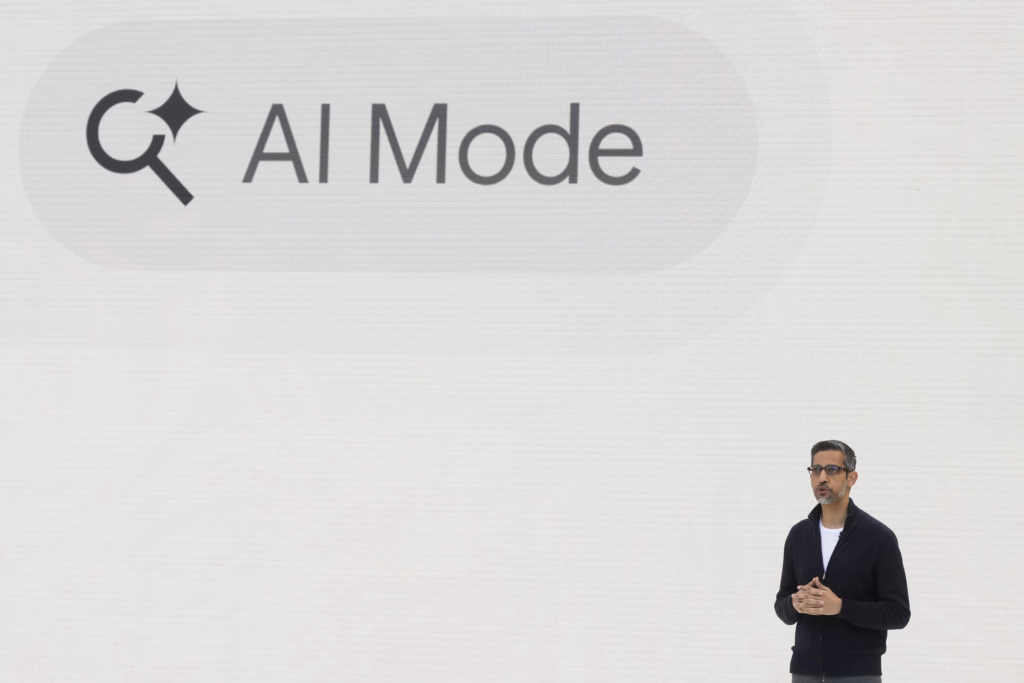
Google is attempting to solve this exact issue. The company has updated its AI Mode within Google Search by adding direct integrations for three major applications: Canva, Instacart, and YouTube Music.
This update means you no longer have to jump from one platform to another to finish a multi-step task. Instead, you can talk to the artificial intelligence right inside your regular Google search box, and it will handle these actions across other apps on your behalf.
The $0 Secret To Launching Your Entire Online Empire
Why pay hundreds every month for separate software? Build funnels, send emails, and make sales with Systeme.io completely free.
Get Started For $0Free Forever • No Credit Card Needed • Beginner-Friendly
We track these digital updates closely over at our technology and AI section, and this expansion is one of the most practical upgrades to hit the internet in a long time. Let us break down what this feature is, how it works, and how you can use it to make your daily tasks much easier to handle.
What Exactly Is Google AI Mode?
Before looking closely at the new applications, it helps to understand what AI Mode actually means. Many people get confused between standard Google Search, the standalone Gemini chat app, and this specific AI feature.
When you type a query into a traditional search bar, you usually receive a long list of links to different websites. A while ago, Google introduced AI-generated summaries at the top of these results to give you direct answers without making you click around. AI Mode takes this idea even further by offering a dedicated, conversational chat screen built straight into Google Search.
Instead of just looking at text results, you can talk back and forth with the search engine. You can ask it to explain difficult topics, write messages, or organize schedules. Up until this point, the tool was mostly used to find and organize words and information.
With this new update, Google is turning AI Mode into an active tool that gets things done. By connecting to external services, the AI can stop just telling you things and start doing things for you in the real world.
The Big Three: Breaking Down the New App Integrations
Google started this rollout with three highly popular applications that people use for everyday planning, shopping, and creative work. Let us look at what each one does and how it changes your online habits.
1. Instacart: Turning Recipes into Grocery Carts
Shopping for groceries online usually takes a good amount of manual effort. You have to type in milk, click add, type in eggs, click add, and repeat the process dozens of times. If you are trying to follow a specific recipe you found online, you have to read the ingredients list and manually search for every single item one by one.
The new Instacart integration removes this repetitive typing. You can now type a single prompt like, “Make me a grocery cart of healthy snacks and drinks for eight adults,” directly into the AI search box.
The AI reads your request, communicates with Instacart behind the scenes, and automatically populates a shopping cart with the items you need. It will even look at local store availability to find the right products. Once the cart is full, it gives you a direct link. You simply click the link, double-check the items, and hit the checkout button. It turns a lengthy chore into a quick, two-click task.
2. Canva: Going from an Idea to a Design in Seconds
Canva is incredibly popular for anyone who needs to make graphics quickly without having professional design training. Even though Canva is easy to use, finding the exact template you want out of millions of choices can sometimes feel like searching for a needle in a haystack.
Now, you can use AI Mode to kickstart your creative projects immediately. If you want to announce a local event, a garage sale, or a business opening, you can type something like, “I am launching a weekend pop-up vintage clothing sale. Create a flyer draft in Canva that looks retro and uses neutral earth tones.”
The AI processes your description, contacts Canva, and displays real template options directly on your search screen. If you see a layout you like, you just click on it. The link opens the file straight inside Canva so you can add your custom text and finish the job.
This is incredibly useful for creators, including people working on YouTube automation projects, where making quick thumbnails, banners, and channel art is a daily necessity. Instead of staring at a blank page wondering where to start, the AI hands you a ready-made foundation.
3. YouTube Music: Your Instant Playlist Creator
Putting together a great music playlist takes time and thought. You have to remember specific track names, search for the correct artists, and make sure the overall vibe flows well from start to finish.
The YouTube Music integration turns the search bar into a personal audio assistant. You can give the AI a highly specific mood or theme. For example, you can tell it to, “Create a playlist featuring the top trending Bollywood songs from the past ten years,” or ask for a high-energy pop mix for a morning workout.
Send, Spend & Hold Money Worldwide Without Hidden Fees
Transfer money internationally at the real exchange rate and hold 40+ currencies in one account.
Open a Wise AccountMid-market rate • Fast transfers • 40+ currencies
The AI builds the playlist in moments, shows you the individual song titles, tells you how long the mix lasts, and gives you a button to save it directly to your music profile. You do not have to search for songs one by one.
Important Note: These AI-generated playlists will eventually expire if you leave them alone. If you like the songs the AI gathered, make sure to click the “add to library” button so you do not lose them.
The Shift from Answers to Actions: The Rise of AI Agents
This update is significant because it highlights a massive shift in how the internet works. For decades, search engines acted as simple directories. You typed a keyword, and Google gave you a list of destinations where you could go read the information yourself.
Then came the chatbot era. You typed a question, and the AI read the web to give you a neatly written paragraph answering your question directly.
Now, we are entering the era of AI agents. An AI agent goes beyond words; it acts on your instructions across different systems.
It is helpful to notice how Google is approaching this step. The AI is not taking complete control over your accounts or buying things without your permission. It acts as a helpful, account-linked bridge.
When using the Instacart feature, the AI fills up the cart, but it leaves the actual payment step to you. This keeps you in complete control of your budget and choices while removing the boring, repetitive parts of filling out forms and searching for items manually.
How to Set Up and Use Connected Apps in AI Mode
Getting started with these new features is simple, but there are a few basic requirements to keep in mind.
- Log In: First, you must be signed into your personal Google account while using the search engine. The feature works across desktop web browsers and through the official Google Search mobile app on both iOS and Android phones.
- Trigger the Link: You do not need to hunt through a confusing settings menu to connect these applications. The easiest way to set it up is to simply type a natural request. For example, ask the search bar to create a Canva flyer or a grocery list.
- Authorize the Connection: When the AI realizes you want to use an external tool, a helpful button labeled “Link” will pop up on your screen. Click that button, follow the quick security prompts to log into your respective Canva, Instacart, or YouTube Music account, and the system handles the rest.
To get the best possible results from these features, try to be as detailed as possible with your prompts. Instead of typing a vague phrase like “give me food,” try typing, “make a grocery cart with fresh ingredients for a classic Italian spaghetti dinner for four people.” The more details you provide, the better job the AI will do at selecting the right products, templates, or songs.
Security and Privacy: Managing Your Connected Data
Whenever you link different online accounts together, it is completely normal to have questions about your privacy and data security.
The $0 Secret To Launching Your Entire Online Empire
Why pay hundreds every month for separate software? Build funnels, send emails, and make sales with Systeme.io completely free.
Get Started For $0Free Forever • No Credit Card Needed • Beginner-Friendly
When you connect Canva, Instacart, or YouTube Music to Google AI Mode, you are giving the system permission to share specific information between these applications. For example, if you ask the AI to help you plan a party using details from an event, it will use that context to choose appropriate templates or food items.
Google uses these search interactions to help train and refine its generative AI models over time. If you are uncomfortable with this, you can visit your Google Account settings page at any time to manage your search history and data preferences.
You can also disconnect these applications whenever you want. If you try a tool and decide you no longer want it active, simply revoke the access in your settings, and the link will be broken immediately. Keeping an eye on your account permissions is always a smart way to ensure your digital life stays safe and secure.
Who Can Use This Feature Right Now?
At the moment, this connected applications feature is in its initial release phase. It is currently rolling out to users located in the United States who are using Google Search in the English language.
If you live outside the United States, you might not see these options in your search bar just yet. Google has stated that they are actively working with a wide variety of global partners, so we can expect more regional rollouts and many more external applications to join the list in the coming months.
Frequently Asked Questions (FAQs)
Do I need to pay money to use connected apps in AI Mode?
No, using the AI Mode feature inside Google Search is completely free. However, you still need accounts with the third-party services you want to use. While the AI can organize an Instacart shopping cart for free, you will still need to pay for the actual food items and any delivery fees when you finalize your order on Instacart’s platform.
Can the Google AI buy products or spend my money automatically?
No, the AI is completely unable to handle financial transactions or spend your money on its own. When you ask it to build a grocery list, it simply gathers the items into a virtual cart and provides a link. You must manually look over the items and press the purchase button yourself to complete the transaction.
How do I remove an application if I change my mind later?
You can easily disconnect any linked application by going to your main Google Account settings page. Look for the section labeled “Security” or “Third-Party Apps with Account Access.” From there, you can remove permissions instantly, and the AI will stop interacting with that account.
Why am I not seeing the option to connect Canva or Instacart in my search bar?
Make sure you are logged into a valid Google account, using English settings, and located within the United States, as the feature is limited to this group during the initial launch. If you meet all these requirements and still do not see it, try updating your mobile search app or clearing your internet browser history.
Do the playlists created by the AI stay in my music app forever?
Playlists built by AI Mode inside YouTube Music are temporary and will expire after a while if they are not saved. To keep them permanently, make sure to click the “add to library” or save button as soon as the AI generates the playlist for you.
Can I connect other design apps like Adobe or grocery apps like Walmart?
Not right now. Canva, Instacart, and YouTube Music are the initial launch partners for this feature. However, Google is currently working with many other companies, and more applications are expected to be added to the system over time.
Final Thoughts: A New Way to Get Things Done
Google taking this step shows exactly where modern technology is heading. We are slowly moving away from a world where we use search boxes just to read text, and moving toward an era where our digital tools can handle real-world tasks for us. If you need to arrange food orders, format quick marketing templates, or set up a background music track, having these options built directly into your search engine saves an immense amount of time.
Technology moves incredibly fast, and keeping up with every single change can feel overwhelming. That is why we do the heavy lifting for you. If you want to know more about who we are and what we do, head over to our about page to see our mission.
Have you had a chance to try out this new Google update yet? We would love to hear how it worked for you. Feel free to share your thoughts or ask us a question through our contact page.
To stay linked with our community and get real-time updates on trending news stories, you can follow our updates on Instagram, check out our latest posts on Facebook, or join the daily conversations with us on X. Try out the new connected features today and see how much time you can save on your next project.
