
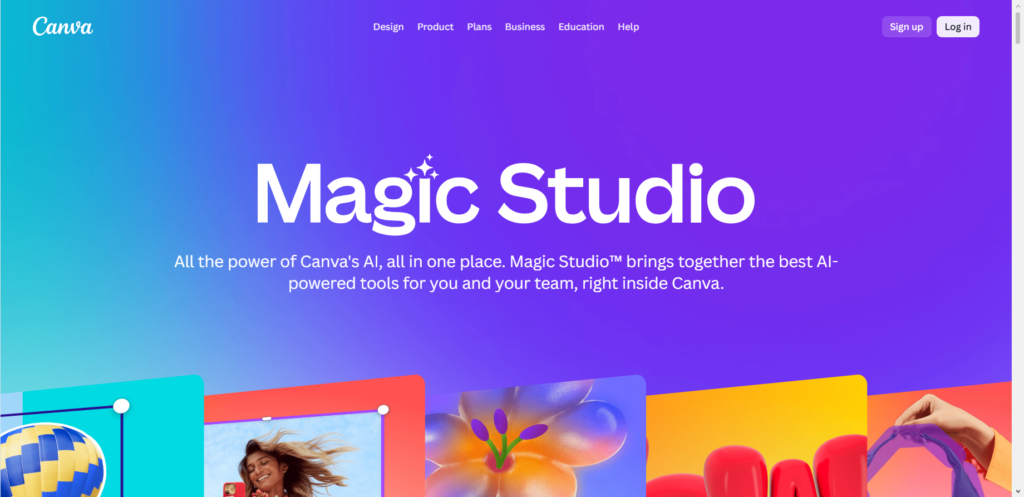
You do not need a degree in graphic design or expensive software to make extra money online. A simple free tool that almost anyone can master in an afternoon has turned into a massive income source for thousands of creators across the globe. That tool is Canva.
A few years ago, creating eye-catching graphics meant paying hundreds of dollars for complicated desktop software. Now, simple drag-and-drop tools have opened the door for anyone with an internet connection to launch an online business from home. People are using this tool to create digital products, design items for local businesses, and sell customized templates to buyers worldwide.
If you have basic computer skills and an eye for clean presentation, you can turn your free time into real cash. Some creators make a few hundred extra dollars every month to pay bills, while others have built full-time online businesses that bring in thousands of dollars every month on complete autopilot.
This step-by-step guide walks you through the best methods to earn money using Canva, how to follow copyright rules, and how to start making your first sales today.
The Golden Rule: Can You Legally Sell Canva Designs?
Before you start creating graphics and putting prices on them, you must understand the rules of commercial licensing. Many people get confused about what is allowed, but the basics are straightforward once you break them down.
The $0 Secret To Launching Your Entire Online Empire
Why pay hundreds every month for separate software? Build funnels, send emails, and make sales with Systeme.io completely free.
Get Started For $0Free Forever • No Credit Card Needed • Beginner-Friendly
Canva allows you to use its tools and media library to make products that you sell, but you must follow specific rules to keep your business safe and legal.
What You Are Allowed to Sell
You can sell original designs that you create from scratch inside the platform. You can combine free fonts, free graphics, background shapes, and your own uploaded images to build something completely new.
When you sell finished products like printed t-shirts, physical posters, or flattened PDF files, you are using the platform as a tool to produce a final item. This is fully allowed under the commercial licensing terms.
You can also sell editable digital templates. When you do this, you share a special template link with your buyer. When the customer clicks that link, it opens a brand new copy of your design inside their own account.
What You Are NOT Allowed to Sell
You cannot take a pre-made template designed by Canva or another creator, change the background color or font slightly, and sell it as your own work. Your design must be an original creation.
You cannot sell individual graphics, stock photos, or standalone icons taken from the library. For example, you cannot download an image of a flower from the platform and sell that image file by itself as digital clipart.
If you want to read more about official copyright rules or have questions about launching an online business, you can always reach out through our contact page for helpful resources.
Strategy 1: Selling Editable Canva Templates
Selling digital templates is one of the most profitable online business models today. The best part about selling templates is that you create them once, list them online, and sell them thousands of times without restocking physical inventory.
Small business owners, real estate agents, influencers, and busy professionals need constant visual content for their social media accounts and marketing materials. Most of these people do not have the time or skills to build graphics from scratch, so they gladly pay for ready-to-use templates.
Popular Types of Templates That Sell Fast
Social media content packs are in massive demand. You can create bundles that include twenty to fifty matching Instagram post templates, story graphics, and carousel covers designed for a specific industry like real estate, fitness coaching, or personal finance.
Event invitations and party stationery are another hot market. People search online every day for editable wedding invitations, birthday party cards, baby shower games, and graduation announcements.
Business identity materials also sell consistently well. You can design professional business card templates, invoice sheets, price list menus, thank-you cards for online packages, and corporate presentation slides.
How to Create and Deliver Template Links
Start by opening a blank canvas on the platform and picking standard size dimensions for your chosen product. Build your design using clean layout principles, easy-to-read fonts, and matching color schemes.
When your design is finished, click the Share button in the top right corner of the editor. Choose the option for Template Link instead of downloading a standard file. This gives you a unique web link.
Create a simple thank-you PDF file that contains a direct link to your template along with quick instructions on how the buyer can use it. When someone buys your listing on platforms like Etsy or Gumroad, they automatically download this PDF, click your link, and get instant access to edit their copy.
Send, Spend & Hold Money Worldwide Without Hidden Fees
Transfer money internationally at the real exchange rate and hold 40+ currencies in one account.
Open a Wise AccountMid-market rate • Fast transfers • 40+ currencies
Strategy 2: Launching a Print-on-Demand Business
Print-on-demand allows you to sell physical products like t-shirts, coffee mugs, tote bags, phone cases, and wall art without touching any inventory or shipping boxes yourself.
You create the artwork using design software, upload the files to a printing company, and list the items for sale on an e-commerce platform. When a customer buys an item, the printing company prints the design onto the physical product, packages it, and ships it directly to the customer. You keep the profit margin between what the printer charges and what the customer pays.
Setting Up Your Designs for Print Quality
Physical printing requires much higher image resolution than screen displays. Always create your canvas using high-resolution pixel dimensions or set your file resolution to 300 DPI (dots per inch).
For t-shirts and apparel, use a transparent background so that only your text and graphic elements appear on the fabric. Save your finished artwork as a high-quality PNG file.
Focus on popular design trends such as funny text quotes, retro typography, minimalist floral art, or niche hobby graphics.
Connecting to Printing Platforms
You can connect your store on Shopify or Etsy directly to print-on-demand services like Printful or Printify.
When you upload your PNG graphics to these fulfillment platforms, their built-in mockup generators show you exactly how the final printed mug or t-shirt will look in real life. These realistic product photos are what you display in your online store to attract buyers.
Strategy 3: Offering Freelance Graphic Design Services
If you prefer earning direct active income rather than building digital product shops, offering freelance design services is the fastest way to put cash in your pocket.
Countless local businesses and online creators need graphic design support every week, but they cannot afford to hire a full-time in-house graphic designer. By offering affordable package deals, you can build a steady monthly income stream working as a freelance designer.
Services You Can Offer to Clients
Social media management assets are a major income builder. You can offer monthly packages where you design thirty custom Instagram posts, ten video thumbnail covers, and seasonal promotion banners for small business clients.
The $0 Secret To Launching Your Entire Online Empire
Why pay hundreds every month for separate software? Build funnels, send emails, and make sales with Systeme.io completely free.
Get Started For $0Free Forever • No Credit Card Needed • Beginner-Friendly
Branding starter kits are another great service. You can create a complete visual package for a new client, including a custom logo concept, brand color palettes, font pairings, and matching letterheads.
Marketing materials like real estate open house flyers, restaurant food menus, event posters, and promotional brochures are constantly needed by local brick-and-mortar stores.
Finding Your First Paying Freelance Clients
Build a simple online portfolio showing five to ten sample projects. You do not need real client work to start; simply create sample designs for imaginary businesses to show what you can do.
List your services on freelance marketplaces like Upwork and Fiverr. Search for job postings that request quick turnarounds on social graphics, slide decks, or marketing collateral.
You can also use direct outreach on social platforms. Search for local business pages on Facebook or send direct messages on Instagram offering a free sample graphics package to demonstrate your value.
Strategy 4: Selling Digital Planners, eBooks, and Printables
Digital organization products have exploded in popularity over recent years. Millions of people use digital note-taking apps on their tablets or print out weekly schedule sheets to keep their lives organized.
You can easily design these digital files and sell them as instant digital downloads across multiple platforms.
Creating Digital Planners and Worksheets
Digital planners often include interactive clickable tabs that take the user to specific months or sections inside their digital note app. You can build these clickable elements using internal link features before exporting as a PDF.
Printable habit trackers, daily to-do lists, monthly budget workbooks, and workout logs are extremely popular. Minimalist designs with clear typography and functional space for writing always attract steady buyers.
Educational materials are another great niche. Parents and teachers regularly purchase printable flashcards, alphabet tracing sheets, and elementary math activity pages for children.
Publishing Low-Content Books on Amazon KDP
Amazon Kindle Direct Publishing (KDP) allows you to upload print-ready PDF files for paperback and hardcover books that Amazon prints and ships on demand whenever a customer orders.
You can design complete book interiors and eye-catching full-wrap book covers using design tools. Popular low-content book ideas include daily gratitude journals, habit trackers, lined notebooks, guest logbooks, and recipe organizers.
Once your PDF interior and cover files are uploaded to Amazon KDP, your book becomes available for purchase on Amazon worldwide without any upfront cost to you.
Strategy 5: Joining the Canva Creators Program
If you want to earn passive royalties directly from the platform itself, you can apply to become an official contributor in the Canva Creators program.
When you become an approved creator, your graphic elements, original photos, stock videos, and pre-designed templates are added directly into the main media library that millions of users search every day.
How Creator Royalties Work
Every time a user inserts one of your element graphics or downloads your pre-made template for their project, you earn a share of royalty revenue.
The system calculates payout pools based on total user activity and subscription usage. The more popular your designs are and the more people use them in their daily projects, the higher your monthly royalty payout will be.
How to Apply and Get Accepted
The creator program opens up application rounds periodically for designers, photographers, and illustrators.
To improve your chances of getting accepted, build a strong collection of original graphics and templates that showcase consistent style, high visual quality, and clear market usefulness. Focus on creating unique content that is not already over-saturated in the library.
Strategy 6: Teaching Canva and Sharing Your Expertise
Once you become comfortable navigating the editor and creating professional visuals, your knowledge becomes a valuable asset that other people will pay to learn.
Beginners are constantly searching for step-by-step guidance on how to organize their brand kit, remove photo backgrounds, create animated graphics, or format files for print.
Monetizing Educational Tutorials
Start a tutorial channel on YouTube or post short visual tip videos on social media platforms like X (formerly Twitter).
Share simple step-by-step walk-throughs answering specific questions, such as how to make custom YouTube thumbnails, how to design animated Instagram reels, or how to set up bleed lines for print products.
You can monetize your educational video content through ad revenue, brand sponsorships, or by promoting your own digital template bundles in the video descriptions.
Affiliate Marketing Opportunities
You can join affiliate programs that pay you a cash commission every time someone signs up for a paid Pro subscription through your unique affiliate referral link.
Whenever you record a tutorial demonstrating advanced features like the background remover tool or magic resize feature, include your affiliate link so viewers can sign up for a free trial or paid plan.
Step-by-Step Plan to Make Your First $1,000 Online
Starting an online business can feel overwhelming if you try to do everything at once. Following a clear step-by-step roadmap keeps you focused and helps you reach your financial goals faster.
Step 1: Pick One Specific Niche and Product Type
Do not try to sell everything to everyone. Choosing a narrow niche makes it much easier to stand out in a crowded marketplace.
Instead of creating generic social media posts, create fifty Instagram templates designed specifically for wedding photographers. Instead of generic planners, design a fitness and meal planner made for busy working mothers.
Understanding the exact pain points of a specific group allows you to write product descriptions that convince people to buy immediately.
Step 2: Set Up Your Online Storefront
Select one platform to launch your store so you do not spread yourself too thin. For digital downloads and templates, Etsy provides instant access to millions of shoppers actively searching for products.
If you prefer complete control over your branding without paying listing fees, build a storefront using platforms like Shopify or Gumroad.
Make sure your store header, profile photo, and product preview images look clean and professional. High-quality mockups that show your digital products inside realistic frame mockups or tablet screens drastically increase conversion rates.
Step 3: Implement an Organic Marketing Strategy
Simply listing your products on a storefront is usually not enough to bring in high sales volumes. You need an active strategy to drive traffic to your store.
Pinterest is an absolute powerhouse for driving free traffic to digital product listings. Create multiple vertical pin graphics for every product you list and post them daily with search-optimized titles and description tags.
Promote your work across social media platforms like Instagram and Facebook to build an audience. Share helpful design tips, behind-the-scenes clips of your design process, and before-and-after transformations to convert viewers into paying customers.
Frequently Asked Questions (FAQs)
Do I need a Canva Pro subscription to make money selling designs?
You can start creating and selling designs using a free account. However, upgrading to a Pro account gives you access to advanced tools like the automatic background remover, magic resize, transparent PNG downloads, and brand kit management. These Pro features save significant time and make your design workflow much faster.
Is it legal to sell templates made with free Canva elements?
Yes, it is legal as long as you create an original design layout from scratch. You cannot sell unmodified single graphics or pre-made templates created by other designers. When selling editable templates, ensure you provide buyers with a valid template link so they edit the file within their own account.
How much money can a total beginner expect to earn?
Earnings depend entirely on your effort, product quality, and marketing strategy. Beginners who list five to ten quality template packs on digital marketplaces often start making $50 to $300 per month within their first few months. Creators who build larger catalogs of fifty or more products and market them consistently on Pinterest and social media often earn between $1,000 and $5,000 per month.
What are the best digital products to sell for fast sales?
Social media post bundles, printable daily planners, wedding invitation sets, real estate flyers, and business card templates consistently show the highest search volume and demand across digital marketplaces.
Can I sell Canva designs on Amazon KDP without copyright issues?
Yes, you can publish low-content books like journals and planners on Amazon KDP using graphics created on the platform. You must ensure that your interior layout and cover artwork are original creations, and you should export your final print files as print-ready PDFs with high resolution.
Building a reliable stream of online income with design software does not happen overnight, but it is one of the most accessible online businesses you can launch today. By focusing on a clear niche, following licensing rules, and consistently marketing your products, you can turn simple visual design skills into a profitable online hustle.
To stay updated with helpful business strategies and digital tips, connect with us on our social platforms: visit our Facebook page, follow our updates on Instagram, or join the conversation on X (Twitter). If you have questions or want to collaborate, feel free to reach out directly through our contact page.
