
Picking the wrong landing page builder can drain your budget before you ever make your first sale. If you have been looking for a way to capture leads, sell products, or build online pages, you have almost certainly come across two massive names: Systeme.io and Leadpages.
On one side, you have Leadpages. It is a veteran in the online marketing space, built purely to convert casual web visitors into paying customers or newsletter subscribers. On the other side, you have Systeme.io. It is a newer, rapidly growing platform that claims you do not need any other software to run your entire online business.
The real question is not just which tool has more features. It comes down to what you actually need for your specific goals, how much money you want to spend every month, and how easy the tool is to use. Choosing between a dedicated landing page specialist and a full-featured online business platform is tricky.
This guide breaks down everything you need to know about both platforms. We will examine their features, templates, page builders, pricing, and overall value so you can make the smartest decision for your online business.
Understanding Leadpages: The Landing Page Specialist
Leadpages has been around for over a decade. It was built with one primary goal in mind: helping individuals and businesses build high-converting landing pages without needing to write a single line of code.
The $0 Secret To Launching Your Entire Online Empire
Why pay hundreds every month for separate software? Build funnels, send emails, and make sales with Systeme.io completely free.
Get Started For $0Free Forever • No Credit Card Needed • Beginner-Friendly
When you sign up for Leadpages, you are getting a dedicated workspace for creating standalone web pages, pop-ups, alert bars, and full websites. It does not try to be an email marketing platform or an online course host. Instead, it focuses heavily on design, conversion optimization, and fast loading speeds.
The platform is best known for its conversion-focused templates and real-time guidance tools. As you build a page, Leadpages calculates your page contents against years of conversion data to give you feedback on how likely your page is to make a sale or capture a lead.
Because Leadpages is a standalone builder, it relies heavily on connecting with other tools you might already use. If you want to send automated email sequences to people who sign up on your page, you will need to link Leadpages to a separate email marketing provider.
Understanding Systeme.io: The All-in-One Powerhouse
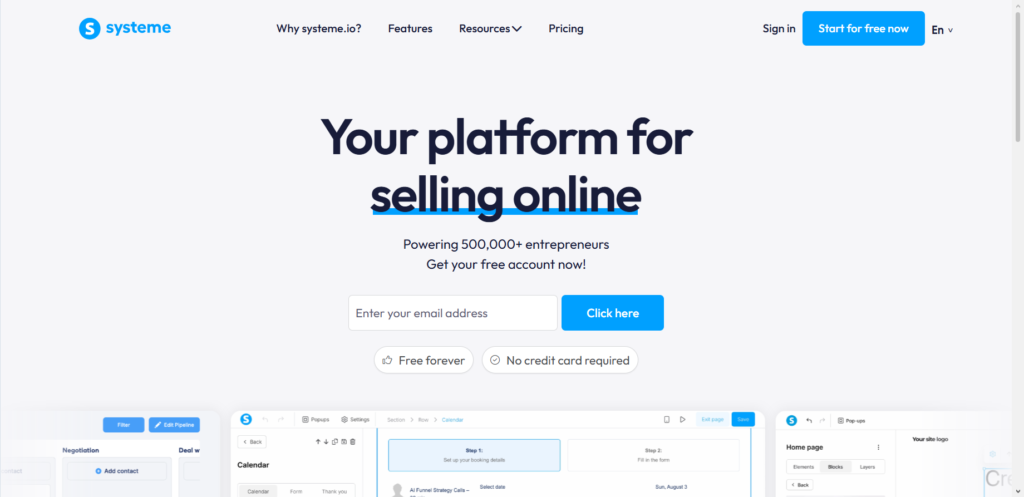
Systeme.io takes a completely different approach to online marketing. Rather than focusing solely on landing pages, it was engineered to replace five or six different software tools with a single login.
With Systeme.io, you get a landing page builder, a complete sales funnel maker, email marketing capabilities, online course hosting, blogging tools, and affiliate program management all bundled together.
The philosophy behind Systeme.io is simplicity and affordability. Instead of forcing you to string together separate web subscriptions, it gives you everything you need under one roof. When someone enters their email address on a Systeme.io page, that contact is instantly added to your built-in email list without needing a third-party connection.
Systeme.io has gained massive popularity among course creators, small business owners, freelancers, and digital marketers who want to start or scale an online business on a tight budget.
Comparing the Page Builders: How Easy Are They to Use?
The core of both platforms is their drag-and-drop page editor. If a builder is frustrating or confusing, you will spend more time troubleshooting layout errors than growing your business.
Building Pages with Leadpages
Leadpages features an intuitive, flexible drag-and-drop builder. You can choose from two editing styles depending on your skill level. The standard builder keeps design elements neatly structured so your page automatically looks good on mobile devices. The visual builder gives you complete freedom to drag buttons, text blocks, and images anywhere you want on the canvas.
One of the standout features in Leadpages is its built-in guidance engine. As you add headline text, buttons, and form fields, a scoring meter checks your layout in real time. It offers simple, practical suggestions like changing button colors or shortening text to improve conversion rates.
Adding widgets like countdown timers, pop-ups, or embedded checkout forms is fast and smooth. Everything feels polished, responsive, and quick to load.
Building Pages with Systeme.io
Systeme.io uses a clean, block-based drag-and-drop editor that is straightforward and easy to master. While it might not have as many flashy visual design options as Leadpages, it gets the job done cleanly and reliably.
Editing text, changing colors, and adjusting padding takes just a few clicks. The left-hand menu houses all your design blocks, including form inputs, video players, buttons, and custom code snippets. You can easily switch between desktop and mobile previews to ensure your page displays correctly on smartphones.
Because Systeme.io connects directly to your sales funnels and email lists, setting up button actions is very simple. For example, you can tell a button to collect an email, give access to a digital product, and send the visitor to a thank-you page in a single setup window.
Templates and Design Flexibility
First impressions matter online. The quality of your page templates determines how professional your business appears to new visitors.
Send, Spend & Hold Money Worldwide Without Hidden Fees
Transfer money internationally at the real exchange rate and hold 40+ currencies in one account.
Open a Wise AccountMid-market rate • Fast transfers • 40+ currencies
Leadpages Templates
Leadpages offers a massive library of professionally designed templates tailored for specific industries and campaign goals. Whether you need a webinar registration page, a lead magnet download page, a sales page, or an event checkout page, you will find hundreds of modern options.
All Leadpages templates are fully responsive right out of the box. You can filter templates by performance metrics, allowing you to select layouts that have historically performed best across millions of visitors.
The customization flexibility is very high. You can change fonts, colors, spacing, and backgrounds to match your brand assets without breaking the underlying layout.
Systeme.io Templates
Systeme.io also provides a solid selection of templates for sales funnels, opt-in pages, webinar pages, and online storefronts. The designs are clean, functional, and modern, though the overall template library is smaller than what Leadpages offers.
What makes Systeme.io templates unique is how they are structured as complete step-by-step funnels. When you select a template, you do not just get a single landing page. You often receive a connected sequence, such as an opt-in page, a thank-you page, and an order checkout page that all share the same design style.
While you can customize almost every element of a Systeme.io template, the design tools are slightly more rigid compared to Leadpages. However, for most users, this structure prevents pages from breaking on mobile screens.
Lead Capture and Conversion Tools
Capturing names and email addresses is the main reason people build landing pages. Both platforms offer specific tools to maximize your conversion rates.
Conversion Features in Leadpages
Leadpages excels at targeted lead generation features that extend beyond traditional landing pages:
- Pop-Up Windows: You can create custom pop-up boxes that appear when a user clicks a specific text link or tries to leave your site.
- Alert Bars: Unobtrusive sticky header bars that run along the top of your website to highlight special offers or announcements.
- A/B Testing: You can duplicate a page, test two different headlines or button colors, and let Leadpages automatically show the winning version to future visitors.
- AI Page Creation: Built-in artificial intelligence tools help draft sales copy, generate headlines, and create entire layout concepts based on a quick description of your offer.
Conversion Features in Systeme.io
Systeme.io builds conversion tools directly into its sales funnel engine:
- Integrated Sales Funnels: Easily build multi-step customer journeys with upsells, downsells, and order bumps built directly into the checkout process.
- Native Pop-Ups: Add lead capture pop-ups directly to any page or blog post built on the platform.
- Automation Rules: Trigger instant actions when someone submits a form, such as applying a customer tag, enrolling them in a course, or starting an automated email sequence.
- Built-In A/B Testing: Split test different page designs to see which version turns more visitors into leads or paying customers.
Marketing Integrations vs All-in-One Architecture
This is where the two platforms diverge completely in their core design philosophy.
The $0 Secret To Launching Your Entire Online Empire
Why pay hundreds every month for separate software? Build funnels, send emails, and make sales with Systeme.io completely free.
Get Started For $0Free Forever • No Credit Card Needed • Beginner-Friendly
How Leadpages Handles Integrations
Leadpages focuses on doing one thing extremely well and relying on integrations for everything else. If you use Leadpages, you will likely need to connect it to external services:
- Email Marketing: Syncs with platforms like Mailchimp, ConvertKit, ActiveCampaign, or AWeber.
- Payment Processing: Connects with Stripe for direct checkouts.
- Scheduling: Integrates with tools like Calendly for appointment booking.
- Analytics: Easily connects to Google Analytics and Meta tracking pixels.
While these integrations work well, managing multiple subscriptions means paying multiple monthly fees. It also means you have to make sure your tools stay properly connected as your business grows.
How Systeme.io Handles Marketing
Systeme.io operates on a zero-integration philosophy for fundamental marketing functions. Everything you need is already connected internally:
- Email Marketing: Write email newsletters, build automated sequence campaigns, and manage unlimited contacts without leaving the dashboard.
- Course Hosting: Upload video lessons, create modules, and give access to students automatically after they purchase on your landing page.
- Native Blogging: Build a full blog directly inside the platform to generate organic search traffic that feeds into your landing pages.
- Affiliate Program Management: Create your own affiliate program so other people can promote your products and receive commission payouts automatically.
This unified design eliminates the headache of API keys, broken webhooks, and unexpected third-party software updates.
Pricing and Overall Value for Money
Pricing is often the deciding factor when choosing business software. The cost difference between Leadpages and Systeme.io is significant.
Leadpages Pricing Structure
Leadpages operates primarily on paid subscription tiers with a short 14-day free trial period:
- HTML Pub / Entry Tiers: Start around $10 to $49 per month for basic publishing needs with limited page counts and custom domains.
- Grow Plan: Costs around $99 per month (or approximately $79 per month if billed annually). This plan provides unlimited landing pages, pop-ups, alert bars, and basic A/B testing.
- Optimize Plan: Costs around $199 per month (or roughly $159 per month billed annually). It unlocks advanced optimization tools, higher AI credit allowances, smart traffic routing, and extra integration options.
- Scale Plan: Designed for larger agencies and teams, costing around $399 per month, with multiple team seats and workspace controls.
Because Leadpages requires separate software for email marketing and course hosting, your total monthly expenses will likely be higher than the Leadpages plan price alone.
Systeme.io Pricing Structure
Systeme.io is widely recognized for offering one of the most generous free plans in the digital software market:
- Free Plan: Costs $0 per month forever. It allows you to build up to 3 sales funnels, host up to 2,000 email contacts with unlimited email sends, publish 1 blog, host 1 course, and use 1 custom domain.
- Startup Plan: Costs $17 per month (or around $14 per month annually). Increases limits to 10 funnels, 5,000 email contacts, and 10 automation workflows.
- Webinar Plan: Costs $47 per month (or around $39 per month annually). Unlocks automated webinars, 50 funnels, and up to 10,000 contacts.
- Unlimited Plan: Costs $97 per month (or around $80 per month annually). Gives you completely unlimited contacts, funnels, courses, emails, and custom domains with zero restriction limits.
For anyone looking to keep overhead costs low, Systeme.io provides exceptional value for money.
The Core Pros and Cons of Each Software
Examining the main strengths and weaknesses of both platforms makes it much easier to see which one aligns with your needs.
Leadpages Advantages
- Design Focus: Polished templates optimized specifically for high conversion rates.
- Real-Time Guidance: The built-in conversion analyzer helps you fix page mistakes before publishing.
- Visual Freedom: Highly flexible drag-and-drop editor allows precision placement of page elements.
- Fast Performance: Pages are lightweight and load very quickly across all devices.
Leadpages Drawbacks
- Higher Cost: Pricing starts significantly higher than many competitors, with no permanent free option.
- No Native Email Marketing: Requires a separate subscription to send email sequences or manage subscriber lists.
- Limited All-in-One Features: You cannot host full video courses or manage internal affiliate programs natively.
Systeme.io Advantages
- Outstanding Value: A free-forever plan with all essential tools included, plus cheap upgrade options.
- All-in-One Convenience: Landing pages, email lists, checkouts, and course hosting are managed from one login.
- Built-In Automation: Simple, powerful automation rules link your pages directly to email sequences and product delivery.
- Unlimited Scale: The top-tier plan provides unlimited resources for less than $100 per month.
Systeme.io Drawbacks
- Simple Design Options: The editor is structured and functional, but less design-flexible than Leadpages.
- Smaller Template Selection: Fewer standalone templates compared to established specialists.
- Basic Analytics: Reporting metrics are clean and functional, but lack deep design heatmap insights.
Who Should Pick Leadpages vs Who Should Pick Systeme.io
The right choice comes down to your current business setup, technical preferences, and overall budget.
Choose Leadpages If:
- You already have an established marketing stack, such as ActiveCampaign or ConvertKit, and simply need a premium page builder.
- Design precision, advanced visual customization, and high-converting template designs are your top priorities.
- You run a marketing agency or manage campaigns that require deep A/B testing and split traffic management tools.
- You want dedicated page guidance metrics to optimize standalone landing pages for paid ad campaigns.
Choose Systeme.io If:
- You are starting a new online business, digital store, or consulting practice and want to keep monthly expenses low.
- You want an all-in-one system that handles landing pages, email marketing, online course hosting, and product checkouts.
- You prefer managing your business operations from a single dashboard rather than paying for multiple separate subscriptions.
- You want to test your business ideas risk-free using a comprehensive free plan before committing to a monthly subscription.
Frequently Asked Questions
Can I build a full website on both Leadpages and Systeme.io?
Yes. Both tools allow you to build full multi-page websites in addition to single landing pages. Leadpages provides dedicated website navigation templates, while Systeme.io allows you to build full custom websites alongside a native blog engine.
Do I need to buy web hosting to use these platforms?
No. Both Leadpages and Systeme.io are cloud-based software platforms. They host all your pages, images, and files on their secure servers. You can use their free subdomains or easily point your own custom domain name to your account.
Which platform is better for selling online courses?
Systeme.io is much better suited for course creators. It includes native video course hosting, student access management, quiz creation, and automated enrollment pipelines. With Leadpages, you would need to integrate a separate platform like Teachable or Thinkific to deliver course content.
Can I transfer my pages from Leadpages to Systeme.io?
There is no direct automated importer between the two tools. If you choose to switch platforms, you will need to recreate your layouts using the page builder on your new platform. However, both editors use simple drag-and-drop elements, making recreation relatively quick.
Is Systeme.io really free to use forever?
Yes. The Systeme.io free plan has no expiration date and does not require credit card details to sign up. You can stay on the free plan as long as your email list stays under 2,000 contacts and you stay within the plan limit rules.
When picking between these two tools, think about where your business is today and where you want it to be tomorrow. If you want a dedicated design specialist to squeeze every drop of conversion out of your paid advertising campaigns and you already pay for email marketing tools, Leadpages is a top-tier choice.
However, if you want to streamline your workflow, eliminate monthly software subscription stack costs, and manage your landing pages, email campaigns, and product sales under one roof, Systeme.io is extremely tough to beat.
