
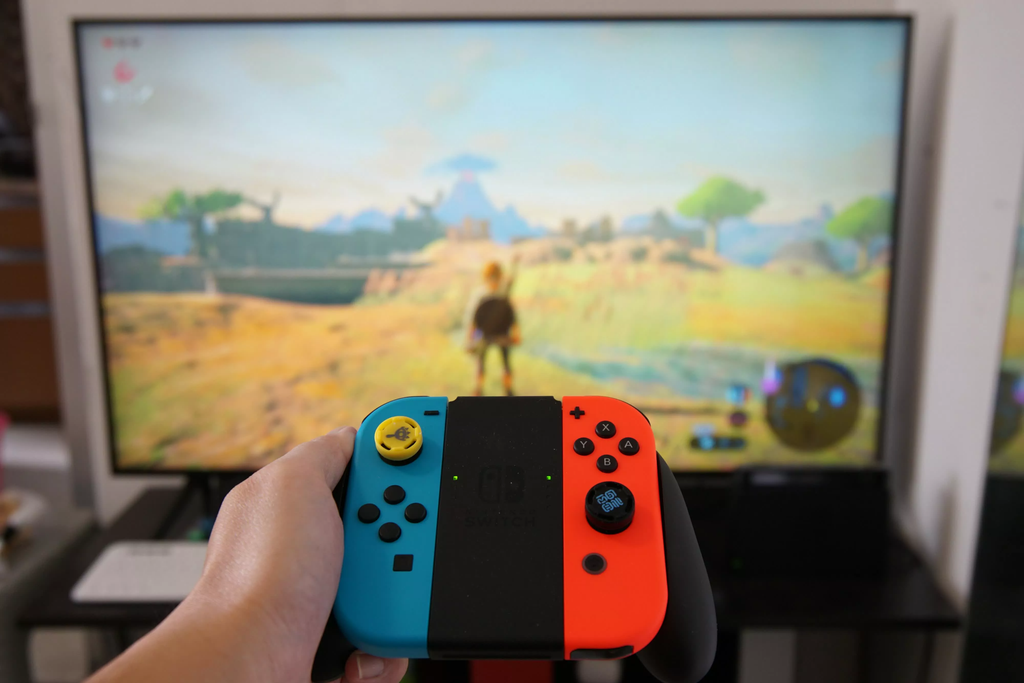
Nintendo Switch games can now run directly on modern iPhones, iPads, and Mac computers without traditional emulation. A breakthrough open-source project named nxnative on GitHub allows retail Switch games to run as native applications on Apple hardware. Instead of using a heavy emulator to mimic Nintendo’s console hardware inside software, this tool takes the game code and executes it directly on Apple Silicon processors.
Early performance benchmarks are turning heads across the tech and gaming communities. In tests reported by VideoCardz, games like Monster Hunter Rise run at a locked 60 frames per second on an entry-level M1 MacBook Air. That is double the 30-frame-per-second limit found on Nintendo’s original handheld console.
This breakthrough is changing what people expect from portable Apple devices. For years, running high-end console titles on an iPhone meant streaming over cloud servers or dealing with laggy emulators that heated phones up within minutes. Now, full-fat console titles are running as standalone iOS apps with custom touch controls, gamepad support, and sharper image quality.
Why Native Execution Is Not the Same as Emulation
To understand why this is a massive technical leap, it helps to look at how traditional video game emulators work.
When you run an emulator like Dolphin or RetroArch, your computer has to pretend to be an entirely different machine. The emulator reads code designed for a foreign computer processor, translates that code line by line into instructions your computer understands, and handles virtual memory, audio chips, and timing loops. This translation process consumes huge amounts of power. Even powerful gaming PCs often stutter when emulating newer consoles because so much raw computing power is wasted on background translation.
The $0 Secret To Launching Your Entire Online Empire
Why pay hundreds every month for separate software? Build funnels, send emails, and make sales with Systeme.io completely free.
Get Started For $0Free Forever • No Credit Card Needed • Beginner-Friendly
The Nintendo Switch is different from home consoles like the PlayStation 5 or Xbox Series X. Inside the Switch sits an Nvidia Tegra X1 processor, which is built on 64-bit ARM architecture. Apple’s modern processors—such as the A17 Pro in newer iPhones and the M-series chips powering MacBooks and iPads—are also built on 64-bit ARM architecture.
Because both machines speak the same basic processor language, there is no need to translate CPU instructions. The game code already makes sense to Apple Silicon.
This project bypasses traditional CPU emulation entirely. A conversion tool strips away Nintendo’s proprietary operating system calls and replaces them with a custom host layer for Apple platforms. At the same time, the project translates Nintendo’s proprietary graphics commands into Apple’s native Metal graphics API. The game runs directly on the Apple chip just like an app downloaded from the App Store.
As highlighted in technical coverage from TechSpot, running instructions natively reduces processing overhead to near zero. Battery life stays strong, temperatures remain manageable, and frame rates jump dramatically.
Performance Realities: Running 60 FPS on Basic Laptops
The performance gains from native execution are immediately noticeable. On original Switch hardware, heavy titles frequently struggle with dynamic resolution drops and frame dips below 30 frames per second.
Testing on a standard base-model M1 MacBook Air with 8 GB of unified memory shows Monster Hunter Rise running smoothly at 60 FPS. Other tested titles showing strong results include:
- Super Mario Bros. Wonder
- Unicorn Overlord
- Dragon Quest XI S: Echoes of an Elusive Age
- Dark Souls Remastered
- The Legend of Zelda: Link’s Awakening
- Metroid Dread
- Cuphead
- Hades II
The project currently features community compatibility recipes for dozens of popular releases. These game-specific profiles include patches that unlock frame rates, fix texture rendering quirks, and scale display resolutions to match Retina screens.
Not every game runs without hiccups. Certain demanding titles like Doom Eternal have trouble booting, and games with intricate visual shaders can exhibit visual glitches. However, the library of playable titles is expanding weekly as developers refine graphics translation layers.
For gamers seeking affordable mobile gaming alternatives, this setup offers an intriguing alternative to buying standalone retro machines or budget handhelds, which we examined when looking at the cheapest new console you can buy right now.
Hardware Requirements: Which iPhones and Macs Work?
While this software marks an incredible breakthrough, it does not work on every Apple device. There are strict hardware cutoffs on both mobile and desktop platforms.
Supported iPhones and iPads
To run Switch games through this pipeline on iOS or iPadOS, your device must have an Apple A17 Pro chip or newer, or an M-series processor:
- iPhone 15 Pro and iPhone 15 Pro Max
- iPhone 16 lineup and newer flagships
- iPad Air and iPad Pro models powered by M1, M2, M3, or M4 chips
Older models like the iPhone 13, iPhone 14, or standard base iPhone 15 cannot run these games. This limitation is not an artificial block. Nintendo Switch games rely heavily on BC (Block Compression) texture formats. Older Apple mobile GPUs lack native hardware decoding for BC textures. Attempting to decode those textures through software crushes performance and leads to crashes. The A17 Pro and M-series chips include native hardware support for these texture formats, allowing textures to load instantly without penalty.
Memory allocation is another hurdle on mobile devices. Standard iOS apps are restricted to roughly 3.4 GB of RAM by default. Massive adventure games like Hyrule Warriors: Age of Calamity or Hades II require more active memory. Users packaging these games must enable Apple’s extended virtual memory capabilities during installation so the operating system does not force-close the app during gameplay.
Supported Mac Computers
On the desktop side, hardware compatibility is much broader:
- Any Mac with Apple Silicon (M1, M2, M3, M4, or higher)
- MacBook Air, MacBook Pro, Mac mini, Mac Studio, and iMac
Intel-based Macs are completely unsupported because Intel chips use x86 architecture rather than ARM. Trying to run Switch games on an Intel Mac would require complete CPU emulation, destroying the native performance advantages of this software.
Send, Spend & Hold Money Worldwide Without Hidden Fees
Transfer money internationally at the real exchange rate and hold 40+ currencies in one account.
Open a Wise AccountMid-market rate • Fast transfers • 40+ currencies
How the Native Game Conversion Process Works
Running these games is not as simple as tapping a button on the App Store. Apple does not allow console conversion software on its official storefront. Users have to package and sideload the apps themselves.
Detailed documentation on the Apple Gaming Wiki outlines the conversion steps.
Step 1: Gathering Game Dumps and Encryption Keys
The software does not come bundled with games or proprietary system files. Users must provide their own legally dumped game files:
- The base game file in NSP or XCI cartridge dump format.
- Any official game updates or downloadable content (DLC) files.
- Decryption keys (
prod.keys) extracted from their personal Nintendo Switch console.
Without these keys, the conversion software cannot read the encrypted assets inside the game package.
Step 2: Converting the Game Files
There are two primary ways to turn raw Switch files into Apple-ready software:
- Command Line with nxnative: Advanced users run a Python script on a Mac equipped with Xcode and Homebrew. The script unpacks the game files, rewrites the core executable, links the Metal graphics layer, and compiles an iOS application package (IPA) or a native macOS
.appbundle. - Graphical Interface with NX2Apple: For those who dislike terminal commands, a community fork called NX2Apple provides a friendly desktop application. Users drag and drop their NSP files and keys into the app window, click a single button, and let the software build the completed package automatically.
Step 3: Installing and Sideloading onto Your Device
Once the IPA file is generated, mobile users install it onto an iPhone or iPad using third-party sideloading utilities such as AltStore, Sideloadly, or LiveContainer.
Desktop Mac users have a simpler path. The output .app bundle can be dropped straight into the Applications folder and opened from Finder like any regular software.
Controls, Haptics, and Playability on Touchscreens
One common frustration with mobile gaming is touch controls. Slapping virtual buttons over a complex console game often feels awkward.
The developers behind nxnative built an interface tailored specifically for mobile screens:
- Adaptive Touch Layouts: Players can toggle between dedicated 2D layouts for platformers and 3D layouts for action titles. In 3D mode, the right analog stick is replaced by an invisible gesture zone on the right side of the display, letting you pan the camera naturally by swiping your thumb.
- Motion and Shaking Support: Games that require motion controls take advantage of the iPhone’s built-in sensors. In titles like Super Mario Odyssey, flicking your phone triggers Mario’s hat throw just like flicking a Joy-Con controller.
- Haptic Rumble: The software maps the Switch’s HD Rumble effects directly to Apple’s Taptic Engine. Players feel distinct vibrations when taking damage or collecting items.
- Physical Controller Support: Plugging in a USB-C game controller or pairing a wireless gamepad (such as a PlayStation DualSense, Xbox Wireless Controller, or Backbone One) instantly hides the on-screen buttons, turning the phone into a dedicated portable console.
For titles that feature local competitive play, having low-latency physical inputs is essential, particularly when checking what is the best internet speed for online gaming to keep your gaming setup responsive.
The $0 Secret To Launching Your Entire Online Empire
Why pay hundreds every month for separate software? Build funnels, send emails, and make sales with Systeme.io completely free.
Get Started For $0Free Forever • No Credit Card Needed • Beginner-Friendly
The Legal and Digital Ownership Conversation
Whenever unofficial console software appears online, legal questions immediately follow. Nintendo is famous throughout the tech sector for defending its intellectual property with aggressive legal action. Over recent years, the company took down major emulation projects like Yuzu and Ryujinx through legal settlements and copyright notices.
However, the architecture of native conversion projects creates a different legal dynamic:
- The software contains no copyrighted Nintendo code.
- The repository does not distribute game files, firmware files, or decryption keys.
- The translation layer is written from scratch to interpret system functions through open software standards.
Users must extract their own files from consoles they legally own. This ties directly into broader consumer rights battles where gamers push to retain rights over their purchases, as seen in recent legal movements where gamers demand true ownership of their video games.
Even with these precautions, online features are completely disabled. These converted games cannot connect to Nintendo Switch Online servers, download digital purchases, or access official cloud saves. Attempting to hook modified game builds into Nintendo’s network would result in immediate account bans.
Meanwhile, anticipation remains high for official hardware upgrades, with players tracking news on how to pre-order Minecraft for Nintendo Switch 2 ahead of future hardware announcements.
What This Means for the Future of Apple Gaming
For years, Apple has tried to convince core gamers that the Mac and iPhone are prime destinations for big-budget titles. Apple brought titles like Death Stranding, Resident Evil 4, and Assassin’s Creed Mirage to recent iPhone Pro models and Macs. Yet the native catalog on macOS and iOS remains limited because porting games takes significant developer time and budget.
The success of native ARM-to-ARM game execution sends a clear message to the industry:
- Mobile chips have plenty of power: An ultra-thin MacBook Air or an iPhone can effortlessly run massive modern console games when software bottlenecks are eliminated.
- Architecture matters more than raw wattage: Shared ARM architecture between mobile devices and modern handheld consoles makes cross-platform execution smoother than ever before.
- Hardware convergence is happening: As smartphone chips grow faster, the boundary between pocket devices, laptops, and dedicated handhelds continues to blur, a trend visible in upcoming tech like Apple’s rumored foldable phone hardware.
Other industry giants are exploring similar paths, as demonstrated by reports on how Microsoft is bringing original Xbox games to PC through refined compatibility software.
Frequently Asked Questions
Is nxnative an emulator?
No. An emulator mimics another machine’s entire hardware setup using virtual components inside software. This tool uses native execution. Because the Nintendo Switch and Apple Silicon devices share the same 64-bit ARM processor architecture, the CPU runs the game’s actual code directly on the Apple chip without software translation.
Can I run these games on an iPhone 13 or iPhone 14?
No. The software requires hardware decoding for BC (Block Compression) textures, which is only supported on Apple’s A17 Pro chip or newer, as well as M-series processors. Older iPhones lack this hardware feature, causing the software to crash.
Do I need to jailbreak my iPhone to play?
No jailbreak is needed. Converted games are built into standard iOS application packages (IPAs) that can be sideloaded using trusted developer utilities like AltStore, Sideloadly, or LiveContainer.
Can converted games connect to Nintendo Switch Online?
No. All network connections to Nintendo servers are blocked. Converted games run strictly offline in single-player or local modes. They cannot access Nintendo eShop, cloud saves, or official online multiplayer.
Is using native conversion tools legal?
Creating and using conversion tools is legal provided you dump your own games and encryption keys from a Nintendo Switch console you physically own. Downloading pirated game ROMs or sharing proprietary console keys online violates copyright laws.
Does this work on Windows PCs or Android phones?
This specific project is tailored for Apple platforms because it relies on Apple’s Metal graphics framework and macOS/iOS application structures. Android devices run on ARM chips as well, but they require different graphics translation pipelines like Vulkan to run converted console games.
Native console game execution on pocket-sized phones and ultra-thin laptops proves how capable everyday consumer gadgets have become. What once required dedicated handheld hardware now fits inside a regular iPhone app, giving players smoother frame rates and sharper visuals on screens they already carry everywhere.
