
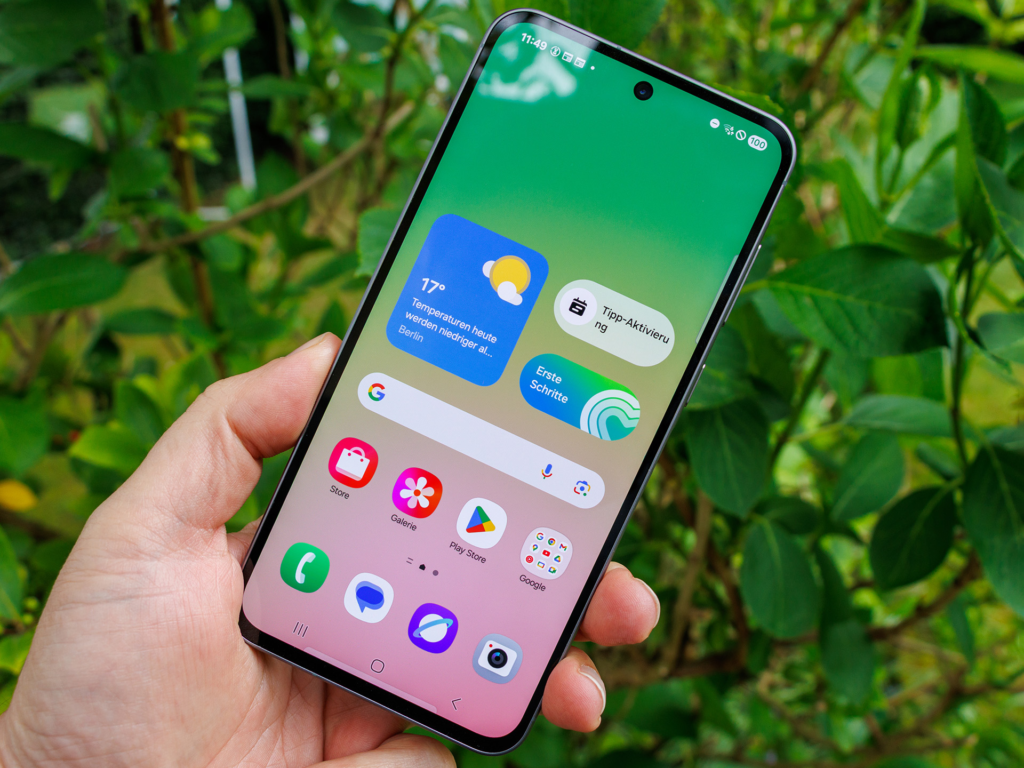
You turn off your phone’s GPS, swipe down to disable Location Services, and figure you are completely off the grid. Then you open a mapping app, a weather widget, or a social app, and it still knows your neighborhood. It can feel like your device is reading your mind.
The truth is much simpler. Your smartphone does not rely on a single system to figure out where you are. GPS is just one tool in a massive toolkit packed inside your device. When you turn off GPS, you only turn off satellite communication. The rest of the phone is still wide awake, listening to signals and piecing together clues about your whereabouts.
Understanding how your phone tracks location without GPS isn’t just a cool tech trivia fact. It is essential for anyone who wants real control over their digital privacy. Here is the full breakdown of how your phone knows your exact location, even when you think you are completely invisible.
The Big Myth About GPS and Location Services
Many people confuse GPS with Location Services. They sound like the same thing, but they operate on completely different levels.
GPS stands for Global Positioning System. It is a network of satellites orbiting high above Earth. Your phone has a small GPS receiver inside that listens for radio signals from these satellites. By calculating how long it takes for signals to travel from at least four satellites to your handset, your phone figures out your precise latitude, longitude, and altitude.
The $0 Secret To Launching Your Entire Online Empire
Why pay hundreds every month for separate software? Build funnels, send emails, and make sales with Systeme.io completely free.
Get Started For $0Free Forever • No Credit Card Needed • Beginner-Friendly
Location Services, on the other hand, is the master switch in your phone’s operating system. When you turn off GPS specifically, or toggle off location access for an app, you are only shutting down that direct satellite link. Your phone hardware still has several other active antennas and internal sensors running in the background.
Modern operating systems use a combination of network data, radio signals, and physical motion to estimate your position. If you follow modern trends in technology and AI, you know that hardware and software work together seamlessly behind the scenes. Location tracking is a prime example of this seamless teamwork.
How Cell Towers Keep Tabs on You
Unless your phone is set to Airplane Mode or completely powered off, it must talk to cellular towers. That is how you receive phone calls, get text messages, and use mobile data.
Every cell tower has a unique identification number (Cell ID) and a known physical location. To give you a smooth connection, your phone constantly checks the signal strength of nearby towers. Telecom operators and your phone’s operating system use this continuous handshake to estimate where you are through a few simple techniques:
Cell ID Identification
This is the simplest method. Your phone connects to the nearest cell tower. Because the network knows the exact coordinates of that tower, it knows you are standing within its coverage zone. In rural areas, a tower zone can cover several miles, making this a rough guess. But in cities, tower coverage areas are much smaller, giving a surprisingly accurate picture.
Cell Tower Triangulation
When your phone detects signals from three or more cell towers at once, it uses a process called multilateration (often referred to as triangulation). The system measures the relative signal strength and time delay from each tower. By comparing these values, it draws overlapping circles on a map. The point where those circles intersect is where your phone is located.
The 5G Upgrade
With the expansion of 5G networks, cell tower location tracking has become far more precise. 5G relies on smaller, denser cell sites attached to streetlights, utility poles, and building walls. Because these small cells are placed every few hundred feet, simply connecting to a 5G node can narrow down your location to a specific street corner. You can read more about how cellular networks handle location data on the Federal Communications Commission (FCC) official resource pages.
Why Wi-Fi Is the Real Tracking Powerhouse
Most people think Wi-Fi only matters when they want to watch videos or surf the web without using mobile data. But Wi-Fi is actually the most accurate non-GPS tracking tool your phone uses.
You do not even need to connect to a Wi-Fi network for this to work. As long as your phone’s Wi-Fi feature is switched on, it continuously listens for nearby routers.
How Wi-Fi Positioning Systems (WPS) Work
Every Wi-Fi router broadcasts a unique hardware code known as a BSSID (Basic Service Set Identifier), along with its network name (SSID). Even if a router is password-protected, it constantly broadcasts this information into the air.
Your phone detects these signals and measures their strength. It then takes that list of nearby router codes and compares it to a massive global database.
Where Do These Wi-Fi Databases Come From?
Tech companies like Google, Apple, and Skyhook have spent years mapping the world’s Wi-Fi routers. They build these databases using two primary methods:
- Street View Vehicles: Mapping cars scan for Wi-Fi signals while driving down streets, logging router codes alongside precise GPS coordinates.
- Crowdsourcing: Millions of smartphone users walk around with GPS and Wi-Fi turned on. Their phones quietly record nearby Wi-Fi codes, pair them with the GPS location, and send that data back to central servers.
If your phone scans three nearby Wi-Fi routers and sends those codes to a location lookup table, the system can calculate your position within a few meters. This is why indoor navigation works so well inside shopping malls or office buildings where satellite signals cannot penetrate walls. For a deeper look into digital rights and data collection, the Electronic Frontier Foundation (EFF) provides excellent research on location privacy.
Bluetooth Beacons: The Hidden Indoor Guides
Bluetooth tracking has quietly grown into one of the most effective ways to locate people inside physical spaces.
When you walk into a major airport, department store, stadium, or museum, you are likely passing small, battery-powered devices called Bluetooth Low Energy (BLE) beacons. These beacons do not capture your personal files; instead, they continuously broadcast short radio signals.
Send, Spend & Hold Money Worldwide Without Hidden Fees
Transfer money internationally at the real exchange rate and hold 40+ currencies in one account.
Open a Wise AccountMid-market rate • Fast transfers • 40+ currencies
How Beacons Pinpoint Your Walk
When an app on your phone has permission to use Bluetooth, it listens for these beacon signals. By measuring signal strength (how close you are to a specific beacon), the app knows exactly which aisle, display, or terminal gate you are standing near.
Retailers use this setup to deliver targeted coupons, while venues use it to offer step-by-step indoor mapping.
Crowdsourced Mesh Networks
Bluetooth also powers tracking networks like Apple’s Find My and Google’s Find My Device networks. Millions of active smartphones act as passive listeners. If a misplaced item or phone passes near another person’s Bluetooth-enabled device, that device relays the location back to the owner anonymously.
Even if your own GPS is off, nearby Bluetooth devices can act as location relays to identify where your device is located.
The Silent Snitches Inside Your Phone: Motion Sensors
Even if you disable GPS, turn off Wi-Fi, and shut down Bluetooth, your phone still contains hardware sensors that monitor your physical movement. Engineers refer to tracking using internal sensors as dead reckoning.
Your smartphone comes packed with built-in micro-sensors:
- Accelerometer: Measures linear movement and speed. It knows when you start walking, running, or riding in a car.
- Gyroscope: Detects rotation and angles. It senses when you turn left, right, or tilt your phone.
- Magnetometer: Functions as a digital compass, detecting magnetic north and orientation.
- Barometer: Measures atmospheric pressure changes. It can tell if you are moving up or down, such as taking an elevator or walking up a flight of stairs.
How Sensors Map Your Steps
If your phone knows your last confirmed location (say, before you turned off GPS or entered a tunnel), these sensors take over. By measuring your step count, walking speed, turns, and elevation changes, software algorithms can plot your path across a map with surprising accuracy.
What makes motion sensors particularly tricky for privacy is that operating systems traditionally treated sensor data as low risk. That means many mobile apps can access accelerometer and gyroscope data without triggering explicit permission popups. Research covered on Wikipedia’s mobile phone tracking guide highlights how sensor analysis can reconstruct travel routes without any GPS input at all.
IP Addresses and Network Metadata
Every time your phone communicates over the internet—whether through cellular data or Wi-Fi—it is assigned an Internet Protocol (IP) address.
An IP address acts like a return mailing address for internet packets. Internet Service Providers (ISPs) allocate blocks of IP addresses to specific geographic regions, cities, or neighborhoods.
The $0 Secret To Launching Your Entire Online Empire
Why pay hundreds every month for separate software? Build funnels, send emails, and make sales with Systeme.io completely free.
Get Started For $0Free Forever • No Credit Card Needed • Beginner-Friendly
When you visit a website or use an online app, the server reads your IP address to figure out your general area. While IP geolocation is usually not accurate enough to find your exact house, it readily identifies your city, postal code, or regional area. It serves as a reliable fallback whenever all other hardware signals are unavailable.
Sensor Fusion: How Your Phone Puts It All Together
Smartphones rarely rely on a single data source. Instead, they use an advanced system engineering technique called sensor fusion.
Sensor fusion combines raw data from GPS, cell towers, Wi-Fi access points, Bluetooth signals, and motion sensors into a single algorithm. The operating system constantly weighs the reliability of each signal source.
For instance:
- When you are driving outdoors under clear skies, the system relies heavily on GPS.
- As you enter a parking garage, GPS signal drops. The system instantly switches to Wi-Fi scanning and cell tower timing.
- Once you step inside an elevator, motion sensors and the barometer measure your upward movement.
This constant blending keeps your map application running smoothly without jarring skips or lost connections.
It is worth noting that complex background automation is not limited to phone operating systems. Intelligent automation powers many digital industries today. If you are interested in how modern automation tools work behind the scenes to streamline complex tasks, explore our guide on YouTube automation to see how algorithmic tools handle heavy workloads.
How to Actually Lock Down Your Location Privacy
Now that you know how your phone tracks you without GPS, you might wonder how to protect your privacy when you want to stay off the radar. While complete anonymity is difficult while staying connected, you can take practical steps to minimize your footprint:
Disable Background Wi-Fi and Bluetooth Scanning
On both Android and iOS devices, Wi-Fi and Bluetooth continue scanning for nearby signals even when you turn off the main switches in the quick settings menu.
- Android: Go to Settings > Location > Location Services and toggle off Wi-Fi scanning and Bluetooth scanning.
- iOS: Go to Settings > Privacy & Security > Location Services > System Services and adjust your preferred toggles.
Audit App Permissions
Go through your device settings and review which apps have permission to access your location. Set location access to Only While Using the App or Never. Turn off Precise Location for apps that only need your general area (like local news or weather apps).
Use a Virtual Private Network (VPN)
A VPN routes your internet traffic through an encrypted server, masking your real IP address. This prevents websites and network operators from pinpointing your city through IP geolocation.
Understand Airplane Mode Limits
Airplane Mode disables cellular connections, Wi-Fi, and Bluetooth radios. However, it does not disable internal motion sensors, and GPS receivers can sometimes continue working in offline mode depending on your device settings.
If you want to learn more about our mission to bring clear, practical technology insights to curious readers, visit the about Whatsbuzzn page. If you have questions or feedback about our articles, feel free to contact us directly.
Frequently Asked Questions (FAQs)
Does Airplane Mode stop all location tracking?
Airplane Mode disables cellular radio transmissions, Wi-Fi, and Bluetooth connections, which stops cell tower triangulation and network scanning. However, offline GPS receivers and internal motion sensors (like the accelerometer) may still operate. Some apps can log this data locally and upload it once you reconnect to the internet.
Can my phone track my location when it is turned off?
When a phone is powered completely off, most location tracking stops because the main processor and antennas lack power. However, newer devices keep an ultra-low-power chip active to support recovery networks (like Apple’s Find My network), allowing nearby devices to detect your phone via Bluetooth for a limited time after shutdown.
Why does my phone ask to turn on Wi-Fi for better location accuracy?
Wi-Fi scanning allows your phone to cross-reference nearby router identifiers against mapped databases. This delivers fast, high-precision location estimates, especially indoors or between high-rise buildings where satellite GPS signals are blocked.
Does turning off Location Services save battery life?
Yes. Disabling Location Services saves battery by preventing your phone from running frequent satellite checks, Wi-Fi network scans, and background sensor calculations.
Can my mobile carrier track me if GPS is disabled?
Yes. Mobile network operators constantly monitor signal strength and timing across nearby cell towers to manage calls and data traffic. This connection allows carriers to estimate your general location regardless of your phone’s software settings.
Final Thoughts
Your smartphone is an incredible piece of modern engineering. It relies on a multi-layered ecosystem of satellites, cell towers, Wi-Fi routers, Bluetooth signals, and motion sensors to understand the physical world around it. GPS is simply the most famous piece of that puzzle.
Knowing how these background systems interact puts you back in the driver’s seat. By adjusting your scanning settings, auditing app permissions, and staying informed, you can enjoy the convenience of modern mobile tech without sacrificing your peace of mind.
For more deep dives into tech, culture, and trending news, stay connected with us across our social platforms:
- Follow us on Instagram
- Join our community on Facebook
- Catch our latest updates on X (Twitter)
