
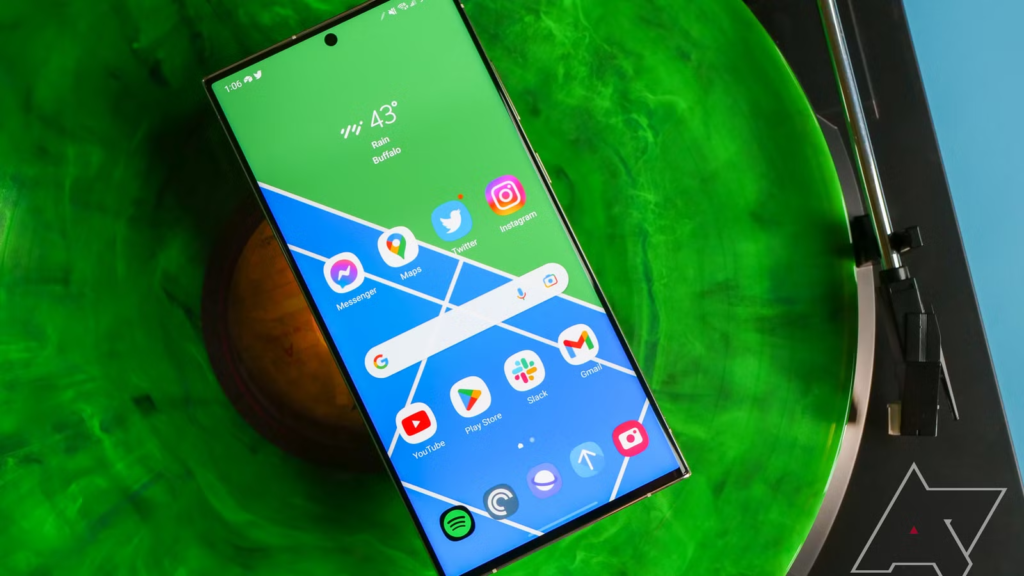
Smartphone updates are always a massive talking point because they completely refresh the way we interact with our favorite devices.
If you are holding a Samsung Galaxy phone or tablet right now, you are probably tracking the news about the next big software shift. Samsung is currently preparing the wider release of its next major software update, known as One UI 9.
This brand-new interface is built on top of Google’s latest operating system, Android 17, and it promises to bring meaningful shifts to your daily mobile habits.
We closely follow these major shifts over in our dedicated technology and AI section, where we aim to break down complex global tech developments into guides that anyone can easily read and understand. With the official public launch date rapidly approaching, it is time to look at what Samsung has planned for your device.
The public beta program has given tech enthusiasts a clear look at how the software functions under real-world conditions. From subtle design adjustments to major privacy updates and intelligent software tools, there is a lot to discuss. Let us dive directly into the timeline, the standout features, device compatibility, and the steps you should take to get your phone ready for the upgrade.
Build Funnels, Email Lists & Sell Online With One Free Tool
Create funnels, send emails, and sell online using Systeme.io without paying for multiple tools.
Create Free AccountFree forever • No credit card • Beginner-friendly
What Exactly Is One UI 9?
To understand this update, it helps to understand how Samsung builds its phone software. Google creates the base operating system, which this year is Android 17. Samsung then takes that foundation and overlays its custom interface, which they call One UI. One UI 9 is the latest iteration of this formula.
In previous years, major software updates would sometimes completely turn the visual design upside down, forcing users to relearn where their favorite settings were located. One UI 9 takes a very different path. Instead of changing things just for the sake of a new look, Samsung has focused heavily on stability, daily convenience, and deep privacy tools.
The main goal of this version is to make the software feel more fluid and responsive. Under the hood, the integration with Android 17 allows your phone to handle system resources more efficiently. This means your battery life should stay steady, and apps should launch with fewer stutters, even if you are using a device that is a few years old.
The Launch Date and Rollout Timeline
Knowing when the software will actually arrive on your personal phone depends entirely on the model you own, your country, and your mobile carrier. Samsung uses a phased approach to make sure the software is stable before sending it to millions of users worldwide.
Here is how the timeline looks for the rollout:
- The Beta Phase (May 2026): Samsung officially opened its public beta testing program on May 12, 2026. This allowed users owning a Galaxy S26 series device in regions like the United States, United Kingdom, South Korea, Germany, India, and Poland to test early versions of the software and report bugs back to the engineers.
- The Unpacked Announcement (July 22, 2026): This is the massive date to circle on your calendar. Samsung is hosting its official Galaxy Unpacked event in London, where they will fully introduce One UI 9 alongside the launch of their next-generation foldable devices, the Galaxy Z Fold 8 and the Galaxy Z Flip 8. These new foldables will be the very first phones to ship with the finished software right out of the box.
- The Stable Flagship Rollout (September 2026): If you own a recent standard flagship phone, you will not have to wait very long after the foldables hit the market. Reliable reports point to a stable public rollout starting around September 2026 for the Galaxy S26 series, closely followed by previous flagships like the S25 and S24 lineups.
- The Mid-Range and Tablet Wave (Late 2026): Owners of mid-range Galaxy A-series, M-series, and F-series phones, along with Galaxy Tab users, will start seeing the update pop up in their settings throughout October, November, and December of 2026.
Key Features You Need to Know About
Samsung has confirmed several excellent quality-of-life adjustments that make your phone a lot more functional. Let us unpack the most useful features that will change how you use your phone every single day.
A Highly Customizable Quick Panel
The Quick Panel is the control center you see when you swipe down from the top of your screen to turn on your flashlight or connect to Wi-Fi. In One UI 9, Samsung is handing full layout control back to the user.
Instead of forcing your display brightness, sound volume, and media players to live in one rigid cluster, you can now adjust and separate them independently. The brightness and volume sliders are thicker, making them significantly easier to grab with a thumb when you are using your device with one hand. You can also resize the active media player widget into a neat, space-saving square without needing to dive into complex settings.
The Clever Tape Tool in Samsung Notes
Samsung Notes is already considered one of the best built-in note-taking tools on any smartphone, but it is receiving an ingenious addition called the Tape Tool.
How it works: You can place a strip of digital tape over specific words or images within your notes to block them out, just like using physical masking tape on a piece of paper. When you want to see what is hidden underneath, you simply tap on the tape to peel it away.
This is an incredibly helpful feature if you use your phone or tablet to study with custom flashcards, quiz yourself on text, or hide sensitive personal information before sending a screenshot of a document to a colleague.
Aggressive Sideloading Protection
While Android has always allowed users to download and install applications from websites outside the official Google Play Store, doing so can sometimes expose your phone to malware. One UI 9 addresses this by introducing a highly proactive security system.
If you attempt to open or install an application that the system flags as high-risk, your phone will actively warn you, completely block the file from running, and strongly suggest that you delete it immediately. Samsung has also added a clear menu in the security settings that cleanly displays every single app you have ever sideloaded. This makes it incredibly easy to audit your phone and remove random apps you might have downloaded months ago and forgotten about.
The Smart Power Menu Lockout
This is a small security feature that provides immense peace of mind if your phone is ever lost or grabbed out of your hand. In older software versions, if someone pulled up the power menu on your phone and then decided to press the back button, it would return them right back to whatever application you had open on the screen.
Trade the largest financial market in the world
Learn how to enter the $6.6 trillion/day Forex market — no experience needed.
Get startedSPONSORED
With One UI 9, the moment you attempt to back out of the main power menu, the phone instantly forces itself onto the secure lock screen. This means that if someone accesses your power menu, they cannot get back into your open apps or look at your private data without entering your PIN, pattern, or biometric print.
A System-Level Selective Contact Picker
Privacy is an ongoing focus for modern mobile software, and One UI 9 brings a massive upgrade to how apps interact with your personal address book. In the past, when a social media app or a messaging tool wanted to connect with your contacts, you had to grant it access to your entire list of names, numbers, and home addresses.
Thanks to Android 17, One UI 9 features a selective contact picker. When an app requests your address book, you can check off specific contacts that the app is allowed to see, keeping the rest of your friends and family completely private and locked away from external app servers.
A Upgraded Web Browser with Ask AI
The native Samsung Internet browser is getting a major structural refresh to make mobile browsing simpler. It now offers three distinct navigation layouts to fit your style: Standard, Bottom (which moves all major controls down to make one-handed typing easy), and Compact (which introduces a floating search bar).
The biggest inclusion is a built-in feature called Ask AI. Powered by advanced intelligence tools, this feature allows you to highlight text or look at an entire web page and instantly generate summaries, find key facts, or translate complex foreign documents without ever needing to leave the browser or copy text into a separate application.
Is Your Device Eligible for One UI 9?
Samsung offers some of the best software update guarantees in the entire mobile industry, but older hardware eventually reaches a point where it can no longer support the latest features efficiently.
Let us look at which devices are expected to receive the upgrade and when you can look forward to seeing it arrive.
Official Device Compatibility Matrix
| Galaxy Series Lineup | Eligible Phone and Tablet Models | Expected Rollout Window |
| Galaxy S Flagships | S26, S26+, S26 Ultra, S25, S25+, S25 Ultra, S25 Edge, S25 FE, S24 Series, S23 Series (including FE) | September – October 2026 |
| Galaxy Z Foldables | Z Fold 8, Z Flip 8, Z Fold 7, Z Flip 7, Z Fold 6, Z Flip 6, Z Fold 5, Z Flip 5, Z TriFold, Z Fold Special Edition | July – October 2026 |
| Galaxy A Series | A57, A56, A55, A35, A27, A16, A06 5G, and other recent mid-range models | November – December 2026 |
| Galaxy M & F Series | M56, M55, M34, M16, F56, F36, F16, and matching recent models | November – December 2026 |
| Galaxy Tablets | Tab S11 Series, Tab S10 Lite, Tab S9 Series, Tab A11 | October – December 2026 |
The Models Left Behind
It is always disappointing when a phone reaches the end of its official software lifecycle, but keeping your expectations realistic prevents surprises later on. Samsung has practically confirmed that the highly popular Galaxy S22 series and the Galaxy S21 FE will not be receiving One UI 9.
These specific devices have officially hit their limit for major operating system updates, meaning One UI 8.5 will remain their final destination. If you own an S22, your phone will continue to function perfectly fine, and Samsung will still provide critical security patches for the foreseeable future to keep your data safe, but you will miss out on the new user interface tools.
How to Prepare Your Phone Before the Update Arrives
When a massive software update lands on a phone, it changes thousands of system files simultaneously. To make sure this transition happens without any annoying data loss or software errors, spending a few minutes preparing your device is an excellent idea.
1. Clean Up and Free Up Storage Space
Major operating system updates are quite heavy. They often require several gigabytes of free space to successfully download, unpack, and run the installation script. If your internal storage is packed to the absolute maximum, the update might fail midway through or refuse to download at all.
Take some time to look through your gallery and delete blurry photos, duplicate videos, and old downloaded documents. Go to your settings menu, look at your apps, and uninstall anything you have not opened in the last three months.
Speaking of managing digital files and maintaining a clean setup, if you love finding smart ways to organize media or optimize online workflows, you might find it interesting to check out our guides on YouTube automation strategies to see how modern creators keep their digital production completely streamlined.
2. Back Up Your Precious Data
While a stable software release is generally safe, unexpected software freezes can happen during the installation process. If your phone battery dies unexpectedly during an update, or if the system hits a random conflict, you might be forced to factory reset your device to get it running again.
Protect your memories by completing a comprehensive backup before hitting the install button. You can use Samsung Cloud or Google Drive to save your contacts, call logs, and messages. For large photo libraries and video clips, plugging your phone into a home computer and copying the media files over is a foolproof way to ensure you never lose a thing.
3. Update Your Existing Apps
App developers are already working hard to update their code so that their software runs perfectly on Android 17 and One UI 9. If you leave outdated apps on your phone, they might crash constantly or refuse to open at all once your phone reboots into the new operating system.
Before you install One UI 9, open the Google Play Store, tap your profile picture, and select the update option to download every pending app update. Make sure to do the exact same thing inside the native Galaxy Store, as Samsung updates its specific system tools through its own store rather than Google’s platform.
FAQs (Frequently Asked Questions)
Can I download the One UI 9 beta on my phone right now?
You can participate in the beta program only if you own a phone in the Galaxy S26 series and live in a supported country, such as the US, UK, South Korea, India, Germany, or Poland. To check if it is available for you, open the official Samsung Members application on your phone. If your device qualifies, you will see a registration banner for the One UI 9 beta at the top of the app screen.
Will installing One UI 9 delete any of my apps or photos?
No, a standard official software update is designed to preserve all of your personal data, downloaded applications, photos, and settings. Your phone will look and feel exactly the same as you left it, just with the new features active. However, it is still highly recommended to create a full backup just in case a random error occurs during the installation process.
Why is the Quick Panel layout changing again?
Samsung received feedback from many users who felt that the previous Quick Panel layouts were too rigid and difficult to navigate with a single hand. The new design in One UI 9 aims to provide total flexibility, allowing you to separate your brightness, sound, and media controls so that you can organize the menu in a way that matches your physical hand movements.
Will One UI 9 slow down my older Galaxy phone?
It should not. In fact, because Android 17 focuses heavily on background efficiency and optimizing how system processors handle minor app requests, many older flagship devices like the Galaxy S23 series might actually notice a slight improvement in daily responsiveness and animation speed.
What happens if I choose not to install the update?
If you decide to skip the update, your phone will continue to run on your current software version without any issues. However, you will miss out on the latest security protections, privacy controls, and software tools. Over time, certain apps may also stop working if they require updated Android system files to run properly.
Conclusion
Samsung’s upcoming One UI 9 update represents a highly mature step forward for Galaxy devices. By ignoring flashy, unnecessary visual gimmicks and focusing instead on deep user privacy, customizable controls, and robust application security, Samsung is giving users a piece of software that genuinely improves the stability of their daily mobile experience.
Keeping up with these fast-moving tech developments can feel slightly overwhelming, but that is exactly why we are here. At Whatsbuzzn, we want to deliver clear information that matters directly to you in an accessible, straightforward format. If you want to learn more about our team and what we do, feel free to read through our about page. If you ever have questions, comments, or tech topics you want us to explain next, you can always reach out to us directly through our contact page.
Keep a close eye on your phone’s software update menu as the late July Unpacked launch event approaches, and make sure your device is clean, backed up, and fully ready to enjoy these excellent new upgrades!
