
Building an email list is one of the smartest moves you can make for your online business.
It gives you a direct line to the people who are interested in what you do.
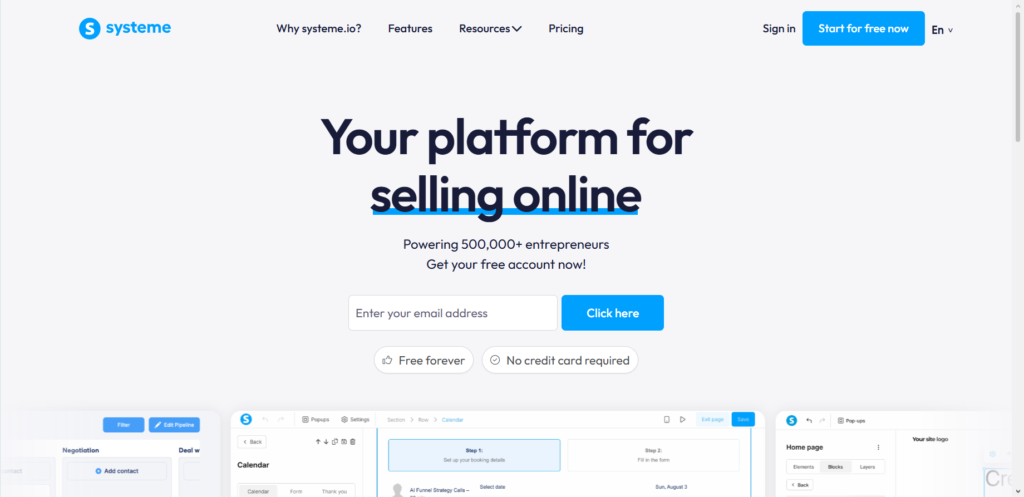
And when it comes to a tool that makes the whole process simple and affordable, I keep coming back to Systeme.io.
I have been using Systeme.io for years to manage my own lists and help clients build theirs.
In this guide, I’ll walk you through exactly how to set everything up from scratch, even if you are a complete beginner.
The $0 Secret To Launching Your Entire Online Empire
Why pay hundreds every month for separate software? Build funnels, send emails, and make sales with Systeme.io completely free.
Get Started For $0Free Forever • No Credit Card Needed • Beginner-Friendly
Why Systeme.io is a Smart Choice for Your Email List
You might be wondering why you should choose Systeme.io over all the other options out there. I have tested many platforms, and Systeme.io stands out for a few clear reasons.
First, it is an all-in-one tool. You get email marketing, landing page builders, sales funnels, and automation all in one place. You don’t need to pay for separate tools and try to make them work together.
The pricing is also very fair. They offer a generous free plan that supports up to 2,000 contacts and unlimited email sends. Many other platforms get very expensive as your list grows.
With Systeme.io, you can start for free and scale up without breaking the bank.
The paid plans start at just $17 per month for up to 5,000 contacts, and their unlimited plan is a flat $97 per month no matter how big your list gets. That kind of transparent pricing gives you peace of mind.
How to Create Your Free Account
Getting started is quick and simple. Head over to the Systeme.io website and click on the “Get My Free Account” button. Enter your email address to start the process.
Systeme.io will send you a verification link. Click that link in your email, then set your password on the page that opens. Once you save that, you will be taken to your new dashboard.
That is it. You are now ready to start building your list.
1. Create a Lead Magnet People Actually Want
Before you even touch the software, you need to think about your lead magnet. This is the free thing you offer in exchange for someone’s email address. If you don’t have a good lead magnet, people will have no reason to subscribe.
A lead magnet can be a simple PDF guide, a checklist, a template, or even a short video course. The key is to make it valuable and specific. For example, instead of a generic “Marketing Tips” PDF, create a “10-Point Checklist for Your First Email Campaign”. People want actionable help.
One client of mine was struggling to get any signups. Her lead magnet was a vague “Free Tips” newsletter. We changed it to a specific checklist called “The 5 Steps to Organize Your Freelance Finances”.
The change was immediate. Subscriptions went up by over 40% in just the first two weeks. When you offer something that solves a clear, small problem, people are much more willing to trust you with their email.
2. Build Your Lead Capture Funnel in Systeme.io
Now for the fun part: setting everything up in Systeme.io. The platform uses a funnel structure to capture leads. A funnel is just a series of pages that guide a visitor from “interested” to “subscriber”.
Setting Up Your Funnel
From your Systeme.io dashboard, click on the “Funnels” tab. Click the “Create” button. A popup will appear. Give your funnel a name, like “My Free Guide Funnel”. Then, under the “Type” section, select “Build An Audience”. This tells the system that your goal is to collect leads, not sell a product right away. Click “Save” to create your funnel.
Creating Your Squeeze Page
Your funnel will now have a step called the “squeeze page” or landing page. This is the page where people will sign up. Click the “Edit Page” button next to it. Systeme.io will open its drag-and-drop page builder.
Send, Spend & Hold Money Worldwide Without Hidden Fees
Transfer money internationally at the real exchange rate and hold 40+ currencies in one account.
Open a Wise AccountMid-market rate • Fast transfers • 40+ currencies
Choose a template that looks clean and simple. You want the visitor’s attention to be on one thing: your offer. Edit the headline to clearly state the benefit of your lead magnet. For example, “Get Your Free Checklist to Organize Your Finances”.
Next, you need to add a form. Find the “Form” element in the sidebar and drag it onto your page. Click on the form fields to edit them. Your form must include at least one email field. You can also add a field for the subscriber’s first name, which is very useful for personalizing your emails later.
Setting Up the Submit Button
After someone fills out the form, they need a way to submit it. Drag a “Button” element onto your page. Click on the button to open its settings.
Under “Action when button is clicked”, you must select “Submit form”. This is a critical step that many beginners miss. If the button is not set to “Submit form”, you will not capture any leads.
You also need to decide what happens after someone submits the form. You can redirect them to a “Thank You” page or just show a confirmation message on the same page.
I prefer to redirect to a separate thank you page because it feels more professional. You will need to create this thank you page as another step in your funnel. On that page, you can deliver the lead magnet, offer a discount, or simply thank them for subscribing.
3. Connect Your Form to Your Email List
By default, when you create a form, Systeme.io automatically adds new leads to your main contact list. That is fine for getting started. But as you grow, you will want to organize your list. This is where tags come in.
Tags are labels you can add to your contacts to know where they came from or what they are interested in. For example, you might tag someone as “Freebie Seeker” or “Checklet Download”.
To set this up automatically, you use an automation rule. Go to your funnel and click on the “Automation Rules” tab. Click “Add Rule”. For the trigger, select “Funnel step form subscribed”. This means the rule will run whenever someone subscribes through your form. For the action, select “Add a tag”. You can then create a new tag or choose an existing one. This simple step makes your list much more powerful for future email campaigns.
4. Set Up Your Welcome Email Automation
The moment someone subscribes, you need to welcome them. A welcome email builds trust and sets the tone for your entire relationship. Systeme.io makes this easy to automate.
The $0 Secret To Launching Your Entire Online Empire
Why pay hundreds every month for separate software? Build funnels, send emails, and make sales with Systeme.io completely free.
Get Started For $0Free Forever • No Credit Card Needed • Beginner-Friendly
Creating Your Email Campaign
In your Systeme.io dashboard, go to the “Emails” tab and select “Campaigns”. Click “Create”. Give your campaign a name, like “Welcome Series”. A campaign is just a series of emails that will be sent out on a schedule you define.
You can then add your first email. This should be the immediate welcome email. Use the drag-and-drop editor to write a friendly message. Thank them for subscribing, tell them a bit about who you are, and deliver the lead magnet they signed up for.
If you want to send the lead magnet as a file attachment, you can do that directly within the email. Systeme.io allows file attachments up to 5 MB.
After you save your email, you can add more emails to the campaign. A good sequence might be:
- Email 1 (Day 0): Welcome and deliver the lead magnet.
- Email 2 (Day 2): Share a helpful tip related to the lead magnet topic.
- Email 3 (Day 4): Tell a personal story about your journey.
- Email 4 (Day 7): Introduce your main product or service.
Connecting the Campaign to Your Funnel
Now you need to connect your welcome campaign to your funnel so that new subscribers are automatically added to it. Go back to your funnel’s “Automation Rules” tab.
Create another new rule. Use the same trigger: “Funnel step form subscribed”. For the action, select “Subscribe to Campaign”. Then choose the welcome campaign you just created. Save the rule.
That is it. Now, whenever someone fills out your form, they will automatically be tagged and added to your welcome email sequence. The entire process runs on autopilot.
How to Get People to Join Your List
Building the technical setup is only half the battle. You also need people to actually see your signup page. Here are a few simple ways to drive traffic.
- Share on Social Media: Post the link to your landing page on your social profiles. You can also run small, targeted ads on platforms like Facebook or Instagram to bring in a steady flow of new subscribers.
- Add a Link in Your Email Signature: This is a free and easy way to get signups from every person you email.
- Guest Post on Other Blogs: Write articles for other websites in your niche. Include a link to your lead magnet in your author bio.
- Mention It in Your Content: If you have a blog or a YouTube channel, naturally mention your free guide or checklist within your content.
A word of caution: be patient. Growing a quality email list takes time. Do not get discouraged if you do not get hundreds of signups overnight. Focus on providing genuine value, and the list will grow.
Best Practices for a Healthy Email List
Once your list starts growing, you want to keep it healthy. A healthy list means people actually open and read your emails. Here are a few key practices.
- Use Double Opt-In: I recommend enabling double opt-in for your forms. This means that after someone submits their email, they get a confirmation email with a link they must click to be added to your list. This confirms they really want to hear from you. It results in a smaller but much more engaged list. It also protects you from spam complaints because no one can be added to your list without their explicit permission.
- Segment Your List: As mentioned before, use tags to segment your subscribers based on their interests. This allows you to send more relevant emails. People are more likely to open an email that speaks directly to their needs.
- Verify Your Domain: To ensure your emails actually land in the inbox and not the spam folder, you should verify your domain with Systeme.io. This involves adding a few simple records to your domain’s DNS settings. The platform provides clear instructions for this. It is a small technical step that has a huge impact on your email deliverability.
Common Pitfalls to Avoid
Over the years, I have seen people make the same mistakes when starting their email lists. Here is what to watch out for.
- Not Providing Enough Value: If your lead magnet is weak, people will not sign up. And if your emails are just sales pitches, people will unsubscribe. Always ask yourself: “Is this useful for my subscriber?”.
- Asking for Too Much Information: Your signup form should be short. Asking for a name and email is fine. Asking for a phone number and address will kill your conversions. Keep it simple.
- Ignoring Your List: A list is not a set-it-and-forget-it asset. You need to email your subscribers regularly. If you go silent for months, they will forget who you are and unsubscribe.
- Buying Email Lists: Never, ever buy an email list. This is an unethical practice that will destroy your sender reputation. The people on those lists did not ask to hear from you. They will mark your emails as spam, and your account could be shut down. Always build your list organically from people who genuinely want to hear from you.
Frequently Asked Questions
Can I really build an email list for free with Systeme.io?
Yes, the free plan allows you to have up to 2,000 contacts and send unlimited emails. You can use all the core features like landing pages, forms, and automation rules. It is more than enough to get started and grow for quite a while.
Do I need my own website to use Systeme.io?
No, you do not. Systeme.io hosts your landing pages and forms for you. You can simply share the link to your Systeme.io landing page on social media or anywhere else online. You can also connect your own custom domain if you have one, but it is not required to get started.
What is the difference between a campaign and an automation rule?
A campaign is a scheduled series of emails that you send to your list. An automation rule is a trigger that performs an action. In this guide, you used an automation rule to add a tag and to subscribe a new lead to your welcome campaign. Automation rules are the engine that makes everything work without you having to do it manually.
How often should I email my list?
There is no single perfect answer. The best frequency depends on your audience and your content. A good starting point is once a week. Pay attention to your open rates and unsubscribe rates.
If people are opening your emails and not unsubscribing, you are doing fine. If you see a spike in unsubscribes, you might be emailing too often or your content is not relevant.
How do I get my first 100 subscribers?
Start by telling everyone you know about your lead magnet. Share it on your personal social media accounts. Ask friends and family to share it. Engage in online communities related to your niche and offer helpful advice, then share a link to your lead magnet when it is genuinely relevant. The first 100 are the hardest, but once you get them, momentum starts to build.
Final Thoughts
Building an email list from scratch is a journey. The technical part with Systeme.io is the easy part. The real challenge is consistently creating value and getting your offer in front of the right people. But I have seen so many people succeed by simply starting where they are, using the tools they have, and staying patient.
Systeme.io removes the technical barriers and the high costs, so you can focus on what really matters: connecting with your audience. I encourage you to create your free account today and just start. Build a simple lead magnet, set up your landing page, and share it with the world.
What is the one small problem you can solve for your audience with a free lead magnet? I would love to hear your ideas in the comments below.
