
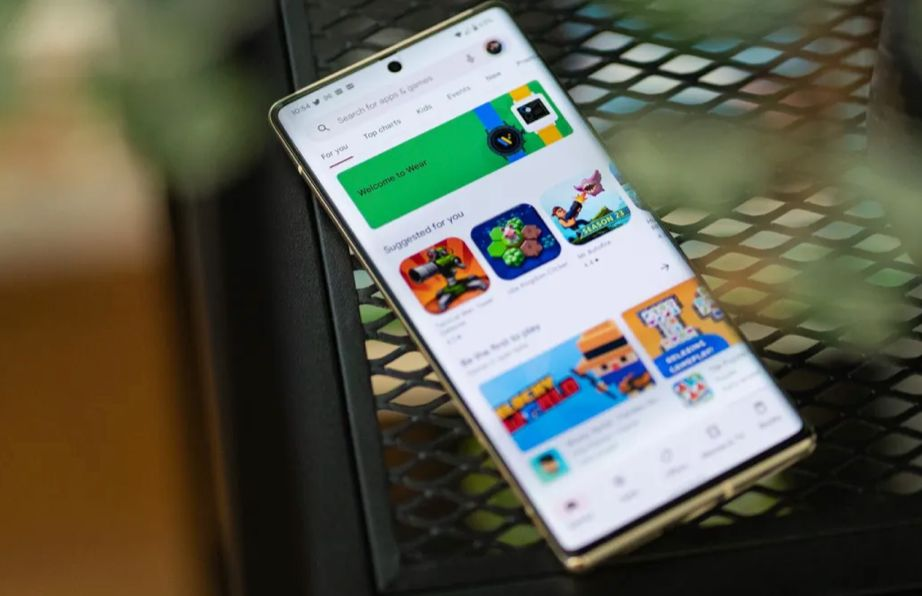
Our smartphones hold our entire lives. From banking details and private messages to personal photos and work emails, we carry everything in our pockets. Because we trust our devices so much, we often download new software without a second thought.
But the digital landscape has shifted dramatically by 2026. The tools designed to make our lives easier are also becoming more complex. While most developers have good intentions, there is a massive and growing market of bad software hiding in plain sight.
You might think a dangerous download is easy to spot. A few years ago, a bad program would immediately freeze your phone or flood your screen with flashing pop-up ads. Now, the threats are completely silent. They run quietly in the background. They read your data, drain your battery, or secretly sign you up for expensive subscriptions you never agreed to.
Understanding these hidden dangers is the first step to protecting yourself. We have researched the current trends to bring you a comprehensive guide on what to watch out for right now.
The Hidden Dangers in Your Pocket
The main reason applications are more dangerous now is how smart they have become. Developers of malicious software are no longer just looking to break your phone. They want your data. Data is highly valuable, and selling your personal information is a very profitable business.
The $0 Secret To Launching Your Entire Online Empire
Why pay hundreds every month for separate software? Build funnels, send emails, and make sales with Systeme.io completely free.
Get Started For $0Free Forever • No Credit Card Needed • Beginner-Friendly
With the rapid advancements we regularly cover in our technology and AI articles, scammers are using artificial intelligence to make their software look incredibly real. They copy the designs of trusted brands. They write fake reviews that sound like real people. They even use targeted advertising to make you think you need their product.
It is no longer just about avoiding random links on the internet. You have to be careful inside the official application stores as well. Both major smartphone platforms work hard to remove bad software, but sneaky programs still slip through the cracks every single day.
If you want to keep your personal information safe, you need to audit your phone. It is time to look at the icons on your screen and ask yourself if you really know what they are doing behind the scenes.
10 Types of Dangerous Apps to Delete Right Now
Here is a detailed list of the specific categories of software you should remove from your device immediately.
1. “Free” VPNs That Harvest Your Data
A Virtual Private Network, or VPN, is supposed to keep your internet browsing private. It acts like a secure tunnel for your data. Because privacy is a major concern in 2026, millions of people download free VPNs to protect themselves.
However, running a VPN service costs a lot of money. If a company is giving it to you for free, you have to ask how they are making their money. The answer is usually you.
Many free VPNs actually track everything you do online. They log the websites you visit, the things you search for, and sometimes even your passwords. They then sell this complete profile to advertising companies or worse. If you need a VPN, pay for a trusted, premium service. Delete the free ones immediately.
2. AI Face-Morphing and Avatar Generators
We all love seeing what we would look like as a cartoon character or a historical figure. AI photo generators are incredibly popular right now. You upload ten photos of your face, and the software gives you back amazing digital art.
The danger lies in what happens to your photos after you upload them. Many of these programs have terrible privacy policies. Buried in the fine print, they often state that they own the rights to your face forever.
They can use your personal images to train other artificial intelligence models, or they might sell your facial data to third parties. In a world where facial recognition unlocks our bank accounts, giving away your face to a random developer is a massive security risk.
3. Overly Aggressive Battery Savers and Cleaners
If your phone is running slowly, it is tempting to download a “cleaning” tool. These programs promise to speed up your device, cool down your battery, and delete junk files.
The reality is that modern smartphones are already very smart. The operating system handles memory and battery management automatically. You do not need a third-party tool to do this for you.
Most of these cleaning tools actually make your phone slower. They constantly run in the background, which drains your battery faster. Worse, they require deep access to your phone’s storage. This allows them to scan all your private files and serve you highly intrusive advertisements.
4. Sketchy Crypto and Web3 Wallets
Digital currency is still a massive trend, and people are always looking for new ways to store and trade their assets. Scammers know this, and they create fake digital wallets to steal money.
These fake wallets look exactly like legitimate financial tools. They might even show real-time market charts to build trust. But the moment you transfer your digital money into one of these applications, it is gone forever.
Send, Spend & Hold Money Worldwide Without Hidden Fees
Transfer money internationally at the real exchange rate and hold 40+ currencies in one account.
Open a Wise AccountMid-market rate • Fast transfers • 40+ currencies
Never download a financial tool based on a random social media advertisement. Always verify the company through reputable financial news sources before trusting them with your money. For more information on safely navigating financial technology, organizations like the Federal Trade Commission (FTC) offer excellent guides on spotting digital currency scams.
5. Flashlight and Utility Apps Requesting Weird Permissions
Most phones have a flashlight built directly into the main menu. Yet, thousands of people still download separate flashlight tools from the store.
A flashlight program needs exactly one permission: access to your camera’s LED flash. If you download a simple utility tool—like a calculator, a digital ruler, or a flashlight—and it asks for permission to see your location, read your contacts, or access your microphone, delete it immediately.
This is a classic spying technique. The simple tool is just a disguise. The real goal is to collect your daily habits and private conversations.
6. Shady YouTube Automation “Hacks” and Tools
Creating content is a popular way to build an income. Many people want a shortcut to success. Because of this, the app stores are full of software promising to artificially inflate your video views, give you secret tags, or automate your channel growth overnight.
These tools are highly dangerous. They often require you to log in with your main video platform account credentials. Once you type in your password, they can steal your account, change your recovery email, and lock you out completely.
If you are interested in growing a channel the right way, stick to trusted, organic methods. You can learn legitimate strategies in our YouTube automation guide instead of risking your entire channel on a shady third-party hack.
7. Hidden Stalking and Tracking Software
This is one of the most frightening categories on the list. Stalkerware is software designed to monitor everything you do without your knowledge.
These programs are often installed by someone who has physical access to your phone, like a jealous partner or a controlling boss. Once installed, they hide their icon from your home screen. They silently record your text messages, track your GPS location, and even listen through your microphone.
If your battery is suddenly draining very fast, or your phone is getting hot when you are not using it, you might have hidden tracking software. You should regularly check your main settings menu for applications you do not remember installing.
The $0 Secret To Launching Your Entire Online Empire
Why pay hundreds every month for separate software? Build funnels, send emails, and make sales with Systeme.io completely free.
Get Started For $0Free Forever • No Credit Card Needed • Beginner-Friendly
8. Counterfeit Shopping Storefronts
Everyone loves a good deal. Scammers create complete shopping platforms that look just like popular fashion or electronics retailers. They advertise massive sales, like ninety percent off luxury shoes or cheap smartphones.
When you buy something through these counterfeit platforms, one of two things happens. Either you receive a cheap, dangerous, fake version of the product, or you receive nothing at all.
Even worse, you have just handed your credit card information, your home address, and your phone number directly to a criminal organization. Always double-check the URL and read independent reviews before buying from a new digital storefront.
9. Unofficial Messaging Mods
People often want more features than the standard messaging tools provide. They want to change the colors, see deleted messages, or hide their online status. To get these features, they download modified versions of popular chat programs from unofficial websites.
These modified versions are a massive security hazard. Official messaging programs use end-to-end encryption to ensure no one can read your private chats. Modified versions break this encryption.
The person who modified the code can read every single message you send. They can see your private photos and steal your personal information. Always stick to the official versions provided by the original developers.
10. Scammy Horoscope and Astrology Readers
Astrology tools are very popular, but many of them are designed purely to trap you in expensive subscription cycles.
These programs offer a “free daily reading” but require you to put in your credit card details for a free trial. The fine print, which is almost impossible to read, states that the trial lasts for only twenty-four hours. After that, they charge you an massive weekly fee.
They also make it incredibly difficult to cancel the subscription. You have to navigate through endless confusing menus, and sometimes deleting the software does not even stop the billing.
How to Spot a Dangerous App Before Downloading
Protecting yourself is easier when you know what to look for before you hit the download button. You just need to build a few simple habits.
First, always read the permissions carefully. Before a program installs, it usually tells you what parts of your phone it wants to access. Take five seconds to think about it. Does a simple puzzle game need to know your exact GPS location? Does a music player need to read your text messages? If the request makes no sense, do not download it.
Second, do not just look at the star rating. Scammers buy thousands of fake five-star reviews to make their software look popular. Instead, filter the reviews by “most recent” and look for the one-star ratings. Real people will quickly report if a program is full of ads, crashes constantly, or tries to steal money.
Finally, verify the developer’s name. Click on the name of the company that made the software. See what else they have created. If they have dozens of programs with slightly different names but the exact same icon, they are likely a spam network.
What to Do If You Have Downloaded a Sketchy App
If you recognize any of the warning signs on your own phone, do not panic. You can take immediate steps to secure your device.
Start by deleting the software. Go into your main settings, find your application list, and uninstall the suspicious program. Do not just remove the icon from your home screen; make sure you completely uninstall it from the system.
Next, check your subscriptions. Sometimes deleting the program does not stop them from charging your bank account. Go to your official store account settings and review your active subscriptions. Cancel anything you do not recognize.
If you suspect the software stole your passwords, change them immediately. Start with your email and your banking passwords. Turn on two-factor authentication for all your important accounts. This adds an extra layer of security that hackers have a very hard time bypassing.
FAQs
Are all free apps dangerous?
No, many free tools are perfectly safe and made by reputable companies. However, you should always understand how a free tool makes its money. If it relies on a few normal advertisements, it is likely safe. If it hides its business model, it might be selling your personal data.
Can a bad app steal my bank details?
Yes. Some malicious software is specifically designed to look exactly like your real banking login screen. When you type in your details, it sends them straight to a hacker. This is why you should only ever download financial tools directly from your bank’s official website links.
How often should I check my app permissions?
It is a good idea to review your permissions at least once a month. Both major smartphone platforms now have privacy dashboards in their settings. You can easily see which programs have used your location, microphone, or camera in the past twenty-four hours.
Do iPhones get dangerous apps too?
Yes. While Apple has very strict security rules for their store, bad software still manages to get through. Scammers often use sneaky subscription traps or fake utility tools that affect iPhone users just as much as Android users. No device is completely immune.
Conclusion
Our smartphones are incredible tools, but they require careful management. As we navigate the complex digital world of 2026, staying safe means paying closer attention to what we allow onto our devices.
Take a few minutes today to scroll through your phone. Delete the tools you no longer use. Remove anything that asks for too much personal information. By staying informed and cautious, you can keep your digital life secure, fast, and completely private.
Thank you for reading! We love bringing you the most important updates on digital trends and safety. If you want to learn more about our mission and the team behind these articles, check out our About page.
Have a question or a topic you want us to cover next? We would love to hear from you. Reach out to us through our Contact page.
Don’t forget to join our growing community online! Follow us for daily updates, tips, and trending news across our social platforms:
- Follow us on Instagram
- Like our page on Facebook
- Join the conversation on X (Twitter)
