
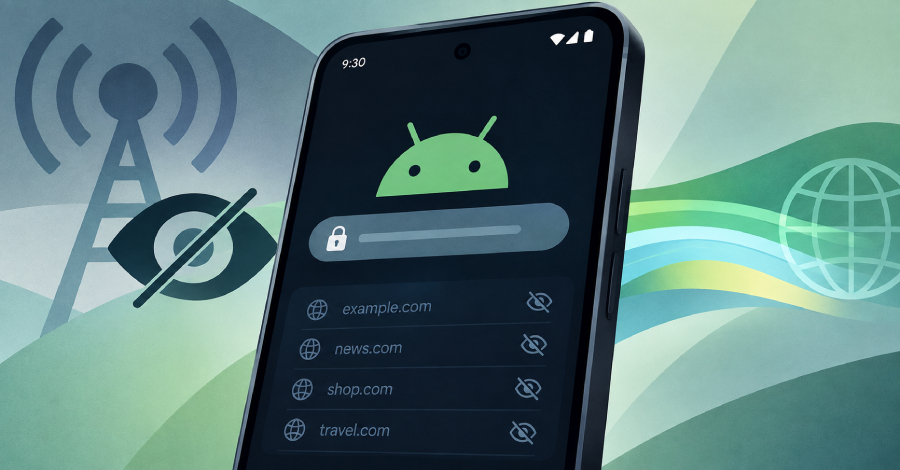
Google is rolling out a massive privacy upgrade in Android 17 that changes how your mobile phone interacts with the internet. For years, internet service providers, Wi-Fi network admins, and potential eavesdroppers could easily see every website domain name you visited. Even when you connected to secure websites using modern encryption, the initial connection attempt left the address of the destination visible to anyone watching the network traffic.
Android 17 closes this privacy gap by introducing system-wide support for Encrypted Client Hello. This feature works behind the scenes to lock down the leftover unencrypted pieces of your web traffic. When combined with private DNS features, your phone now conceals the exact website or web-enabled app you are reaching out to.
This change means telecom operators and public Wi-Fi hosts can no longer assemble detailed logs of your online habits as easily as before. Beside hiding your web traffic, Android 17 adds several other security safeguards to protect your home network and defend against fake cell towers.
Understanding the Privacy Gap: How Networks Track You Today
Most people assume that seeing a padlock icon next to a website address means their browsing is private. That padlock means your connection uses HTTPS, which scrambles the text, passwords, messages, and photos you send back and forth.
However, HTTPS does not hide everything. When your phone tries to load a page, it must first start a handshake with the destination server. During this initial setup step, your phone reveals the exact server name it wants to speak with.
The $0 Secret To Launching Your Entire Online Empire
Why pay hundreds every month for separate software? Build funnels, send emails, and make sales with Systeme.io completely free.
Get Started For $0Free Forever • No Credit Card Needed • Beginner-Friendly
Anyone monitoring the local network or managing your data connection can record these initial requests. They cannot see what you are doing on the site, but they can list every site you visit throughout the day.
What HTTPS Protects vs. What It Exposes
HTTPS encrypts the full path of the webpage, the forms you fill out, and the images you download. If you visit a specific shopping page or read a particular article, your internet provider cannot read that content.
What HTTPS historically leaves exposed is the main domain name. Your provider knows when you visit a banking portal, a medical forum, or a social network, even if they cannot see your specific account activity.
The TLS Handshake Leak Explained Simply
Before your device can exchange encrypted data with a website, it performs a Transport Layer Security handshake. In older versions of this system, your phone sends a message called the Client Hello.
Inside that message is a field called Server Name Indication. This field states the hostname of the server in plain text so the web server knows which security certificate to present. Because this message is sent before encryption kicks in, anyone along the path can read the hostname.
Data collection companies use this unencrypted data to build behavioral profiles on users. Marketing groups and network operators buy and sell these profile logs to target ads or monitor network usage patterns.
How Encrypted Client Hello (ECH) Fixes the Problem
Encrypted Client Hello changes how your phone handles the initial handshake. Instead of broadcasting the real website name in plain text, your phone encrypts the Server Name Indication field using a public key provided by the server beforehand.
The outer wrapper of the connection request only shows a generic address or host provider name. Once the package reaches the destination network, the server decrypts the inner contents and routes your request to the right website.
Network providers watching your mobile traffic see that a connection is happening, but they cannot identify the exact website or service you are calling.
Combining ECH with Private DNS for Total Domain Privacy
Hiding the handshake is only half the battle. Before your phone even starts a connection handshake, it performs a DNS lookup to translate a website address into an IP address.
If your DNS requests are sent in plain text, your internet provider can still record your browsing choices during that lookup phase. This is why Android 17 combines ECH with Private DNS features like DNS-over-HTTPs or DNS-over-TLS.
When Private DNS handles the address lookup and ECH handles the handshake, both main avenues of domain leaking are closed at the operating system level.
The Role of ECH GREASE in Keeping You Stealthy
Not every web server on the internet has upgraded to support ECH yet. In normal situations, if a phone only used encryption for certain sites, an observer could spot which connections were using ECH and flag those users.
To solve this, Google integrated a mechanism called ECH GREASE into Android 17. GREASE stands for Generate Random Extensions And Sustain Extensibility.
When you connect to an older website that does not support ECH, Android 17 inserts fake encrypted data into the request. To an outside observer, every single connection attempt looks identical, making it impossible to single out users based on their encryption headers.
Send, Spend & Hold Money Worldwide Without Hidden Fees
Transfer money internationally at the real exchange rate and hold 40+ currencies in one account.
Open a Wise AccountMid-market rate • Fast transfers • 40+ currencies
Testing conducted across hundreds of internet service providers showed that sending these dummy extensions does not slow down page loads or break connections on older servers.
Beyond ECH: Other Major Security Upgrades Coming in Android 17
While domain privacy is the headline feature, Android 17 includes a series of additional network defenses to keep your phone safe from modern threats.
Google designed these extra controls to reduce exposure to rogue cell towers, unauthorized local network snooping, and fraudulent security certificates.
Local Network Protection Against Unwanted Scanning
Many mobile apps ask for access to your local Wi-Fi network under the guise of finding a smart speaker or casting to a TV. In reality, some aggressive apps scan every connected device in your home to create a profile of your electronics.
Android 17 introduces Local Network Protection. Apps must now request explicit permission from you before they can scan or talk to other hardware on your private Wi-Fi network.
For regular everyday tasks like throwing a video onto a smart display, Android 17 offers system-level pickers. This lets you select a streaming device without handing the app full permission to map your home.
Automatic 2G Shutdown to Block Cellular Scams
Older 2G mobile networks lack modern authentication protocols. Scammers and malicious actors use portable radio transmitters called SMS blasters to force nearby phones onto legacy 2G connections.
Once a phone downgrades to 2G, attackers can send malicious text messages directly to the device or intercept unencrypted traffic.
Android 17 allows mobile phone carriers to disable 2G connectivity by default for subscribers. This zero-click protection stops downgrade attacks before fraudulent transmitters can target your device.
Enforced Certificate Transparency for Authenticity
When you connect to a secure app or online service, your phone checks a security certificate to confirm the site is authentic. If a certificate authority is hacked or compromised, attackers can issue fake certificates to mirror real services.
The $0 Secret To Launching Your Entire Online Empire
Why pay hundreds every month for separate software? Build funnels, send emails, and make sales with Systeme.io completely free.
Get Started For $0Free Forever • No Credit Card Needed • Beginner-Friendly
Android 17 enables Certificate Transparency by default across the platform. This rule requires all website certificates to be logged in a public, searchable registry.
If a fake certificate is issued, it will be detected in public logs immediately, stopping interception attacks before they cause harm.
What This Means for App Developers and Internet Users
This update is a massive win for standard users who want cleaner privacy without configuring complicated settings. The default settings in Android 17 handle the heavy lifting automatically.
However, for these protections to function across every app, developers must update their software tools.
How Apps Need to Update Their Networking Libraries
Web browsers like Chrome and Firefox have supported ECH in desktop environments for some time. Android 17 brings this protection to the core platform and third-party apps.
App creators need to adopt updated networking libraries like OkHttp 5.5.0, WebView, or HttpEngine. Once apps target Android 17 with these updated tools, their outgoing network calls will benefit from domain encryption automatically.
Developers interested in keeping up with software changes can explore our guide on technology and AI developments to see how modern security standards shape mobile software.
Why Web Servers Must Support ECH to Complete the Shield
Encrypted Client Hello requires cooperation from both sides of the connection. Your phone initiates the encrypted handshake, but the destination server must possess the matching decryption keys.
Major web host platforms and content delivery networks have already turned on ECH across millions of domains. As more web administrators adopt the standard, unencrypted domain leaks will become a thing of the past.
If you produce online media or run content automation tools, keeping your infrastructure updated is essential. Read our insights on modern content platforms in our breakdown of YouTube automation strategies to learn how digital systems adapt to shifting tech standards.
The Broader Digital Privacy Landscape
The addition of OS-wide ECH represents a continuing shift toward default end-to-end privacy for everyday consumer hardware. Mobile operating systems are taking over roles that used to require dedicated security software or third-party tools.
While virtual private networks still serve a purpose for location changing, built-in features like ECH and Private DNS mean standard mobile browsing is becoming private out of the box.
Internet providers and network managers will need to adjust their business models as metadata collection becomes harder. For users, it means greater control over personal data without needing a degree in cybersecurity.
To learn more about our mission to break down technical news into clean, clear concepts, visit our about page. If you have questions about upcoming system updates or tech news, reach out to our team directly through our contact page.
Frequently Asked Questions (FAQs)
What is Encrypted Client Hello (ECH)?
Encrypted Client Hello is an internet privacy standard that encrypts the initial connection request between your device and a website server. It hides the domain name you are visiting from network providers and eavesdroppers.
Does HTTPS already hide the websites I visit?
HTTPS encrypts the specific pages, text, and data you exchange on a website, but it leaves the main domain name visible during the initial connection setup. ECH encrypts that remaining piece of domain data.
Will Android 17 slow down my internet browsing?
No. Testing by Google’s security teams shows that ECH and its safety extensions operate without impacting page load speeds or causing connection errors.
Do I need a VPN if Android 17 has ECH?
A VPN hides your IP address and routes all your device traffic through a separate server. ECH encrypts website hostnames on your direct connection. While ECH makes daily browsing much more private, a VPN is still useful if you need to alter your virtual location.
How does Android 17 stop 2G cell tower scams?
Android 17 allows mobile carriers to automatically turn off 2G connections by default. This prevents malicious radio equipment from forcing your phone onto unencrypted 2G networks to send scam text messages.
When will my phone get these Android 17 privacy features?
Android 17 features roll out based on your device manufacturer and carrier schedule. Google Pixel devices usually receive operating system updates first, followed by updates from other major smartphone brands.
Google’s decision to bring Encrypted Client Hello to the operating system level marks an important milestone for mobile privacy. By locking down the final unencrypted headers in network traffic, Android 17 gives users genuine domain privacy right out of the box.
Combined with tighter controls over local home networks and automatic defenses against legacy cellular attacks, this update makes mobile devices significantly safer. Privacy is moving from an opt-in setting to an automatic standard for everyone.
Stay updated with our latest news and tech breakdowns by following our social channels on Facebook, X (formerly Twitter), and Instagram.
