
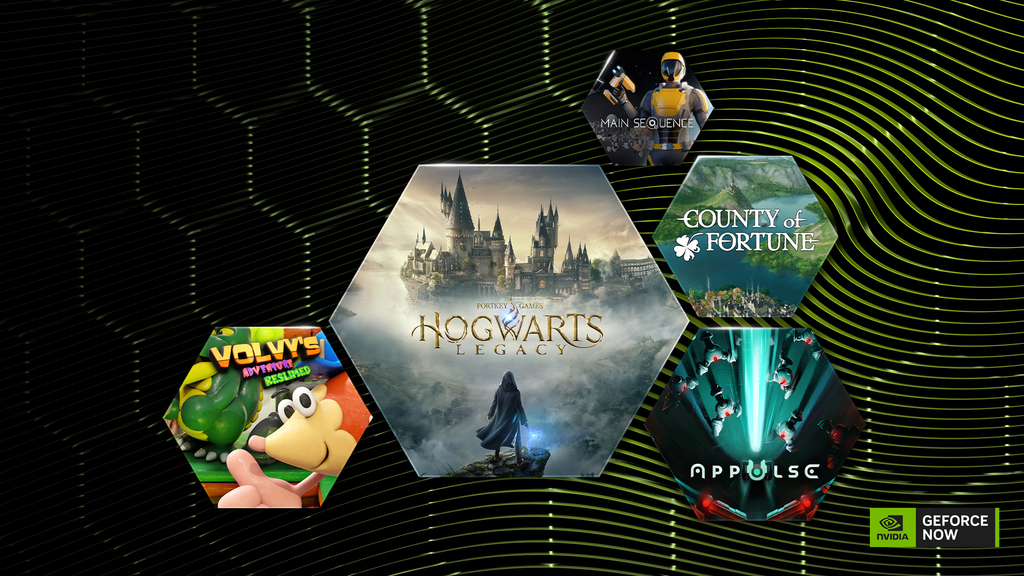
PC gamers stepping back into the wizarding world are in for a massive visual shock. NVIDIA has officially rolled out its brand-new DLSS 5 technology to Hogwarts Legacy, introducing what the company calls 3D-Guided Neural Rendering. The update lands as a free patch for PC players, completely overhauling how the game handles lighting, environmental surfaces, shadows, and fine physical details.
This surprise release marks only the second commercial game in the world to feature NVIDIA’s fifth-generation AI graphics suite, following its early September debut in NBA 2K27. For players roaming the snow-covered streets of Hogsmeade or wandering through the dimly lit corridors of Hogwarts Castle, the game world suddenly looks dramatically richer, deeper, and more grounded than it did when it first launched.
Behind the scenes, this update represents a massive technological milestone for both developer Avalanche Software and publisher Warner Bros. Games. It is not just about making numbers go up on a frame counter. DLSS 5 actually uses real-time neural networks to rethink how game graphics are drawn from scratch.
If you own the right graphics card or stream through the cloud, here is everything you need to know about what DLSS 5 does, how to turn it on, and why the gaming community cannot stop talking about it.
What Is DLSS 5 and How Does Neural Rendering Work?
To understand why DLSS 5 is turning heads, you have to look at how much graphics technology has changed over the last few years.
The $0 Secret To Launching Your Entire Online Empire
Why pay hundreds every month for separate software? Build funnels, send emails, and make sales with Systeme.io completely free.
Get Started For $0Free Forever • No Credit Card Needed • Beginner-Friendly
Deep Learning Super Sampling, known everywhere as DLSS, originally started as a clever upscaler. In simple terms, your graphics card rendered the game at a lower resolution like 1080p, and artificial intelligence guessed what the missing pixels should look like to output a crisp 4K picture. That saved your GPU a mountain of work while keeping image quality sharp.
Over time, NVIDIA added more AI layers to that recipe:
- DLSS Super Resolution (DLSS 2): Handled temporal reconstruction and clean spatial upscaling.
- DLSS Frame Generation (DLSS 3): Used AI to insert brand-new, fully generated frames between traditional frames to double visual smoothness.
- DLSS Ray Reconstruction (DLSS 3.5): Replaced hand-tuned denoisers with an AI model that cleaned up messy ray-traced reflections and lighting in real time.
- Multi Frame Generation (DLSS 4): Allowed GPUs to insert up to three artificial frames for every natively rendered frame.
DLSS 5 takes a completely different path. It introduces 3D-Guided Neural Rendering. Instead of simply blowing up a picture or slipping extra frames into your monitor, DLSS 5 looks at the underlying 3D geometry of the virtual environment.
The AI looks at flat surfaces, walls, roofs, and fabrics, and calculates how light, micro-shadows, and physical textures ought to interact. It then reconstructs the surface details in real time using neural networks. The original polygon mesh of the game remains untouched, but the surface materials look exponentially more complex, tactile, and natural.
The Visual Difference: How Hogwarts Legacy Looks Today
When you load up the new patch, the most immediate changes jump out in heavily textured areas like Hogsmeade, the Forbidden Forest, and the cobblestone courtyards of the castle.
Weathered Stone and Roof Moss
In the original version of Hogwarts Legacy, slate roofs and stone chimneys relied on standard bump maps and surface shaders. Under DLSS 5, those same roofs exhibit distinct physical depth. You can clearly see individual shingles overlapping, creeping moss that appears to sit naturally on damp stone, and granular cracks that catch light based on the sun’s exact angle.
Natural Lighting and Ambient Shadows
One of the biggest complaints about modern open-world titles is flat lighting in shadowed corners. DLSS 5 Neural Rendering calculates localized bounce light and micro-occlusion. When a potted plant rests on a window sill in Diagon Alley, the tiny shadow underneath its leaves and pot now matches the surrounding ambient light with pinpoint accuracy.
The Character Face Dilemma
When NVIDIA first showcased an early technical preview of DLSS 5 earlier this year, the internet had mixed reactions. Early preview builds applied aggressive neural reconstruction across character faces, which accidentally altered expressions, smoothed out skin textures, and made some characters look completely different.
Avalanche Software listened closely to player feedback. For this official public release, the developers spent weeks fine-tuning the DLSS 5 controls. The neural rendering specifically targets world materials, environmental architecture, lighting, and ambient clutter, while leaving original character geometry and faces intact. The result keeps the original artistic style of the game while upgrading the environment around the characters.
Hardware Check: Can Your PC Actually Run DLSS 5?
Here is the hard truth that every gamer needs to know: DLSS 5 Neural Rendering is hardware-locked to NVIDIA GeForce RTX 50-Series graphics cards.
Because 3D-Guided Neural Rendering relies on dedicated neural tensor architecture found exclusively on newer Blackwell-architecture silicon, older generations of GeForce graphics cards cannot run the feature locally.
Supported local hardware includes:
- Desktop GPUs: NVIDIA GeForce RTX 5090, RTX 5080, RTX 5070 Ti, and RTX 5070.
- Laptop GPUs: All GeForce RTX 50-Series mobile graphics chips.
- Specialized AI Hardware: Compact workstations and systems powered by NVIDIA RTX Spark supercomputer hardware.
What About RTX 40-Series and RTX 30-Series Owners?
If you are running an RTX 4090, RTX 4080, or any RTX 30-series card, you cannot toggle on the “Neural Rendering” switch inside the local PC graphics menu.
You can still use your existing suite of DLSS tools, including Super Resolution, standard Frame Generation, and Ray Reconstruction. Those features continue to work as expected, but the new neural material enhancements will remain grayed out on older hardware.
There is, however, one major workaround that lets anyone play with DLSS 5 enabled right now.
Send, Spend & Hold Money Worldwide Without Hidden Fees
Transfer money internationally at the real exchange rate and hold 40+ currencies in one account.
Open a Wise AccountMid-market rate • Fast transfers • 40+ currencies
Playing DLSS 5 Without an RTX 5090: The GeForce NOW Option
If buying a brand-new top-tier graphics card is not in your budget, NVIDIA has brought DLSS 5 to its cloud gaming platform, GeForce NOW.
Starting today, GeForce NOW Ultimate subscribers can stream the updated version of Hogwarts Legacy directly from cloud servers running RTX 5080-class hardware. This means you can experience full DLSS 5 Neural Rendering on:
- Older gaming laptops and desktop PCs.
- Apple MacBooks and Mac Mini computers.
- Handheld gaming devices like the Steam Deck, ROG Ally, and Lenovo Legion Go.
- Mobile phones, tablets, and compatible smart televisions.
Streaming at this visual level demands solid connectivity. If you plan to stream high-bitrate 4K gameplay at ultra-high refresh rates, make sure to review the best internet speed for online gaming to keep your latency low and prevent video compression artifacts.
The Performance Reality: Does DLSS 5 Give You More Frames?
There is widespread confusion among PC gamers about whether DLSS 5 makes your game run faster.
The straightforward answer is no. DLSS 5 Neural Rendering is an image quality enhancement, not an optimization tool. In fact, turning on Neural Rendering actually introduces a performance cost because the GPU has to run continuous neural calculations on top of rendering the game.
NVIDIA’s internal testing shows that enabling Neural Rendering on its own can decrease raw native framerates by roughly 10% to 15%.
How Does the RTX 5090 Hit 300 FPS?
If DLSS 5 costs performance, why are tech reviewers reporting numbers as high as 300 frames per second at 4K resolution?
The trick lies in how the entire DLSS stack works together. When reviewers hit 300 FPS at 4K on a flagship RTX 5090, they are running a complete package of technologies simultaneously:
- DLSS 5 Neural Rendering: Enhances surface textures, lighting bounce, and micro-shadows.
- DLSS Super Resolution (Performance Mode): Renders the underlying game at 1080p before scaling it up to 4K.
- 6X Multi Frame Generation: Generates multiple intermediate frames to multiply perceived motion smoothness.
- DLSS Ray Reconstruction: Cleans up ray-traced shadows and reflections without manual filter lag.
- NVIDIA Reflex: Dramatically cuts system latency so the game still feels responsive to your mouse clicks and controller sticks.
On an RTX 5090 running at 2560×1440 resolution with all companion DLSS tools engaged, framerates climb as high as 370 FPS.
Step-by-Step Guide: How to Enable DLSS 5 in Hogwarts Legacy
Getting the new features running on your PC requires a few simple steps. Follow this quick checklist to ensure everything is set up properly.
The $0 Secret To Launching Your Entire Online Empire
Why pay hundreds every month for separate software? Build funnels, send emails, and make sales with Systeme.io completely free.
Get Started For $0Free Forever • No Credit Card Needed • Beginner-Friendly
Step 1: Update Your Graphics Drivers
You cannot run DLSS 5 on an older driver build. Open the NVIDIA App or GeForce Experience software and download the newly released GeForce Game Ready Driver 621.14. This driver includes the official game profiles for Hogwarts Legacy and prepares your system for upcoming DLSS 5 updates scheduled for War Thunder and Where Winds Meet later this month.
Step 2: Update the Game on Steam or Epic Games Store
Launch your PC gaming client of choice. Check your downloads queue to ensure Hogwarts Legacy has downloaded the latest November 5 patch. Because millions of PC players keep their rigs up to date following ongoing Windows 11 and Steam hardware survey updates, the patch should start automatically upon opening your library.
Step 3: Open In-Game Display and Graphics Options
Launch the game and navigate to the Settings menu. Click on the Display Options tab.
Step 4: Turn On Neural Rendering
Scroll down to the NVIDIA DLSS section. If your system meets the hardware requirements, you will see a new toggle labeled Neural Rendering. Switch this option from “Off” to “On”.
Step 5: Configure Companion Settings for Peak Smoothness
To offset the processing demands of Neural Rendering, set the rest of your DLSS suite to these recommended baseline settings:
- Upscale Type: NVIDIA DLSS
- Upscale Mode: Quality (or Balanced if gaming on a 4K display)
- Frame Generation: Multi Frame Generation (Set to 2X, 4X, or 6X depending on your monitor’s maximum refresh rate)
- Ray Reconstruction: On (if playing with Ray Tracing features enabled)
- Low Latency Mode: NVIDIA Reflex + Boost
Apply your settings, head out into the Hogwarts courtyard, and compare the environmental lighting before and after.
What This Update Means for the Broader Gaming World
This update is about more than just one game. It signals a major shift in how modern video games will be built and rendered in the coming years.
For years, game developers spent thousands of development hours hand-crafting complex texture maps, roughness channels, normal maps, and shadow passes for every single barrel, rock, and brick in an open world. If an engine’s lighting shifted slightly, those textures could look flat or artificial.
By handing surface refinement over to real-time neural networks, developers can build games faster while delivering a level of visual fidelity that traditional rendering methods simply cannot match. Studios are already watching how this patch performs closely. As the industry prepares for next-generation blockbusters—including the highly anticipated release window for Grand Theft Auto VI—neural rendering models will likely become standard across high-end PC gaming.
It also arrives at an interesting time for Hogwarts Legacy itself. While rumors and job postings suggest a full-scale sequel is planned for late 2027 or 2028, updates like this keep the original 2023 adventure feeling fresh and visually competitive against brand-new releases.
Frequently Asked Questions (FAQs)
When did NVIDIA add DLSS 5 support to Hogwarts Legacy?
The DLSS 5 update for Hogwarts Legacy officially rolled out on Thursday, November 5, 2026. It was released as a free game patch alongside NVIDIA GeForce Game Ready Driver 621.14.
Is the DLSS 5 update free to download?
Yes. The update is completely free for anyone who already owns Hogwarts Legacy on PC via Steam, the Epic Games Store, or Xbox Play Anywhere. There are no additional fees or microtransactions required to access the feature.
Can an RTX 4070 or RTX 4090 turn on DLSS 5 Neural Rendering?
No. Local DLSS 5 Neural Rendering requires an NVIDIA GeForce RTX 50-Series GPU or an RTX Spark system. RTX 40-Series and RTX 30-Series owners can still use DLSS Super Resolution, standard Frame Generation, and Ray Reconstruction, but the Neural Rendering toggle will remain unavailable on those cards.
How can I use DLSS 5 if I do not own an RTX 50-series graphics card?
The only official way to experience DLSS 5 without buying a new graphics card is through GeForce NOW Ultimate. NVIDIA’s cloud gaming tier streams the updated game using cloud-based RTX 5080-class servers directly to your current computer, phone, or tablet.
Does turning on DLSS 5 improve game framerates?
No. DLSS 5 Neural Rendering is an image quality feature that focuses on refining materials, shadows, and surfaces. It comes with a small performance cost. To achieve high framerates like 200 or 300 FPS, you must enable DLSS Super Resolution and Multi Frame Generation alongside it.
Did DLSS 5 change the faces of Hogwarts Legacy characters?
No. While an early technical demo showed altered character faces that sparked community criticism, Avalanche Software carefully adjusted the final update. The release version focuses strictly on environmental materials, architecture, and lighting, leaving character facial designs faithful to the original art direction.
What other games are getting DLSS 5 this month?
NVIDIA has confirmed two additional titles for November 2026: War Thunder will receive its DLSS 5 upgrade in mid-November, and the martial arts open-world title Where Winds Meet will launch with DLSS 5 support on November 23.
Join the Conversation
The arrival of DLSS 5 in Hogwarts Legacy shows just how fast artificial intelligence is reshaping the way games look and play. Seeing moss-draped roofs and candle-lit castle halls rendered with this level of physical depth makes an already atmospheric game feel brand new all over again.
