
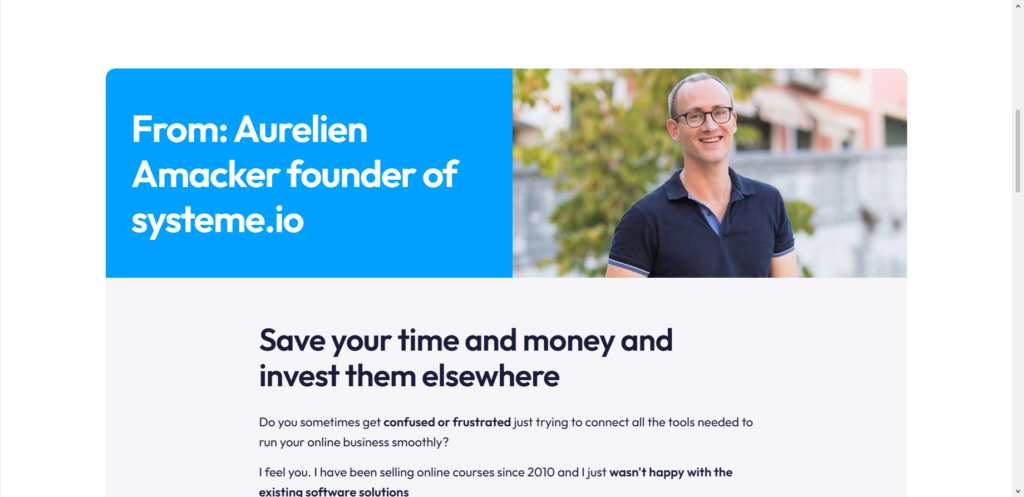
For years, I watched entrepreneurs struggle with complex setups. They’d use Shopify for a store, ConvertKit for email, Kajabi for courses, and Zapier to make them talk to each other. Not only was it expensive, but it was also a technical headache.
Around 2019, I stumbled upon Systeme.io during a late-night search for an affordable ClickFunnels alternative. I signed up for the free plan just to test it. Within a few hours, I had a sales funnel live. Within a week, I had made my first sale.
That experience changed how I approach selling online. Today, with over six years of helping freelancers and business owners build sustainable income, I recommend Systeme.io more than any other platform for beginners and pros alike.
Here is my step-by-step guide on how to sell on Systeme.io, based on real-world use.
Why I Choose Systeme.io for Selling
Before I walk you through the how, let me explain why I believe this platform is a game-changer. Systeme.io is an all-in-one marketing platform that combines sales funnels, email marketing, course hosting, and automation in one place. You do not need five different subscriptions. It prides itself on being easy to use, particularly for people with little tech know-how.
The $0 Secret To Launching Your Entire Online Empire
Why pay hundreds every month for separate software? Build funnels, send emails, and make sales with Systeme.io completely free.
Get Started For $0Free Forever • No Credit Card Needed • Beginner-Friendly
I have personally tested the paid plans and the free plan. The free plan is not a gimmick. You can actually start selling without paying a dime, which is rare in this industry.
1. Sign Up and Choose Your Plan
Go to Systeme.io and create an account. You will see four main pricing plans: Free, Startup, Webinar, and Unlimited.
If you are just starting, I recommend the Free plan. It allows you to create sales funnels, send emails, and sell digital products. The biggest limitation is usually the number of contacts or products you can have. But for a first test, it is perfect.
When you hit your first sales goals, upgrade to the Startup plan which starts at $17 per month. A major reason I prefer Systeme.io over Shopify is the pricing. Systeme.io has zero platform transaction fees, making it dramatically more affordable.
My advice: Do not upgrade until you absolutely need to. Test the waters with the free account first.
2. Set Up Your Digital Product (The Asset)
You cannot sell what you have not created. In Systeme.io, everything you sell is called an “Asset.” This could be an eBook, a PDF guide, a video course, or a coaching session.
Here is how to upload your product:
- In your dashboard, go to the Assets tab.
- Click on Courses (for video lessons) or Files (for downloads).
- Click Add a new course or Upload a file.
I recently helped a client upload a 20-part video course. We simply dragged and dropped the videos, organized them into modules, and set the pricing. The system handled the rest. It took us less than 30 minutes to migrate content from a much more expensive platform.
3. Build Your Sales Funnel
This is where Systeme.io shines. A sales funnel is just a fancy term for the path a customer takes from “I am curious” to “I bought.”
To sell, you need an Order Form (the checkout page). But usually, you also want a Sales Page (to convince them) and an Opt-in Page (to capture their email).
To build a funnel:
- Go to Sites and click Sales Funnels.
- Click Create. You can start from scratch or use a template.
- Add your Order Form. In the order form settings, select Digital product as the offer type.
- Link the product you uploaded in Step 2.
Do not overcomplicate this. Start with a simple funnel: Sales Page -> Order Form -> Thank You Page. Once that works, you can add complexity.
4. Add Upsells and Downsells (The Profit Multiplier)
This is a pro tip I learned through trial and error. The money is not always in the first sale. It is in the follow-up offer.
Systeme.io allows you to create Upsells (a more expensive offer after they buy) and Downsells (a cheaper offer if they refuse the upsell).
For example, when I sell a $27 eBook, I set an upsell for a $97 video workshop. About 30% of buyers take the upsell. If they click “No,” I offer a $47 template pack as a downsell. This single feature doubled my revenue on the same traffic.
Send, Spend & Hold Money Worldwide Without Hidden Fees
Transfer money internationally at the real exchange rate and hold 40+ currencies in one account.
Open a Wise AccountMid-market rate • Fast transfers • 40+ currencies
To set this up:
- In your funnel, click Add New Step after your order form.
- Choose Upsell or Downsell.
- Select the new product you want to offer.
5. Set Up Email Automation
A sale is great. A repeat customer is better. You need email sequences to build trust.
Systeme.io lets you automate email sending based on customer actions. For example, when a lead subscribes, you can automatically send a welcome email.
Here is the workflow I use for every client:
- Go to Campaigns and create a new email sequence.
- Write 3-5 emails that deliver value (do not just sell).
- Go to Automations and click Rules.
- Create a rule: “When a lead subscribes to Funnel X -> Send them to Campaign Y”.
Once this is set, you can sell in your sleep. The emails go out on a schedule without you touching a button.
6. Launch Your Creator Store
If funnels feel too complex, Systeme.io offers a simpler option called the Creator Store. This is a simple storefront where customers can browse and buy your products.
To set it up:
- Go to the Sites tab.
- Click on Creator stores and then Create.
- Add your products. You can sell digital downloads, courses, or even physical products.
I use the Creator Store for my low-ticket items under $20. It gives customers a familiar “shop” experience. I use sales funnels for high-ticket items over $100 where I need to do more convincing.
7. Start Your Own Affiliate Program
Once you have a product that sells, you can recruit other people to sell it for you. This is called affiliate marketing.
Systeme.io has a built-in affiliate system. You can create an affiliate program similar to the one offered by Systeme.io itself (which pays 60% lifetime commissions).
The $0 Secret To Launching Your Entire Online Empire
Why pay hundreds every month for separate software? Build funnels, send emails, and make sales with Systeme.io completely free.
Get Started For $0Free Forever • No Credit Card Needed • Beginner-Friendly
To run your own:
- Go to Affiliate Program in the settings.
- Set the commission rate (for example, 30% to 50%).
- Share your affiliate signup link.
Running your own affiliate program allows other people to promote your products while earning commissions. This is how you scale without spending money on ads.
Frequently Asked Questions
Is Systeme.io really free?
Yes, there is a forever free plan. It has limits on contacts and products, but you can absolutely make sales without paying. When I started my first side hustle, I used the free plan for three months before upgrading.
Can I sell physical products on Systeme.io?
Yes. While Systeme.io is famous for digital products, you can sell physical goods too. You just need to manage shipping and inventory manually, as it does not have advanced shipping calculators like Shopify.
Does Systeme.io charge transaction fees?
No. Unlike Shopify or Etsy, Systeme.io does not take a percentage of your sales. You only pay for your monthly subscription (if you are not on the free plan).
Is it better than Shopify?
It depends. If you are selling t-shirts and need complex inventory management, Shopify is better. If you are selling courses, coaching, eBooks, or software, Systeme.io is better, cheaper, and easier to use.
Wrapping It Up
Selling online does not have to be complicated. I have seen too many smart people give up because they got lost in tech setups. Systeme.io removes that barrier. It gives you a simple path: create a product, build a funnel, add email, and start selling.
The hardest part is not the software. The hardest part is starting. You have the knowledge now. You have a tool that works.
Here is my challenge for you: Open a free Systeme.io account today. Upload one small digital product you already have (even if it is just a one-page PDF). Build a simple funnel. Send the link to five friends. See what happens.
What is one small product you could put up for sale this week to test the system?
