
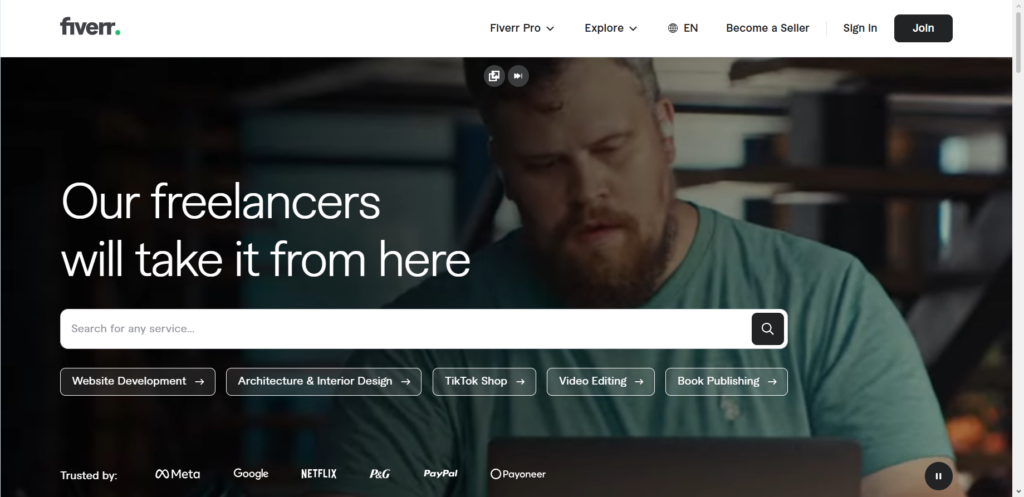
Setting up a profile on Fiverr is easy. You fill in your name, pick a profile picture, write a short summary about yourself, and click publish. But then days turn into weeks, and your dashboard stays completely empty. Zero messages, zero impressions, and zero sales.
This happens to thousands of new freelancers every single day. The primary reason is that most people build a service based on what they want to sell, rather than what buyers are actively searching for. They put up a generic offer like “I will write a blog post” or “I will design a logo,” throw in a random photo from the internet, and hope for the best.
On a marketplace with millions of active buyers, standing out requires strategy. You need to understand how search results work, how buyers make split-second decisions, and how to present your skill as the obvious solution to someone’s immediate problem.
This guide walks you step by step through creating a Fiverr service that attracts real buyers, ranks higher in search, and closes sales consistently.
Why Most New Gigs Fail to Get Sales
Before building your service, it helps to look at why most listings end up invisible. When a buyer visits the marketplace, they type specific words into the search bar. If your title, tags, and description do not match those exact terms, your offer will not show up on the first few pages.
The $0 Secret To Launching Your Entire Online Empire
Why pay hundreds every month for separate software? Build funnels, send emails, and make sales with Systeme.io completely free.
Get Started For $0Free Forever • No Credit Card Needed • Beginner-Friendly
Another major mistake is targeting high-competition categories right from day one. If you enter a category where top sellers already have thousands of reviews and five-star ratings, a brand-new seller stands very little chance of getting noticed.
Visual presentation also plays a massive role. Buyers scroll through hundreds of images in seconds. If your thumbnail looks messy, blurry, or unprofessional, people will scroll right past it, even if you are the most talented worker in your field.
Finally, confusing package options kill conversions. When a buyer opens your page and cannot easily understand what they get for their money, they click away to find someone who explains things clearly.
Step 1: Finding a Low-Competition Niche First
The secret to quick sales on Fiverr is starting in a quiet corner of the market. You want to find topics where buyers are actively looking for help, but there are not millions of other sellers competing against you.
To do this, use the main search bar on Fiverr. Start typing a general service name, but do not press enter yet. Watch the auto-suggest drop-down menu appear. These suggestions are real search terms that potential customers type into the search box every day.
For example, instead of choosing a broad term like graphic design, look for specific long-tail keywords. You might find terms like hand-drawn bakery logos, vintage podcast covers, or Shopify banner design.
If you work in digital marketing or content creation, look at emerging sub-niches. Many creators are looking for help with specialized workflows, such as YouTube automation services, short-form video editing, or setting up automated content pipelines.
Similarly, if you use modern software, offering specialized tasks built around AI tools and technology can help you stand out. Clients often look for experts who can polish AI-generated copy, train custom chatbots, or edit AI art.
When you search for a term, check the total number of available services shown at the top of the search page. Aim for keywords that show under two thousand total listings, but still have top sellers with active orders in their queue. That proves buyers are spending real money on that exact service.
Step 2: Writing a Short, Search-Friendly Title
Your title is the single most important factor for getting found in search results. It tells both the search algorithm and the human reader exactly what you do.
Fiverr automatically starts every title with the words “I will.” Your job is to complete that sentence with a clear, specific statement. Keep your title short, direct, and focused on one clear outcome.
Good titles use the main keyword near the beginning. They also state a clear benefit or target audience.
Consider these two approaches:
- Weak Title: I will do modern professional unique business logo design for your company
- Strong Title: I will design a clean minimalist logo for real estate brands
The weak title tries to stuff every buzzword into one sentence. It sounds unnatural and gets buried in search. The strong title clearly targets a specific style and industry, making it far more appealing to buyers in that field.
Avoid using overly complex words or filler phrases. Keep the language simple so non-native English speakers can understand your offer immediately.
Send, Spend & Hold Money Worldwide Without Hidden Fees
Transfer money internationally at the real exchange rate and hold 40+ currencies in one account.
Open a Wise AccountMid-market rate • Fast transfers • 40+ currencies
Step 3: Choosing the Correct Category and Search Tags
When you set up your listing, Fiverr asks you to select a primary category, a subcategory, and a service type. Picking the right category ensures your service shows up when buyers filter search results by specific sub-industries.
Take time to look at the top three ranked sellers in your niche. Look at which exact categories and subcategories they selected. Replicate their category path so the system categorizes your offer in the exact same place.
Next, you get to choose up to five search tags. These tags tell the search algorithm which search queries your offer should match.
Use all five tag slots available. Choose search terms that reflect what clients actually type into the search box. Combine broad terms with specific long-tail phrases. For example, if you offer website copy, your five tags could be:
- website content
- landing page
- about us page
- copywriting
- sales copy
Make sure every tag you pick is mentioned at least once in your title or description. This repetition helps strengthen your relevance score in the search algorithm.
Step 4: Structuring Simple, High-Value Pricing Packages
Fiverr allows you to offer three pricing tiers: Basic, Standard, and Premium. Having three tiers makes your service look professional and gives buyers flexible options based on their budget.
When setting up your prices as a new seller, your main goal is getting those first few orders and positive reviews. Pricing your services fairly and offering strong value helps buyers justify taking a chance on a new seller.
Here is how you can structure your three packages:
- Basic Package: Offer a small, entry-level task at an affordable price. This option should solve a single problem quickly. It acts as an easy entry point for cautious buyers.
- Standard Package: This should be your most popular package. Offer a complete solution that fulfills most buyers’ core needs. Include reasonable revisions and reasonable delivery times.
- Premium Package: Include your full service package, complete with extra fast delivery, source files, commercial rights, or extra revisions. Charge a premium rate for buyers who want top-tier treatment.
Be crystal clear about what is included in each tier. List the exact word count, number of concepts, delivery days, and revision limits. When buyers see clear numbers, they make buying decisions faster.
You can also add extra services at checkout. Offer fast express delivery or additional revisions for an extra fee. Extras are an easy way to raise your average order value without doing double the work.
The $0 Secret To Launching Your Entire Online Empire
Why pay hundreds every month for separate software? Build funnels, send emails, and make sales with Systeme.io completely free.
Get Started For $0Free Forever • No Credit Card Needed • Beginner-Friendly
Step 5: Writing a Description That Solves Problems
Your description needs to convince a potential customer to click the order button. Many sellers spend the entire description listing their qualifications or personal story. The truth is, clients care far more about how you will solve their immediate problem.
Start your description with a clear, engaging hook. State the exact problem your service solves and explain why your approach works.
Break down your description using clear headings and short bullet points. Heavy walls of text make buyers bounce off your page instantly.
Include these core elements in your description:
- The Core Problem: Acknowledge what the client needs help with right now.
- Your Solution: Explain clearly what you will create or deliver for them.
- Why Pick You: State your main strengths, such as fast responses, high attention to detail, or specialized skills.
- What They Get: List the exact deliverables in bullet points (for example, source files, high-resolution formats, or structured documents).
- Call to Action: End by telling the client to send a message before placing an order if they have custom requests.
Keep your sentences short and your vocabulary clean. Avoid corporate speak and technical jargon unless your target clients specifically use those terms.
Step 6: Designing Eye-Catching Cover Images and Adding Video
Your cover image is the first visual element people see while scrolling through search pages. A clean, professionally designed thumbnail can easily double or triple your click-through rate.
You do not need to be an expert graphic designer to create a great thumbnail. Free tools like Canva offer pre-made templates designed specifically for marketplace thumbnails.
Keep these design principles in mind:
- Use High-Contrast Colors: Select background colors that stand out against Fiverr’s light page background, such as deep blue, vibrant orange, or purple.
- Limit Your Text: Use no more than three to five words on your thumbnail. Make the text big, bold, and easy to read on mobile screens.
- Show Real Work Examples: Display a crisp sample of your actual work, such as a sample report layout, graphic design draft, or video screenshot.
- Keep It Clean: Avoid cluttering your image with dozens of tiny logos, bad badges, or messy text blocks.
Adding a short video to your listing is one of the fastest ways to boost conversion rates. Listings featuring introductory videos regularly get significantly higher engagement.
Record a thirty-second clip speaking directly into your camera. Introduce yourself, state what service you provide, and explain how you help your clients succeed. If you prefer not to show your face, create a slide presentation showcasing your portfolio with a clear voiceover.
Step 7: Setting Clear Order Requirements
Once a customer purchases your service, the order timer will not start until they fill out your requirement form. Setting up clear questions saves you from long messaging chains and delayed deadlines.
Think carefully about every piece of information you need before starting a project.
For instance, if you provide video editing, ask for:
- Links to raw video footage.
- Brand colors or style guidelines.
- Examples of videos the client likes.
- Preferred output file formats and aspect ratios.
Make critical questions mandatory so clients cannot submit blank orders. At the same time, keep your requirement list as short as possible. If you demand twenty different details before starting, buyers may feel overwhelmed and abandon the order.
Step 8: Promoting Your Offer Outside the Marketplace
Relying entirely on search traffic when you have zero reviews can take time. To speed up your first few sales, take charge of your own promotion.
Share your direct link on professional platforms where business owners gather. You can write helpful posts on platforms like LinkedIn or share short tutorials on YouTube. Show people how to solve a specific task, then mention that they can hire you on Fiverr if they want it done for them.
You can also use social networks like Instagram, Facebook, and Twitter/X to build a small community around your work. Sharing client feedback, work processes, and portfolio samples helps prove your credibility to future clients.
When sharing links, focus on providing value first. Answer questions in online communities, offer quick advice, and place your service link as a helpful resource rather than sending spam messages to stranger’s inboxes.
Step 9: Delivering Outstanding Work and Getting Five-Star Reviews
Getting your first sale is a major milestone, but turning that sale into long-term momentum depends on how you handle the order.
Communication is everything on freelance platforms. Reply to client messages as quickly as possible. Even a brief message saying “Thank you for the update, I am working on this now” reassures the client that their project is in good hands.
Always deliver your work well before the deadline. Delivering early creates a positive impression right away.
When submitting the final work, include a polite delivery message:
- Summarize everything you completed.
- Explain where to find all attachments and formats.
- Kindly invite the client to inspect the work and request minor tweaks if anything needs adjustment.
When clients see that you care about their satisfaction, they are far more likely to leave positive five-star ratings and public feedback. Great ratings boost your internal score, moving your service higher up in search results.
Frequently Asked Questions
How long does it take to get the first order on Fiverr?
The timeline varies depending on your niche, pricing, and promotion efforts. Sellers targeting low-competition search terms who actively promote their listing often land their first client within one to three weeks. Highly saturated niches can take longer if you do not promote your offer externally.
Should new sellers offer low prices to get reviews?
Starting with competitive pricing helps reduce the risk for early buyers taking a chance on a new seller. However, avoid pricing your work so low that it looks cheap or low-quality. Set a fair introductory rate, build up your initial ratings, and gradually increase your prices as your queue fills up.
How many listings should a beginner create?
New accounts on Fiverr can create up to seven different listings. It is smart to set up three to five distinct listings in related sub-niches. Creating multiple listings increases your overall visibility in search results and lets you test which services get the most interest.
Can I edit my gig title after publishing without losing rank?
Yes, you can update your title, but doing so changes how the search algorithm reads your page. Small tweaks to improve clarity are fine, but making major changes to your main keywords can temporarily cause your listing to drop in search results while the system re-indexes your page.
Is it mandatory to add a video to a Fiverr gig?
Adding a video is not strictly mandatory, but it is strongly recommended. Services with video previews regularly see higher click-through rates and better customer engagement compared to listings that only use static pictures.
Final Thoughts and Next Steps
Building a successful freelancing career on Fiverr does not happen by accident. It is the direct result of understanding search terms, presenting your skills clearly, and delivering real value to every buyer who trusts you with their project.
Focus on finding low-competition keywords, creating eye-catching visual covers, writing clear descriptions, and providing stellar communication from start to finish. Once you secure your first few positive reviews, momentum builds naturally, leading to steady orders and repeat business.
If you want to learn more about content strategies and digital growth, check out our About Us page to see what we are all about. Have questions or want to collaborate with our team? Feel free to reach out via our Contact Us page.
Stay connected with us across social media for more practical guides and updates:
