
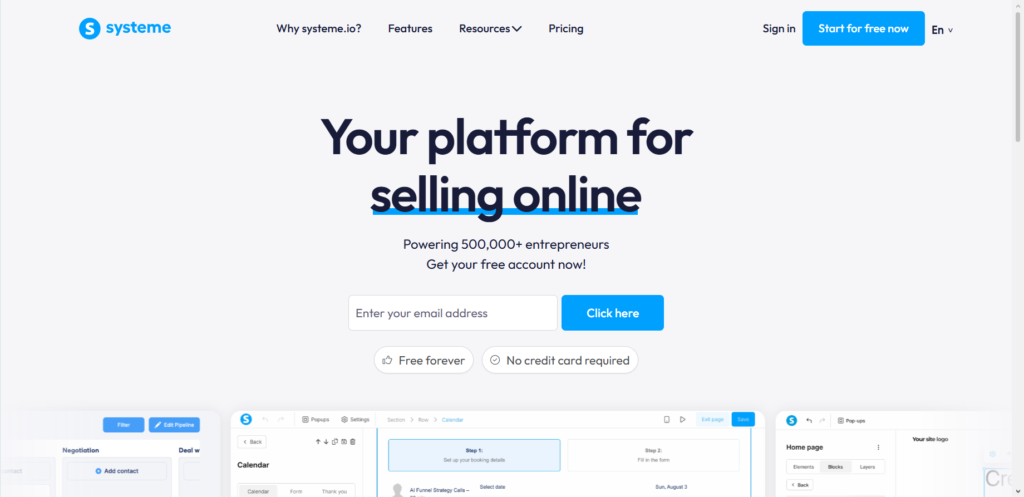
I use Systeme.io for all my client funnels because it handles everything under one roof: sales pages, emails, checkout, and automation. I’ve used it to launch everything from simple ebooks to high-ticket courses, and in this post, I’ll show you exactly how to build a funnel for your own product launch.
What You Will Need Before Starting
You need an active Systeme.io account. The free plan allows you to create funnels, add up to 2,000 contacts, and sell digital products, which is perfect for getting started.
You also need your product ready. This can be a digital download, an online course, a physical product, or even a service offer. Additionally, you need at least one pricing plan set up. It doesn’t matter if it’s a one-time payment or a subscription; just have your price ready.
Having your sales copy and images prepared beforehand will make the process much faster. Nothing kills launch momentum like having to stop to write a headline.
Pre-Launch Setup: Configuring Your Systeme.io Account for Success
Before you build the funnel, take 10 minutes to set up the backend correctly. This small step saves hours of troubleshooting later.
The $0 Secret To Launching Your Entire Online Empire
Why pay hundreds every month for separate software? Build funnels, send emails, and make sales with Systeme.io completely free.
Get Started For $0Free Forever • No Credit Card Needed • Beginner-Friendly
First, connect your payment gateways. Navigate to Settings > Payment Gateways and connect your Stripe or PayPal account. Systeme.io does not hold your funds; it simply passes the payment to your gateway, which sends the money directly to your bank account.
Next, set up your email settings. Go to Settings > Email Settings and verify your sending domain. Using your own domain (like [email protected]) makes your emails look more professional and improves deliverability compared to using a generic address.
Step-by-Step Guide to Building Your Product Launch Funnel
1. Create a New Sales Funnel
Log into your Systeme.io dashboard. On the left sidebar, click the Funnels tab. Then click the green Create button. Give your funnel a name that matches your product, for example, “Product Launch – [Your Product Name].” Choose a template that fits your goal. For a product launch, the Sales Funnel or Product Launch templates work well.
2. Add Your Opt-in Page (Lead Capture)
The first step of your funnel is where you collect email addresses. Click Add step in the left menu of your funnel builder. From the Type dropdown, select Opt-in page. Choose a template or build from scratch, then click Save.
Open the page editor. You will see a drag-and-drop interface. Find the Form element in the sidebar and drag it onto your page. Click on the form to edit its settings.
Add an email field (required) and any other fields you want, such as first name. Place a Button element on the page, click it, and under Action when button clicked, select Submit form.
I recommend redirecting people to the next step of your funnel after they submit. In the button settings, under Do you want to redirect users after contact registration?, choose To the next step. This moves them immediately to the next page.
3. Build Your Thank You / Confirmation Page
Add another step to your funnel, but this time select Thank you page as the Type. This page serves two purposes: it confirms their subscription and delivers any free lead magnet you promised. Write a short message thanking them and include a button that says something like “Click here to access your free guide.”
4. Create Your Sales Page
This is the most important page. It is where you will sell your product. Add a new step to your funnel and select Sales page. Systeme.io offers several templates designed specifically for sales pages. Choose one that feels right for your brand.
When editing your sales page, focus on benefits, not just features. Use a clear headline that states the main outcome your product provides. Add images or a video to show your product in action. Include testimonials or social proof near the call-to-action button. Keep the page focused on one goal: getting the visitor to click the buy button.
5. Set Up Your Order Form (Checkout Page)
Add a new step and select Order form. This is where customers will enter their payment details. Once the page is created, click Edit page to open the editor.
In the editor, you need to configure the offer. Click on the product area in the order form. Choose the type of offer (Digital product or Physical product). Then select or create the specific product you are selling. You will also need to attach a price plan here, so make sure you have created one in the Products section of your dashboard.
Here is a tip: Systeme.io allows you to add an order bump on this page. An order bump is a low-cost add-on that appears right on the checkout page. For example, if you are selling a course, you might add a downloadable workbook for $10. This is an easy way to increase your average order value without creating a whole new sales pitch.
6. Add Upsells and Downsells (Optional but Recommended)
An upsell is a higher-value offer presented to the customer immediately after they purchase. A downsell is a cheaper alternative offered if they decline the upsell.
To add an upsell, click Add step in your funnel. In the popup, select Upsell as the Type. Choose a template and click Save. The upsell page must be placed directly after the order form in your funnel sequence.
Send, Spend & Hold Money Worldwide Without Hidden Fees
Transfer money internationally at the real exchange rate and hold 40+ currencies in one account.
Open a Wise AccountMid-market rate • Fast transfers • 40+ currencies
In the upsell page editor, you need to choose what you are selling. Select Digital product from the offer types and click the + to set up a new product.
You also need to add a resource, such as a course or a tag, so the customer gets access after payment. Do not forget to add both an Accept button and a Decline button on the page. The Decline button should send the customer to the next step, which could be a thank you page or a downsell.
If the customer declines your upsell, you can present a downsell. Add another step, select Downsell, and follow the same process. The key difference is that a downsell should be lower in price than the original upsell. This sequence captures revenue that would otherwise be lost.
7. Connect Everything with Automation
Automation is what turns your funnel from a collection of pages into a system that works while you sleep. Systeme.io uses triggers and actions: a trigger is something that happens (like a purchase), and an action is what the system does in response (like sending an email).
For a product launch, I always set up two main automations. First, after a purchase, you want to automatically grant product access. Go to Automations > Rules and create a new rule. Set the trigger to “Contact buys a product” and select your product. Set the action to “Enroll in course” or “Add tag” depending on how you deliver your product.
Second, you need to send a welcome email sequence to new leads who opt in but do not buy immediately. Go to Emails > Campaigns and create a new campaign. Write 3 to 5 emails that deliver value and build trust. Then go back to Automations > Rules and create a rule that triggers when a contact submits your opt-in form. The action should be “Subscribe to campaign,” and you select the campaign you just created.
Testing Your Funnel Before Launch Day
Testing is the most important step that many people skip. I learned this the hard way when a checkout page error cost me sales for an entire weekend.
First, test your opt-in form. Go through your funnel as if you were a customer. Enter your own email address and see if you receive the confirmation or thank you page correctly.
Second, make a test purchase. Use Stripe’s test mode or PayPal’s sandbox environment to simulate a real transaction. Do not use your real credit card. Complete the full purchase, including any upsells or downsells, and verify that you receive the product access and any automated emails.
Third, check every link and button on each page. Broken links create friction, and friction kills sales.
The $0 Secret To Launching Your Entire Online Empire
Why pay hundreds every month for separate software? Build funnels, send emails, and make sales with Systeme.io completely free.
Get Started For $0Free Forever • No Credit Card Needed • Beginner-Friendly
Optimizing Your Funnel for Higher Conversions
Small tweaks can produce big results. Start with your headlines. Your headline is the first thing people see, so it must clearly state what your product does and why it matters. Use benefit-driven language instead of just listing features.
Use strong, clear call-to-action (CTA) buttons. Each page in your funnel should have one primary goal. For example, your sales page should have one clear buy button, not multiple competing links. A single focus CTA reduces confusion and improves conversion rates.
Social proof is also essential. Include testimonials, case studies, or user-generated content on your sales page. Transformation stories work best: show where the customer started, how your product helped them, and where they are now. This kills objections before they even form in the prospect’s mind.
Keep your order form simple. Ask for only the information you absolutely need: name, email, and payment details. Every extra field is a reason for someone to abandon their purchase.
Launch Day: Going Live with Your Funnel
When you are ready to launch, you need to change your payment gateway from test mode to live mode. Then, add your funnel link to your website, social media profiles, email signature, and any ads you are running. Announce the launch to your email list first. Your existing subscribers are your warmest audience and are most likely to buy.
Monitor your analytics within Systeme.io during the first 24 to 48 hours. Look at how many people reach each step of your funnel. If you see a big drop-off between your sales page and your order form, the issue might be your price or your call-to-action. If the drop-off is between the order form and the thank you page, the problem is likely technical, such as a payment gateway error.
After the first week, review your sales data. Look at which traffic sources are bringing in buyers, not just visitors. Double down on what is working and cut what is not.
Common Mistakes to Avoid
I have seen entrepreneurs make the same mistakes over and over. One common mistake is skipping the lead capture step. Some people send traffic directly to a sales page. This works if the visitor is ready to buy right now, but most people need time to trust you. Capturing an email allows you to follow up and convert them later.
Another mistake is overcomplicating the funnel. You do not need ten steps and five upsells for your first launch. A simple funnel with an opt-in page, a sales page, and an order form is enough to start. You can always add more steps later based on real data.
Forgetting to automate product delivery is also a common oversight. I once had a client who received angry emails from customers because no one received the course they paid for. The issue was a missing automation rule. Double-check that every purchase triggers the correct access or download link.
Ignoring mobile optimization is another mistake. Many people will view your funnel on their phones. Test every page on a mobile device to ensure the text is readable and the buttons are easy to tap.
Frequently Asked Questions
How much does Systeme.io cost to build a product launch funnel?
Systeme.io has a free plan that includes funnels, email marketing, and up to 2,000 contacts. You can launch a complete product funnel without paying anything. Paid plans start at $17 per month and remove limits and add advanced features.
Do I need technical skills to build a funnel on Systeme.io?
No. Systeme.io uses a drag-and-drop editor. You do not need to know code or hire a developer. If you can use a word processor, you can build a funnel.
Can I sell physical products through Systeme.io?
Yes. When setting up your order form, you can select Physical product as the offer type. Systeme.io handles the payment processing, but you will need to manage shipping separately.
How long does it take to build a complete funnel?
A basic funnel with an opt-in page, sales page, and order form takes about one to two hours. Adding upsells, downsells, and email automation might add another hour. Most of my clients have their funnel live within a single afternoon.
What happens after someone buys my product?
You set up automation rules to handle this. Typically, the customer receives a confirmation email with access instructions, and any tags or course enrollments are applied automatically.
Conclusion
A product launch funnel in Systeme.io is not just about technology. It is about creating a clear path for your customer, from first hearing about your product to becoming a happy buyer.
The steps I have shared here come from real launches I have managed for myself and for clients. Some worked beautifully on the first try. Others required testing and tweaking. The important thing is to start.
You now have a complete blueprint. Your next step is to open your Systeme.io account and begin building. Start with the opt-in page. Then add your sales page. Then connect the checkout. Do not wait for perfect conditions or the right moment. They do not exist.
I am curious to hear from you. What product are you planning to launch, and which part of the funnel feels most challenging for you right now? Drop your thoughts in the comments.
