
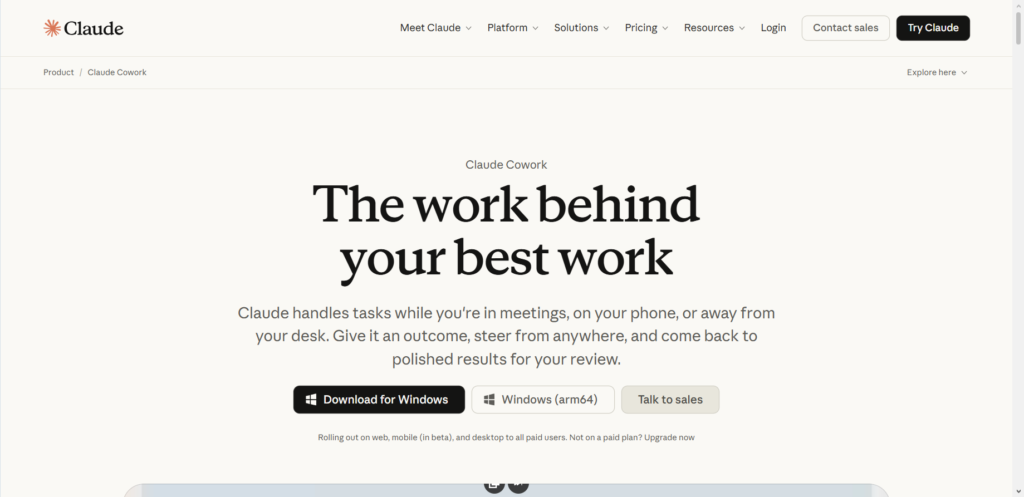
Imagine kicking off a heavy work task on your laptop at the office, shutting the screen, and grabbing lunch. While you walk to a nearby cafe, an artificial intelligence assistant keeps organizing your messy spreadsheets, drafting project updates, and sorting through client feedback in the background. By the time you sit down with your food, a notification pops up on your phone letting you know the job is finished and ready for your review.
This scenario is exactly what Anthropic is making possible. The company recently announced that it is bringing its powerhouse agentic AI tool, Claude Cowork, to both web browsers and mobile devices.
Initially, this feature was locked inside the Claude desktop application. Limiting the tool to desktops meant you had to stay glued to a physical monitor to ensure the AI completed its work.
With this fresh expansion, the boundaries are coming down. Knowledge workers can now manage heavy administrative tasks from a smartphone or any web browser.
What is Claude Cowork?
Before we look closely at the new updates, let’s understand what this tool does. Most people are familiar with classic AI chatbots. You type a prompt, it gives you a quick answer, and then you type another prompt. It is a back-and-forth conversation that requires your constant attention.
The $0 Secret To Launching Your Entire Online Empire
Why pay hundreds every month for separate software? Build funnels, send emails, and make sales with Systeme.io completely free.
Get Started For $0Free Forever • No Credit Card Needed • Beginner-Friendly
Claude Cowork functions differently. Instead of answering single questions, it is an agentic AI. This means it acts as an autonomous digital assistant. You give it a high-level goal, and it performs a long sequence of multi-step tasks to achieve that outcome. It can look through a folder full of scattered files, extract relevant information, combine that data into a clean report, and save the final draft without you needing to guide every single click.
It is built specifically to take over the tedious, repetitive digital chores that eat up hours of your work week. Instead of focusing heavily on software programming, this assistant handles general office administration and everyday operations.
The Big Upgrade: Moving to the Cloud
The biggest change with the mobile and web launch is how the AI processes your tasks. Previously, the desktop app relied heavily on your actual computer to run the sessions. If your computer went to sleep or lost internet access, the AI stopped working.
Now, Claude Cowork sessions default to running remotely on Anthropic’s cloud servers. This structural shift completely changes how you interact with the software.
- True Background Processing: When you hand a project over to the AI, it runs in the cloud. You can close your laptop screen, turn off your computer, or completely lose your cell signal, and the tool will keep working.
- Device Continuity: Because your files and active sessions live safely within your cloud-based account, they follow you everywhere. You can start a research project on your home computer, monitor the progress on your phone during a commute, and open the finished result on an office desktop.
- Instant Mobile Alerts: You do not have to sit around watching a progress bar. The mobile application will send a push notification to your phone the moment the assistant finishes a project or needs you to make an executive decision.
Most People Aren’t Coding With It
When tech companies talk about autonomous AI agents, people often assume these tools are built strictly for software engineers. However, Anthropic shared some surprising usage statistics that show a completely different trend.
An analysis of over 1.2 million anonymous sessions across hundreds of thousands of organizations revealed that the vast majority of users are non-technical staff. Software development only made up a tiny 8.7% of total usage.
Instead, people are using the tool to handle what developers call “the work around the work.” These are the universal administrative tasks that exist in almost every job but rarely appear in a formal job description.
| Top Usage Categories | Percentage of Total Work Sessions | Real-World Examples |
| Business Processes & Operations | 33.4% | Reconciling spreadsheets, sorting data, creating onboarding checklists |
| Content Creation & Copywriting | 16.4% | Drafting blog posts, building presentation decks, writing proposals |
| Software Development & Coding | 8.7% | Writing code scripts, debugging applications |
| DevOps & Infrastructure | 7.0% | Managing servers, tracking technical systems |
The numbers show that general business operations and content generation make up half of everything the assistant does. It is picking up the slack on tasks like turning dense legal contracts into simple renewal trackers or pulling scattered email updates into a single weekly status report.
How to Use the Tool Across Different Devices
Using the system across your devices is designed to be straightforward. The overall workspace has been streamlined so that your standard AI chats and your autonomous projects live under one roof.
Starting a Task on the Web
If you open your web browser and navigate to Claude.ai, you will find a unified message box on your home tab. In the bottom left corner of that box, you can toggle between a standard “Chat” or a “Cowork” session. Once you select the workspace option, you simply type out the project goal in plain English, hit send, and let the cloud servers take over.
Tracking Progress on Mobile
If you are on the move, you can open the official Claude app on iOS or Android. You will see your active remote sessions listed inside your account history. You can open a live session to see exactly what step the AI is currently working on. If it hits an ambiguous point—like choosing between two different formatting styles—it will pause, send a mobile alert, and wait for your text input before moving forward.
Deep Work on the Desktop App
While the web and mobile versions offer great flexibility, the downloadable desktop app remains the most powerful version of the tool. Certain advanced tasks require direct interaction with your physical computer. For example, if you need the AI to open local folders on your hard drive, interact with local data connectors, or use a web browser through a local plugin, you will still need to keep the desktop app open on your machine.
The cloud system can interact with your connected local folders, but it can only read and write to them while your physical desktop computer is turned on and online.
Safety and Control Remain in Your Hands
Letting an AI handle multi-step workflows independently can sound a bit intimidating. To address this, the software is built with strict safety rails and human oversight at its core.
The system does not finalize major outputs or make high-level decisions completely on its own. It acts as an assistant that prepares everything for your final stamp of approval. If it builds a spreadsheet or drafts an outreach email, the final document is held in a review state. You have the ultimate say to check the work, edit the details, and decide when it is ready to be used or sent out.
Send, Spend & Hold Money Worldwide Without Hidden Fees
Transfer money internationally at the real exchange rate and hold 40+ currencies in one account.
Open a Wise AccountMid-market rate • Fast transfers • 40+ currencies
Who Gets Access First?
The expansion is currently launching in a beta phase. Anthropic is rolling out the feature to subscribers on their top-tier Max plan first. Over the following weeks, access will steadily expand to users on other paid tiers, such as the Pro plan.
To encourage early adoption and give people plenty of room to test the new cross-device functionality, the company has doubled its temporary usage limits through August 5. This gives power users an excellent opportunity to throw heavy, complex data sets and long research tasks at the system to see how well it handles background processing.
Frequently Asked Questions (FAQs)
Do I need to know how to code to use Claude Cowork?
Not at all. The system understands normal, everyday English. You can assign tasks by typing simple instructions, just like you would when delegating work to a human assistant or colleague.
Will the AI keep working if I turn off my phone or laptop?
Yes. Because tasks now run on remote cloud servers by default, the session keeps executing even if your physical devices are completely powered down or disconnected from the internet.
Can the mobile app access local files stored on my laptop?
The mobile app itself cannot directly browse your laptop’s hard drive. However, if you leave your laptop turned on with the desktop app open, a remote session running on your phone can interact with any folders you previously connected and approved on that laptop.
Is my business data safe when using remote sessions?
Anthropic designs its products with data privacy in mind. Data safety protocols ensure that your documents and sessions are isolated within your secure account. The AI operates under strict boundaries, and nothing is finalized without your review.
Final Thoughts
The move to bring autonomous workflows to web browsers and mobile apps marks an exciting shift in the AI landscape. It changes the technology from a destination you have to visit at your desk into a flexible companion that works quietly in the background wherever you are.
By tackling “the work around the work,” this update makes it easier than ever for remote workers, managers, and creative professionals to stay productive without being trapped in front of a computer screen all day.
