
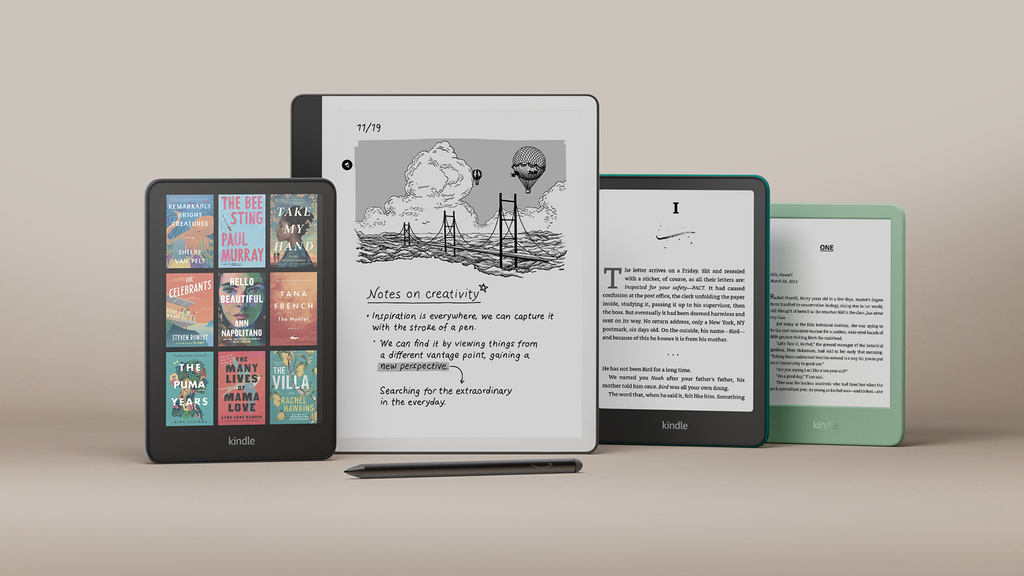
Amazon has officially retired the Kindle Unlimited name and replaced it with Kindle+. If you opened your reading app this week and noticed a fresh plus sign sitting next to the Kindle logo, you are not imagining things. The world’s largest online bookseller has launched a full makeover for its popular book subscription.
This update brings more than just a fresh coat of paint and a new logo. Amazon is adding thousands of new audiobooks, bringing artificial intelligence into digital storytelling, and aligning its book platform with the rest of the modern streaming world.
If you read books every day, borrow romance novels on the weekend, or listen to thrillers on your morning walk, this change directly touches your digital bookshelf. Here is everything you need to know about the switch to Kindle+, how much it costs, what happens to your borrowed books, and why Amazon made this move right now.
Why Amazon Dropped Unlimited for a Plus Sign
Amazon launched Kindle Unlimited back in 2014. When it started, the service gave members access to around 600,000 ebooks and a handful of audio titles for $9.99 a month. Over the last twelve years, that library exploded to more than five million digital books, comics, magazines, and graphic novels.
Even though the library grew massive, the word “Unlimited” started to feel dated. In the early days of digital media, companies slapped “unlimited” on everything from phone data to music plans. Today, every major digital entertainment platform uses a plus sign. You see it on Disney+, Apple TV+, Paramount+, and ESPN+. By changing the name to Kindle+, Amazon is modernizing its brand image and making it clear that this membership is a premium entertainment pass, not just an old digital book club.
The $0 Secret To Launching Your Entire Online Empire
Why pay hundreds every month for separate software? Build funnels, send emails, and make sales with Systeme.io completely free.
Get Started For $0Free Forever • No Credit Card Needed • Beginner-Friendly
Industry reports from Good e-Reader and ZDNet confirm that the renaming rolled out globally across Amazon’s apps, devices, and storefronts. But the name change is also an admission that people consume stories differently today. People do not just sit on a couch and flip pages on an e-reader. They switch between reading on a phone screen, reading on an e-ink display, and listening through wireless earbuds while driving or doing household chores. Kindle+ is built to represent that mixed style of reading and listening.
The Price, the Rules, and Your Monthly Bill
Whenever a tech company rebrands a beloved subscription, users immediately worry about a price hike. The good news is that Amazon kept the price steady for now.
In the United States, Kindle+ costs $11.99 per month plus applicable local taxes. That matches the exact rate Kindle Unlimited charged after its last price adjustment. For readers in the United Kingdom, Canada, Australia, and across Europe, monthly fees will continue at their current local tier rates.
The core mechanics of the service also stay the same:
- Monthly Fee: $11.99 per month in the United States.
- Borrowing Limit: You can borrow and keep up to 20 titles at a single time on your account.
- No Due Dates: There are no return deadlines or late fees. You can keep a book in your library for three days or three years, as long as your membership stays active.
- Device Access: You can read on any standard Kindle device, a Fire tablet, an iPad, an Android smartphone, a laptop browser, or an Alexa-enabled smart speaker.
- Prime Separation: Kindle+ is still completely separate from an Amazon Prime membership. You do not need Amazon Prime to subscribe to Kindle+, and having Prime does not give you free access to the full Kindle+ library.
If you already have a paid subscription, you do not have to update your billing card or buy a new plan. Amazon automatically transitioned all existing active subscriptions to the Kindle+ branding behind the scenes.
What Happens to Your Current Library and Saved Books?
If you had twenty books checked out before the announcement, do not panic. You will not lose your saved books, your reading records, or your personal notes.
Amazon made sure that your personal reading data moved straight over into the new system. Here is what happens to your account items:
- Your Borrowed Books: Every title currently resting on your digital carousel stays there. You do not have to search for them or download them again.
- Your Highlights and Notes: Every sentence you underlined and every note you scribbled in the margins will remain right where you left it.
- Your Reading Progress: Whispersync continues to work as expected. If you stopped reading on page 142 on your Kindle e-reader, opening the Kindle app on your phone will still drop you on page 142.
- Your Reading Streaks: Your Kindle reading challenges, weekly goal tracking, and yearly reading achievements remain completely intact.
You will see the Kindle+ label on product pages when browsing Amazon, and your monthly bank statement will eventually reflect the new name, but your daily reading flow stays smooth.
The Big Addition: Thousands of Audiobooks and AI Voices
The biggest functional change inside Kindle+ is Amazon’s aggressive push into audio.
For years, Kindle Unlimited offered a small selection of books with “free narration.” While that was a neat perk, the audio catalog was relatively small compared to the millions of ebooks on the service. If you wanted serious audiobook access, Amazon steered you toward its sister company, Audible, where you had to buy credits or pay for a separate Audible membership.
With Kindle+, Amazon is closing that gap. The platform now includes a much larger catalog of audiobooks that you can stream or download without paying an extra dime.
The Rise of Virtual Voice Narration
This is where the story gets interesting—and somewhat controversial.
A large portion of the new audio titles joining Kindle+ are read by artificial intelligence rather than human voice actors. Amazon calls this technology Virtual Voice.
Virtual Voice is a feature developed inside Amazon’s Kindle Direct Publishing platform. It gives self-published writers a fast, zero-cost way to turn their written manuscripts into full audiobooks using synthetic computer voices.
In the traditional publishing industry, creating an audiobook is expensive. Hiring a professional voice actor, booking a recording studio, and paying an audio engineer can easily cost an independent author between $1,500 and $5,000 for a single book. Because of that cost, hundreds of thousands of indie books never got an audio version.
Send, Spend & Hold Money Worldwide Without Hidden Fees
Transfer money internationally at the real exchange rate and hold 40+ currencies in one account.
Open a Wise AccountMid-market rate • Fast transfers • 40+ currencies
By rolling out Virtual Voice inside Kindle+, Amazon allows authors to generate an audiobook in a matter of hours. You can choose different accents, tones, and voice styles.
For readers, this means you can now listen to niche books, self-published fantasy series, indie mysteries, and nonfiction guides that never had an audiobook before. But it also raises concerns about voice quality and the displacement of real human voice performers. While the technology has improved significantly from the robotic voices of the past, many listeners still prefer the emotional depth and subtle delivery that only a skilled human narrator brings to a complex scene.
Amazon clearly marks these titles in the store, so you will always know whether you are listening to a professional human narrator or an AI voice before you press play.
What This Change Means for Authors and KDP Royalties
Behind every book in the Kindle catalog is an author trying to make a living. The original Kindle Unlimited service completely changed the publishing economy when it created the KDP Select program. Under that system, authors who agreed to give Amazon exclusive digital rights to their ebooks were placed into the program and paid out of a massive monthly community pool called the KDP Select Global Fund.
Instead of earning money when someone buys a copy, authors in the program get paid based on the total number of pages read by subscribers. If a subscriber opens a book and reads 100 pages, the author receives a micropayment for those 100 pages. In recent years, that payout rate has hovered around $0.004 to $0.005 per page.
With the launch of Kindle+, writers have a lot of questions:
- How does audio affect page reads? When a subscriber listens to an AI-narrated or human-narrated audiobook through Kindle+, how does Amazon calculate that listening time? Amazon is using an equivalent listening metric that converts audio completion percentages into standardized page reads, ensuring creators receive credit from the shared fund.
- Will AI audio reduce book purchases? Some writers worry that having free AI audiobooks readily available will cut into their sales of premium audiobooks on Audible. Others see it as a helpful bonus that reaches readers who never buy individual audiobooks anyway.
- Exclusivity rules remain: To keep a book inside Kindle+, authors must still keep their digital ebooks exclusive to Amazon. You cannot sell your digital book on Apple Books, Kobo, or Barnes & Noble if it is enrolled in the program.
For indie writers, Kindle+ will remain one of the biggest sources of monthly income. The authors who figure out how to take advantage of the expanded audio features early will likely gain an edge in visibility.
Kindle+ vs. Audible vs. Prime Reading
Amazon now has three different subscription services that touch books and reading. It is easy to get confused about what each service actually offers. Here is how they compare against each other in simple terms.
1. Amazon Prime Reading
- What you pay: Included at no extra charge with an Amazon Prime membership ($14.99 per month or $139 per year).
- Catalog size: A rotating collection of roughly 2,000 to 3,000 books, short stories, and magazines.
- Borrow limit: Up to 10 books at a time.
- Best for: Casual readers who already pay for Prime for free shipping and Prime Video, and only want an occasional bestseller or magazine to read on vacation.
2. Kindle+ (Formerly Kindle Unlimited)
- What you pay: $11.99 per month.
- Catalog size: More than five million ebooks, thousands of comics, magazines, and a growing library of audiobooks.
- Borrow limit: Up to 20 titles at a time.
- Best for: Voracious readers who read two or more books every single month, fans of romance, fantasy, thrillers, and indie literature, and people who like dipping into audiobooks without paying per title.
3. Audible Premium Plus
- What you pay: $14.95 per month.
- Catalog size: You get one credit per month to permanently keep any premium audiobook from any major publisher, plus unlimited streaming access to the Audible Plus catalog of original podcasts and select audiobooks.
- Best for: Serious audiobook lovers who want the newest celebrity memoirs, top-tier Hollywood narrations, and big-name mainstream bestsellers that are rarely included in streaming catalogs.
If your primary goal is reading ebooks on a screen and enjoying casual audiobooks, Kindle+ gives you the most volume for your dollar. If you only care about top-grade professional voice productions of the biggest new releases from major New York publishers, Audible remains the leader.
Why Competition Forced Amazon to Make This Move
Amazon did not rename this service and expand audio out of pure generosity. Digital reading and audio streaming have become fiercely competitive spaces.
The $0 Secret To Launching Your Entire Online Empire
Why pay hundreds every month for separate software? Build funnels, send emails, and make sales with Systeme.io completely free.
Get Started For $0Free Forever • No Credit Card Needed • Beginner-Friendly
Over the past two years, Spotify made a massive push into audiobooks. Spotify gave its Premium music subscribers 15 hours of free audiobook listening every month, instantly turning tens of millions of music fans into audiobook consumers. Spotify also struck deals with AI voice platforms like ElevenLabs to introduce computer narration, putting serious pressure on traditional spoken-word platforms.
At the same time, services like Scribd (now Everand) continue to offer combined packages of ebooks, audiobooks, and sheet music under a single flat monthly fee. Public libraries have also made it much easier for people to borrow digital titles through apps like Libby and Hoopla without paying anything at all.
By upgrading Kindle Unlimited to Kindle+ and building out an audio powerhouse, Amazon is defending its home turf. They want to make sure you never have to leave the Kindle ecosystem to find a good story, whether you want to read it with your eyes or hear it with your ears.
Hardware Synergy: Reading on the New Kindle Devices
The timing of this rebrand also matches Amazon’s newest lineup of hardware devices.
Amazon recently refreshed its core e-reader family, introducing faster processors, improved battery life, and the eye-catching Kindle Colorsoft, Amazon’s very first full-color e-ink device.
Reading on an e-ink screen is much easier on the eyes than staring at a bright glass smartphone or computer monitor. With color e-ink now part of the lineup, Kindle+ members can read color comic books, graphic novels, travel guides, and illustrated cookbooks directly on their Kindle screens.
Additionally, modern Kindle devices feature built-in Bluetooth. That means you can pair a set of wireless headphones directly to your Kindle Paperwhite or Kindle Colorsoft. You can read a chapter in text mode while resting in a chair, pop your earbuds in, and switch straight into the audio version while making dinner, without touching your smartphone.
Is Kindle+ Worth Your Money?
Twelve dollars a month adds up to roughly $144 per year. Is that price tag worth it for you?
When Kindle+ Is Worth It:
- You read three or more books a month. Since most individual digital books cost anywhere from $4.99 to $14.99 to buy outright, finishing just two or three books a month easily pays for the entire subscription.
- You love binge-reading series. Romance, cozy mysteries, urban fantasy, and sci-fi sagas thrive on Kindle+. Many independent authors publish entire ten-book series on the service, meaning you can read through hundreds of chapters without paying extra.
- You love listening to audio on the go. Having access to thousands of audio titles without burning through expensive Audible credits adds major everyday value.
- You read fast. Because there are no due dates, fast readers can borrow, finish, return, and grab another book in a matter of minutes.
When You Should Skip Kindle+:
- You only read books by big celebrity authors and legacy publishing houses. While Kindle+ has millions of books, many blockbuster releases from major New York publishers (like Penguin Random House or HarperCollins) are not included in the subscription. Those publishers prefer selling their titles individually for full price.
- You only finish one book every few months. If you are a slow reader who takes six to eight weeks to finish a novel, you are better off buying individual ebooks or borrowing them for free from your public library using Libby.
- You cannot stand synthetic voices. If computer-generated narration bothers your ears and you only want high-end theatrical voice performances, the new AI audio library will not appeal to you.
How to Manage, Sign Up, or Cancel Kindle+
Managing your Kindle+ account is very straightforward. You do not need to call customer service or jump through complicated hoops.
If You Want to Sign Up:
- Go to the official Amazon website or open your Kindle app on Android or a Fire tablet.
- Search for Kindle+ in the main search bar.
- Amazon frequently offers a 30-day free trial for first-time subscribers or returning users who have been away for a while.
- Click Start your 30-day free trial and confirm your payment details.
- You can immediately begin browsing and downloading books.
If You Want to Cancel:
If you try the service and realize you are not reading enough to justify the price, you can cancel in under two minutes:
- Open Amazon and click on your account profile in the top menu.
- Select Memberships & Subscriptions.
- Locate Kindle+ in your active list.
- Click Cancel Kindle+ Membership.
- Amazon will keep your membership active until the end of your current paid billing period. After that date, your borrowed books will simply disappear from your library, but any personal notes and highlights you made will be saved on your account if you ever decide to return.
Frequently Asked Questions
Did Kindle Unlimited change its name to Kindle+?
Yes. Amazon has officially phased out the Kindle Unlimited name and replaced it with Kindle+ across all its platforms, apps, and storefronts.
Did the monthly price go up with the rebrand?
No. The subscription stays at $11.99 per month in the United States. Existing members will continue paying their usual rate without any surprise fee increases.
Do I lose my borrowed books during the transition?
Not at all. Every book, magazine, and comic currently in your borrowed library remains in place. Your highlights, bookmarks, notes, and reading progress transfer over automatically.
How many books can I keep at one time on Kindle+?
You can keep up to 20 books borrowed at one time. Once you reach that 20-book limit, you will need to return one title before borrowing a new one.
Are all the new audiobooks narrated by artificial intelligence?
No. While Kindle+ introduces a large catalog of AI-narrated audiobooks created through Amazon’s Virtual Voice tool, the service also includes thousands of audiobooks performed by professional human narrators. Amazon labels each title clearly so you can choose which narration style you prefer.
Is Kindle+ included for free with Amazon Prime?
No. Kindle+ remains an independent membership. Amazon Prime members get access to a separate, smaller catalog called Prime Reading, but Prime Reading contains only a tiny fraction of the titles available on Kindle+.
Can I read Kindle+ books on non-Amazon devices?
Yes. You do not need to own a physical Kindle device. You can download the free Kindle app on iPhones, iPads, Android smartphones, tablets, PC laptops, and Mac computers.
What This Move Really Means for Readers
The retirement of Kindle Unlimited marks the end of an era for digital reading, but Kindle+ represents a practical step toward where entertainment is going. By bringing audiobooks directly into the main reading catalog and adopting modern streaming standards, Amazon is making reading more flexible and accessible for everyday schedules.
Whether you love flipping through pages on an e-reader or listening to stories through your headphones during your afternoon workout, having more than five million books and audio titles at your fingertips for twelve bucks a month is one of the strongest entertainment deals on the web.
What do you think about Amazon using artificial intelligence to narrate audiobooks? Does the plus sign make you more likely to jump into the service, or do you prefer holding physical paperbacks in your hands? We want to hear your thoughts.
