
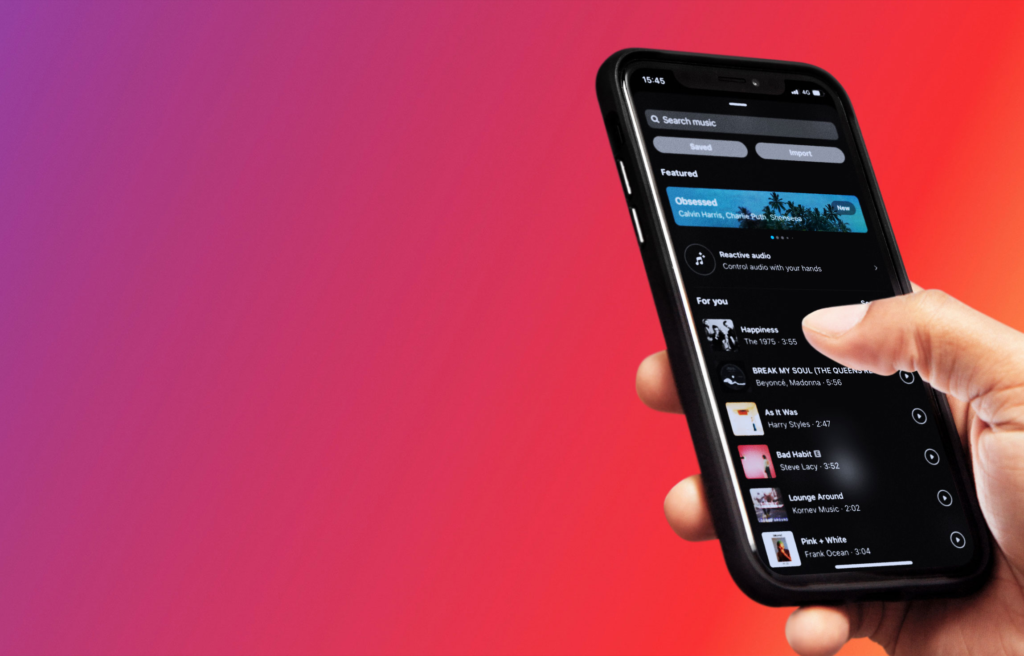
We all have old photos and videos sitting quietly on our Instagram profiles. Maybe you uploaded a great carousel of photos from a beach trip three years ago, but the song you picked makes you wince when you play it back now. Or maybe you went back to look at a memorable video, only to discover that Instagram muted the sound completely because of copyright licensing issues.
For a long time, you had no real way to fix this problem. Your only choices were to live with the bad track, leave the video completely silent, or delete the post entirely. Deleting a post meant losing every single like, comment, and memory attached to it.
That long period of frustration is finally over. Instagram has rolled out a feature that allows users to change or add music to older posts without deleting them. This simple update gives everyone a chance to fix past mistakes, revive muted videos, and make their profile look and feel fresh.
The Problem With Old Instagram Audio
To understand why this update is such a big deal, it helps to look at how music on social media works. Trends change quickly online. A track that felt exciting and trendy two years ago might feel completely out of date today.
As your personal style changes, the music attached to your older posts can start to feel out of place. Your profile acts like a digital portfolio or photo album. Having outdated or cringeworthy songs attached to your favorite memories can ruin the experience of looking back through your feed.
The $0 Secret To Launching Your Entire Online Empire
Why pay hundreds every month for separate software? Build funnels, send emails, and make sales with Systeme.io completely free.
Get Started For $0Free Forever • No Credit Card Needed • Beginner-Friendly
Outdated Trends and Changing Tastes
Music trends on social media move faster than almost anything else. A song can dominate the internet for two weeks and then become completely annoying a month later.
When you attach a trending audio track to a photo post, you lock that moment in time. Three years later, that photo might still look incredible, but the soundtrack ruins the mood. Being able to swap out the audio lets you match your old content with your modern aesthetic.
The Dreaded Muted Sound Banner
An even bigger problem for Instagram users has been sudden audio removal. Music labels constantly update their licensing agreements with tech platforms. When a contract expires or negotiations break down, thousands of songs disappear from Instagram overnight.
When that happens, Instagram automatically mutes any post using that song. A gray banner appears across your video or carousel, informing visitors that the audio is no longer available. This left millions of posts sitting on the platform in complete silence, ruining user profiles through no fault of their own.
If you like staying updated on social media trends and smart tech updates, check out our technology and AI section on WhatsBuzzn for more insights into how modern apps are evolving.
Why Instagram Finally Released This Feature
Instagram did not add this option by accident. The decision came after years of feedback from regular users, influencers, and business owners who were frustrated by muted content and locked audio settings.
Social media platforms want users to stay on their apps as long as possible. When users feel embarrassed by old posts or frustrated by muted videos, they are less likely to share their profile with others. Giving users full control over their audio fixes this problem cleanly.
Addressing Creator Feedback
Content creators spend hours editing, shooting, and publishing posts. When a post performs well, it becomes a permanent part of their digital portfolio.
When Instagram muted older posts due to music rights, creators lost valuable pieces of their work. Creators pushed hard for a solution that would let them replace missing audio files without wiping out their likes, comments, and analytics.
Solving Licensing Conflicts
Music licensing in the digital world is complicated. Major record labels frequently renegotiate terms with social platforms. By giving users the tool to swap out audio tracks, Instagram protects its platform from broken or silent content whenever a song gets removed from its library.
If you build content across multiple online platforms, managing your media library efficiently is essential. Take a look at our guide on YouTube automation to see how creators streamline their digital workflows across different channels.
How to Change or Add Music to Your Old Posts
Swapping or adding a track to an old post is simple. You do not need any third-party editing applications or complex software. Everything happens right inside the official Instagram app.
Here is the exact step-by-step process you can follow on your phone.
Method for Photo and Carousel Posts
If you have a single photo or a slide deck of photos on your profile grid, follow these steps to edit the music:
- Open the Instagram app and tap your profile picture in the bottom right corner.
- Scroll down your feed and tap on the post you want to update.
- Tap the three small dots located in the upper right corner of the post.
- Select the Edit option from the pop-up menu.
- Look at the top center or top left of your photo where your username appears. You will see an option that says Add Audio or Change Audio.
- Tap that option to open the Instagram music library.
- Use the search bar to find the specific song or sound you want to use.
- Drag the audio bar to select the exact section of the track you want to play.
- Tap Done or the checkmark icon in the top right corner to save your changes.
Once you hit save, the new song attaches to your post immediately. Everyone visiting your profile will now hear the updated track.
Send, Spend & Hold Money Worldwide Without Hidden Fees
Transfer money internationally at the real exchange rate and hold 40+ currencies in one account.
Open a Wise AccountMid-market rate • Fast transfers • 40+ currencies
Method for Replacing Muted Audio on Videos
If you have an older video post that was muted due to copyright removal, fixing it follows a very similar path:
- Locate the muted video on your profile grid.
- Tap the three dots in the top right corner of the video.
- Tap Edit.
- You will see a banner notifying you that the original track is unavailable, along with a button that says Replace Audio.
- Tap Replace Audio to open the music catalog.
- Choose a new song that fits the rhythm and mood of your video.
- Confirm your choice and save the post.
Why You Should Go Back and Update Your Grid
Now that you know how to change music on old posts, you might wonder if it is worth your time to scroll back through your history. For most people, going through older posts and fixing the sound offers major benefits.
Protecting Your Best Performing Content
Your top-performing posts continue to attract new followers long after you publish them. When new people land on your profile, they often scroll down to look at your top moments.
If those top posts feature broken audio or terrible song choices, it leaves a poor impression. Updating the sound ensures that your best work always looks and sounds professional.
Aligning Your Feed With Your Current Vibe
Your social media profile is a reflection of who you are right now. A track you loved five years ago might not align with your current lifestyle, business, or personal brand. Swapping out old tracks lets you curate a clean, cohesive theme across your entire timeline.
Reviving Dead Engagement
When you update an old post, you can re-share it directly to your Instagram Story. This lets your current followers rediscover a great photo or video from the past with a fresh sound track. It is an easy way to boost engagement without having to create brand-new content from scratch.
Personal vs. Creator vs. Business Accounts
Before you start updating every post on your timeline, it is important to know that different account types have different music rights. Instagram handles audio licenses based on whether your profile is set to Personal, Creator, or Business.
If you switch your account from Personal to Business, you may notice that popular mainstream pop songs become unavailable for your older posts. Keep this in mind when managing your profile settings.
Limitations and Things to Keep in Mind
While this update is extremely helpful, there are a few practical rules and limitations you should understand.
Regional Rollout Delays
App updates do not happen everywhere at the same second. Instagram rolls out new features in waves across different countries, device types, and operating systems.
The $0 Secret To Launching Your Entire Online Empire
Why pay hundreds every month for separate software? Build funnels, send emails, and make sales with Systeme.io completely free.
Get Started For $0Free Forever • No Credit Card Needed • Beginner-Friendly
If you open your app today and do not see the option to edit audio on older posts, do not worry. Make sure your app is updated to the latest version through the Apple App Store or Google Play Store. The feature will show up on your account as the global rollout completes.
Original Voice Recordings vs Background Tracks
If your original video featured your own spoken voice layered underneath a background song, editing or replacing the audio might replace the entire sound track.
Be careful when editing videos where your voice is important. Test the replacement first to make sure you do not accidentally overwrite your original voice recording.
Troubleshooting Common Audio Issues
If you run into trouble while trying to update your older posts, here are a few simple troubleshooting steps you can try.
Missing Edit Audio Button
If you tap the three dots on a post and do not see the option to add or change audio, try these quick steps:
- Force close the Instagram app and reopen it.
- Check your app store for any pending Instagram updates.
- Clear your Instagram app cache in your phone settings.
- Log out of your account and log back in.
Song Not Available in Your Region
Sometimes you might search for a specific track, but it does not appear in your search results. This usually means the music label has restricted that specific song in your country. If that happens, simply search for a similar song or an alternative version.
Frequently Asked Questions (FAQs)
Will changing the music on an old post delete my likes or comments?
No. Editing the audio on a published post only updates the sound file. All of your original likes, comments, shares, tags, and timestamps remain completely unchanged.
Why can I not see the option to change music on my post?
This usually happens if your Instagram app is outdated or if the feature has not fully rolled out to your region yet. Update your app through your device’s app store and check back soon.
Can I change the music on Instagram Reels?
Yes. If a Reel has muted audio due to copyright restrictions, you can use the edit menu to select a replacement track from the current music library.
Will my followers get a notification when I edit a song?
No. Instagram does not send notifications to your followers when you update an older post. The change happens quietly on your profile grid unless you share the updated post to your Story.
Does it cost money to add music to older posts?
No. Choosing tracks from Instagram’s built-in music catalog is completely free for all personal and creator accounts.
Can I remove music from an old post without adding a new song?
Yes. If you prefer your post to have no music at all, you can use the edit tool to remove the audio track and save the post as a silent photo or video.
Final Thoughts
The ability to change music on older Instagram posts is a simple update that solves a massive headache for social media users. You no longer have to delete your favorite memories or tolerate muted videos on your profile grid. It gives you total control over how your feed looks and sounds from top to bottom.
Take a few minutes today to scroll through your timeline, find those muted videos or outdated song choices, and give your profile a fresh look with new sound tracks.
To learn more about who we are and what we cover, check out our About Us page. If you have questions, feedback, or story ideas, feel free to visit our Contact page and drop us a message.
Stay connected with our community across the web! Follow our official channels on Instagram, Facebook, and X (formerly Twitter) to catch the latest tech updates, trending news, and social media tips as soon as they happen.
