
Digital banking has changed how millions of Nigerians handle daily life. Sending money to a market vendor, paying for electricity bills, or splitting food costs with friends now takes only a few seconds. Financial platforms have made life fast and highly convenient.
However, this great convenience also brings real-world security risks. Phone theft, house break-ins, and street robberies are challenges that many face. It is common to hear stories of people being forced to open their banking apps under threat.
When a criminal corners you and demands your transaction code, your physical safety is the top priority. Traditional bank security cannot do much for you in that exact moment. You cannot call a customer care line or send an email while facing an immediate threat.
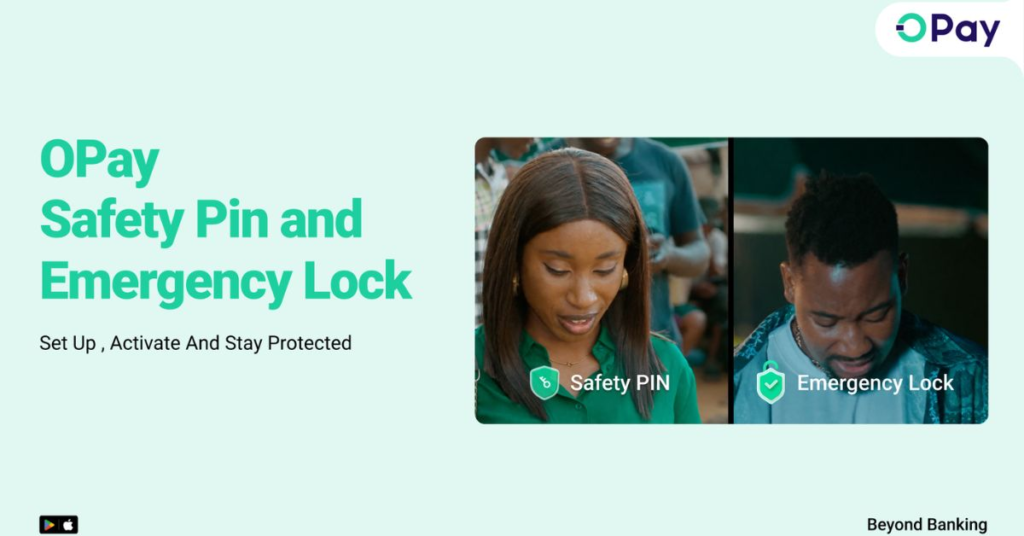
To address these dangerous situations, OPay has launched two major security features: the Emergency Lock and the Safety PIN. These tools are built to stop financial loss before it happens, giving you total control over your money during critical moments.
The Reality of Digital Financial Security in Nigeria
For a long time, the financial industry focused heavily on recovery. If your phone got stolen, the advice was always to look for another phone, dial a USSD code, or wait on hold with a customer support representative to block your account.
The $0 Secret To Launching Your Entire Online Empire
Why pay hundreds every month for separate software? Build funnels, send emails, and make sales with Systeme.io completely free.
Get Started For $0Free Forever • No Credit Card Needed • Beginner-Friendly
The major problem with this approach is time. By the time you find a phone and successfully reach a bank agent, tech-savvy thieves may have already emptied your entire account. This old way of doing things leaves regular people helpless when speed matters most.
The security challenges on the streets have shifted. Criminals do not just want to steal a physical phone device to wipe it and resell it anymore. They want access to the money inside your financial apps. Forced transfers have become a massive headache for smartphone users across major cities.
True financial security must move from recovery to absolute prevention. You need tools that act instantly, without waiting for an official to approve your request. Security must work right at the moment a threat emerges, giving you the upper hand.
Deep Dive into the OPay Emergency Lock
The Emergency Lock is designed for moments when you sense an immediate threat or believe your account security has been compromised. It gives you the power to freeze your entire OPay account with a single tap inside the application.
Once you activate the Emergency Lock, your account goes into a strict 24-hour lockdown. During this timeframe, every single outgoing transaction is completely blocked. No one can send transfers, pay utility bills, buy airtime, or use your linked OPay card.
The most important part of this feature is its unyielding rule. Once the freeze is activated, it cannot be undone by anyone for 24 hours. You cannot log back in and cancel it. Even the OPay customer support team cannot override the system to unlock it for you.
This specific rule is highly effective because it protects you from being forced to open your app later. If a thief gets hold of your device an hour later and tries to make you unlock the app, the system literally will not permit any transactions. The door is locked, and the key is buried for a full day.
Step-by-Step: How to Activate Emergency Lock
Setting up this feature before you face an emergency is highly recommended. Taking action early prepares you for unexpected situations.
- Open your OPay app and log in securely.
- Look at the bottom right corner of the screen and tap on the Me icon.
- Navigate through the options and select the Security Centre.
- Inside the Security Centre, locate and tap on Emergency Lock.
- Follow the simple prompt on your screen to confirm the action.
If you ever find yourself walking into an unfamiliar neighborhood, riding in an unsafe commercial vehicle, or realizing your phone is missing, use this feature immediately. It creates an instant shield around your funds.
Unpacking the Safety PIN: Security Under Pressure
The Safety PIN is arguably the most innovative part of this new security update. It directly addresses one of the most terrifying situations a mobile banking user can face: coercion or forced compliance.
Imagine being cornered by criminals who demand that you transfer your entire account balance to them. If you refuse, your life is in danger. If you comply, you lose your hard-earned savings. It feels like a situation where you lose either way.
The Safety PIN offers a smart way out. It is a completely separate code from your normal transaction PIN. You set this code up quietly in advance when you are safe at home.
When you find yourself in a threatening situation, you enter this specific Safety PIN instead of your real transaction PIN. To the criminal standing over your shoulder, it looks like you are completely complying with their demands.
Behind the scenes, the system recognizes this special code. Instead of moving your money out to the thief’s account, it discreetly triggers a 24-hour freeze on your account. The transaction does not go through, but it happens quietly without alerting the attacker that you intentionally blocked it.
This feature is designed to save both your life and your money. It allows you to stay calm, pretend to cooperate with the threat, and let the technology handle the defense without escalating the danger around you.
Send, Spend & Hold Money Worldwide Without Hidden Fees
Transfer money internationally at the real exchange rate and hold 40+ currencies in one account.
Open a Wise AccountMid-market rate • Fast transfers • 40+ currencies
Step-by-Step: Setting Up Your Safety PIN
Do not wait for a dangerous encounter to configure this setting. Protect your account by setting it up today.
- Open your OPay app and head to the Security Centre.
- Select the Safety PIN option from the list.
- The app will prompt you to create a unique four-digit code.
- Choose a number that is very easy for you to remember under extreme stress.
- Ensure this code is completely different from your birthday, your normal login password, or your regular transaction PIN.
Keep this code entirely to yourself. Do not share it with family members or friends, as its strength relies heavily on absolute secrecy.
Shifting from Recovery to Prevention
Most traditional financial tools assume you have the time and peace of mind to react after a crime occurs. They assume you can sit down, find a notepad, look up a customer care number, and explain your situation calmly. Real life does not work that way.
When things go wrong on the street, they happen very fast. These updates show a practical understanding of what everyday people experience. By putting the power directly into your hands before a loss occurs, you eliminate the element of surprise that criminals rely on.
Using these features means you are taking responsibility for your digital safety. Your smartphone ceases to be a major financial liability and becomes a secure digital vault that you control entirely.
Frequently Asked Questions
Can I cancel the Emergency Lock if I change my mind early?
No. Once the Emergency Lock is turned on, it stays active for exactly 24 hours. Neither you nor the customer service agents can lift the restriction until the time expires. This is a deliberate security design to ensure an attacker cannot force you to cancel the lock.
Will the attacker know that I used a Safety PIN?
The system is built to trigger the freeze discreetly. It is designed to look like a normal action or a temporary network issue so that you do not draw unnecessary attention to yourself during a dangerous confrontation.
Do these new features cost money to use?
No. Both the Emergency Lock and the Safety PIN are completely free for all registered users on the platform. They are built-in security updates meant to keep your funds safe.
Can I still receive money while my account is frozen?
Yes. The 24-hour freeze only stops outgoing transactions like transfers, card payments, and bill payments. People can still send money into your account safely during the lockdown period.
Conclusion
Financial security is no longer just about choosing a strong password. It is about having tools that protect you during real, high-pressure emergencies. The introduction of the Emergency Lock and Safety PIN provides practical ways to stay one step ahead of fraud and coercion. Taking five minutes to set up these features today can prevent massive regret tomorrow.
The $0 Secret To Launching Your Entire Online Empire
Why pay hundreds every month for separate software? Build funnels, send emails, and make sales with Systeme.io completely free.
Get Started For $0Free Forever • No Credit Card Needed • Beginner-Friendly
How do you plan to adjust your personal security habits now that these new protective tools are available on your phone? Let me know your thoughts in the comments below.
