
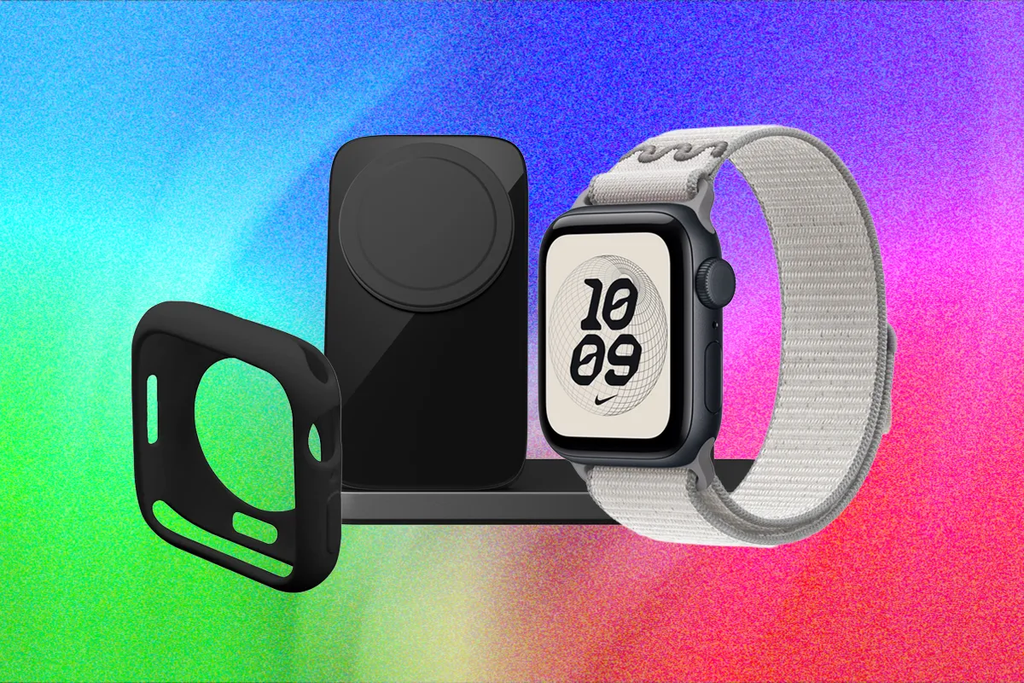
Smartwatches have come a long way in recent years. They count your steps, track your sleep, measure your blood oxygen, and can even record an electrocardiogram directly from your wrist. But one question keeps coming up from watch owners and health enthusiasts: can an Apple Watch measure your blood pressure?
The simple answer is both no and yes. Your Apple Watch cannot give you a direct numerical reading like 120 over 80 mmHg. You cannot tap a button on your screen and immediately see your systolic or diastolic numbers in millimeters of mercury. However, newer Apple Watch models running watchOS 12 can monitor your blood vessel signals in the background and send you an alert if they detect signs of high blood pressure over time.
Understanding how this technology works, what it can realistically do, and how to set up a complete tracking system on your iPhone helps you take full advantage of these health features without falling for common misunderstandings.
The Big Truth: Can Your Apple Watch Read Your Blood Pressure Directly?
When you visit a clinic or pharmacy, a doctor or nurse wraps an inflatable cuff around your upper arm. The cuff squeezes tight enough to temporarily stop blood flow through your brachial artery. As the cuff deflates, sensors listen to the sound and force of your blood rushing back through the artery. That physical pressure measurement gives you two essential numbers: your systolic pressure (the pressure when your heart pumps) and your diastolic pressure (the pressure when your heart rests between beats).
An Apple Watch does not have an inflatable band. It rests gently against your wrist skin. Because the watch cannot squeeze your arm to stop and measure physical blood flow pressure, it cannot generate direct blood pressure numbers on its own.
The $0 Secret To Launching Your Entire Online Empire
Why pay hundreds every month for separate software? Build funnels, send emails, and make sales with Systeme.io completely free.
Get Started For $0Free Forever • No Credit Card Needed • Beginner-Friendly
Instead, the watch relies on optical heart sensors on the back of the device. These sensors shine green and infrared light through your skin to calculate how much light gets absorbed by the blood moving through your wrist. While light sensors work great for measuring heart rate and blood oxygen levels, light reflection alone cannot give an exact pressure measurement without external calibration.
If you ever see an app or advertisement claiming that an Apple Watch can give you precise blood pressure numbers without additional equipment, that claim is incorrect. Apple intentionally avoids showing guessed numbers on the screen to prevent people from making dangerous medical decisions based on inaccurate estimates.
What Newer Apple Watches Can Actually Do
Even though your smartwatch cannot display direct numbers, Apple introduced a feature called Hypertension Notifications. This feature turns compatible Apple Watch models into background screening tools that watch for patterns linked to high blood pressure.
This health feature is available on Apple Watch Series 9, Series 10, Series 11, Ultra 2, and Ultra 3 running watchOS 12 or newer. The entry-level Apple Watch SE does not support this feature.
Here is how hypertension pattern detection works behind the scenes:
1. Pulse Wave Analysis
Every time your heart beats, it sends a wave of pressure moving through your arteries. This is known as a pulse wave. When your blood vessels are healthy and relaxed, the wave travels at a normal speed and shape. When your blood vessels are stiff or constricted due to higher pressure, the wave moves faster and changes its shape.
The optical heart sensor on the Apple Watch records these subtle pulse wave characteristics while you wear the watch during your day and night routines.
2. Thirty Days of Passive Data Collection
Blood pressure changes constantly throughout the day depending on your stress, coffee intake, physical activity, and sleep quality. Because of these natural spikes and dips, a single reading does not tell the whole story.
The Apple Watch continuously collects pulse wave measurements in the background across a rolling 30-day evaluation window. It uses algorithms trained on clinical data to study these long-term trends while you go about your normal life.
3. Early Warning Alerts
If the algorithm detects consistent patterns associated with sustained high blood pressure over that 30-day window, the watch sends a notification to your wrist and iPhone.
The alert does not give you a number. Instead, it informs you that potential signs of hypertension were detected and prompts you to log your blood pressure using a proper medical arm cuff over a seven-day period.
For complete official instructions on setting up health alerts, you can check the Apple Support hypertension notification guide.
What Your Apple Watch Can’t Do
To keep yourself safe, it is crucial to understand the clear limits of smartwatch health tracking. Knowing what your device cannot do prevents false expectations.
- Give immediate readings on demand: You cannot open an app during a stressful moment and see if your blood pressure just jumped. The algorithm needs weeks of background data before it can trigger an alert.
- Replace a traditional blood pressure cuff: The watch acts as an early screening tool, not a diagnostic medical device. Official medical diagnoses still require a validated arm cuff.
- Manage existing high blood pressure: Apple designed hypertension notifications specifically for adults who have not been diagnosed with high blood pressure. If you already take blood pressure medication, the feature is not intended for managing your daily treatment.
- Deliver perfect accuracy every time: Research published by the American Heart Association highlights that wearable screening features can miss some real cases of high blood pressure while occasionally flagging individuals with normal pressure.
- Detect heart attacks or strokes: An Apple Watch cannot tell if you are experiencing a heart attack or stroke. If you feel chest pain, pressure, shortness of breath, or sudden weakness, call emergency services immediately regardless of what your watch displays.
How do I Set Up Blood Pressure Tracking?
Even though the watch needs extra help to record exact numbers, you can easily combine your Apple Watch and iPhone with a smart arm cuff to create a smooth, automated health log.
Step 1: Turn On Hypertension Notifications
If you own a supported Apple Watch model, start by activating background pattern monitoring inside your iPhone settings.
Send, Spend & Hold Money Worldwide Without Hidden Fees
Transfer money internationally at the real exchange rate and hold 40+ currencies in one account.
Open a Wise AccountMid-market rate • Fast transfers • 40+ currencies
- Open the Health app on your iPhone.
- Tap your profile icon or picture in the top right corner.
- Tap Health Checklist.
- Find Hypertension Notifications and tap Set Up.
- Follow the on-screen prompts to confirm your age and health background.
Step 2: Acquire a Compatible Wireless Blood Pressure Cuff
To log real numbers into your Health app, purchase an FDA-cleared wireless blood pressure cuff that connects via Bluetooth or Wi-Fi.
Sit comfortably in a chair with your feet flat on the floor and your arm resting at heart level. Wrap the cuff around your upper arm and press start. The cuff inflates, measures your pressure, and sends the exact numbers straight to your phone.
Step 3: Link Your Cuff App to Apple Health
Most popular smart blood pressure cuffs feature dedicated companion apps that connect directly to Apple Health.
- Open the app provided by your blood pressure cuff maker.
- Go to the app settings or profile menu.
- Locate the HealthKit or Apple Health integration setting.
- Grant permission for the app to write systolic and diastolic data to Apple Health.
Once linked, every measurement you take with your physical cuff automatically syncs into your Health app. You can track your trends over time on your iPhone screen or view daily averages on your watch face.
Best Wireless Blood Pressure Cuffs That Work with Apple Watch
Because your watch requires an arm cuff for actual numbers, choosing a reliable device makes tracking effortless. Here are top wireless monitors that sync seamlessly with the Apple ecosystem:
- Withings BPM Connect: This arm monitor uses both Wi-Fi and Bluetooth connectivity. You do not even need your phone sitting next to you when taking a reading. The cuff displays your results on an LED screen and sends data over your home Wi-Fi directly to Apple Health.
- QardioArm: A compact, travel-friendly monitor that rolls up tightly into a small protective sleeve. It connects over Bluetooth and delivers simple color-coded results inside an app that feeds data straight to Apple Health.
- Omron Evolv: A wireless, tubeless upper arm monitor built by one of the most respected names in medical devices. It is clinically validated, easy to put on with one hand, and syncs reliably with iOS devices.
How to View and Share Your Blood Pressure Data with Your Doctor
Having months of accurate blood pressure history saved on your phone is extremely helpful, especially when sharing that information with your doctor.
- Open the Health app on your iPhone.
- Tap the Browse tab at the bottom right corner.
- Select Heart, then tap Blood Pressure.
- Review your daily, weekly, monthly, and yearly trend graphs.
- Tap Export Health Data to create a shareable report for your next medical appointment.
Doctors appreciate seeing home blood pressure logs recorded over several weeks. Single readings taken inside a medical office can sometimes be higher than normal due to stress, a well-known occurrence called white-coat hypertension. Home tracking gives your doctor a far clearer picture of your actual everyday heart health.
Why Smartwatches Struggle with Direct Blood Pressure Readings
You might wonder why smartwatches can monitor sleeping stages, track blood oxygen, and record single-lead ECGs, but still cannot measure blood pressure directly from your wrist.
It comes down to basic fluid dynamics and vessel anatomy. Blood pressure is the physical force exerted by circulating blood against the internal walls of your arteries. To measure that physical force accurately, you must apply an equal external force to press against the artery until flow stops momentarily. An arm cuff accomplishes this by inflating and deflating.
An optical watch sensor sitting on top of your wrist skin cannot apply physical pressure to your radial artery. It can only measure light absorption through surface micro-vessels. While software algorithms attempt to estimate pressure based on pulse wave speed, outside variables like skin temperature, vessel depth, body movement, tattoos, and room temperature can easily skew calculations.
The $0 Secret To Launching Your Entire Online Empire
Why pay hundreds every month for separate software? Build funnels, send emails, and make sales with Systeme.io completely free.
Get Started For $0Free Forever • No Credit Card Needed • Beginner-Friendly
Engineers continue testing new sensors, but until major breakthroughs happen, combining wrist optical monitoring with a home arm cuff remains the safest approach.
The Future of Health Tech and Smart Wearables
Wearable health technology is moving forward at an incredible pace. Smartwatches are rapidly changing from simple step counters into proactive health monitoring hubs that keep an eye on vital signs around the clock.
If you love keeping up with modern devices, innovative features, and smart accessories, explore our dedicated technology and AI guides where we explain complex tech trends in plain, accessible language.
Tech reviewers and health creators are also making detailed video breakdowns explaining how these smart features work in real life. If you create online content or want to learn how digital channels build audience reach around tech topics, take a look at our guide on YouTube automation strategy to see how modern channels produce engaging tech reviews.
Frequently Asked Questions
Can Apple Watch Series 8 or SE check blood pressure?
No. Older Apple Watch models like Series 8, Series 7, or any generation of the Apple Watch SE do not support hypertension pattern detection. They lack the updated optical sensors and algorithms introduced with watchOS 12 on newer hardware.
Is the Apple Watch hypertension notification feature FDA cleared?
Yes, Apple obtained clearance from the FDA for its hypertension notification feature as a wellness screening tool. It is cleared to notify users of potential high blood pressure patterns over time, but it is not cleared to replace a standard blood pressure cuff for medical diagnosis.
Do I need a doctor’s prescription to buy a smart blood pressure cuff?
No. Wireless blood pressure cuffs made by brands like Withings, Qardio, and Omron are sold directly to consumers online and in retail stores. You do not need a medical prescription to purchase or use one.
Can Apple Watch detect a heart attack or stroke?
No. The Apple Watch cannot detect heart attacks or strokes. If you experience sudden chest pain, shortness of breath, facial drooping, or numbness, seek emergency medical care immediately regardless of what your smartwatch shows.
Why does my doctor still use a manual cuff with a stethoscope?
Manual upper arm cuffs used with a stethoscope remain the gold standard for clinical measurement. They measure physical arterial pressure directly without relying on batteries, light sensors, or wireless connections.
Final Thoughts
Smart wearables have opened up exciting possibilities for everyday personal health tracking. While your Apple Watch cannot replace a traditional arm cuff for direct numbers, its background hypertension screening tool acts as a helpful safety net that keeps an eye on your pulse patterns while you go about your day.
By pairing your smartwatch with a trusted wireless arm cuff, you get the absolute best of both worlds: continuous background monitoring from your wrist and accurate, clinical-grade numbers whenever you need them. Taking active control of your cardiovascular health has never been simpler.
To learn more about our editorial mission and how we cover trending topics, check out our About Us page. If you have questions, feedback, or a health tech story you would like to share, reach out to us on our Contact page.
Stay connected with our community across social media for daily updates, viral tech news, and helpful lifestyle guides:
- Follow us on Instagram
- Like our page on Facebook
- Join the conversation on X (formerly Twitter)
Do you use your Apple Watch to keep track of your daily heart health? What smart health features are you hoping to see in future watch updates? Share your thoughts with us in the comments!
