
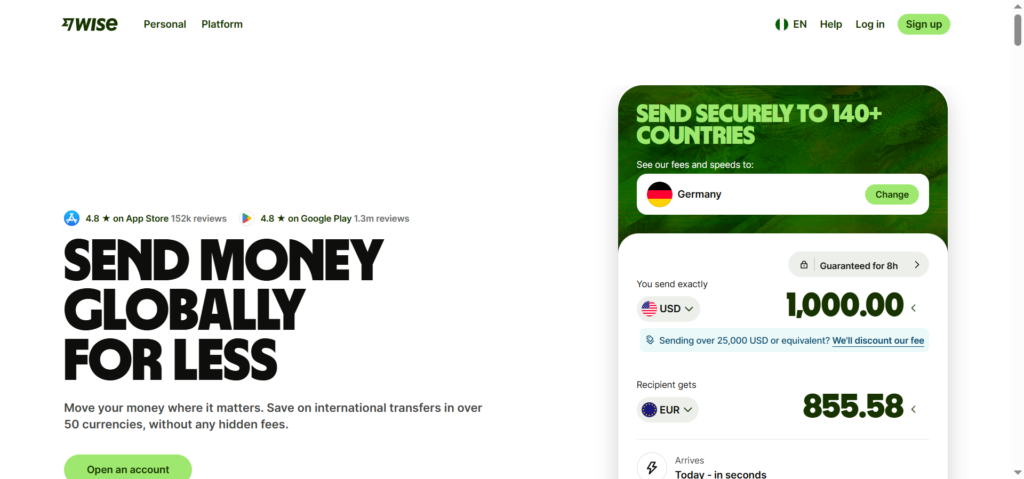
If you’ve been freelancing for clients abroad or running an online business, you’ve probably heard of Wise (formerly TransferWise). It’s famous for helping people send, receive, and hold money in foreign currencies at far lower costs than traditional banks.
The big question for anyone in Nigeria is: Can I open a Wise account here? And if yes, how useful will it actually be?
The straightforward answer is yes, you can open a Wise account in Nigeria. But before you get too excited, you should know exactly what the account can and cannot do, because the version you get in Nigeria isn’t the full package people in Europe or the UK enjoy.
This guide walks you through everything step by step. No fluff, just the real details so you know what to expect.
What Your Wise Account Can Actually Do (And Can’t Do)
Here’s the honest truth. Wise works in Nigeria, but only as a sending tool for now. You can’t receive money directly into your Wise account using local bank account details, and you can’t hold a balance in Nigerian Naira (NGN) like you might expect.
Think of it this way: your Nigerian Wise account is great for one specific job—moving money out of Nigeria. You can send funds to bank accounts in other countries, pay international invoices, or pay for subscriptions and services using your Wise balance in other currencies.
But do not rely on this account to receive a salary from an employer or a payment from a client abroad. That part simply doesn’t work for Nigerian accounts right now.
Step-by-Step: How to Open Your Wise Account
The actual registration process is fast and straightforward. Here’s exactly how to get it done.
1. Sign Up
Go to the Wise website or download the Wise mobile app. Enter your email address, create a password, and select Nigeria as your country of residence. You will need to provide a valid Nigerian phone number for verification.
2. Verify Your Identity
Wise is legally required to verify who you are (this is standard for any financial service). In Nigeria, Wise accepts only three types of documents for identity verification:
- Your Nigerian passport (biometric page)
- A valid Nigerian driver’s license
- A current Nigerian National ID card
What Wise does not accept: paper or digital voter’s cards, regional IDs, or any temporary identification documents. Make sure the document you use is not expired and that your name matches exactly what you entered during sign-up.
You will need to upload a clear photo of your chosen document. Avoid shadows or glare covering any text, and include both sides if the back contains important information.
3. Add a Little Money to Activate
Once your identity is verified, you will need to fund the account to fully activate it. The exact minimum amount varies, but you can start with as little as the equivalent of $20 USD in your chosen currency.
You can pay using a Visa or Mastercard debit card, though note that cards issued in Nigeria are generally not accepted for topping up the account.
This is a known limitation, and many Nigerian users get around it by using a virtual dollar card from providers like Chipper Cash or Flutterwave to make that first payment.
If card payments do not work, your other option is to initiate a bank transfer to Wise’s local receiving account, though that process takes longer and may require you to contact support for the correct account details.
4. Start Sending Money
Once your account is funded, you can send money to bank accounts in over 140 countries. The recipient gets the full amount (no hidden fees deducted on their end), and Wise shows you the exact fees before you confirm the transfer.
How to Fund Your Wise Account from Nigeria
The funding part is where many Nigerian users get stuck, so here is the most reliable method.
1. Use a Virtual Dollar Card (Recommended)
This is the smoothest path. Sign up for Chipper Cash, Flutterwave, or any other platform that issues virtual USD cards to Nigerian users. Fund that virtual card with Naira, then use it to pay Wise directly. Because Wise’s system sees a non-Nigerian card, the payment usually goes through without issues.
2. Bank Transfer via SWIFT
If you need to fund your Wise balance with a significant amount (say, $500 or more), you can do a SWIFT transfer from your Nigerian bank account directly to Wise’s international account.
This involves contacting your bank, providing them with Wise’s banking details, and paying the applicable SWIFT fees. It is slower (takes 2–5 business days) and costs more, but it works for larger amounts where the virtual card limits are a problem.
What If You Actually Need to Receive Money?
If your main goal is to receive payments from international clients, Wise is not the solution for Nigeria yet. You have better alternatives.
LemFi recently launched global accounts for Nigerians that let you open and hold real USD and GBP accounts directly on your phone.
Afriex and Geegpay are also strong options for freelancers who need to receive foreign currency and convert it to Naira at fair rates. These platforms are built specifically with Nigerians in mind, so you will not run into the same limitations.
Practical Ways to Use Your Wise Account Right Now
Even with its limitations, a Nigerian Wise account is still useful. Here is what you can do with it today:
- Pay international invoices from suppliers or contractors in other countries
- Pay for subscriptions like hosting, domain names, or SaaS tools that charge in USD or EUR
- Send money to friends or family abroad to bank accounts in over 140 countries
- Hold balances in supported currencies (USD, EUR, GBP, and over 40 others) after converting funds from your card or SWIFT transfer
For example, if you run an online store that buys inventory from China, you can use your Wise account to pay your supplier in USD without paying the inflated exchange rates your Nigerian bank would charge.
Realistic Fees to Expect
Wise’s fees are famously transparent. You will always see the total cost before you confirm any transaction. There is no monthly fee to keep the account open.
For currency conversion, Wise uses the mid-market exchange rate (the real one you see on Google) and adds a small transparent fee, usually 0.35% to 1.5% depending on the currencies and payment method used.
Compare that to Nigerian banks that build hidden 4–5% markups into their exchange rates, and the savings add up fast.
Frequently Asked Questions
Is Wise legal in Nigeria?
Yes. Wise operates legally in Nigeria as a Money Service Business (MSB). While it does not hold a direct license from the Central Bank of Nigeria, its operations are legally recognized.
Can I get a Wise debit card in Nigeria?
No, Wise does not ship physical debit cards to Nigerian addresses at this time. The card is currently available only to residents of countries like the US, Canada, and the UK.
How long does verification take?
If your documents are clear and valid, verification is usually completed within 1–2 business days. You will receive an email once your account is ready.
What if my verification is rejected?
Check that your document is not expired, that the photo is clear and complete, and that the name on your document matches your application exactly. If it still fails, contact Wise support directly.
Why can’t I receive money into my Wise account from Nigeria?
Nigerian accounts do not receive local bank account details for incoming transfers. This is a regulatory limitation, not a technical issue. If receiving money is essential for you, use LemFi, Afriex, or Geegpay instead.
What to Do Next
Open your Wise account, fund it with a small amount, and run a test transaction to a friend or a second account you control. That way you understand exactly how long transfers take and what the fees look like before you rely on it for important payments.
If you are already using Wise in Nigeria, I’d love to hear about your experience. Have you found a reliable way to fund the account without hitting card restrictions? What other tools have worked well for you? Drop your thoughts in the comments.
