
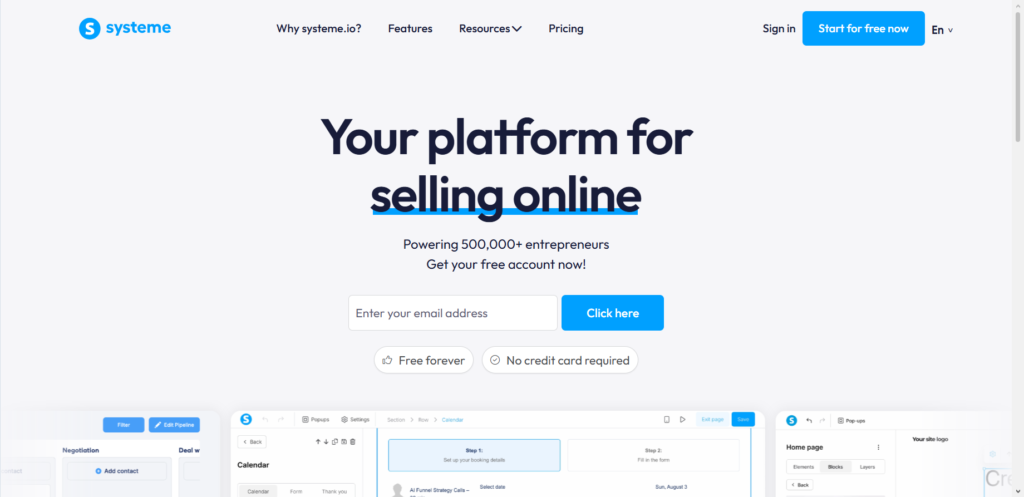
Running an online business gets expensive fast. Between paying for landing page builders, email marketing tools, and sales tracking software, monthly subscriptions can eat up your profits before you make a single sale. Many business owners look for an all-in-one software fix, and Systeme.io comes up in almost every discussion. But a huge question remains for anyone taking lead generation seriously: does Systeme.io actually have a real CRM?
The short answer is yes. While many people think of Systeme.io strictly as a funnel builder or an email marketing tool, it has built-in customer relationship management capabilities. It comes with contact storage, tagging mechanisms, visual sales pipelines, and workflow automation.
However, calling it a CRM comes with a few things to keep in mind. It does not look or function like complex corporate tools such as Salesforce or HubSpot. Instead, it offers a simplified contact management system tailored specifically for online creators, course sellers, coaches, and small service providers. Here is a full breakdown of how Systeme.io handles contact management, what features are inside, where it shines, and where it falls short.
Understanding What CRM Means for Online Businesses
Before looking directly at features, it helps to understand what a CRM actually does. CRM stands for Customer Relationship Management. At its core, a CRM is a single place where you store customer information, track your interactions with them, and guide them through your sales process.
For a traditional sales team, a CRM keeps track of phone calls, scheduled meetings, contract deals, and custom client notes. For an online business, a CRM tracks email signups, lead magnets downloaded, products purchased, and course progress.
The $0 Secret To Launching Your Entire Online Empire
Why pay hundreds every month for separate software? Build funnels, send emails, and make sales with Systeme.io completely free.
Get Started For $0Free Forever • No Credit Card Needed • Beginner-Friendly
When people ask if Systeme.io has a CRM, they usually want to know if it can replace standalone contact management tools. They want to see if it can track leads from the moment they land on a page until they become paying clients without needing extra software.
Does Systeme.io Have a CRM? The Direct Answer
Yes, Systeme.io features a native CRM. Every single account plan includes contact management features, including the free plan.
Unlike traditional platforms where email marketing and CRM functions live in separate dashboards, Systeme.io merges them into one unified database. When someone fills out a form on your landing page, their information goes straight into your contact list. From there, you can view their activity history, attach tags to their profile, move them along a visual sales pipeline, and send automated follow-up messages.
Systeme.io includes Kanban-style sales pipelines. This feature allows users to visualize deals, move prospects across stages, and manage high-ticket sales without needing an external sales board.
Key Contact Management Features in Systeme.io
To truly understand how effective this platform is, we need to inspect the individual tools inside its contact dashboard. Here is a detailed look at how Systeme.io helps you store, organize, and interact with your audience.
1. Unified Contact Database
In Systeme.io, every subscriber lives in a single central contact database. You do not have to create separate, isolated lists for different campaigns or products.
When you open a contact profile in Systeme.io, you can see:
- Basic personal information like name, email address, phone number, and address.
- Custom field details that you created for your opt-in forms.
- The exact date and time the contact was added to your database.
- All tags assigned to that specific person.
- Complete purchase history, including active course enrollments and subscription payments.
- Interaction history, including email open rates, clicked links, and opt-in activity.
Having all this data on one screen makes it easy to understand where a prospect stands in your business. You never have to manually match sales receipts from one app with email subscriber lists from another.
2. Tag-Based Organization
Many older marketing platforms rely on traditional email lists. The problem with traditional lists is that contacts end up duplicated across multiple lists, which often inflates subscription costs unnecessarily.
Systeme.io uses a tag-based system instead. You have one master contact list, and you use tags to categorize your contacts based on their actions. For example, you can create tags like:
- Lead: Free eBook Download
- Buyer: Course A
- Prospect: Booked Call
- VIP Client
Tags can be applied manually or automatically when someone completes an action, such as clicking a link in an email or completing a checkout page. This keeps your database clean, organized, and cheap to run because you never pay twice for the same contact.
3. Visual CRM Sales Pipelines
For businesses selling high-ticket services, coaching programs, or agency services, a simple contact list is not enough. You need to see where each deal stands in your sales pipeline.
Systeme.io includes a drag-and-drop Kanban board for sales management. According to official guides on how to create a pipeline on Systeme.io, you can build custom pipelines tailored to your exact sales process. A typical sales pipeline might include stages such as:
- New Lead
- Initial Contact Made
- Proposal Sent
- Negotiation
- Deal Won
- Deal Lost
Each card on the board represents a prospective client. You can manually drag cards from one column to another as the deal progresses. Alternatively, you can set up automation rules that move cards automatically when a prospect completes a specific action, such as booking an appointment on your calendar or paying an invoice.
Inside each deal card, you can leave internal notes for yourself or your team members. This makes it simple to remember what was discussed during a phone call or what custom terms were promised in a quote.
Send, Spend & Hold Money Worldwide Without Hidden Fees
Transfer money internationally at the real exchange rate and hold 40+ currencies in one account.
Open a Wise AccountMid-market rate • Fast transfers • 40+ currencies
4. Custom Fields and Data Collection
Every business needs to collect different information from its leads. While a fitness coach might need to know a client’s health goals, a software consultant might need to collect budget details and company size.
Systeme.io allows you to create custom fields and attach them to your opt-in forms and checkout pages. The data collected through these fields is automatically saved inside the contact profile. You can use custom fields to segment your audience, filter contacts, and personalize your email messaging using dynamic tags.
5. Automated Contact Workflows
A static address book is useless if you cannot interact with your contacts efficiently. Systeme.io includes a built-in automation engine that brings your contact database to life.
You can set up two types of automations:
- Automation Rules: Simple cause-and-effect triggers (for example: IF a tag is added, THEN start an email sequence).
- Workflows: Visual branching paths that route contacts based on actions, wait times, and decision trees.
Through these workflows, your CRM works in the background round the clock. It can move leads to new pipeline stages, apply tags, remove tags, send SMS messages, enroll users into online courses, and notify team members when a hot prospect takes action.
Where Systeme.io CRM Excels
Systeme.io offers several clear advantages for entrepreneurs looking for a straightforward way to manage customer data.
Cost Efficiency
Traditional CRMs get extremely expensive as your contact list grows. Many platforms charge hundreds of dollars per month just to unlock visual pipelines or basic sales tools.
Systeme.io offers contact management, email marketing, sales funnels, and CRM pipelines on every tier. The free plan allows you to manage up to 2,000 contacts, build 1 sales pipeline, and send unlimited emails without paying anything.
All-in-One Integration
The biggest headaches in online business usually come from connecting separate tools together. When your landing page builder does not talk smoothly to your email platform or your sales CRM, leads fall through the cracks.
Because Systeme.io houses everything under one roof, there is zero complex setup or third-party connection required. Your opt-in pages, payment gateways, course portals, and contact profiles share the exact same database. Everything syncs instantly.
The $0 Secret To Launching Your Entire Online Empire
Why pay hundreds every month for separate software? Build funnels, send emails, and make sales with Systeme.io completely free.
Get Started For $0Free Forever • No Credit Card Needed • Beginner-Friendly
Simplicity and Ease of Use
Enterprise CRMs are notorious for being complicated. They require weeks of onboarding, specialized software managers, and confusing settings.
Systeme.io was designed specifically for non-technical users. The interface is clean and intuitive. You can set up your first tag, build a lead capture form, and launch a visual sales pipeline within a single afternoon.
Limitations of Systeme.io as a Standalone CRM
While Systeme.io handles basic and intermediate contact management with ease, it is not a perfect fit for every business model. Knowing its limitations will help you decide if it fits your specific operational needs.
Limited Corporate Sales Management
If your business model relies heavily on traditional B2B sales teams—where multiple sales reps make dozens of cold calls, track complex corporate deals across departments, and log phone conversations—Systeme.io will feel light. It lacks advanced features like direct phone call dialers within the browser, call recording storage, and complex multi-rep deal splitting.
Basic Reporting and Analytics
Systeme.io gives you clear stats on revenue, email open rates, and conversion numbers. However, its sales pipeline analytics are relatively basic compared to dedicated sales platforms. If you need deep reporting on sales rep performance, conversion forecasting, or custom multi-touch attribution metrics, you may find the reporting dashboard basic.
Limited Multi-User Permissions
While higher-tier plans allow team members and sub-accounts, the platform does not offer granular permission controls for individual sales reps. You cannot easily restrict a rep from seeing certain contact details or restrict access to specific parts of the master database.
How Systeme.io Compares to Leading CRM Competitors
To give you a clear picture of where Systeme.io fits in the market, let’s look at how its contact management compares to other popular software solutions.
Systeme.io vs. HubSpot
HubSpot is widely recognized as an industry leader in inbound sales and CRM. It offers deep contact intelligence, detailed company records, phone call logs, and granular reporting. However, HubSpot becomes notoriously expensive as you upgrade to paid tiers and add marketing tools.
Systeme.io is far more affordable and easier to set up. While it lacks HubSpot’s deep enterprise feature set, it combines sales funnels, membership sites, email marketing, and CRM tools into one affordable package.
Systeme.io vs. GoHighLevel
GoHighLevel is a platform built primarily for agencies and service providers who need intensive multi-channel messaging, SMS automation, and detailed sales pipelines.
GoHighLevel offers more advanced sales features than Systeme.io, but it also carries a steeper learning curve and a higher starting price point. Systeme.io is much friendlier for solo creators, affiliate marketers, and small business owners who prefer simplicity over complex multi-channel infrastructure.
Systeme.io vs. Mailchimp
Mailchimp started as an email service provider and slowly added basic contact tags and CRM tools. However, Mailchimp lacks native sales pipelines, visual deal boards, integrated course hosting, and full sales funnel construction.
Systeme.io provides a far more complete business operating system than Mailchimp at a fraction of the cost.
Step-by-Step: Setting Up Your CRM in Systeme.io
Setting up your contact management system in Systeme.io is straightforward. Here is how to get your database organized in four simple steps.
Step 1: Create Your Core Tag Framework
Before importing contacts or launching campaigns, create your tagging system. Go to the Contacts tab in your dashboard and select Tags. Create a few basic tags to categorize your audience.
Good starting tags include:
- Lead: General Opt-in
- Customer: Product Name
- Prospect: Consultation Request
Keeping your initial tags clean prevents confusion down the road.
Step 2: Set Up Your Sales Pipeline
If you sell high-ticket services or need to track individual sales opportunities, navigate to the CRM section and click Pipelines.
Name your pipeline and define your deal stages. Tailor each stage to mirror your actual sales conversation sequence. Once saved, you will see your clean Kanban board ready to track deals.
Step 3: Build Your Lead Capture Mechanisms
Navigate to Funnels and build a simple landing page or opt-in form. Connect an automation rule to the form so that whenever a visitor submits their details:
- A specific lead tag is automatically assigned to them.
- They are added to the initial stage of your CRM pipeline.
- An automated welcome email sequence is triggered.
Step 4: Import Existing Contacts
If you are moving from another platform, export your contact list as a CSV file. Go to Contacts, click Import Contacts, and upload your file.
During the import process, map your CSV columns to Systeme.io custom fields and apply an initial tag so you always know where those imported contacts originated.
Who Is Systeme.io CRM Best For?
Systeme.io is an exceptional choice for specific types of business owners:
- Solopreneurs and Digital Creators: People selling eBooks, online courses, coaching, or digital downloads who need simple lead tracking and automated email marketing.
- Small Service Providers and Consultants: Service businesses that need a clean visual board to track discovery calls, client proposals, and deal closes.
- Affiliate Marketers: Marketers who need simple contact segmentation and automated follow-ups without paying monthly software fees.
- Budget-Conscious Startups: Businesses that want to test ideas, collect leads, and make sales before committing to expensive software stacks.
If you operate a large enterprise with a dedicated sales team making hundreds of daily outbound calls, you will eventually outgrow its sales management capabilities. But for most online businesses, it delivers everything required to organize leads and generate revenue.
Frequently Asked Questions (FAQs)
Is the Systeme.io CRM completely free to use?
Yes, the CRM tools, including contact tags and sales pipelines, are available on the free plan. You can manage up to 2,000 contacts and build 1 sales pipeline without entering any credit card details.
Can I import my existing contacts into Systeme.io?
Yes. You can upload your contact database using a standard CSV file. The system allows you to match columns to custom fields and apply tags to all imported leads during the upload process.
Does Systeme.io integrate with external CRM tools?
Yes. While Systeme.io has a built-in CRM, you can connect it to third-party CRMs like Salesforce, HubSpot, or ActiveCampaign using Webhooks or integration platforms like Zapier and Make.
Can I assign specific leads to different team members in Systeme.io?
You can track deals on your sales pipeline board and add internal team notes to contact profiles. However, advanced automatic lead distribution among sales representatives is limited compared to dedicated enterprise sales platforms.
Does Systeme.io support SMS marketing alongside email CRM?
Yes, Systeme.io includes built-in SMS automation triggers within its workflow engine, allowing you to follow up with contacts via text message as well as email.
Final Thoughts
Managing customer relationships does not have to mean juggling four different software subscriptions or paying hundreds of dollars every month. Systeme.io provides a practical, clean, and reliable CRM system that seamlessly connects your marketing funnels, contact database, and sales pipelines in one place.
