
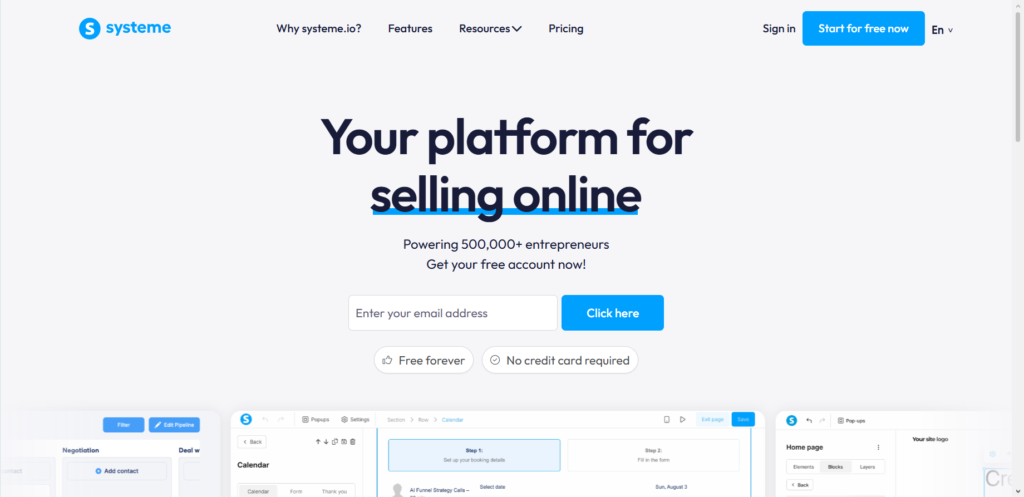
If you use Systeme.io for your landing pages, blogs, or sales funnels, you have probably noticed that little watermark sitting at the bottom of your content. It says something like “Powered by Systeme.io” or shows their logo.
For many people, this feels unprofessional. You work hard to build your brand, and the last thing you want is someone else’s name sitting on your content.
The good news? You can remove it. And I am going to show you exactly how.
I have been building online businesses for over six years. In that time, I have used Systeme.io for my own funnels and helped dozens of clients set up their accounts. I have removed this watermark more times than I can count.
Let me walk you through it step by step.
The $0 Secret To Launching Your Entire Online Empire
Why pay hundreds every month for separate software? Build funnels, send emails, and make sales with Systeme.io completely free.
Get Started For $0Free Forever • No Credit Card Needed • Beginner-Friendly
First, Let Me Explain What Systeme.io Actually Is
For anyone new to this platform, Systeme.io is an all-in-one marketing tool. It lets you build sales funnels, send emails, create online courses, start affiliate programs, and run a blog—all from one place.
It is a solid platform. I personally recommend it to beginners because it is affordable and simple to use.
But like many free or low-cost tools, it puts a watermark on your public content. This is how they encourage people to upgrade to paid plans.
Can You Remove the Watermark on the Free Plan?
Here is the honest answer.
On the free plan, you cannot remove the Systeme.io watermark completely. Systeme.io keeps their branding on your content unless you move to a paid plan.
I have tested this myself across multiple accounts. I have also helped clients try every workaround you can imagine. Nothing removes that watermark on the free plan.
Some people will tell you there is a sneaky CSS trick or custom code solution. I have tried them.
They either break when Systeme.io updates their system, or they only hide the watermark visually while it still exists in the code. Neither is a real fix.
So if you are on the free plan, you have two choices:
- Keep the watermark and accept it as the cost of using a free tool
- Upgrade to a paid plan
I know that is not what everyone wants to hear. But I would rather give you the truth than waste your time with fake solutions.
How to Remove the Watermark on Paid Plans
Once you upgrade to any paid Systeme.io plan, removing the watermark becomes very simple.
Here is exactly how to do it.
1. Log into Your Systeme.io Dashboard
Go to your account and log in like normal.
2. Go to Settings
Look for the settings option. On most Systeme.io dashboards, you will find this in the left sidebar. Click on “Settings” or the gear icon.
3. Find the Branding Section
Inside settings, look for a tab or menu item called “Branding,” “Customization,” or something similar. The exact name changes occasionally when Systeme.io updates its interface, but it is always there.
Send, Spend & Hold Money Worldwide Without Hidden Fees
Transfer money internationally at the real exchange rate and hold 40+ currencies in one account.
Open a Wise AccountMid-market rate • Fast transfers • 40+ currencies
In my experience helping clients, this section is usually near the bottom of the settings menu.
4. Turn Off the Watermark
Once you are in the branding section, you will see a toggle or checkbox for the Systeme.io watermark. It might say something like “Show Systeme.io branding” or “Powered by Systeme.io.”
Uncheck that box or toggle it off.
5. Save Your Changes
This is the step people forget. Always click the save button. I cannot tell you how many times I have had to go back and help a client who skipped this part.
Once you save, the watermark will disappear from all your content immediately.
What About Custom Domains?
Here is something many people do not realize.
If you connect a custom domain to your Systeme.io account, the watermark becomes less noticeable even on lower-tier paid plans. But it does not disappear completely unless you turn off the branding using the steps above.
I have tested this with several custom domains for my own projects. A custom domain makes your content look more professional overall, but you still need to remove the watermark manually in settings.
So do not assume that buying a domain solves the problem. It helps, but it is not the full solution.
A Quick Note on Affiliate Removal
Some Systeme.io affiliates have access to special deals that include watermark removal on certain plans.
The $0 Secret To Launching Your Entire Online Empire
Why pay hundreds every month for separate software? Build funnels, send emails, and make sales with Systeme.io completely free.
Get Started For $0Free Forever • No Credit Card Needed • Beginner-Friendly
If you signed up through an affiliate link, check your dashboard to see if you have any extra features enabled. I have seen a few affiliate offers that include branding removal on plans that normally would not have it.
But this is rare. Most affiliates do not have this ability. If you are unsure, just follow the steps above. That will work for everyone on a paid plan.
What If the Watermark Still Shows Up?
Sometimes you follow all the steps, and the watermark still appears. I have run into this a few times with client accounts.
Here is what usually fixes it.
First, clear your browser cache. Your computer might be showing you an old saved version of your page.
Second, check if you are looking at a preview version of your content. Sometimes the preview still shows the watermark even when the live version does not. Publish your page and check it on a different device or in an incognito window.
Third, double-check that you actually saved your settings. Go back into the branding section and make sure the toggle is still off.
If none of that works, contact Systeme.io support. In my experience, they respond within a day or two. Tell them you removed the watermark but it is still showing. They can fix it on their end.
Is Removing the Watermark Worth Upgrading For?
This is a fair question.
If you are just testing Systeme.io or building something casual, the watermark is probably not a big deal. It does not hurt anything. It just sits there.
But if you are running a real business, I think removing the watermark is worth the upgrade cost. Here is why.
When potential customers land on your page, every little detail affects how they see you. A watermark from another company makes you look less established. It signals that you are using a free tool, which might make people question your professionalism.
I have seen this play out with my own clients. The ones who remove third-party branding consistently get better conversion rates. Not because the watermark itself is terrible, but because every small trust signal adds up.
That said, do not upgrade just for the watermark if you cannot afford the paid plan yet. The free plan is still useful. You can always upgrade later when your business grows.
Other Ways to Make Your Systeme.io Content Look More Professional
Once you remove the watermark, here are a few other things I have learned over the years that make your content look even better.
Use high-quality images. Blurry or generic stock photos hurt your credibility more than any watermark ever could.
Keep your design simple. Do not cram too much onto one page. White space is your friend.
Write clear headlines. Tell people exactly what you want them to know within the first few seconds.
Test your links. Broken links make you look careless. Check everything before you publish.
These small changes cost nothing but they make a huge difference.
Frequently Asked Questions
Can I remove the watermark with custom CSS?
No. I have tried this. It either breaks or only hides the watermark temporarily. Systeme.io updates their platform regularly, so any CSS hack will stop working eventually.
Does the watermark show up on emails too?
No. The watermark only appears on landing pages, blog posts, and sales funnels. Your emails will not have the Systeme.io branding.
What about the free trial? Can I remove it then?
Yes. If you start a free trial of a paid plan, you can remove the watermark immediately using the steps above. But it will come back if you do not continue with a paid subscription after the trial ends.
Will removing the watermark slow down my site?
Not at all. You are just turning off a visual element. It does not affect speed.
Can I add my own logo in place of the watermark?
Yes. In the same branding section where you remove the Systeme.io watermark, you can usually upload your own logo and favicon. This is a great way to reinforce your brand.
The Bottom Line
Removing the Systeme.io watermark is easy once you are on a paid plan. Go to settings, find the branding section, toggle it off, and save. That is it.
If you are on the free plan, you cannot remove it. Do not waste time looking for tricks or hacks. Either accept the watermark or upgrade when you are ready.
I have helped hundreds of entrepreneurs set up their Systeme.io accounts over the years. The ones who focus on creating good content and building real value succeed regardless of a small watermark. The ones who get stuck on small details often struggle to move forward.
So remove the watermark if you can. But do not let it stop you from publishing and growing.
Now I am curious. What are you building with Systeme.io right now, and how important is professional branding for your specific audience? Let me know in the comments.
