
Building an email list is one of the most valuable things you can do for your online business. But when you’re just starting out, the cost of email marketing tools can be a real problem.
I remember checking my bank account after my first month using a popular email platform. My list had grown a little, and suddenly my monthly bill was over $100. For someone just trying to get their business off the ground, that felt impossible to keep up with.
That is exactly why I started using Systeme.io. Over the last six years of helping entrepreneurs build sustainable online income, I have tested countless tools.
Systeme.io stands out because it includes email marketing as part of a bigger package. You do not need to pay extra for it. And the best part? Even the free plan lets you send unlimited emails.
In this guide, I will walk you through everything I have learned about using Systeme.io for email marketing. I will show you how to set it up, create automated campaigns, and grow your list without spending a fortune.
The $0 Secret To Launching Your Entire Online Empire
Why pay hundreds every month for separate software? Build funnels, send emails, and make sales with Systeme.io completely free.
Get Started For $0Free Forever • No Credit Card Needed • Beginner-Friendly
What Is Systeme.io?
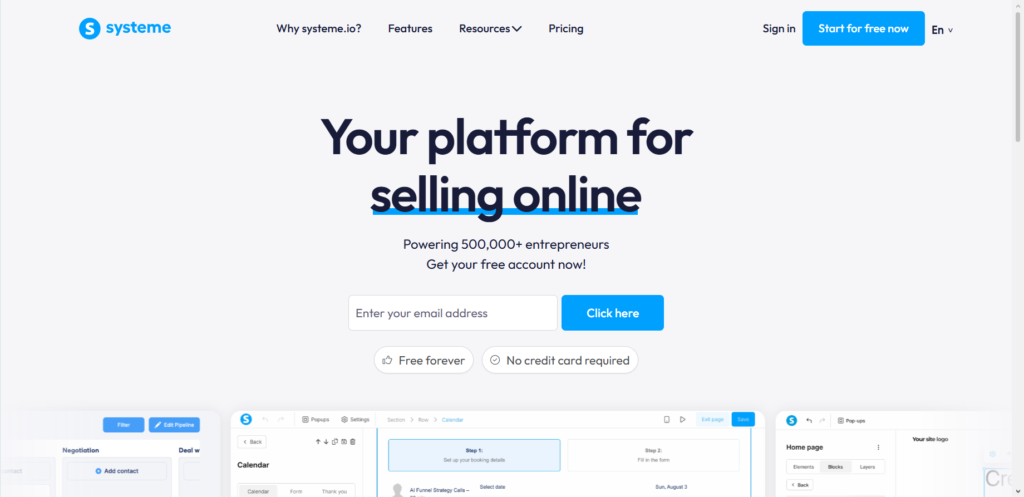
Systeme.io is an all-in-one marketing platform. It combines email marketing, sales funnels, website building, course hosting, and affiliate management into a single dashboard.
The platform was created by a French entrepreneur named Aurelien Amacker, who built it because he was frustrated with how complicated and expensive other tools had become.
Think of it as a Swiss Army knife for your online business. Instead of paying for Mailchimp, plus ClickFunnels, plus Teachable, plus a separate landing page builder, you get everything in one place. Today, over 300,000 business owners use Systeme.io to run their operations.
Why Use Systeme.io for Email Marketing?
Before I show you how to use it, let me explain why I recommend Systeme.io to so many of my clients.
Unlimited Emails on Every Plan
This is the feature that first caught my attention. Most email platforms charge you based on how many emails you send. Systeme.io does not. Whether you are on the free plan or the highest tier, you can send unlimited emails. The only limit is the number of contacts you can store.
Simple, Transparent Pricing
Systeme.io prices its plans based on contact count, not email volume. The free plan gives you up to 2,000 contacts. The Startup plan costs $17 per month for 5,000 contacts. The Webinar plan is $47 per month for 10,000 contacts. And the Unlimited plan is a flat $97 per month no matter how large your list grows.
To put that in perspective, some other platforms charge over $300 per month for a list of 10,000 subscribers. With Systeme.io, you pay less and get more features.
Built-In Automation
You do not need to connect separate tools to make your email sequences work. Systeme.io has automation built right in. You can set up welcome emails, follow-up sequences, and behavioral triggers without leaving the platform.
No Transaction Fees
When you sell products through Systeme.io, the platform does not take a cut. You only pay your payment processor’s standard fees. This can save you a significant amount of money over time.
Getting Started with Systeme.io Email Marketing
Let me walk you through the setup process. I have done this dozens of times for myself and for clients, so I will point out the things that are easy to miss.
1. Set Up Your Account
Go to Systeme.io and sign up for a free account. You do not need to enter credit card information, which I really appreciate. You can start using the email features right away.
2. Authenticate Your Domain and Email Address
This step is non-negotiable. Before Systeme.io will let you send any emails, you must authenticate a custom domain and verify an email address.
You cannot use a Gmail address or any other free email service. Your sending email address must be tied to your own domain name, like [email protected].
The authentication process involves adding some DNS records to your domain. Systeme.io provides the records you need. If you are not comfortable doing this yourself, your domain registrar’s support team can usually help. It sounds technical, but it only takes about ten minutes.
Why does this matter? Authenticating your domain proves to email providers like Gmail and Outlook that you are a legitimate sender. This dramatically improves your email deliverability.
Send, Spend & Hold Money Worldwide Without Hidden Fees
Transfer money internationally at the real exchange rate and hold 40+ currencies in one account.
Open a Wise AccountMid-market rate • Fast transfers • 40+ currencies
3. Import or Build Your Contact List
You can add contacts to Systeme.io in three ways. You can import a CSV file from another email tool. You can add contacts one by one manually. Or you can let Systeme.io collect contacts automatically through forms on your landing pages.
A word of caution here. Systeme.io takes list quality very seriously. If you import a list, they will temporarily pause email sending to verify the quality of your contacts. This is actually a good thing. It protects your sender reputation and ensures you start with a healthy list.
Never upload purchased email lists or contacts who have not explicitly agreed to hear from you. Systeme.io strictly prohibits this, and doing so can get your account flagged or suspended.
4. Create Tags to Organize Your Subscribers
Tags are how you segment your audience in Systeme.io. You can create tags for different interests, purchase behaviors, or where someone joined your list. For example, you might create tags like “interested in SEO” or “downloaded free guide” or “purchased course.”
I have found that good tagging makes everything else easier. When you want to send a specific offer only to people who have bought from you before, tags let you do that instantly.
How do I Send Broadcast Emails in Systeme.io?

Broadcast emails are one-off messages you send to your list. This could be a weekly newsletter, a product announcement, or a time-sensitive offer.
To create a broadcast, go to the Email section in your dashboard and click on Newsletters. You will have two editing options. The Classic editor is older and I do not recommend it. The Visual editor uses drag and drop, which is much easier to work with.
The templates are not the prettiest, I will be honest. They look a bit dated. But you can build your own design using the drag and drop elements. You can add text, images, buttons, and even file attachments. Unfortunately, you cannot embed videos directly, but you can add a link to a video instead.
Before sending, you can test the email to yourself, schedule it for later, or send it immediately. You can also set up A/B split tests to see which subject lines perform better.
How to Set Up Automated Email Campaigns
This is where Systeme.io really shines. Automated campaigns let you send a sequence of emails that go out automatically based on triggers you define.
The $0 Secret To Launching Your Entire Online Empire
Why pay hundreds every month for separate software? Build funnels, send emails, and make sales with Systeme.io completely free.
Get Started For $0Free Forever • No Credit Card Needed • Beginner-Friendly
Creating the Campaign
Go to Email and then Campaigns. Click Create and give your campaign a name. Inside the campaign, you will create each email in the sequence. When you create the emails, number them clearly so you know which order they go in. I use “01 Welcome” and “02 Helpful Tips” as my naming format.
Adding Automation Rules
Your campaign will not send anything until you connect it to an automation rule. Go to Automations and click Rules. Click Create to make a new rule.
First, you add a trigger. This is the event that starts the automation. Common triggers include when someone submits a form on your landing page, when someone makes a purchase, or when a specific tag is added to a contact.
Then, you add an action. Select Subscribe to Campaign and choose the campaign you just created.
Save the rule, and your automation is live. From now on, whenever someone completes that trigger action, they will automatically begin receiving your email sequence.
Setting Email Timing
Within each email in your campaign, you can set exactly when it should be sent. You can choose a specific delay, like one day after the previous email. You can also set the time of day and which days of the week the email should go out.
For example, you might want email one to send immediately, email two to send two days later at 10 AM, and email three to send five days later at 2 PM. You have full control.
Understanding Email Deliverability
I want to be upfront about something. Your email deliverability depends largely on your own sending habits. Systeme.io provides the infrastructure, but you have to do your part.
Systeme.io uses an automated pool system to manage sender reputation. New accounts start in the New User pool. As you send emails and build positive statistics, you move into the Low Risk pool, which has the best deliverability. If your open rates drop or your spam complaints rise, you may move into a higher risk pool.
Here are the thresholds you need to maintain to stay in the Low Risk pool:
- Open rate above 20 percent
- Spam complaint rate below 0.25 percent
- Bounce rate below 0.7 percent
These numbers are very achievable if you follow good practices. Send emails only to people who want to hear from you. Clean your list regularly by removing inactive subscribers. And always provide valuable content that your audience actually looks forward to reading.
Pros and Cons of Systeme.io Email Marketing
I always tell my clients to go into any tool with open eyes. Systeme.io is fantastic for many reasons, but it has limitations too.
What I Love
The unlimited email sending on every plan is a game changer for small businesses. You never have to worry about surprise overage fees.
The all-in-one nature saves so much time. I used to juggle five different subscriptions just to run a simple online business. Now everything lives in one dashboard.
The free plan is genuinely useful. You can build a real email list and send real campaigns without paying anything. That is rare in this industry.
The pricing is predictable. You know exactly what you will pay each month based on your contact count. No hidden fees or transaction charges.
What Could Be Better
The email templates are not modern. They look old and I almost never use them as they come. I always build my own designs from scratch.
The visual email editor is basic. You cannot embed videos directly. The available elements are limited compared to dedicated email tools.
There are fewer native integrations than some competitors. If you need to connect Systeme.io to other software, you will likely need Zapier as a bridge.
Advanced email marketers might find the reporting features less detailed than what they are used to.
Frequently Asked Questions
Can I really send unlimited emails on the free plan?
Yes. The free plan allows unlimited email sends to up to 2,000 contacts. There is no catch. The only limitation is that you can only create one automated campaign on the free plan.
Do I need technical skills to use Systeme.io for email marketing?
Not at all. The interface is straightforward. The drag and drop builder works like most other website tools. If you can use Canva or WordPress, you can use Systeme.io.
What happens if my list grows beyond the free plan limits?
You upgrade to the next tier. Your contacts remain safe and your emails keep sending. The upgrade process takes about two minutes.
Can I migrate my existing email list from another platform?
Yes. Systeme.io allows you to import CSV files. Just be aware that they will temporarily review your list quality to protect deliverability. This is normal and only takes a short time.
Is Systeme.io good for large email lists?
Absolutely. Systeme.io sends over 5 million emails per month to its own list of 600,000 contacts. Their infrastructure is designed for high volume.
How does Systeme.io compare to Mailchimp or ConvertKit?
Systeme.io is more affordable and includes more features. Mailchimp and ConvertKit focus only on email. Systeme.io gives you email, funnels, websites, courses, and affiliates in one package. The tradeoff is that the email editor is less polished than what those dedicated tools offer.
Final Thoughts
Email marketing does not have to be expensive or complicated. I have watched too many entrepreneurs give up on building their email lists because they could not justify the monthly cost of traditional platforms. Systeme.io removes that barrier.
Start with the free plan. Build your list. Send your first campaign. Set up your first automation. You will learn everything you need without spending a dollar. And when your business grows, you can scale up without breaking the bank.
I have been using Systeme.io for years now, and it has become the backbone of my own email marketing strategy. The simplicity and value are hard to beat. If you have been putting off email marketing because of cost or complexity, give Systeme.io a try. You might be surprised how easy it can be.
What is the biggest challenge you have faced with email marketing so far? I would love to hear your experience in the comments.
