
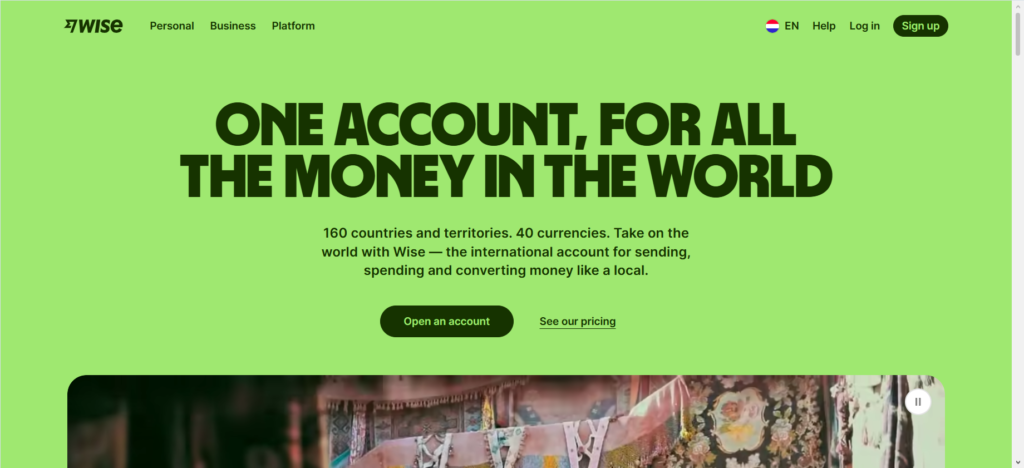
Getting paid as a remote worker often means chasing clients for payments, sharing bank details across email threads, and waiting days for money to show up. It’s tedious, and it doesn’t have to be.
Wise Payment Link changes that. It lets you create a simple link, send it to anyone, and get paid directly into your Wise account. No bank details to share. No back-and-forth about transfer instructions. Just a link and money lands in your account.
Here’s how it works and why remote workers are using it to get paid faster.
What Exactly Is Wise Payment Link?
Wise Payment Link is a feature that lets you request money from anyone—whether they have a Wise account or not. You create a payment link, share it with your client, and they click it to pay you. The money goes straight into your Wise account in the currency you requested.
Think of it like a digital invoice that’s ready to be paid with one click. You don’t need to share your bank account details, BSB codes, or SWIFT information. Just the link.
Both personal and business Wise accounts can create payment links. If you have a Wise Business account, you also get extra features like attaching invoices, setting due dates, and adding custom messages.
How Does It Work?
The process takes about two minutes. Here’s what you do.
1. Create the Link
Open your Wise app or website. Go to your home screen and select “Request,” or go to a specific currency balance and choose “Request.”
Enter the amount and currency you want to receive. Add a description so your client knows what the payment is for. If you’re using Wise Business, you can also attach an invoice and set a due date.
2. Choose Single-Use or Reusable
Wise gives you two types of links.
Single-use links accept one payment and then close automatically. They’re valid for 30 days. Use these for one-off projects or when you’re billing a client once.
Reusable links stay open forever and accept multiple payments. These are perfect for ongoing clients or retainer agreements. You create it once, send it to your client, and they use it every time they need to pay you.
3. Share the Link
Copy the link and share it however you want—email, WhatsApp, text message, or even a QR code. Your client clicks it and pays. That’s it.
4. Get Paid
The money lands in your Wise account in the currency you requested. Wise notifies you when it arrives. No waiting, no wondering if the transfer went through.
What Does It Cost?
Sending a payment request is free.
The fees for receiving depend on how your client pays.
If your client pays through Wise: It’s completely free. No fees at all.
If your client pays by bank transfer: There are no fees in most cases. Some exceptions apply for USD wire payments and CAD Swift payments, but those are rare.
If your client pays by card: Wise charges a processing fee as a percentage of the total amount. The exact fee depends on the card type and the customer’s location. For international card payments, it’s around 2.9%. This is deducted from the payment before it reaches your account.
The key thing to understand is that you’re not paying these fees—your client is. The fee comes out of what they send. You receive the remaining amount in your Wise account.
Why Remote Workers Love Payment Links
Remote workers deal with international clients, different time zones, and multiple currencies. Payment Links solve real problems.
No More Sharing Bank Details
Sharing your bank account details over email isn’t ideal. It feels insecure, and clients can make mistakes typing in BSB codes and account numbers. With a Payment Link, you share nothing sensitive. Just a clickable link.
Get Paid Even If Your Client Doesn’t Have Wise
This is a big one. Your client doesn’t need a Wise account to pay you. They click the link, enter their card or bank details, and the payment goes through. No sign-ups, no accounts to create.
Faster Than Bank Transfers
Bank transfers can take days, especially across borders. Payment Links are faster because the money goes directly into your Wise account. If your client pays through Wise, it’s instant. If they pay by card, it’s usually within minutes.
Perfect for Recurring Clients
If you have a client who pays you every month, create a reusable link. Send it once. They use it every time. You don’t have to send a new request or chase them for payment details each month.
Works with Your Invoices
Wise Business users can attach invoices directly to payment links. Your client sees the invoice and pays in one action. No separate steps. No confusion about what they’re paying for.
Wise Payment Link vs. Wise Account Details
These are two different ways to receive money, and it helps to know the difference.
Wise Account Details give you local bank account numbers in different currencies. Your client does a regular bank transfer to that account. This works well for larger payments and clients who prefer bank transfers.
Wise Payment Link is a request tool. You send a link, your client clicks and pays. This is faster and doesn’t require your client to have your bank details.
Both are useful. Account Details are great for ongoing relationships where clients already have your details saved. Payment Links are better for one-off payments, new clients, or when you want to get paid quickly without sharing sensitive information.
Practical Tips for Remote Workers
Here are some things I’ve learned from using Payment Links with clients across different countries.
Always use a reusable link for repeat clients.
It saves time and reduces friction. Your client bookmarks the link and pays you when they’re ready.
Add a clear description.
Don’t just put “Payment.” Write “Invoice #123 – Website Design – June 2026.” Your client knows exactly what they’re paying for, which reduces questions and delays.
Set expectations about fees.
If your client pays by card, there’s a processing fee. Let them know upfront so there are no surprises. You can also encourage them to pay through Wise or bank transfer to avoid fees entirely.
Track your payment links.
Wise shows you which links are paid, unpaid, and pending. You can see at a glance who owes you money without digging through emails.
Use the QR code for in-person payments.
If you meet clients at events or coworking spaces, display your QR code. They scan it and pay on the spot.
Frequently Asked Questions
Can I use Payment Links with a Wise Personal account?
Yes. Both Personal and Business accounts can create and share payment links.
Is there a limit on how much I can receive?
Wise doesn’t set a maximum limit for receiving payments through links. However, your Wise account may have receiving limits depending on your verification status and location.
How long is a payment link valid?
Single-use links expire after 30 calendar days. Reusable links don’t expire and stay open until you close them.
Can I cancel a payment link after sending it?
Yes. You can close a reusable link at any time. Single-use links close automatically once they’re paid or after 30 days.
What currencies can I request?
You can request payment in any currency you have account details for. If your client pays through Wise, you can request almost any currency.
Do I need to have money in my Wise account to create a payment link?
No. You just need to have at least one set of account details open. You don’t need a balance to request money.
Final Thoughts
Wise Payment Link is one of those tools that seems small until you use it. Then you wonder how you ever managed without it.
For remote workers, it removes the friction of getting paid. No more sharing bank details. No more chasing clients for transfer confirmations. No more waiting days for money to clear. Just a link, a click, and money in your account.
The best part? It works for both one-off projects and ongoing client relationships. Single-use links for new clients. Reusable links for your regulars. Simple, flexible, and free to create.
If you’re already using Wise, this feature is sitting right there in your account. If you’re not, this might be the reason to start.
What’s the most annoying part of getting paid by clients right now? And could a simple link fix it?
