
A landing page can make or break your online business. You can drive all the traffic in the world, but if your page is confusing or slow, people will leave. The good news is you don’t need expensive tools or coding skills to build a page that actually converts.
I’ve been building online businesses for over six years, and one tool I keep coming back to is Systeme.io.
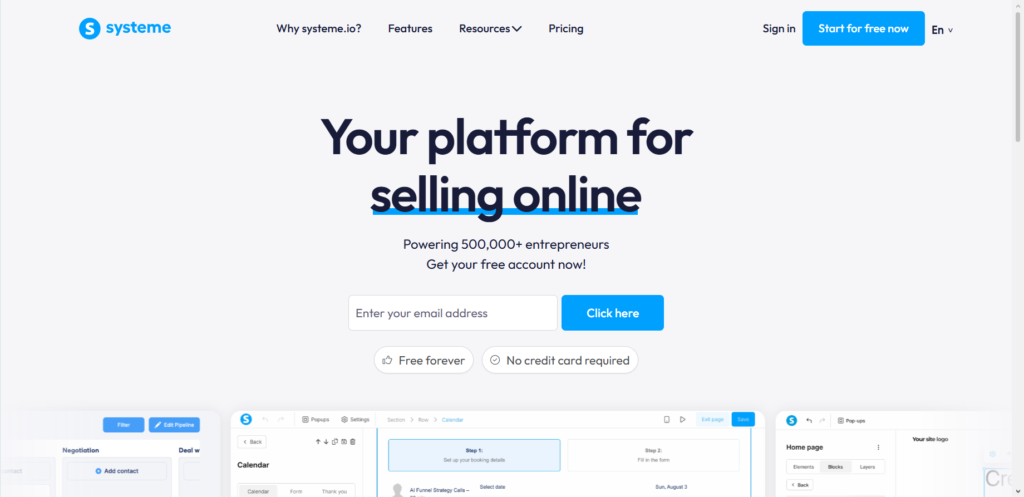
It’s an all‑in‑one platform that lets you create landing pages, manage email marketing, build sales funnels, and even run a membership site – all from one dashboard. Best of all, it has a generous free plan.
In this guide, I’ll walk you through exactly how to create a landing page in Systeme.io that turns visitors into leads or customers. No fluff, no technical jargon – just a clear, step‑by‑step process you can follow today.
How do I Create a Landing Page on Systeme.io That Converts?
Many people confuse a landing page with a regular website page. A homepage has navigation, links to different sections, and multiple goals. A landing page does one thing only: it asks the visitor to take a single action.
The $0 Secret To Launching Your Entire Online Empire
Why pay hundreds every month for separate software? Build funnels, send emails, and make sales with Systeme.io completely free.
Get Started For $0Free Forever • No Credit Card Needed • Beginner-Friendly
That action could be subscribing to an email list, downloading a free ebook, signing up for a webinar, or buying a product. Everything on the page is designed to guide the person toward that one goal.
This focused approach is what makes landing pages so effective. When you remove distractions, people are much more likely to take the action you want them to take.
1. Set Up Your Free Systeme.io Account
The first thing you need is a Systeme.io account. The platform offers a free plan that lets you create up to three funnels and store up to 2,000 contacts. That’s more than enough to get started.
Signing up takes less than two minutes. You don’t need a credit card for the free plan.
Once you’re logged in, you’ll see a clean dashboard. Don’t worry if it looks unfamiliar at first – the interface is designed to be simple, and I’ll guide you through every step.
2. Create a New Sales Funnel (Your Landing Page)
Systeme.io organizes landing pages inside “funnels”. A funnel is just a collection of pages that work together.
Here’s how to create your first landing page:
- Click on Sales Funnels in the top menu.
- Click the Create button.
- Choose Custom as the funnel type and click Save.
- Inside your new funnel, click Add step.
- Give your page a name and select the page type (choose “Opt‑in page” for lead capture or “Sales page” for selling a product).
- After saving, you’ll see a selection of templates. Choose one that fits your goal, or pick “Blank” to start from scratch.
Systeme.io gives you a library of pre‑designed templates. These are not cheap-looking placeholders – they are modern, responsive layouts created by professional designers. Using a template saves hours of work because the basic structure is already there.
3. Customize Your Page With the Drag‑and‑Drop Editor
This is where the magic happens. Systeme.io’s editor is built around three simple concepts: sections, rows, and elements.
- Sections are the main blocks of your page. You can add as many as you want.
- Rows (columns) help you arrange content side by side.
- Elements are the actual pieces of content: text, images, videos, buttons, forms, etc.
To add anything, just drag an element from the toolbar and drop it where you want it. The editor updates in real time, so you see exactly how your page looks as you build it.
This is the same approach that expensive tools like ClickFunnels use, but Systeme.io makes it completely free for basic use.
4. Write Copy That Actually Converts
A beautiful design means nothing if your words don’t connect with people. I’ve seen countless pages fail simply because the copy was vague or self‑centered.
Here are the essential elements of high‑converting landing page copy:
Headline
Your headline is the first thing visitors see. It must grab attention and promise a clear benefit within five seconds. Instead of “Welcome to Our Website”, try something like “How to Start Freelancing With Zero Experience” or “Get My Free 5‑Day Email Course”.
Send, Spend & Hold Money Worldwide Without Hidden Fees
Transfer money internationally at the real exchange rate and hold 40+ currencies in one account.
Open a Wise AccountMid-market rate • Fast transfers • 40+ currencies
Subheadline
A short sentence that supports the headline and adds a little more detail. Keep it clear and benefit‑driven.
Body Copy
Explain what you’re offering and why it matters. Focus on benefits, not just features. Instead of “This ebook has 50 pages”, say “You’ll learn the exact system that helped me land my first three clients in 30 days”.
Call‑to‑Action (CTA)
Your CTA button is the most important element on the page. Use action‑oriented words like “Get Instant Access”, “Start My Free Trial”, or “Download Now”. Avoid weak phrases like “Submit” or “Click Here”.
Social Proof
Testimonials, reviews, and trust badges reduce hesitation. When people see that others have had a good experience, they are much more likely to take action themselves.
One Goal Only
Never ask visitors to do more than one thing on a landing page. If you want them to sign up for a webinar, don’t also ask them to buy a product on the same page. Keep the focus tight.
The $0 Secret To Launching Your Entire Online Empire
Why pay hundreds every month for separate software? Build funnels, send emails, and make sales with Systeme.io completely free.
Get Started For $0Free Forever • No Credit Card Needed • Beginner-Friendly
5. Add an Opt‑in Form or Payment Button
Depending on your goal, you need to decide what happens after someone clicks your CTA.
If you are capturing leads (building an email list), add an opt‑in form to your page. Systeme.io gives you a form element that you can drag and drop anywhere. Ask for as little information as possible – usually just name and email address. Every extra field reduces the number of people who complete the form.
If you are selling a product, add a payment button. Systeme.io integrates with Stripe and PayPal, so you can start accepting payments immediately.
6. Set Up Automated Email Follow‑ups
A landing page without email automation is like a car without an engine. You get people to sign up, but then nothing happens.
Systeme.io makes email automation simple. You can set up rules and workflows that trigger automatically when someone takes an action.
For example:
- When someone fills out your opt‑in form, automatically send them a welcome email with the free download.
- Three days later, send another email with helpful tips.
- One week later, send an offer for your paid product.
To set this up:
- Go to the Emails tab and select Automation.
- Click New Sequence and add your emails with their content and timing.
- Define the trigger (e.g., “on subscription”).
- Save and activate the sequence.
This automated system works for you 24/7, even while you sleep. It’s one of the most powerful reasons to use an all‑in‑one platform like Systeme.io instead of separate tools.
7. Publish and Test Your Landing Page
Before you publish, run through this quick checklist:
- Mobile‑responsive: More than half of web traffic comes from mobile devices. Test your page on your phone. Are the buttons easy to tap? Is the text readable without zooming?
- Load speed: Slow pages kill conversions. Keep images compressed and avoid heavy video files unless necessary.
- Form works: Fill out your own form and make sure the email arrives as expected.
- No broken links: Click every button and link to ensure everything goes where it should.
Once you’re happy with everything, click the Publish button. Systeme.io will give you a unique URL. You can also connect a custom domain if you have one.
8. Improve With Split Testing (A/B Testing)
Creating a landing page is just the beginning. The real growth comes from continuously improving it.
Split testing (also called A/B testing) means creating two versions of your page and seeing which one performs better. You might test different headlines, button colors, images, or CTA text.
Systeme.io has built‑in split testing. Here’s how it works:
- Create two pages inside the same funnel.
- Set up an A/B test in the funnel settings.
- Systeme.io will send traffic to both versions automatically.
- After enough visitors, you’ll see clear data showing which version converts better.
You don’t need to be a data scientist to do this. Just test one thing at a time, run the test until you have enough data, and then apply the winning version to your page.
Common Mistakes That Kill Conversions
After reviewing hundreds of landing pages for my clients, I see the same mistakes over and over. Avoid these and you’ll already be ahead of most people.
No clear headline
If visitors don’t understand what you offer in five seconds, they leave.
Too many form fields
Every extra field cuts conversions. Ask only for what you truly need.
Generic stock photos
Real photos of you, your team, or your actual product build trust. Fake stock photos do the opposite.
Slow loading speed
Large images and unoptimized files frustrate visitors. Compress everything before uploading.
Missing social proof
Testimonials, case studies, and trust badges are not optional. They are essential for building credibility.
Navigation menu
Never include a menu bar on a landing page. Menus give people an easy way to leave. Keep them focused on your offer.
Realistic Expectations: How Long Does This Take?
Building your first landing page in Systeme.io takes about two to three hours. Once you are familiar with the platform, you can create a new page in thirty minutes.
As for results, a well‑optimized landing page typically converts between two and five percent of visitors into leads or customers. Top‑performing pages can reach twenty percent or higher, but that usually requires testing and refinement over time.
Don’t expect overnight success. But if you consistently send targeted traffic to a focused, trustworthy landing page, you will see real results.
Frequently Asked Questions
Is Systeme.io really free?
Yes. The free plan includes three funnels, up to 2,000 contacts, unlimited email sends, and all the basic features you need to build landing pages and collect leads.
Do I need any coding skills?
Not at all. The drag‑and‑drop builder handles everything. I have helped clients with zero technical experience build professional pages in less than an hour.
Can I sell products directly from my landing page?
Yes. Systeme.io integrates with Stripe and PayPal. You can add payment buttons and even create entire sales funnels with upsells and order bumps.
What if I already use a different email marketing tool?
You can still use Systeme.io just for landing pages. But I recommend moving everything over because having one tool for funnels, email, payments, and membership is much simpler.
How do I drive traffic to my landing page?
You can share the link on social media, include it in your email signature, run ads on Facebook or Google, or create content that leads people to the page naturally. The key is to match your ad or post messaging with what the landing page promises.
Final Thoughts
A landing page is not a complicated sales page. It is a simple, focused tool that asks a visitor to take one specific action. When you build it right, it becomes the engine that grows your email list and your sales.
Systeme.io removes all the technical barriers. You don’t need hosting, you don’t need coding, and you don’t need three different subscriptions. Everything lives in one place, and the free plan lets you start without spending a dollar.
I’ve used this exact process to build landing pages for my own businesses and for dozens of clients. It works every single time.
Your turn now. What is the first landing page you plan to build? A lead magnet to grow your email list? A sales page for a digital product? Let me know in the comments – I read every one.
