
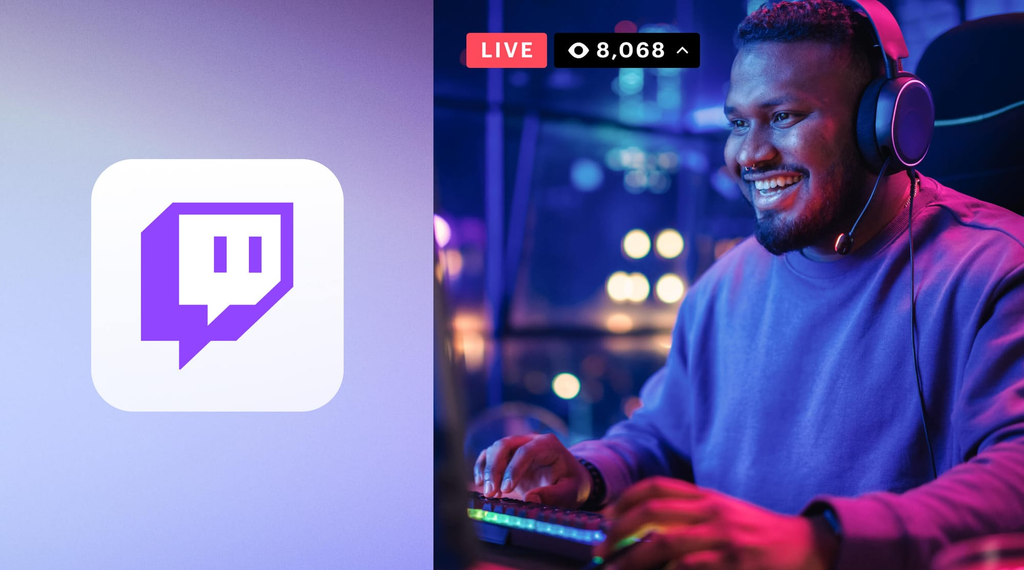
Playing video games used to be something people did alone in their bedrooms or on the couch with a couple of friends after school. Today, gaming has transformed into a massive spectator sport and interactive show. Every single day, millions of people tune in online to watch their favorite players beat tough game levels, show off impressive skills, or simply hang out and chat.
At the very center of this global trend is Twitch, a website and app dedicated to live broadcasting. What started as a niche corner of the internet for hardcore gamers has grown into a major entertainment hub where creators can turn a fun hobby into a genuine income stream.
If you have ever wondered how someone actually earns a living while playing video games on camera, the process is far less secretive than it seems. This comprehensive guide breaks down how Twitch works, how creators interact with their audiences, and the exact steps gamers take to make money online.
What Exactly is Twitch Streaming?
Live streaming means broadcasting live video directly over the internet in real time. Unlike watching a pre-recorded movie or an edited video on social media, a live stream happens right as you watch it. When a creator goes live on Twitch, their audience sees their real-time reactions, hears their immediate thoughts, and watches their gameplay without any editing cuts.
Twitch was launched in 2011 specifically to cater to video game fans. Amazon bought the platform a few years later, and it has since become the primary home for online gaming broadcasts, esports tournaments, and live creator communities.
The $0 Secret To Launching Your Entire Online Empire
Why pay hundreds every month for separate software? Build funnels, send emails, and make sales with Systeme.io completely free.
Get Started For $0Free Forever • No Credit Card Needed • Beginner-Friendly
How Twitch Works for Viewers and Streamers
When you visit Twitch on a computer or mobile device, you see a video player accompanied by a live chat window on the side of your screen. The streamer broadcasts two main things simultaneously: the screen of the game they are playing and a small video box showing their face through a webcam.
Viewers type messages into the live chat box to share their thoughts, ask questions, or react to moments in the game. The streamer can read these messages on a second monitor while playing and respond out loud. This instant back-and-forth communication makes streaming feel like sitting in a room with a friend rather than watching traditional television.
Why People Watch Others Play Video Games
People often ask why anyone would choose to watch someone else play a game instead of playing it themselves. The answer comes down to three main reasons: entertainment, learning, and community.
First, top streamers are natural entertainers. They tell stories, crack jokes, and react wildly to unpredictable moments in games. Second, many viewers watch expert players to learn strategies, tricks, and techniques to improve their own gameplay. Third, Twitch creates a shared space for fans of specific games to gather, talk, and bond over common interests.
While video games make up the majority of broadcasts, Twitch has expanded into other areas over time. Channels categorized under “Just Chatting” feature creators hosting talk shows, doing podcasts, cooking meals, or simply chatting with their audience without any gameplay involved.
What You Need to Start Streaming on Twitch
Getting started on Twitch does not require a fancy Hollywood setup or thousands of dollars in high-tech gear. Many successful creators started with basic tools they already owned at home.
Essential Hardware for Beginners
To broadcast your content, you need a device capable of running games and connecting to the internet. A modern gaming PC, a PlayStation console, an Xbox, or even a fast smartphone can serve as your foundation.
Audio is one of the most critical parts of any stream. Viewers will tolerate average video quality, but bad, scratchy audio will quickly make them leave. A clean USB microphone ensures your voice comes through clearly.
A webcam is also recommended so viewers can see your expressions. While some successful creators choose to remain camera-free, having a video feed helps build trust and connection with your audience. Finally, a stable home internet connection with reliable upload speeds keeps your broadcast smooth and clear.
Free Streaming Software Setup
Streamers use software to capture their game screen, microphone sound, and camera image, combining them into one clean feed that gets sent to Twitch.
The most popular tool for this is OBS Studio, a free, open-source program that works on Windows, Mac, and Linux. Another popular beginner option is Streamlabs, which provides user-friendly templates, chat overlays, and quick alerts that flash on screen whenever someone follows or donates to your channel.
Once your software is connected to your Twitch account using a private stream key, pressing a single button makes your stream go live to the world.
How Gamers Make Money on Twitch: The Main Income Streams
Making money as a streamer comes down to building a dedicated community. Once you have viewers who regularly show up to watch your broadcasts, multiple revenue channels open up. Here is a detailed breakdown of how creators earn money.
Monthly Channel Subscriptions
Subscriptions are the primary foundation of income for most established streamers. A subscription is a recurring monthly payment made by a viewer to support a specific creator’s channel.
Twitch offers subscriptions across three standard price points: Tier 1 ($4.99 per month), Tier 2 ($9.99 per month), and Tier 3 ($24.99 per month). When viewers subscribe, they get fun channel perks like custom chat badges, exclusive channel emotes to use across Twitch, and ad-free viewing.
Send, Spend & Hold Money Worldwide Without Hidden Fees
Transfer money internationally at the real exchange rate and hold 40+ currencies in one account.
Open a Wise AccountMid-market rate • Fast transfers • 40+ currencies
Additionally, Amazon Prime members receive one free monthly subscription to give to any streamer they choose each month. Twitch splits subscription earnings with the streamer. Entry-level creators typically split subscriber money 50/50 with the platform, while larger partners can negotiate higher revenue shares.
Twitch Bits and Virtual Cheering
Twitch has its own built-in virtual currency called Bits. Viewers buy packages of Bits directly from Twitch using real money. During a live broadcast, viewers can spend these Bits in chat to “cheer” for cool plays, funny jokes, or big achievements.
For every single Bit cheered in a channel, Twitch pays the streamer exactly $0.01 (one cent). If a fan cheers 100 Bits in your chat, you receive $1.00. Unlike subscriptions, Twitch does not take a cut from Bits after they are sent; the creator gets the full value of the cheer.
In-Stream Video Advertisements
Just like traditional TV stations or video platforms, Twitch runs advertising clips before or during streams. These ads can play automatically when a viewer opens a channel (pre-roll ads) or be scheduled by the streamer during breaks in their gameplay (mid-roll ads).
Ad earnings are calculated based on impressions, which means the streamer earns a set rate per 1,000 ad views. While advertising income is often relatively small for beginner channels with smaller audiences, it provides steady passive revenue as view counts grow into thousands.
Direct Viewer Tips and External Donations
Many streamers set up direct donation links under their stream profiles. These links direct viewers to payment tools like PayPal or Streamlabs where fans can send money directly to the creator.
Direct tips are popular because they bypass Twitch’s official subscription split entirely. When a fan sends a $10 tip through PayPal, the streamer keeps nearly all of it, minus standard credit card processing fees. Streamers often set up custom on-screen alerts that play sound effects or animations whenever a donation comes through, publicly thanking the viewer for their generosity.
Brand Sponsorships and Paid Deals
Once a creator builds a reliable audience, companies pay close attention. Brand deals and commercial sponsorships represent some of the highest-paying opportunities for gaming creators.
Sponsorships can take many forms:
- Sponsored Streams: Game publishers pay creators to play a newly released video game for a set number of hours live on camera.
- Product Placements: Gaming hardware manufacturers pay streamers to wear their headsets, use their gaming mice, or sit in their ergonomic chairs during streams.
- Logo Overlays: Companies pay for a small logo banner to remain visible on the stream frame while the creator plays.
- Shoutouts and Reviews: Energy drink brands or snack companies pay creators to drink their products and talk about them on camera.
Sponsorship payments can range from free product samples for small creators to tens of thousands of dollars per hour for major internet celebrities.
The $0 Secret To Launching Your Entire Online Empire
Why pay hundreds every month for separate software? Build funnels, send emails, and make sales with Systeme.io completely free.
Get Started For $0Free Forever • No Credit Card Needed • Beginner-Friendly
Affiliate Marketing and Referral Links
Affiliate marketing allows streamers to earn money by recommending tools and products they genuinely use. Creators place special tracking links in their profile panels below the video window.
When a viewer clicks an affiliate link to buy a gaming keyboard, a monitor, or software, the creator receives a percentage of that purchase as a commission. Many streamers combine live streaming with other automated content platforms. For instance, exploring methods in YouTube automation can help creators build secondary passive streams of income alongside their live broadcasts.
Selling Branded Merchandise
As communities grow, viewers love showing their support by wearing custom gear. Streamers create online stores selling branded t-shirts, hoodies, caps, coffee mugs, and stickers.
Print-on-demand services make selling merchandise simple and risk-free. When a fan orders a shirt from your store, the printing service manufactures the shirt, packages it, ships it to the customer, and collects payment. The creator receives the profit margin without ever having to store boxes of inventory in their home.
The Path to Monetization: Twitch Affiliate vs. Twitch Partner
You cannot instantly start earning subscription money on your very first day on Twitch. Twitch has a structured creator program with specific milestones you must reach before monetization features unlock.
How to Become a Twitch Affiliate
The first official milestone on the platform is reaching Twitch Affiliate status. Twitch automatically invites creators to join the Affiliate Program once they hit four specific goals within a 30-day period:
- Reach at least 50 followers on your channel.
- Stream for at least 500 total minutes.
- Stream on at least 7 unique days.
- Maintain an average of 3 concurrent viewers across all streams.
Hitting these goals unlocks subscription buttons, Bits, and basic ad revenue features. For most consistent creators, hitting Affiliate status takes anywhere from a few weeks to a couple of months.
How to Reach Twitch Partner Status
Twitch Partner is the top tier of creator support on the platform. Becoming a Partner is designed for serious streamers who have built large, active communities.
To apply for Partner status, creators must complete the “Path to Partner” achievement, which requires averaging 75 concurrent viewers, streaming for 25 hours, and streaming on 12 different days within a 30-day window.
Unlike the Affiliate program, achieving these numbers does not guarantee automatic acceptance. Twitch staff manually review each Partner application to ensure the content meets high quality standards and respects community guidelines. Partners get exclusive channel badges, custom emote slots, priority customer support, and access to better payout splits.
Expanding Your Reach and Multi-Platform Growth
Relying solely on Twitch to grow an audience can be challenging. Because live broadcasts disappear when you press stop, new viewers rarely discover small channels by scrolling through Twitch alone.
Why Twitch Discovery is Tough
The main Twitch browse page sorts channels by viewer count from highest to lowest. This design means top channels naturally attract more eyes, while smaller streamers stay hidden at the bottom of long lists.
Successful streamers solve this problem by taking funny clips, epic gameplay moments, or helpful gaming guides from their live streams and sharing them across discoverable platforms.
Leveraging Social Platforms and Modern Tech
Posting short-form video clips on platforms like YouTube Shorts, TikTok, and Instagram Reels is one of the fastest ways to attract new viewers. When people enjoy your short clips, they follow your link back to watch your full live stream on Twitch.
Staying up to date on advancements in technology and AI can also speed up your editing workflow. Modern tools can automatically detect exciting stream moments, trim videos into vertical phone formats, generate clean captions, and clean up background noise in seconds.
Building a community across social channels like Facebook, Instagram, and X (formerly Twitter) keeps your fans connected with you even when you are offline.
Real Advice for Building a Successful Channel
Turning gaming into an online income takes patience, practice, and realistic planning. Here are essential steps every beginner should keep in mind.
Pick a Focus and Stay Consistent
When starting out, focus on games you genuinely enjoy playing. Audiences quickly spot when a creator is bored or forcing themselves to play a popular game just for views.
Consistency is equally vital. Establish a realistic streaming schedule—such as three evenings a week—and stick to it. When your audience knows exactly when you will be live, tuning into your stream becomes part of their regular routine.
Talk to Your Chat and Build Community
Interacting with viewers is your greatest advantage over traditional media. Greet people when they join your chat, answer their questions, and involve them in your decision-making during games.
Making viewers feel welcome and appreciated turns casual drop-ins into loyal followers who return for every stream.
Learn, Adapt, and Stay Connected
Treat your stream as an evolving craft. Watch back recordings of your own broadcasts to see where your audio can be adjusted or where your energy dips.
You can read more about building an online brand on our about page or submit any questions directly through our contact page. Continuous learning is the key to steady long-term growth.
Frequently Asked Questions (FAQs)
Can you make money on Twitch without being a Twitch Affiliate?
Yes. While official Twitch features like subscriptions and Bits require Affiliate status, beginners can earn money from day one by setting up direct donation links through PayPal or Streamlabs. You can also earn commission money through affiliate product links in your profile panel before hitting Affiliate requirements.
How much money does an average Twitch streamer make?
Earnings vary widely depending on audience size, stream frequency, and overall engagement. Beginner streamers with under 1,000 followers might make anywhere from $20 to $200 per month through occasional tips and small subscriptions. Mid-tier streamers with steady audiences of a few hundred viewers can earn $500 to $3,000 per month. Top-tier streamers with thousands of active subscribers and major brand deals can generate tens of thousands of dollars monthly.
Do you need an expensive camera to stream on Twitch?
Not at all. Many beginners use standard webcams or even connect their smartphones as high-definition webcams. Good lighting from a simple desk lamp or ring light often matters far more than having an expensive camera lens.
How often does Twitch pay out earnings to creators?
Twitch pays creators on a monthly basis. Once your total account balance reaches the payout threshold of $50 (or $100 depending on your payout method and region), Twitch processes payments roughly 15 days after the end of the calendar month.
Is Twitch only for playing video games?
No. While video games remain the core of the platform, categories like “Just Chatting,” “Music,” “Art,” and “Creative” have grown tremendously. Musicians perform live sets, artists paint or draw digitally, and creators host conversational streams about everyday life.
Building a successful presence on Twitch is a journey that combines gaming, entertaining, and community management. While earning money online takes time, effort, and regular practice, the path is wide open for anyone willing to share their passion live on screen. Focus on delivering clear audio, engaging with chat messages, and staying consistent with your schedule, and you will give your channel the best foundation to grow over time.
