
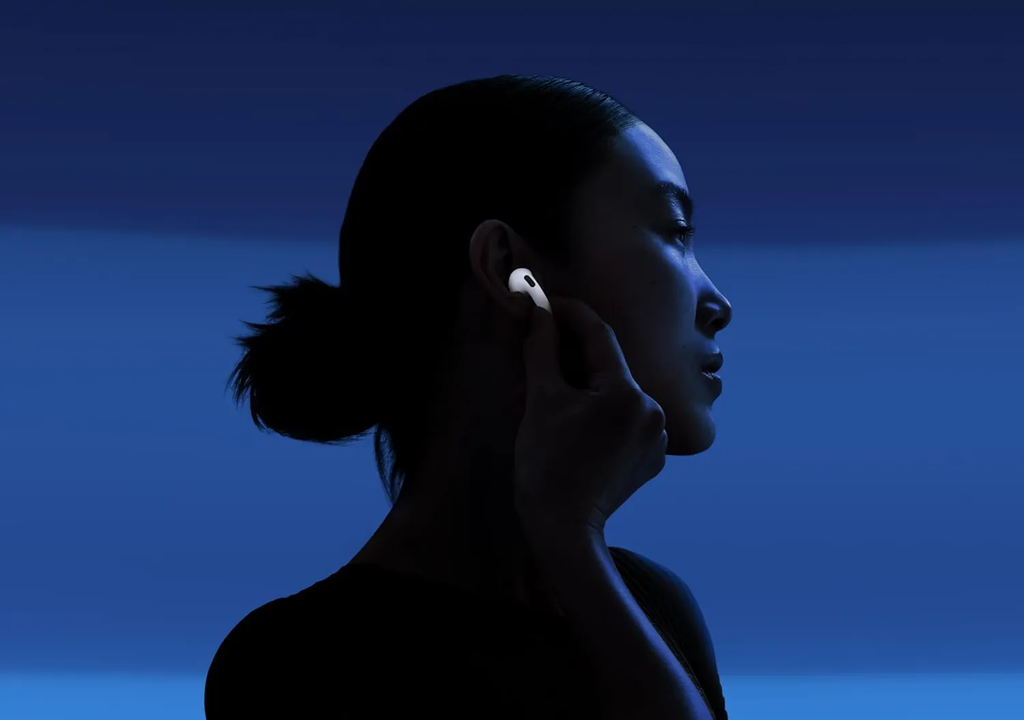
Apple made headlines across the medical and tech industries when health regulators cleared AirPods Pro to function as clinical-grade, over-the-counter hearing aids. For millions of people struggling to hear conversations in crowded restaurants or constantly turning up the television volume, this news felt like a massive breakthrough. Instead of spending thousands of dollars at a specialized clinic, you could potentially pop in a pair of everyday earbuds you already own.
Using consumer earbuds to boost sound is not completely new, but recent software updates on iOS have elevated the feature from a simple volume booster into a legitimate hearing assistance tool. Apple built an entire clinical hearing test directly into the iPhone operating system. This test allows your earbuds to customize sound output based on your personal hearing profile.
Before you ditch traditional medical devices, it is essential to understand what these earbuds can do, where they fall short, and who they are actually built for. Turning everyday wireless earbuds into medical-grade hearing helpers comes with amazing perks, but it also comes with real limitations that might surprise you.
How Apple Turned Regular Earbuds Into Clinical-Grade Hearing Aids
For years, iPhone owners used basic features like Live Listen or simple audio accommodations to make soft sounds louder. Those early features simply turned up the overall volume around you. That meant background noise like buzzing air conditioners, street traffic, and clattering dishes got amplified right alongside human voices.
Things changed dramatically when Apple received official clearance from the United States Food and Drug Administration (FDA) for its built-in hearing aid feature on the AirPods Pro 2 and AirPods Pro 3. The tech giant introduced an end-to-end hearing health solution built directly into iOS. You can learn more about how Apple structured this feature on the official Apple Support Page.
The $0 Secret To Launching Your Entire Online Empire
Why pay hundreds every month for separate software? Build funnels, send emails, and make sales with Systeme.io completely free.
Get Started For $0Free Forever • No Credit Card Needed • Beginner-Friendly
Instead of boosting all volume levels evenly, the technology works like a smart, personalized audio equalizer. When you put on compatible earbuds, built-in microphones listen to environmental sounds continuously. Internal computer chips process those sounds instantly, amplifying specific quiet frequencies you struggle to hear while keeping comfortable sounds at normal levels.
This system operates through an enhanced version of Transparency Mode. Instead of blocking outside sounds like noise cancellation does, Transparency Mode lets external sounds flow into your ears with customized digital enhancements. The result sounds surprisingly natural because the earbuds only adjust sound frequencies where your ears need help.
Who Can Actually Benefit From AirPods as Hearing Aids?
Not everyone with hearing difficulty will get the same results from consumer earbuds. Apple specifically engineered this software for adults with perceived mild to moderate hearing loss.
Mild hearing loss usually means you miss quiet sounds like soft whispering, leaves rustling, or high-pitched consonants in fast speech. Moderate hearing loss means you frequently ask people to repeat themselves, struggle to follow conversations in noisy social settings, or need to set television volume higher than other people prefer.
If your hearing challenges match these descriptions, earbuds can make a dramatic difference in your daily life. They provide clean speech amplification and help ambient environments sound sharp and clear again.
However, if you suffer from severe or profound hearing loss, earbuds will not give you enough volume or precise control. Severe hearing loss requires powerful, prescription hearing aids configured by a trained healthcare specialist. Relying on consumer earbuds for severe hearing loss can cause frustrating audio distortion and strain your ears.
How to Set Up Your AirPods Pro as Hearing Aids
Setting up hearing support on your iPhone is simple and straightforward. The entire process is integrated into the iOS Settings menu and takes about ten minutes.
Step 1: Update Your Devices
Before starting, confirm that your iPhone or iPad is running the latest software update. You also need to make sure your AirPods Pro 2 or AirPods Pro 3 are updated with current firmware.
Place the earbuds into your ears and verify they are connected to your mobile device. Open the Settings app on your iPhone and tap the name of your AirPods near the top of the main screen.
Step 2: Take the Built-in Hearing Test
Scroll down to the Hearing Health menu and select Hearing Assistance. Tap on Take a Hearing Test to launch the guided health test.
Find a quiet room free from background distractions. The test plays a series of gentle tones at varying pitches and volume levels in each ear. You simply tap the screen every time you hear a tone.
The software measures your response accuracy across high, medium, and low frequencies. Once complete, your iPhone generates a custom audiogram that maps your exact hearing profile. If you already received a professional test from a doctor, you can upload a photo of your paper results or enter the numbers manually.
Step 3: Turn On Hearing Aid and Media Assist
If your test indicates mild or moderate hearing loss, your phone will prompt you to enable the Hearing Aid feature. Tap Turn On Hearing Aid to apply your customized profile to ambient sound.
Next, turn on Media Assist. Media Assist applies your personal hearing profile to digital media playing on your phone, including music, streaming video, phone calls, and FaceTime chats. This means caller voices and show dialogue become significantly easier to understand without cranking up total volume.
Step 4: Fine-Tune Your Environmental Sound
Open Control Center on your iPhone by swiping down from the top right corner of your screen. Tap and hold the Hearing icon to bring up quick adjustments.
Send, Spend & Hold Money Worldwide Without Hidden Fees
Transfer money internationally at the real exchange rate and hold 40+ currencies in one account.
Open a Wise AccountMid-market rate • Fast transfers • 40+ currencies
From this screen, you can adjust amplification volume, tone brightness, and left-right balance. When sitting across from someone in a crowded room, turn on Conversation Boost. Conversation Boost focuses earbud microphones on the person talking directly in front of you while suppressing background noise.
The Massive Price Difference: Earbuds vs Traditional Hearing Aids
Cost is the single biggest reason people are excited about earbud hearing features. Medical hearing care has historically been out of reach for millions of families.
Prescription medical hearing aids cost anywhere from $2,000 to $6,000 per pair. Most standard health insurance plans offer minimal coverage for hearing devices, leaving buyers to pay high out-of-pocket prices. On top of device costs, patients pay ongoing fees for office visits, custom fittings, and adjustments.
A pair of AirPods Pro costs around $249. For anyone noticing early signs of hearing loss, spending under $300 to test an FDA-cleared hearing tool is far easier than making clinic appointments and spending thousands.
Accessible over-the-counter options mean people can address hearing struggles earlier in life. Instead of waiting decades until hearing loss becomes severe, adults can get immediate help at an affordable price point.
Real-World Performance: Where AirPods Win and Where They Fail
While saving thousands of dollars is fantastic, relying on earbuds as primary hearing devices comes with trade-offs. Practical tests reveal clear strengths and real weaknesses.
Where AirPods Win: Audio Streaming and Everyday Convenience
AirPods perform exceptionally well when streaming content. When listening to music, watching movies, or handling phone calls, internal software tunes digital sound straight to your ears. Vocal clarity and speech detail are outstanding compared to basic headphones.
Everyday convenience is another huge bonus. Most people already carry wireless earbuds in their pockets or bags. Having hearing help built into a device you already use for phone calls and gym sessions feels seamless.
Where Traditional Hearing Aids Win: Battery Life
Battery limits are the biggest flaw when using consumer earbuds for hearing support. AirPods Pro offer roughly 4.5 to 6 hours of battery life on a single charge when using Transparency Mode or active amplification.
If you need hearing support through an entire day, 4.5 hours is simply not enough. You will have to take the earbuds out and place them in their charging case multiple times throughout the day.
The $0 Secret To Launching Your Entire Online Empire
Why pay hundreds every month for separate software? Build funnels, send emails, and make sales with Systeme.io completely free.
Get Started For $0Free Forever • No Credit Card Needed • Beginner-Friendly
Dedicated hearing aids offer between 18 and 30 hours of continuous battery life per charge. You can wear dedicated hearing aids through a full workday, evening family dinners, and late-night travel without worrying about dead batteries.
Long-Term Comfort and Ear Fatigue
Design plays a huge role when wearing a device inside your ears for twelve hours straight. Medical hearing aids sit lightly in the ear canal or behind the ear. Many models feature open ventilation designs that allow natural airflow, preventing moisture buildup and ear pressure.
Earbuds rely on silicone tips that create a tight seal inside your ear canal. While that seal creates rich music bass and active noise cancellation, it can cause physical ear fatigue after two hours of continuous wear.
A tight silicone seal can also create an uncomfortable occlusion effect. Occlusion makes your own voice sound echoey, booming, or muffled inside your head, similar to speaking while plugging your ears with your fingers. Apple added an Own Voice Amplification slider to reduce this feeling, but open-fit medical devices still feel more natural when talking.
Social Perception and Headphone Etiquette
Hearing loss stigma used to make people hesitate to wear medical devices. Wearing popular consumer earbuds feels normal because millions of people wear them every day in public.
However, wearing earbuds during face-to-face conversations introduces a different social challenge. If you sit in a business meeting, classroom, or restaurant with white earbuds in your ears, people may assume you are listening to music or ignoring them.
Until social etiquette adapts to hybrid earbud devices, you may need to explain to friends and coworkers that your earbuds are helping you hear them better. Medical hearing aids are designed to be tiny and hidden, signaling clearly that they are medical tools rather than music players.
Key Feature Comparison: AirPods Pro vs Traditional Hearing Aids
Understanding how consumer earbuds compare to specialized hearing devices helps you pick the right tool for your routine. Medical experts at Audiology Island highlight several structural differences worth considering:
- Target Hearing Support: AirPods Pro treat mild to moderate hearing loss. Traditional hearing aids treat mild, moderate, severe, and profound hearing loss.
- Continuous Battery Life: AirPods Pro last 4.5 to 6 hours per charge. Traditional hearing aids last 18 to 30 hours per charge.
- Wearing Comfort: AirPods Pro are great for 1 to 3 hours of intermittent use. Traditional hearing aids are engineered for 12 to 18 hours of continuous daily wear.
- Setup Method: AirPods Pro use a self-guided smartphone test. Traditional hearing aids require custom fittings and adjustments by a licensed audiologist.
- Total Device Cost: AirPods Pro retail for approximately $249. Traditional prescription devices average $2,000 to $6,000 per pair.
- Physical Design: AirPods Pro feature a closed silicone earbud fit. Traditional hearing aids offer behind-the-ear and invisible open-fit designs.
Detailed analysis from hearing technology review site Soundly reveals that many users end up owning both devices. They rely on earbuds for phone calls, computer work, and quick outings, while using traditional hearing aids for long events and group social gatherings.
Practical Tips to Get the Best Sound Quality
If you plan to use your earbuds for hearing assistance, simple setup adjustments will improve your sound clarity and comfort.
First, test all silicone ear tip sizes included in your package. Getting a proper seal is essential for accurate hearing test scores and balanced sound amplification. Loose tips let sound leak out, causing high-pitched audio feedback and weak volume.
Second, keep earbud tips completely clean. Earwax accumulation blocks internal speaker mesh and external microphone ports, leading to muffled sound and quiet output. Wipe down your earbud tips daily using a soft microfiber cloth.
Third, give your brain time to adjust. When you enable hearing amplification for the first time, everyday background sounds like running tap water or clacking keyboards may sound sharp or loud. Make small volume and tone adjustments over a week or two so your hearing adapts naturally.
When You Should See a Healthcare Professional
While smartphone hearing tests and consumer hardware are great tools, they cannot replace professional medical care. Hearing changes can occasionally stem from medical conditions that need professional treatment.
Schedule an appointment with a doctor or certified audiologist if you experience sudden hearing loss in one ear, persistent ringing in your ears, fluid drainage, ear pain, or dizziness. Over-the-counter devices cannot diagnose or treat physical blockages, infections, or nerve damage.
An audiologist can inspect your ear canals with specialized tools and test your hearing in soundproof sound booths. Even if you choose to use earbuds for casual amplification, having a professional baseline medical test helps you monitor your hearing over time.
Frequently Asked Questions (FAQs)
Can all versions of Apple AirPods be used as hearing aids?
No. The official FDA-cleared hearing aid software is specifically designed for AirPods Pro 2 and AirPods Pro 3. Base model AirPods and over-ear AirPods Max do not possess the required hardware sensors and software support needed for clinical hearing assistance.
Are AirPods Pro covered by health insurance or HSA funds?
Insurance coverage depends on your specific insurance provider and policy details. Many Flexible Spending Accounts (FSA) and Health Savings Accounts (HSA) allow reimbursement for FDA-cleared over-the-counter hearing aids. Check with your plan administrator to confirm eligibility before buying.
Can I upload an existing test from my doctor instead of taking the iPhone test?
Yes. If you already have an official audiogram from a medical clinic, you can upload a photo of the document or type your frequency numbers directly into the Apple Health app. Your earbuds will customize their audio output using your doctor’s exact test numbers.
Will the hearing aid features keep working if my iPhone is in another room?
Yes. Once you complete the initial setup on your iPhone, your custom hearing profile saves directly to the internal memory chip inside your AirPods. The hearing amplification stays active in Transparency Mode even if you walk away from your phone.
Why does my voice sound echoey when I talk with earbuds in?
This occurs due to the occlusion effect, which happens when silicone tips block your ear canals and trap sound vibrations from your own vocal cords. You can ease this feeling by lowering the Own Voice Amplification setting inside your iPhone Control Center settings.
Apple transforming everyday wireless earbuds into FDA-cleared hearing tools is a massive win for health accessibility. For anyone experiencing mild hearing difficulty, spending under $300 on an easy tool that sits right in your pocket offers an incredible entry point into hearing care.
Short battery life and tight silicone tips mean earbuds will not replace traditional medical hearing aids for all-day wear. However, for phone calls, video streaming, and situational hearing boosts, they are revolutionary gadgets.
