
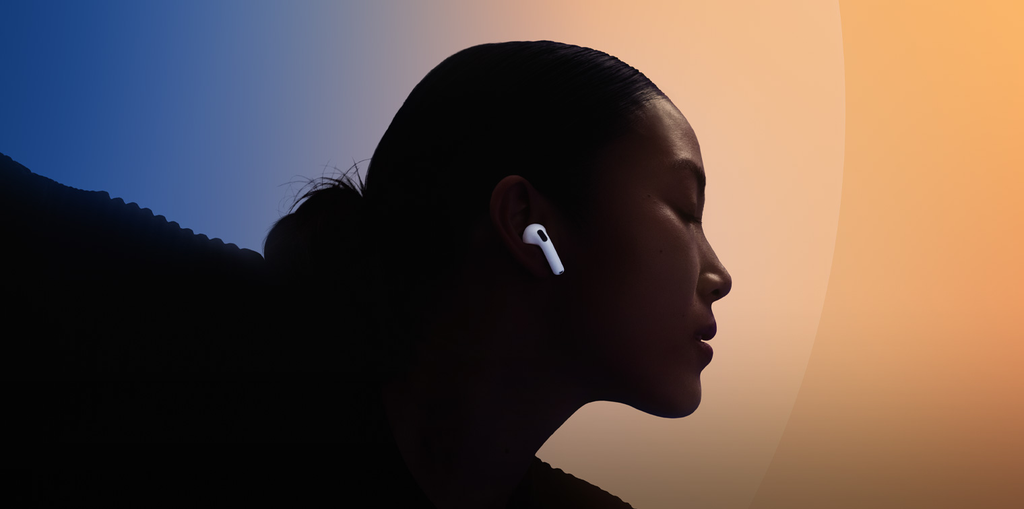
When Apple introduced wireless earbuds back in 2016, a lot of people were skeptical. People joked that they looked like toothbrush heads or tiny hair dryer nozzles. Critics warned that they would fall out of people’s ears and disappear down storm drains within twenty minutes.
Fast forward to today, and those small white earbuds are practically everywhere. You see them on crowded morning commutes, inside busy gyms, during work video calls, and on casual coffee runs. They have transformed from a strange-looking accessory into one of the most recognizable tech products on the planet.
Despite their popularity, many people treat them as simple wireless headphones. You pop them in, press play, and sound comes out. But underneath that plain plastic shell sits a complex network of custom computer chips, microscopic sensors, and clever software tricks.
Understanding how these tiny devices operate makes using them even better. Here is a clear breakdown of what Apple AirPods actually are, how the technology inside them works, and why they feel so different from standard Bluetooth earbuds.
What Are Apple AirPods?
Apple AirPods are small wireless earbuds built specifically to work alongside Apple devices like the iPhone, iPad, Mac, and Apple Watch. While they function over standard Bluetooth technology, their main appeal comes from custom hardware that strips away the annoying setup steps common with traditional wireless gear.
The $0 Secret To Launching Your Entire Online Empire
Why pay hundreds every month for separate software? Build funnels, send emails, and make sales with Systeme.io completely free.
Get Started For $0Free Forever • No Credit Card Needed • Beginner-Friendly
Before AirPods arrived, pairing Bluetooth headphones meant diving deep into system settings menus, holding down obscure buttons, waiting for LED lights to flash, and constantly re-pairing devices when connections dropped. Apple solved this problem by treating wireless earbuds like intelligent mini-computers rather than dumb speakers.
Over the years, the lineup has expanded into a few distinct versions to match different budgets and listening needs:
- Standard AirPods: The classic open-ear design that rests gently inside your ear without sealing the ear canal.
- AirPods Pro: Upgraded earbuds with customizable silicone ear tips, active noise cancellation, and sweat resistance for workouts.
- AirPods Max: Premium over-ear headphones that combine high-end audio hardware with the same smart wireless features found in the smaller buds.
Regardless of which model you look at, the core goal remains identical: deliver clear audio, instant pairing, and hands-free control without getting tangled in cords.
The Hidden Brains: Custom Silicon Chips
The biggest secret behind the success of AirPods is not the speakers inside them. It is the custom microchips designed directly by Apple’s engineering teams.
Standard Bluetooth headphones usually rely on off-the-shelf wireless chips made by third-party suppliers. Apple chose to build its own processing units from scratch, starting with the W1 chip in early models, moving to the H1 chip, and now utilizing advanced processors like the H2 chip.
These tiny chips act as the brain of each earbud. They perform millions of calculations every second while using very little power. Here is what the custom chip handles behind the scenes:
Ultra-Low Power Consumption
Wireless earbuds have tiny batteries. Without efficient power management, battery life would drain within an hour. The internal processor carefully throttles power usage depending on whether you are streaming music, talking on a call, or keeping the earbuds on standby.
Rock-Solid Wireless Stability
Standard Bluetooth signals often drop out when walking through busy places filled with radio interference, such as train stations or crowded streets. Apple’s custom silicon maintains a continuous, strong connection to your phone while keeping audio synced perfectly between both earbuds.
Instant Audio Processing
Every sound passing through the earbuds gets processed in real time. The chip adjusts equalizer settings on the fly to match the shape of your ear and filters out background noise during voice calls.
Smart Sensors: How AirPods Know What You Are Doing
Have you ever wondered how your earbuds instantly know when you put them in your ears or take them out? It is not luck or guesswork. Each earbud contains a tiny cluster of smart sensors working together.
Optical Sensors and Skin Detectors
Inside the housing of each earbud are microscopic optical sensors and skin-detecting sensors. These sensors bounce invisible infrared light off the inside of your ear canal or detect the presence of real skin.
When you place an earbud into your ear, the sensor detects that light is blocked or skin contact is present. It sends a signal to the chip, which tells your phone to start playing audio automatically. Pull one earbud out, and the music pauses instantly. Put it back in, and your podcast picks up right where you left off.
Motion and Speech Accelerometers
Accelerometers are sensors that detect physical movement and vibration. AirPods use two different types of accelerometers:
- Motion Accelerometers: These register physical taps, touches, or squeezes on the earbud stem. When you double-tap or press the force sensor on the stem, the accelerometer senses that impulse and performs actions like skipping a track or answering a phone call.
- Speech-Detecting Accelerometers: When you talk, your jaw bone vibrates. The speech accelerometer detects those subtle facial vibrations and signals the internal microphones to turn on and focus strictly on your mouth.
Beamforming Microphones: How Your Voice Stays Clear
Making phone calls outside on a windy day used to mean cup-handing your mouth and screaming into a dangling wire microphone. AirPods tackle this problem through a technique called beamforming microphone technology.
Each AirPod features at least two distinct microphones. One microphone points outward toward the environment, while the other points down toward your mouth.
Send, Spend & Hold Money Worldwide Without Hidden Fees
Transfer money internationally at the real exchange rate and hold 40+ currencies in one account.
Open a Wise AccountMid-market rate • Fast transfers • 40+ currencies
The outward microphone listens to the ambient sound around you, such as passing traffic, background chatter, or roaring wind. The inward microphone captures the sound of your voice.
The internal processor compares both audio feeds in real time. It calculates which sound waves belong to your voice and which sound waves belong to background noise. It then subtracts the background noise while boosting your voice. As a result, the person on the other end of the phone call hears you clearly, even if you are walking through a windy park.
One-Tap Setup and The iCloud Ecosystem Advantage
The defining moment that made AirPods famous was their setup experience.
With traditional Bluetooth devices, you have to open settings, make the device discoverable, wait for a device list to populate, select the item, and hope it connects without an error code.
Apple redesigned this entire experience using a nearby proximity protocol. When you flip open the lid of a new AirPods charging case next to an unlocked iPhone, a small card pops up on the bottom of your phone screen. You tap a single button labeled “Connect,” and the pairing process finishes in under two seconds.
Automatic Sync Across Devices
When you connect your AirPods to your iPhone, they do not just pair with that single phone. The setup information automatically syncs across your personal iCloud account.
That means your AirPods automatically recognize your iPad, Mac computer, Apple Watch, and Apple TV without requiring you to pair them manually to each device.
Seamless Audio Switching
If you are watching a movie on your iPad with your AirPods in, and your iPhone rings in your pocket, the AirPods automatically detect the incoming call. The audio instantly switches to your phone so you can answer. Once you hang up, the audio smoothly transfers back to your iPad movie. You never have to touch a Bluetooth settings menu.
How Active Noise Cancellation Works
Higher-end models like the AirPods Pro and AirPods Max offer Active Noise Cancellation, often abbreviated as ANC. ANC feels like magic, but it is actually pure physics and math in action.
Sound travels through the air in waves, made up of peaks and valleys. When sound waves hit your eardrum, your brain interprets those vibrations as noise.
The $0 Secret To Launching Your Entire Online Empire
Why pay hundreds every month for separate software? Build funnels, send emails, and make sales with Systeme.io completely free.
Get Started For $0Free Forever • No Credit Card Needed • Beginner-Friendly
AirPods with ANC use outward-facing microphones to capture incoming ambient sounds, like the loud drone of an airplane engine or the hum of an air conditioner. The internal Apple chip analyzes those incoming sound waves and instantly generates an exact inverted sound wave—called “anti-noise”.
When the original noise wave meets the inverted anti-noise wave inside your ear, the peaks of one wave fill the valleys of the other. The two waves cancel each other out completely. By the time the audio reaches your eardrum, the background roar is gone, leaving you with silence or clean music playback.
Transparency Mode and Adaptive Audio
Sometimes, total silence can be dangerous, like when you are crossing a busy street or listening for your flight announcement at an airport.
Transparency Mode reverses the noise cancellation process. It uses the exterior microphones to pass outside sounds directly into your ears, making it feel as if you are not wearing earbuds at all.
Adaptive Audio takes this a step further by blending Noise Cancellation and Transparency Mode dynamically. If a loud construction vehicle drives past you, the earbuds automatically turn up noise cancellation. If someone starts speaking directly to you, the earbuds automatically lower your audio volume and let the person’s voice pass through clearly.
Spatial Audio: 3D Sound in a Compact Form
Traditional headphones play sound in simple stereo: left channel and right channel. Spatial Audio changes that by creating a surround-sound environment inside your head.
Using complex audio algorithms, Spatial Audio places individual sound elements around you in three-dimensional space. An explosion in a movie might sound like it is happening far behind your left shoulder, while dialogue sounds like it is coming directly in front of your face.
Dynamic Head Tracking
The most impressive part of Spatial Audio is dynamic head tracking. AirPods equipped with this feature contain internal gyroscopes that track the exact position of your head relative to your screen.
If you are watching a movie on an iPad placed in front of you, and you turn your head to look to the left, the audio smoothly shifts. The actor’s voice stays anchored to where the iPad screen is located, making it sound like the audio is coming directly out of the device in front of you rather than piped into your ears.
The Smart Charging Case and Battery Management
AirPods are tiny, which means their internal batteries are equally small. To make them practical for all-day use, Apple built the carrying case to function as an on-the-go power bank.
When you drop your earbuds back into the case, metal charging contacts at the base of the stems connect with the case’s internal battery. The case immediately begins topping off the earbuds.
- Earbud Battery: Most standard models hold roughly five to six hours of continuous listening time on a single charge.
- Case Battery: The charging case holds multiple extra charges, providing over 24 to 30 hours of total listening time before you need to plug the case into a wall outlet.
- Fast Charging: If your earbuds completely run out of power right before a workout or meeting, popping them into the case for just 5 to 15 minutes gives you about one to three hours of playback time.
Modern cases connect via USB-C or Lightning cables, and higher-end cases support wireless charging on Qi charging pads or MagSafe chargers. Newer cases even include built-in speakers and tracking chips that work with Apple’s Find My network, making it easy to chime your lost case from your phone when it slips between couch cushions.
Do AirPods Work with Android Phones and Windows PCs?
A common myth is that AirPods only work on Apple devices. That is completely false. Because AirPods rely on standard Bluetooth protocols, you can pair them with Android phones, Windows laptops, smart TVs, or game consoles.
To connect them to a non-Apple device:
- Place both AirPods inside the charging case and leave the lid open.
- Press and hold the small setup button on the back of the charging case until the status light flashes white.
- Open the Bluetooth settings on your Android phone or Windows PC.
- Select your AirPods from the list of available devices to pair them.
While they work fine as regular Bluetooth earbuds for playing music and making calls on non-Apple devices, you do lose a few exclusive features. Automatic iCloud device switching, hands-free Siri commands, custom button remapping, and head-tracking Spatial Audio generally require an Apple device to operate properly.
Simple Tips to Get the Best Experience
If you own a pair of AirPods or plan to pick up a pair soon, a few quick settings adjustments can elevate your everyday listening experience.
Customize Your Stem Controls
You do not have to settle for default touch settings. By opening your iPhone settings and selecting your connected AirPods, you can customize what a double-tap or stem squeeze does. You can assign one side to toggle Noise Cancellation and the other side to trigger Siri or skip songs.
Use Live Listen for Clearer Audio
The Live Listen feature allows your iPhone to act as a directional microphone. If you are sitting in a noisy classroom or restaurant, you can place your phone on the table near the speaker and turn on Live Listen. Your phone picks up their voice cleanly and streams it straight into your AirPods.
Keep the Charging Contacts Clean
Over time, earwax, lint, and dust gather inside the bottom of the charging case where the magnetic contacts touch the stems. If dirt builds up, your earbuds might stop charging properly or fail to disconnect from your phone when put away. Gently clean the inside tips of the case with a dry cotton swab once a month to keep charging smooth.
Frequently Asked Questions
Are Apple AirPods waterproof?
Most standard AirPods and AirPods Pro are water and sweat-resistant, but they are not completely waterproof. You can wear them during intense workouts or in light rain, but you should never wear them while swimming, showering, or submerging them in water.
Why does one AirPod drain battery faster than the other?
This is completely normal. One AirPod usually handles extra tasks like maintaining the primary Bluetooth connection to your phone or hosting the active microphone during phone calls. You can switch which earbud handles the microphone inside your device settings to balance out battery wear over time.
Can you track lost AirPods if they are out of battery?
Apple’s Find My network can show you the last known location where your AirPods were connected to your phone before the battery died. However, once the battery drains completely, they can no longer send out live location signals or play a noise until recharged.
Do AirPods work without an internet connection?
Yes. AirPods connect to your local device using Bluetooth radio signals. You do not need Wi-Fi or cellular data to listen to music or videos that are already downloaded onto your phone or laptop. Internet access is only required for online streaming, cloud syncing, or Siri voice requests.
How long do AirPods batteries last before needing replacement?
Lithium-ion batteries inside small electronics naturally degrade over time. With daily use, most AirPods maintain strong battery performance for about two to three years. After that point, you may notice shorter listening times between charges.
The reason Apple AirPods became a global phenomenon comes down to convenience. By pairing custom processing chips with smart sensors and simple software integration, Apple turned a mundane audio accessory into an effortless tool that feels like a natural extension of your phone.
For official setup guides, troubleshooting steps, and firmware updates, check out the official Apple AirPods Support Page.
