
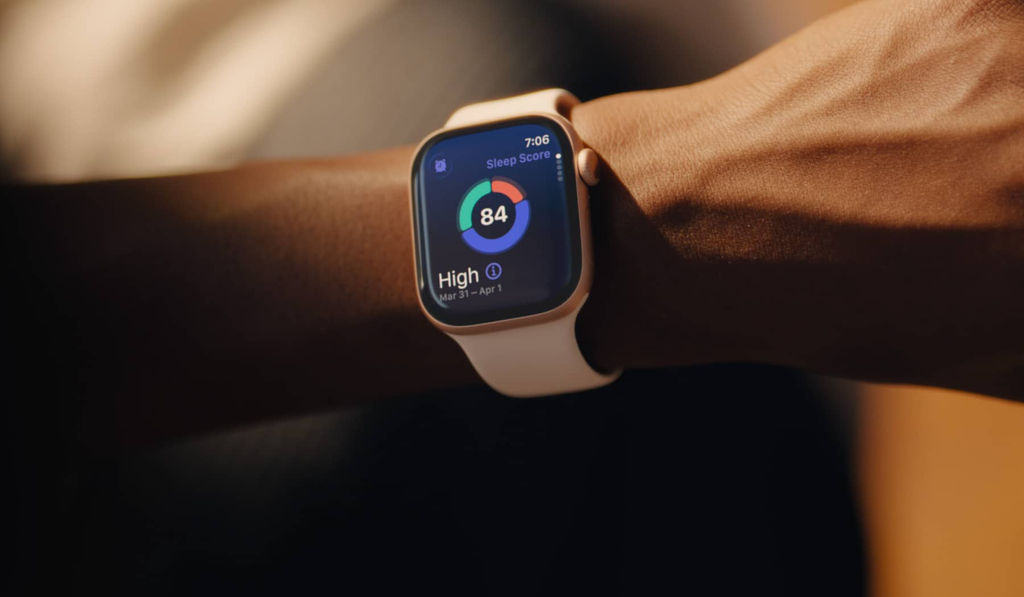
Waking up exhausted after spending eight hours in bed is frustrating. You might think you slept all night, but your body tells a completely different story the next morning. Most people put on an Apple Watch every morning to count their daily steps, measure workouts, or check notifications. Yet, millions of watch owners completely ignore the single most life-changing health feature sitting right on their wrist every night.
Tracking your sleep with an Apple Watch is about much more than just counting how many hours you stayed in bed. It gives you a clear window into your body recovery, heart rate changes, breathing consistency, and sleep architecture every night. When you learn how to set up your Watch properly and read the metrics correctly, you can spot health problems early, lower your stress, and boost your daily energy.
This guide breaks down everything you need to know about tracking your sleep with your Apple Watch in simple terms. You will learn how to set it up, what each sleep stage means for your body, how to fix tracking issues, and how to use this information to sleep better every single night.
Why Tracking Your Sleep Actually Matters for Your Health
Sleep is not just passive rest where your brain turns off. It is an active biological recovery process. During quality sleep, your body repairs tissue, balances hormones, clears out brain toxins, and consolidates memories. When you consistently get poor sleep, your risk of cardiovascular issues, weight gain, weakened immunity, and mood disorders skyrockets.
An Apple Watch acts like a tiny personal sleep laboratory. Instead of guessing why you feel tired, the device tracks precise physical metrics throughout the night. It measures small wrist movements, heart rate fluctuations, temperature shifts, and breathing patterns to paint an accurate picture of your night.
The $0 Secret To Launching Your Entire Online Empire
Why pay hundreds every month for separate software? Build funnels, send emails, and make sales with Systeme.io completely free.
Get Started For $0Free Forever • No Credit Card Needed • Beginner-Friendly
By looking at your sleep patterns over time, you can notice clear trends. For example, you might discover that eating late at night spikes your sleeping heart rate, or that drinking alcohol ruins your deep sleep cycles. Once you have this clear data, you can make small lifestyle changes that lead to massive improvements in how you feel each day.
How to Set Up Sleep Tracking on Your Apple Watch Step by Step
Setting up sleep tracking on your Apple Watch is quick and straightforward. You only need to configure a few basic settings on your iPhone or directly on your wrist to get accurate data every night.
Step 1: Turn On Sleep Tracking in the Health App
Open the Health app on your iPhone and tap on the Summary or Browse tab. Scroll down to find Sleep and tap on it. Scroll down to the options section and make sure Track Sleep with Apple Watch is toggled on. This setting tells your Watch to actively use its sensors to monitor your movement and heart rate during your scheduled bedtime hours.
Step 2: Create a Personal Sleep Schedule
A consistent sleep schedule is essential for good sleep hygiene. Inside the Sleep section of the Health app, tap Full Schedule & Options. Here, you can set your target sleep goal, such as eight hours, and set up bedtime and wakeup schedules for weekdays and weekends. Creating a regular schedule helps your body fall into a natural circadian rhythm, making it easier to fall asleep and wake up naturally.
Step 3: Enable Sleep Focus Mode
Sleep Focus is one of the best features for uninterrupted rest. When Sleep Focus turns on, your Apple Watch display dims completely and disables the raise-to-wake feature so a bright screen does not blind you when you roll over. Notifications are also muted so random text messages or emails will not wake you up in the middle of the night. You can set Sleep Focus to turn on automatically according to your sleep schedule, or turn it on manually from the Control Center.
Step 4: Enable Advanced Health Metrics
To get the most out of your sleep tracking, make sure all advanced sensor features are active. Go to the Settings app on your iPhone, select Privacy & Security, tap Health, and ensure Respiratory Rate and Wrist Temperature are enabled. These sensors track subtle body changes overnight, giving you deep insights into your overall wellness and recovery.
Step 5: Establish a Smart Charging Routine
One of the main reasons people skip sleep tracking is a dead Apple Watch battery. To avoid this, build a quick charging habit into your daily routine. Charge your Watch while taking your evening shower or while sitting at your desk during dinner. Giving your device a 30 to 45 minute power boost before bed ensures it stays alive all night long without interrupting your morning routine. If you want to keep your device running smoothly for years, checking out these Apple Watch optimization tips will help you conserve battery life effortlessly.
It is also worth making sure your device is running the latest software version. Keeping your system up to date ensures all health tracking algorithms remain accurate. You can learn how to update Apple Watch to the latest watchOS in just a few taps.
Understanding Your Sleep Data: What Do the Stages Mean?
Once you wear your Apple Watch to bed, the Health app generates a detailed chart showing your sleep stages. Apple uses an advanced accelerometer and heart rate sensor algorithm to categorize your sleep into four distinct stages: Core, Deep, REM, and Awake.
Core Sleep (Light Sleep)
Core sleep forms the foundation of your night. This is the stage where your body begins to relax, your muscles loosen, and your heart rate slows down slightly. Core sleep takes up the largest percentage of your total sleep time, usually around 40% to 50% of the night. While it is considered light sleep, it is vital for maintaining physical endurance and cognitive function.
Deep Sleep
Deep sleep is the ultimate physical recovery stage. During deep sleep, your breathing slows to its lowest rate, your muscles fully relax, and your brain releases human growth hormone to repair tissues, build muscle, and strengthen your immune system. If you wake up feeling physically sluggish or sore, you likely did not get enough deep sleep. Most adults need about 1 to 2 hours of deep sleep each night.
REM Sleep (Rapid Eye Movement)
REM sleep is where mental recovery and dreaming happen. During REM sleep, your brain activity rises to levels similar to when you are awake, while your body remains temporarily paralyzed to prevent you from acting out your dreams. REM sleep is critical for memory consolidation, emotional balance, problem-solving, and creative thinking. If you find yourself feeling foggy, anxious, or forgetful, lack of REM sleep could be the reason.
Awake Time
It is completely normal to wake up briefly multiple times during the night. Most people have small micro-awakenings lasting a few seconds to a minute that they do not even remember the next morning. Your Apple Watch records these brief moments. However, if your awake time adds up to more than 30 to 45 minutes across the night, it may point to sleep disruptions like noise, temperature discomfort, or stress.
Beyond Sleep Stages: Advanced Health Metrics Your Watch Tracks
While sleep stages are great for understanding your sleep quality, your Apple Watch also collects critical biometric measurements that reveal a lot about your overall physical health.
Sleeping Heart Rate and Heart Rate Variability (HRV)
Your heart rate naturally drops while you sleep as your nervous system shifts into a relaxed state. A lower sleeping heart rate generally indicates good cardiovascular fitness and adequate recovery. If your sleeping heart rate stays unusually high, it can mean your body is dealing with stress, late-night meals, alcohol, or an impending illness.
Send, Spend & Hold Money Worldwide Without Hidden Fees
Transfer money internationally at the real exchange rate and hold 40+ currencies in one account.
Open a Wise AccountMid-market rate • Fast transfers • 40+ currencies
Heart Rate Variability (HRV) measures the variation in time between consecutive heartbeats. Higher HRV during sleep means your body is adapting well to stress and recovering properly. Lower HRV can indicate physical strain, overtraining, or high anxiety levels.
Wrist Temperature Trends
If you wear an Apple Watch Series 8, Series 9, Series 10, or Apple Watch Ultra model, your device measures your wrist temperature every five seconds overnight. It establishes a baseline temperature and tracks daily deviations. A sudden rise in wrist temperature can be an early signal that your body is fighting off an infection, or it can help track physiological cycles. If you are curious about high-end Apple wearables, reading about the Apple Watch Ultra 4 features and battery life will give you a clear look at top-tier fitness tracking.
Respiratory Rate and Sleep Breathing Disturbances
Your Apple Watch tracks how many breaths you take per minute while asleep. A normal resting respiratory rate for adults is between 12 and 20 breaths per minute. A sudden or sustained increase in breathing rate overnight can signal respiratory infections or allergies.
Recent watchOS updates also introduce features that detect sleep breathing disturbances, helping identify signs of sleep apnea. Catching these signs early allows you to consult a doctor before chronic sleep deprivation affects your long-term health. Knowing what your device can and cannot monitor is always helpful, much like understanding how to measure blood pressure with Apple Watch.
Best Settings and Nightly Habits for Better Sleep Tracking
To make sleep tracking as comfortable and accurate as possible, consider a few practical adjustments before climbing into bed.
Choose a Comfortable Watch Band
Wearing a rigid or metallic watch band to bed can be uncomfortable and disrupt your sleep. It can also cause the watch sensors to lose contact with your skin, leading to missing data. Switching to a soft, breathable band like a Sport Loop or Solo Loop makes a massive difference in overnight comfort. Choosing the right band is simple when you review tips on how to choose the right Apple Watch band for comfort and style.
Set Up Haptic Alarms for Gentle Wakeups
Waking up to a loud, blaring alarm causes a spike in cortisol and starts your morning in a state of stress. Instead, set a haptic alarm on your Apple Watch. The Watch will gently tap your wrist to wake you up silently without disturbing your partner. It is a far more peaceful way to transition from deep sleep to full awareness.
Pair and Sync Properly With Your iPhone
Ensure your Apple Watch and iPhone maintain a stable Bluetooth connection so your health data syncs automatically every morning. If you recently changed smartphones, you can follow instructions on how to pair your Apple Watch with a new iPhone to prevent data loss.
Reduce Screen Time Before Bed
Even the best sleep tracker cannot help if blue light exposure keeps your brain awake late into the night. Scrolling through social media feeds or checking late emails suppresses melatonin production, making it harder to fall asleep. Learning how to use your phone less without feeling left out is one of the best habits you can adopt for restorative rest.
How to Troubleshoot Apple Watch Sleep Tracking Issues
Sometimes sleep tracking does not work as expected. Here are quick solutions for common problems you might encounter.
The $0 Secret To Launching Your Entire Online Empire
Why pay hundreds every month for separate software? Build funnels, send emails, and make sales with Systeme.io completely free.
Get Started For $0Free Forever • No Credit Card Needed • Beginner-Friendly
Apple Watch Is Not Recording Sleep Data
If you wake up and find no sleep data in the Health app, check these common causes. First, make sure your Watch was worn continuously for at least four hours during the night. Second, verify that Sleep Focus was active during your sleep window. Third, check that Wrist Detection is turned on in your Watch settings under Settings > Passcode > Wrist Detection. Without Wrist Detection, the Watch cannot verify it is on your arm and will disable health tracking.
Battery Drains Completely Overnight
If your Watch battery dies before morning, check your background app refresh settings. Turn off unnecessary background app updates and disable ambient display settings during bedtime hours. Ensuring your device has at least 30% battery before heading to bed will prevent unexpected shutdowns during sleep tracking.
Inaccurate Sleep Stage Readings
If your sleep stages look completely wrong, the Watch fit might be too loose. The sensors need to sit flat against the top of your wrist, about one finger width away from your wrist bone. Tighten the band slightly before bed so light cannot penetrate between the sensor and your skin.
Frequently Asked Questions About Apple Watch Sleep Tracking
Does Apple Watch track sleep automatically without a schedule?
Yes, modern watchOS versions can detect sleep automatically even if you do not set up a rigid sleep schedule, provided Sleep Focus is enabled or your watch detects prolonged resting periods during your usual sleep hours. However, setting up a Sleep Schedule yields the most consistent and accurate results.
Which Apple Watch models support sleep stage tracking?
Sleep stage tracking (REM, Core, Deep, and Awake) is supported on Apple Watch Series 4 and newer models running watchOS 9 or later. Advanced features like wrist temperature tracking require an Apple Watch Series 8, Series 9, Series 10, or Ultra model.
Is it safe to wear an Apple Watch while sleeping every night?
Yes, wearing an Apple Watch while sleeping is completely safe. The sensors use low-energy optical LEDs and Bluetooth signals that do not pose health risks. Just clean your watch band regularly to prevent skin irritation from sweat and dead skin cells.
How accurate is Apple Watch sleep tracking compared to medical sleep labs?
While an Apple Watch cannot replace a medical polysomnography (PSG) test used in sleep labs, clinical studies show that Apple Watch sleep stage tracking is among the most accurate consumer wearables on the market for detecting sleep and wake patterns.
Can Apple Watch detect sleep apnea?
Recent Apple Watch models equipped with sleep disturbance detection can identify consistent breathing disruptions that may indicate sleep apnea. If the Watch detects persistent irregularities over a 30-day period, it sends a notification encouraging you to speak with a healthcare professional.
What should I do if my watch band causes irritation overnight?
If your wrist feels irritated in the morning, wash both your wrist and the watch band with mild soap and water. Switch to a breathable fabric band like the Sport Loop for sleeping, and avoid wearing the band too tightly.
Turn Your Nightly Sleep Data Into Real Life Energy
Tracking your sleep with an Apple Watch is one of the easiest ways to take control of your daily health and well-being. By setting up a consistent schedule, monitoring your sleep stages, and making small adjustments to your nightly routine, you can transform the quality of your rest and wake up energized every day.
